TsgcWebSocketServer_HTTPAPI | Self-Signed Certificates
If you require a certificate for your own testing, you can create a self-signed certificate on your testing machine. Follow these steps:
1. Run Powershell as Administrator.
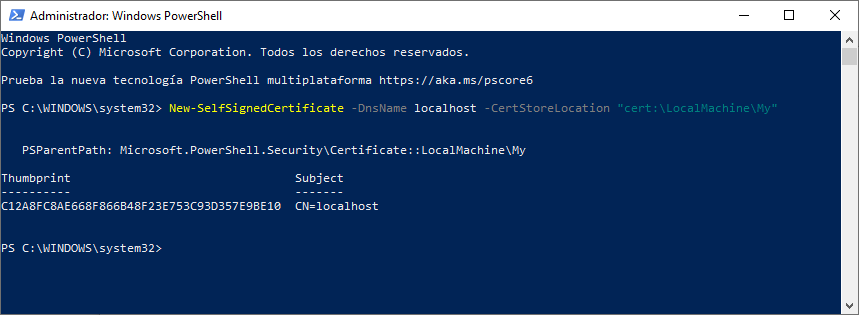
2. Run the following command to create the certificate:
New-SelfSignedCertificate -DnsName localhost -CertStoreLocation "cert:\LocalMachine\My"
If successful, you will get a confirmation about the new certificate created. Just copy Thumbprint and paste on TsgcWebSocketServer_HTTPAPI.TLSOptions.Hash property.
3. Optional, you can add your self-signed certificate as a trusted certificate authority
Run MMC -32 as administrator
3.1. Select File / Add or Remove Snap-in
3.2. Select Certificate and then click Add
3.3. Select computer account and press Next.
3.4. Select Local computer and press Ok. You will now see your Certificates.
4.5. Select your certificate from Personal / Certificates and Paste on Trusted Root Certificates Authorities / Certificates.