GUIDA RAPIDA
Costruisci un foglio in poche righe
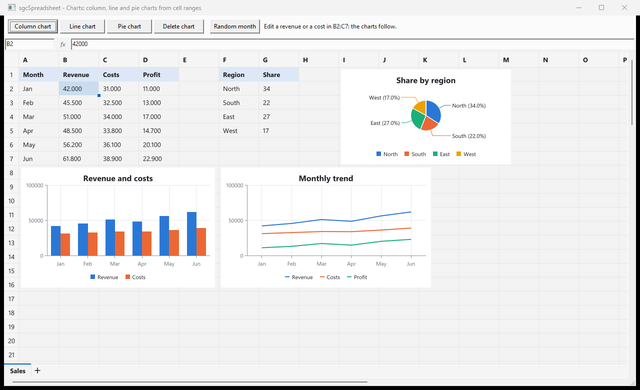
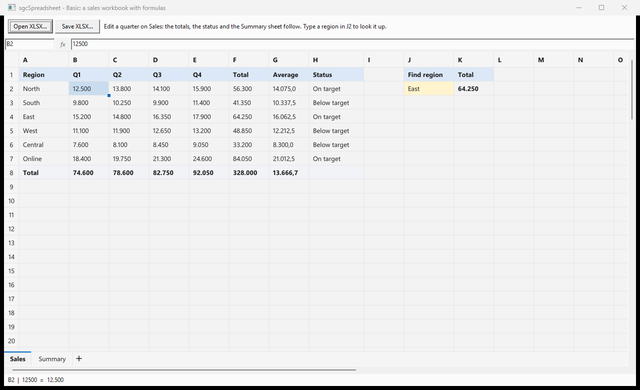
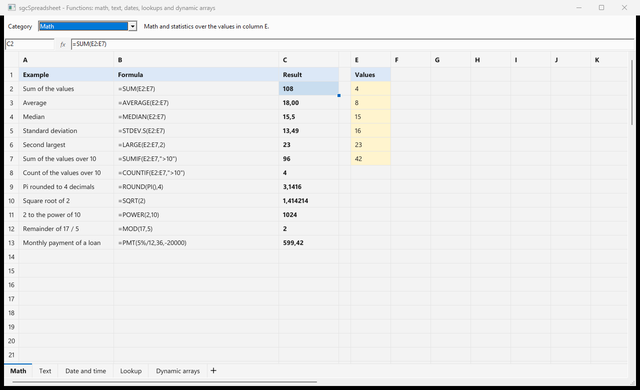
Scrivi valori e formule, espandi un array dinamico, blocca la riga di intestazione, aggiungi un grafico e salva la cartella di lavoro come XLSX.
sgcVCLSpreadsheet1 è un TsgcVCLSpreadsheet sul form. I tipi di grafico e le enumerazioni sono dichiarati in sgcSpreadsheet_Charts.
uses
  sgcSpreadsheet_Charts, sgcSpreadsheet_VCL;

procedure TForm1.BuildBudget;
var
  oChart: TsgcSpreadsheetChart;
begin
  // row and column are 0-based: (0, 0) is A1
  sgcVCLSpreadsheet1.SetCellInput(0, 0, 'Month');
  sgcVCLSpreadsheet1.SetCellInput(0, 1, 'Revenue');
  sgcVCLSpreadsheet1.SetCellInput(1, 0, 'Jan');
  sgcVCLSpreadsheet1.SetCellInput(1, 1, '42000');
  sgcVCLSpreadsheet1.SetCellInput(2, 0, 'Feb');
  sgcVCLSpreadsheet1.SetCellInput(2, 1, '45500');
  sgcVCLSpreadsheet1.SetCellInput(3, 0, 'Total');
  sgcVCLSpreadsheet1.SetCellInput(3, 1, '=SUM(B2:B3)');
  // a dynamic array: the sorted revenues spill into D1:D2
  sgcVCLSpreadsheet1.SetCellInput(0, 3, '=SORT(B2:B3,1,-1)');
  // keep the header row visible while the sheet scrolls
  sgcVCLSpreadsheet1.FreezePanes(1, 0);
  // a column chart of the range, drawn by sgcCharts
  oChart := sgcVCLSpreadsheet1.AddChart(sctColumn, 'A1:B3');
  oChart.Title := 'Revenue';
  oChart.Legend := sclRight;
  sgcVCLSpreadsheet1.SaveToXLSX('budget.xlsx');
end;
I controlli .NET usano gli stessi nomi. sheet è un TsgcWinFormsSpreadsheet; i controlli WPF e Avalonia funzionano allo stesso modo.
using esegece.sgcSpreadsheet;

// row and column are 0-based: (0, 0) is A1
sheet.SetCellInput(0, 0, "Month");
sheet.SetCellInput(0, 1, "Revenue");
sheet.SetCellInput(1, 0, "Jan");
sheet.SetCellInput(1, 1, "42000");
sheet.SetCellInput(2, 0, "Feb");
sheet.SetCellInput(2, 1, "45500");
sheet.SetCellInput(3, 0, "Total");
sheet.SetCellInput(3, 1, "=SUM(B2:B3)");
// a dynamic array: the sorted revenues spill into D1:D2
sheet.SetCellInput(0, 3, "=SORT(B2:B3,1,-1)");
// keep the header row visible while the sheet scrolls
sheet.FreezePanes(1, 0);
// a column chart of the range, drawn by sgcCharts
TsgcSpreadsheetChart chart = sheet.AddChart(TsgcSpreadsheetChartType.sctColumn, "A1:B3");
chart.Title = "Revenue";
chart.Legend = TsgcSpreadsheetChartLegend.sclRight;
sheet.SaveToXLSX("budget.xlsx");