 eSeGeCe
software
eSeGeCe
software
Ollama Delphi API Client
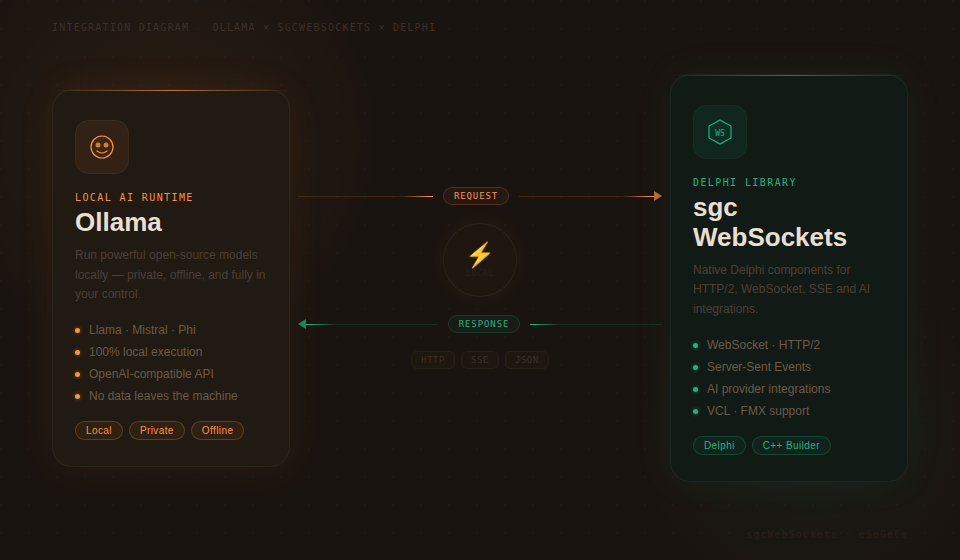
Ollama makes it easy to run large language models locally on your own hardware — no cloud dependency, no API costs, and full data privacy. For Delphi developers looking to integrate local AI capabilities into their applications, sgcWebSockets provides TsgcHTTP_API_Ollama — a native component that wraps the entire Ollama API with clean, type-safe Delphi code.
Whether you need to keep sensitive data on-premises, build offline-capable AI features, manage your own model library, or generate embeddings for local vector search, this component gives you direct access to every Ollama feature. No cloud accounts. No recurring API fees. Just drop the component, point it at your Ollama instance, and start building.
Complete API Coverage
Every major feature of the Ollama API is supported out of the box.
|
Chat Completions Send messages with system prompts, receive responses synchronously or streamed. Full control over temperature, top-p, and stop sequences. |
Real-Time Streaming Stream responses token-by-token using Server-Sent Events. Build responsive UIs with locally-running models. |
Model Management Pull, show details, list tags, and delete models programmatically. Full lifecycle management from Delphi code. |
|
Embeddings Generate vector embeddings locally. Power semantic search, clustering, and classification without sending data to the cloud. |
Self-Hosted / Configurable Host Connect to any Ollama instance via configurable host URL. Run locally, on a LAN server, or in a private cloud. |
Built-in Retry & Logging Automatic retry on transient failures with configurable attempts and wait intervals. Full request/response logging for debugging. |
Getting Started
Integrate Ollama into your Delphi project in under a minute. Drop the component, configure the host, and send your first message.
// Create the component and configure the host
var
  Ollama: TsgcHTTP_API_Ollama;
  vResponse: string;
begin
  Ollama := TsgcHTTP_API_Ollama.Create(nil);
  Try
    Ollama.OllamaOptions.Host := 'http://localhost:11434';

    // Send a simple message to a local model
    vResponse := Ollama._CreateMessage(
      'llama3', 'Hello, Ollama!');

    ShowMessage(vResponse);
  Finally
    Ollama.Free;
  End;
end;
No API key required. When connecting to a local Ollama instance, no authentication is needed. For remote or secured deployments, you can optionally set an API key via OllamaOptions.ApiKey.
Chat Completions & Streaming
The Chat Completions API works with any model you have pulled into your Ollama instance. Send text with optional system prompts, and receive responses synchronously or streamed in real-time.
System Prompts
Control model behavior by providing a system prompt that sets the context, personality, or constraints for the conversation.
vResponse := Ollama._CreateMessageWithSystem(
  'llama3',
  'You are a helpful assistant that responds in Spanish.',
  'What is the capital of France?');
// Returns: "La capital de Francia es París."
Real-Time Streaming
For responsive user interfaces, stream the model's response token-by-token using Server-Sent Events.
// Enable streaming via SSE
Ollama.OnHTTPAPISSE := OnSSEEvent;
Ollama._CreateMessageStream('llama3',
  'Write a short poem about Delphi programming.');

procedure TForm1.OnSSEEvent(Sender: TObject;
  const aEvent, aData: string; var Cancel: Boolean);
begin
  // aData: JSON payload with generated content
  Memo1.Lines.Add(aData);
end;
Advanced Typed API
For full control over request parameters — temperature, top-p, stop sequences, max tokens — use the typed request and response classes.
var
  oRequest: TsgcOllamaClass_Request_ChatCompletion;
  oMessage: TsgcOllamaClass_Request_Message;
  oResponse: TsgcOllamaClass_Response_ChatCompletion;
begin
  oRequest := TsgcOllamaClass_Request_ChatCompletion.Create;
  Try
    oRequest.Model := 'llama3';
    oRequest.MaxTokens := 2048;
    oRequest.Temperature := 0.7;

    oMessage := TsgcOllamaClass_Request_Message.Create;
    oMessage.Role := 'user';
    oMessage.Content := 'Explain quantum computing in simple terms.';
    oRequest.Messages.Add(oMessage);

    oResponse := Ollama.CreateMessage(oRequest);
    Try
      if Length(oResponse.Choices) > 0 then
        ShowMessage(oResponse.Choices[0].MessageContent);
    Finally
      oResponse.Free;
    End;
  Finally
    oRequest.Free;
  End;
end;
Model Management
Manage your entire local model library from Delphi code. Pull new models, inspect their details, list available tags, and delete models you no longer need — all programmatically.
Pull a Model
// Download a model from the Ollama registry
Ollama._PullModel('llama3');
Show Model Details
// Get detailed information about a model
vDetails := Ollama._ShowModel('llama3');
ShowMessage(vDetails);
List Models and Tags
// List all models via OpenAI-compatible endpoint
vModels := Ollama._GetModels;

// List model tags with detailed metadata (name, size, digest)
vTags := Ollama._GetTags;

// Typed API: access tag properties directly
var
  oTags: TsgcOllamaClass_Response_Tags;
  i: Integer;
begin
  oTags := Ollama.GetTags;
  Try
    for i := 0 to Length(oTags.Models) - 1 do
      Memo1.Lines.Add(Format('%s (%d bytes)',
        [oTags.Models[i].Name, oTags.Models[i].Size]));
  Finally
    oTags.Free;
  End;
end;
Delete a Model
// Remove a model from the local system
Ollama._DeleteModel('old-model:latest');
Embeddings
Generate vector embeddings locally using any embedding-capable model. Embeddings power semantic search, document clustering, and classification — all without sending data to external servers.
// Generate embeddings locally
var
  vEmbedding: string;
begin
  vEmbedding := Ollama._CreateEmbeddings(
    'nomic-embed-text',
    'Delphi is a powerful programming language.');
  ShowMessage(vEmbedding);
end;
For full control, use the typed API to access the raw embedding values.
var
  oResponse: TsgcOllamaClass_Response_Embeddings;
  i: Integer;
begin
  oResponse := Ollama.CreateEmbeddings(
    'nomic-embed-text',
    'Delphi is a powerful programming language.');
  Try
    for i := 0 to oResponse.EmbeddingCount - 1 do
      Memo1.Lines.Add(FloatToStr(oResponse.GetEmbeddingValue(i)));
  Finally
    oResponse.Free;
  End;
end;
Data privacy. With Ollama, your data never leaves your network. This makes it ideal for regulated industries (healthcare, finance, government) where data residency and privacy are critical requirements.
Configuration & Options
Fine-tune the component behavior with comprehensive configuration options.
| Property | Description |
|---|---|
OllamaOptions.Host |
Ollama server URL (e.g., http://localhost:11434) |
OllamaOptions.ApiKey |
Optional API key for secured deployments |
HttpOptions.ReadTimeout |
HTTP read timeout in milliseconds (default: 60000) |
LogOptions.Enabled |
Enable request/response logging |
RetryOptions.Enabled |
Automatic retry on transient failures |
RetryOptions.Retries |
Maximum number of retry attempts (default: 3) |
RetryOptions.Wait |
Wait time between retries in milliseconds (default: 3000) |
Supported Models
Ollama supports hundreds of open-source models. Here are some popular choices:
| Model | Parameters | Best For |
|---|---|---|
llama3 |
8B / 70B | General-purpose chat, reasoning |
mistral |
7B | Fast, efficient text generation |
codellama |
7B / 13B / 34B | Code generation and analysis |
nomic-embed-text |
137M | Text embeddings, semantic search |
Zero cost, full control. Run AI models on your own hardware with no per-token charges. Combined with sgcWebSockets' built-in retry logic and logging, you get production-ready local AI integration for Delphi.
Ollama Delphi Demo
When you subscribe to the blog, we will send you an e-mail when there are new updates on the site so you wouldn't miss them.
