十三种图表类型,只需学一个模型。
- 折线图、快速折线图、阶梯线图、面积图、柱状图、散点图、蜡烛图和 OHLC,可用于数值、日期时间、对数或分类坐标轴。
- 饼图和环形图、雷达图、热力图、树状图和漏斗图,用于分类数据,每个系列都是可自由组合的组件。
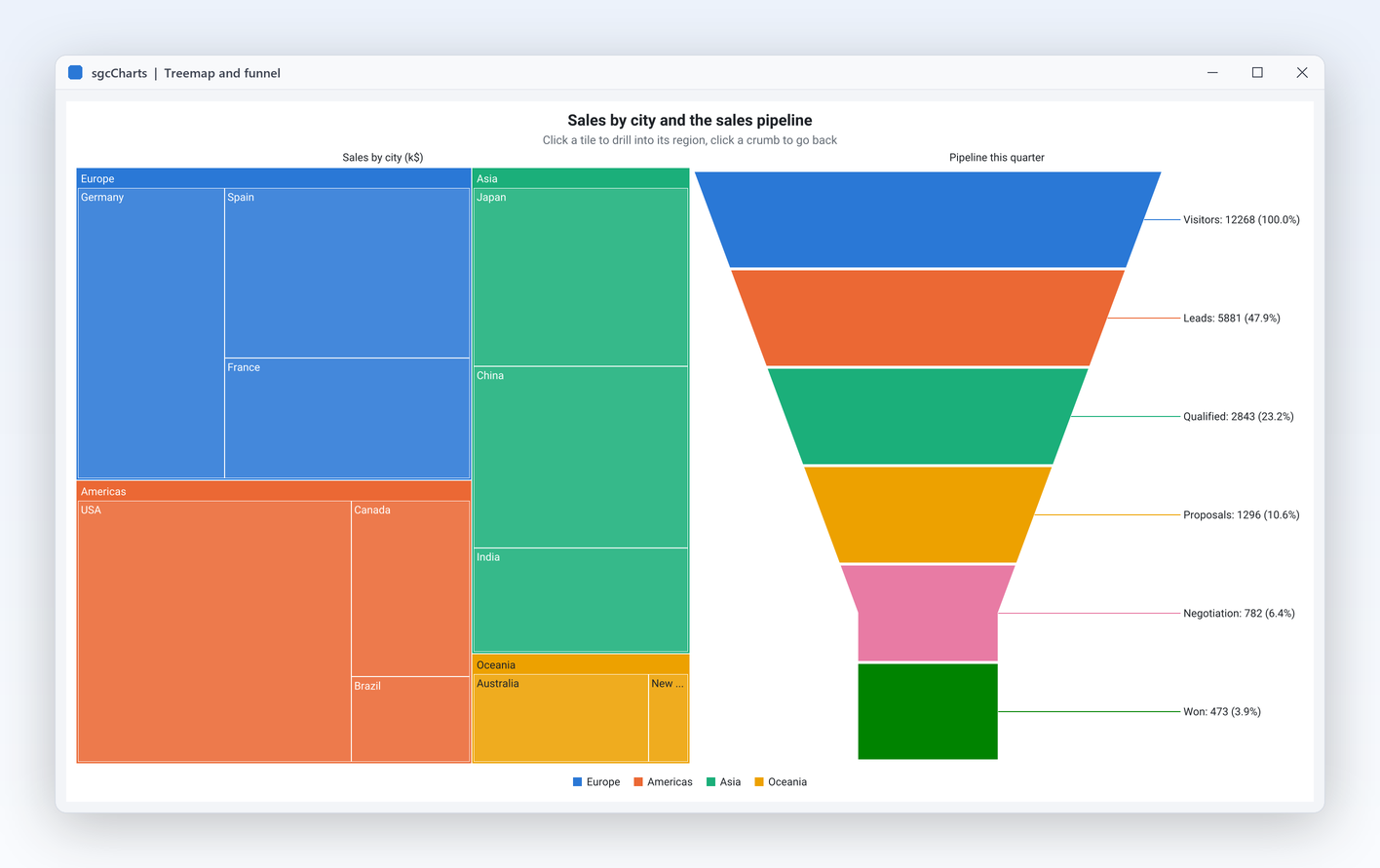
TsgcChartSeries_Treemap点击即可下钻,漏斗图显示每个阶段及其百分比。
从折线图到树状图,带 SMA、RSI、MACD 和布林带指标的蜡烛图,实时数据源,缩放与绘图工具,以及 PNG 或 SVG 导出。适用于 Delphi、C++ Builder 和 .NET 的原生图表库,包含源代码。
仪表板、分析和交易界面,从静态报表到永不间断的数据流。sgcCharts 用一个模型全部搞定,适用于所有框架。
从折线图到漏斗图,从蜡烛图到树状图,所有组件共用一个图表模型。
环形缓冲区、时间窗口和按系列抽稀让实时图表保持流畅。
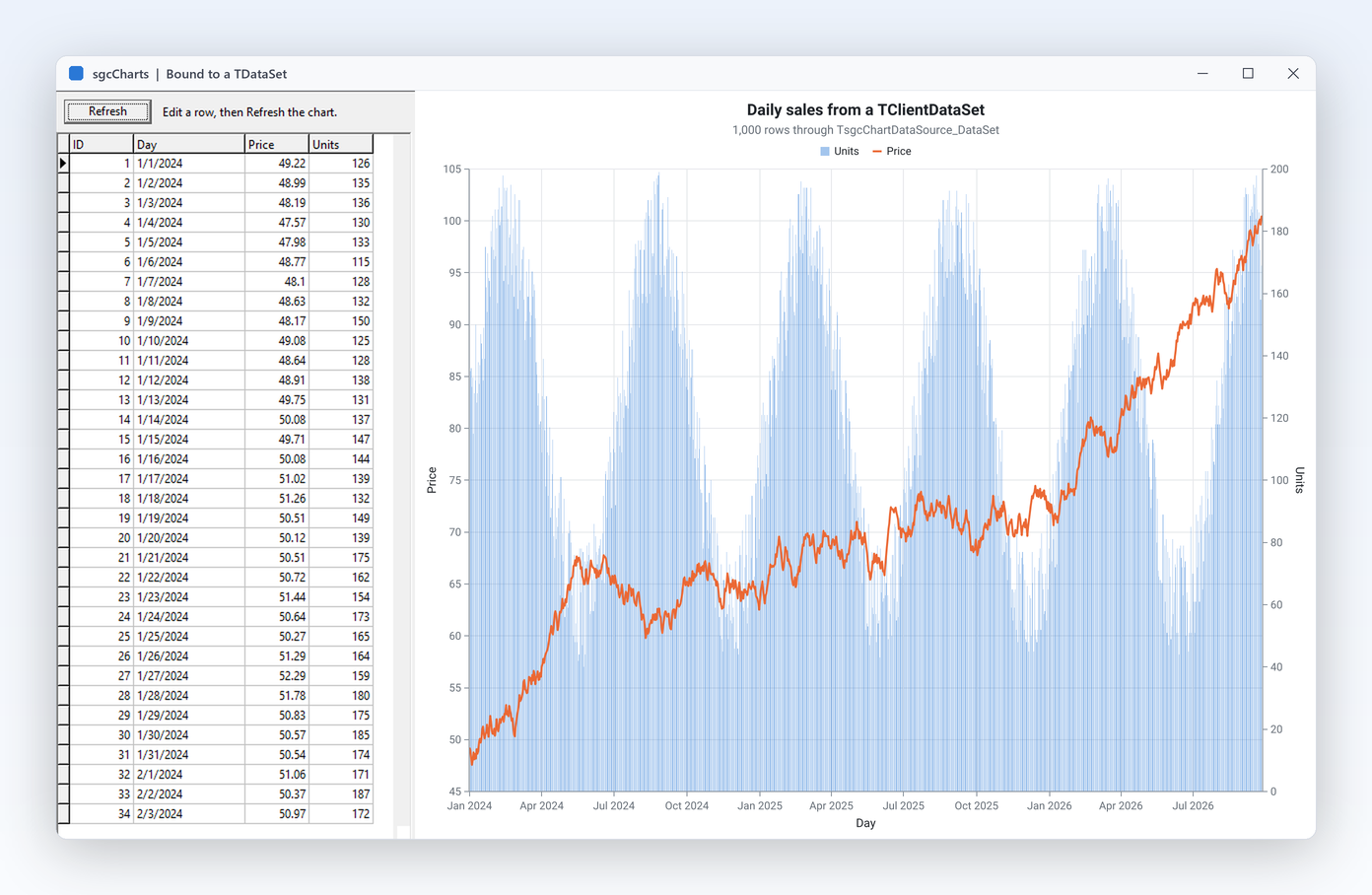
手动添加点、CSV、JSON、任意 TDataSet、内存表或实时数据源。
VCL、FireMonkey 和 .NET 视图,以及无需窗口的 PNG 和 SVG 输出。
截取自试用版附带的 sgcCharts 演示。

TsgcChartSeries_Treemap 点击即可下钻,漏斗图显示每个阶段及其百分比。
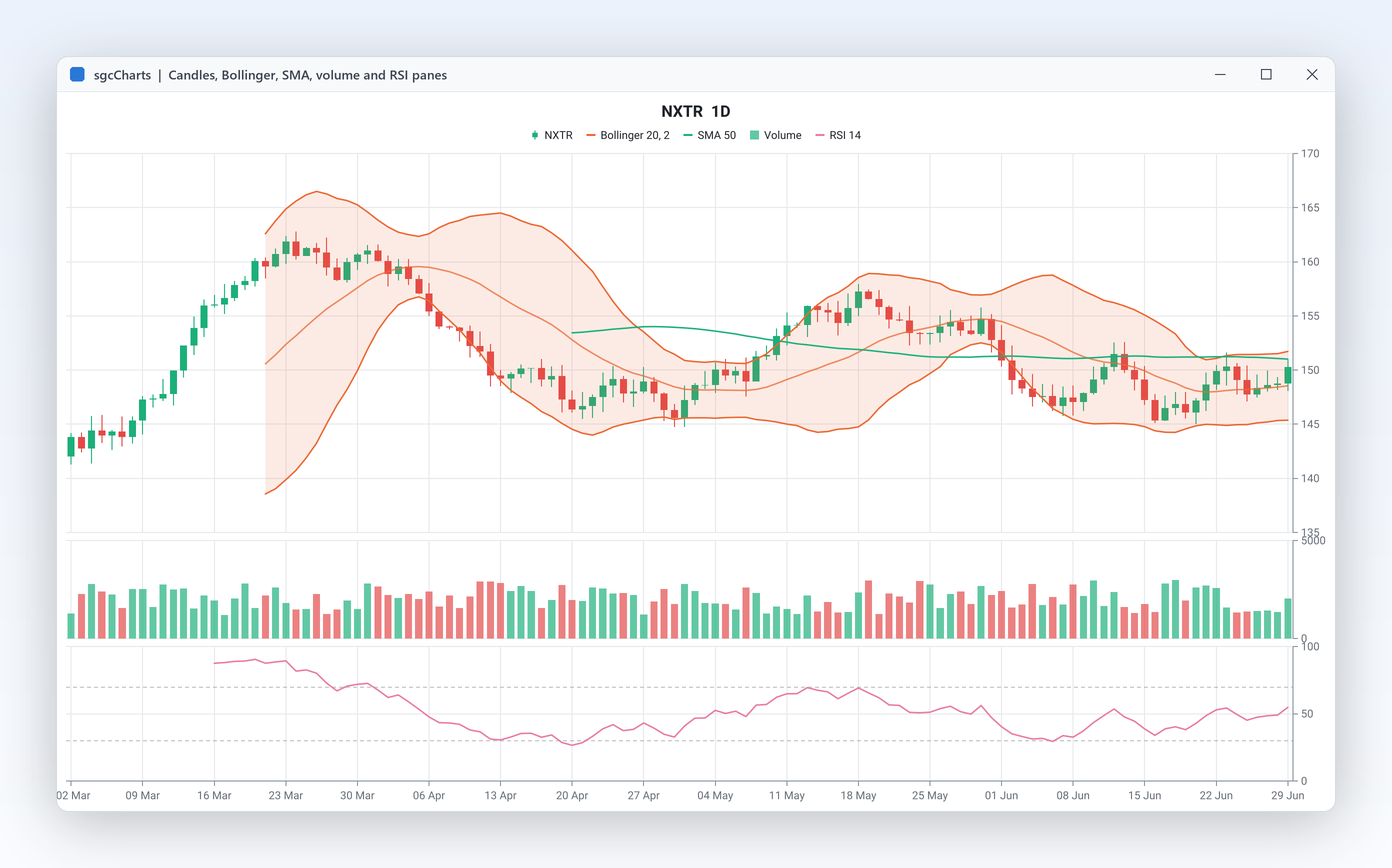
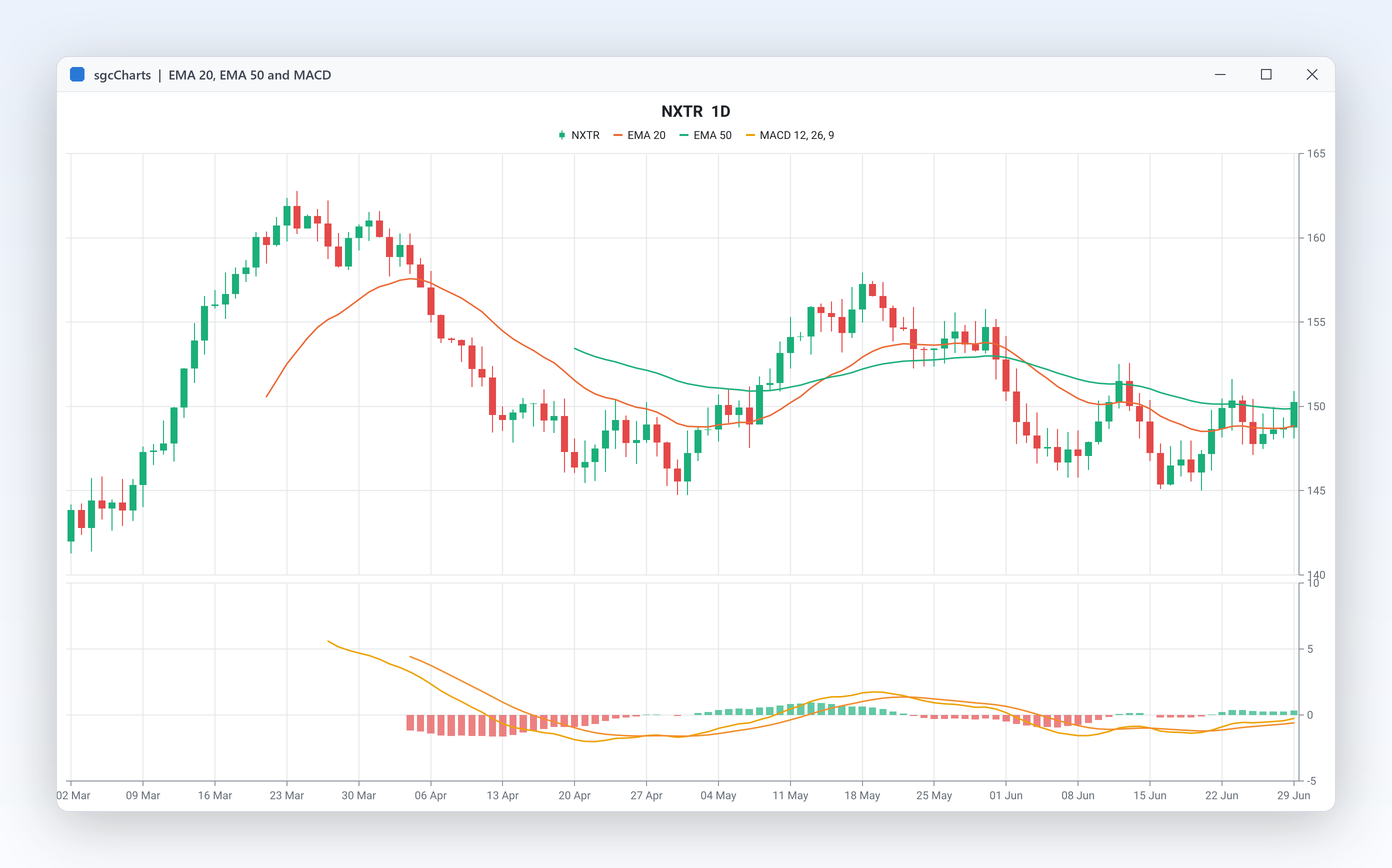
Source 指向蜡烛图系列,SMA、EMA、布林带、RSI、MACD、随机指标、ATR 或 VWAP 就会随蜡烛变化自动重新计算。Panes 把价格、成交量和振荡指标叠放在同一条时间轴上,并带有最新值标记以及买卖盘价带。
TsgcChartDataSource_DataSet 通过 XField、 YField 和 LabelField 读取任意 TDataSet。AddXY 。TsgcChartRenderer 无需窗口即可把同一张图表输出为 PNG 或 SVG,可用于服务程序或 Linux64 服务器。
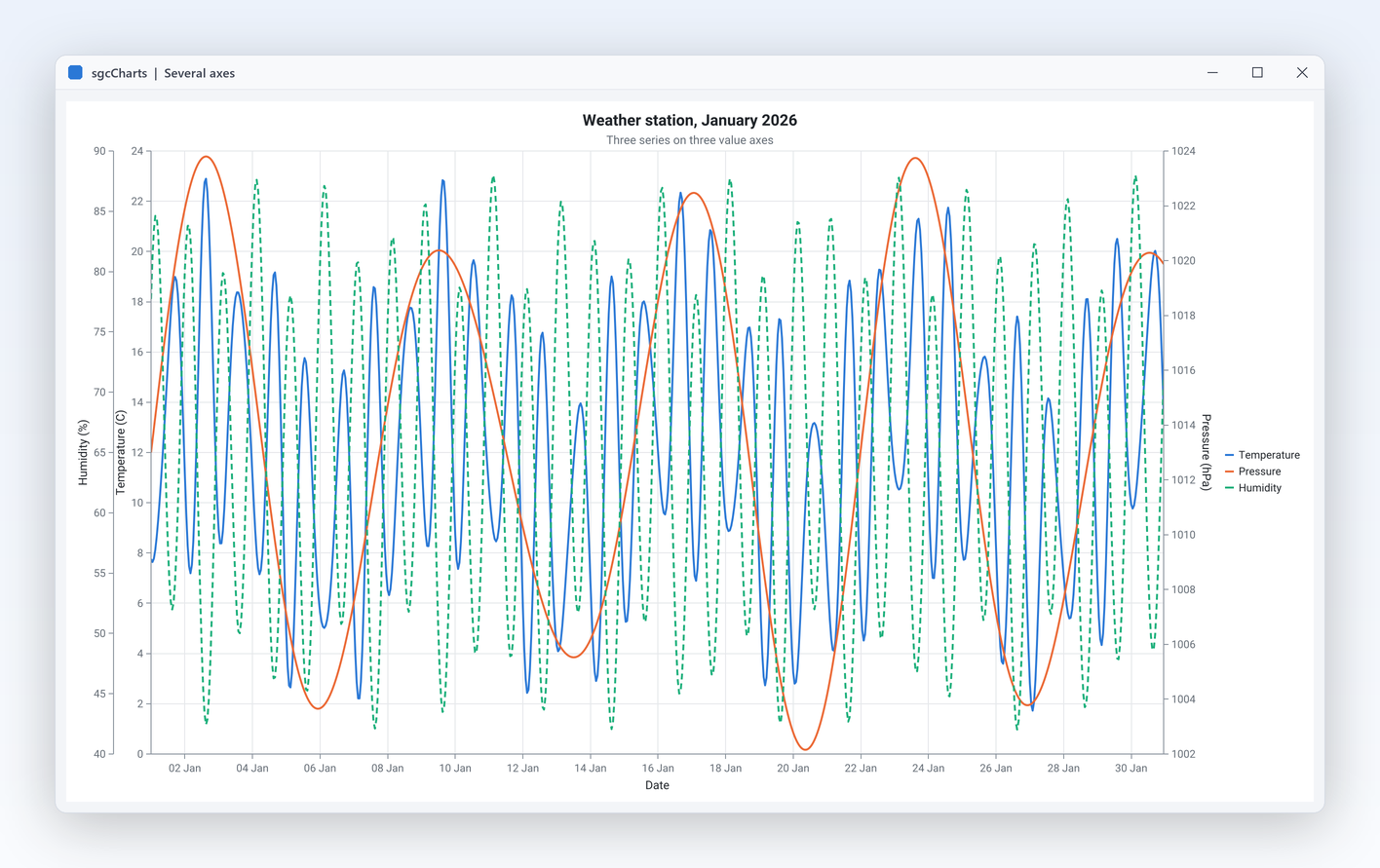
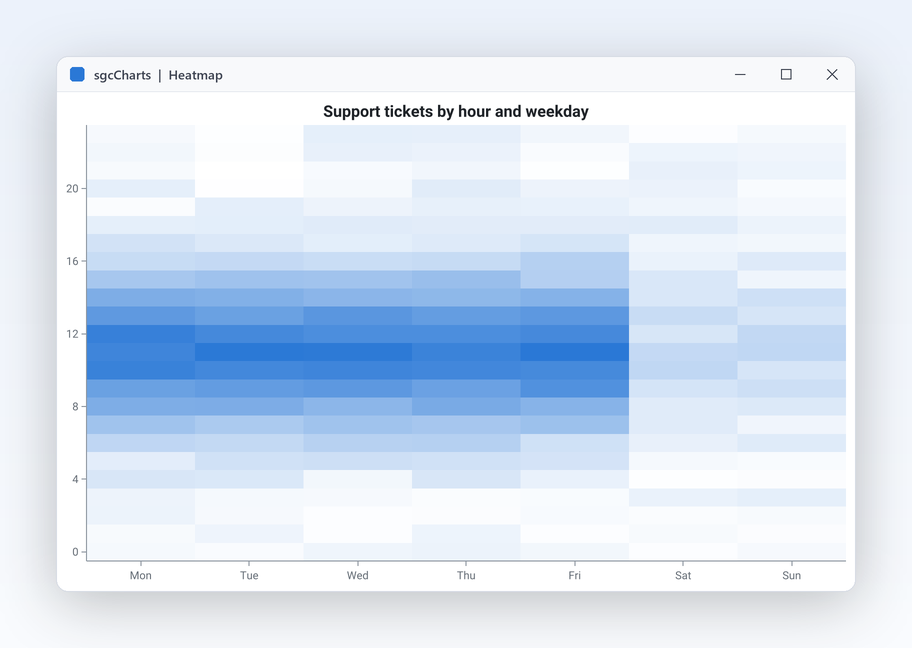
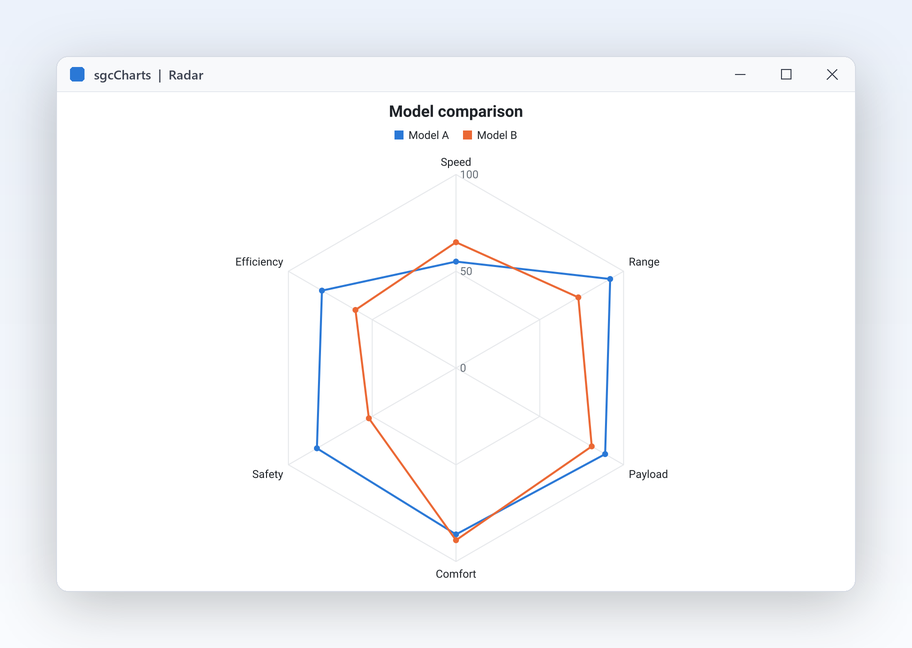
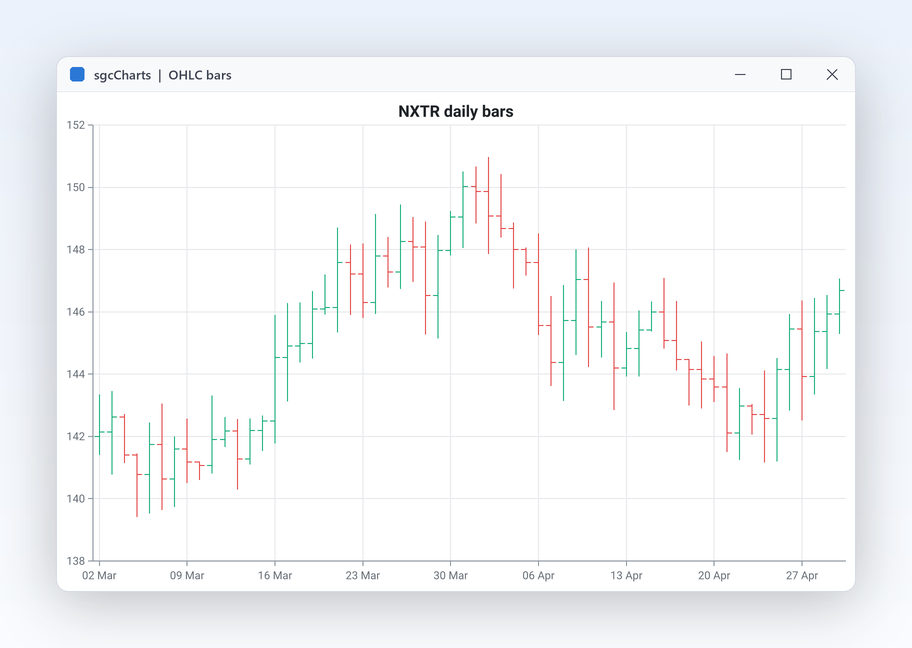
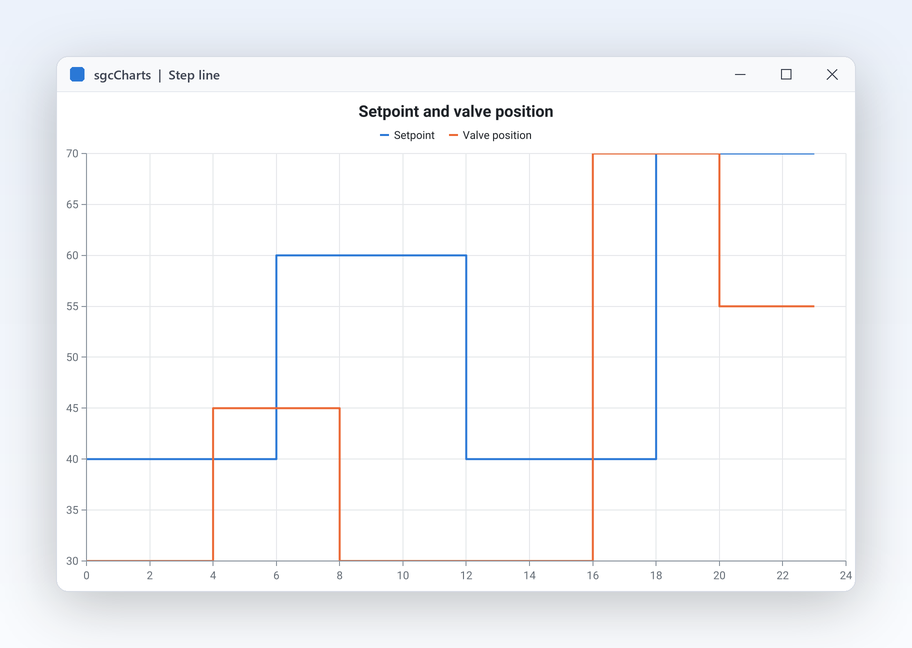
TsgcChartAxis :数值、对数、日期时间或分类,可放在绘图区的任意一侧。AutoScrollResumeDelay 后自动恢复。热力图、雷达图、OHLC 和阶梯线图:十三种系列类型中的另外四种,直接来自演示。


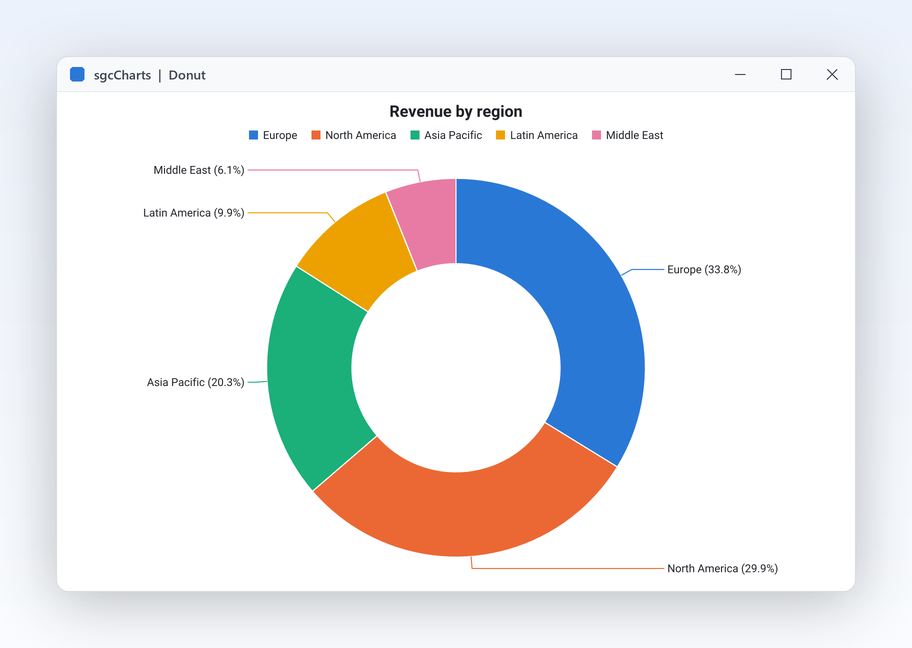
按地区划分的收入环形图,带“其他”扇区,使用深色主题并导出为 PNG。Delphi、C++ Builder 和 C# 中的 API 相同。
dotnet add package esegece.sgcCharts.Community
uses
Controls, sgcUICore_Theme, sgcCharts_Chart, sgcCharts_Series_Pie,
sgcCharts_Renderer, sgcCharts_VCL;
procedure BuildDonut(aOwner: TWinControl);
var
oChart: TsgcChart;
oView: TsgcVCLChart;
oPie: TsgcChartSeries_Pie;
oPNG: TsgcChartRenderer;
begin
oChart := TsgcChart.Create(aOwner);
oChart.Theme := utDark;
oChart.Title.Text := 'Revenue by region';
// a pie with a 55 percent hole, small slices folded into Others
oPie := TsgcChartSeries_Pie.Create(aOwner);
oPie.Chart := oChart;
oPie.InnerRadiusPercent := 55;
oPie.OthersThreshold := 4;
oPie.OthersText := 'Others';
oPie.AddItem('North America', 420);
oPie.AddItem('Europe', 310);
oPie.AddItem('Asia Pacific', 280);
oPie.AddItem('Middle East', 12);
// on screen
oView := TsgcVCLChart.Create(aOwner);
oView.Parent := aOwner;
oView.Align := alClient;
oView.Chart := oChart;
// and as a 1200 x 700 PNG, no window needed
oPNG := TsgcChartRenderer.Create(aOwner);
oPNG.Chart := oChart;
oPNG.RenderToPNGFile('revenue.png', 1200, 700);
end;
可单独购买 sgcCharts,也可在 sgcUI Professional 和 Enterprise 中获得它,与共用其主题和运行时的产品一起使用。均附带源代码。
对于 .NET, esegece.sgcCharts.Community 在 NuGet 上免费,不含金融包和实时数据源桥接。sgcCharts 也包含在 All-Access 套餐。
每款 sgcUI 产品都使用同一个运行时 sgcUICore 绘制,因此图表与周围的控件共享字体、间距、强调色和主题。

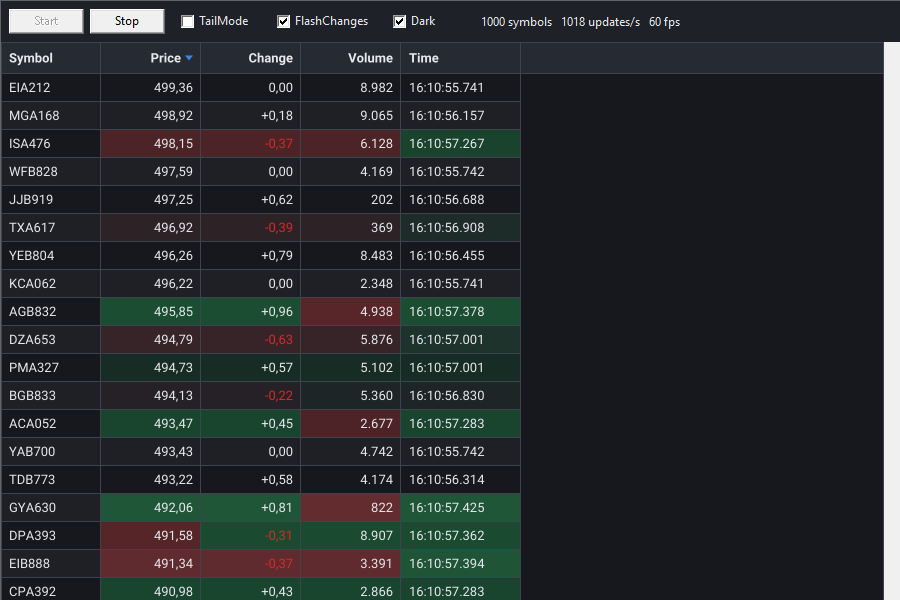
在实时网格中显示行,并通过表格数据源在旁边绘制图表。

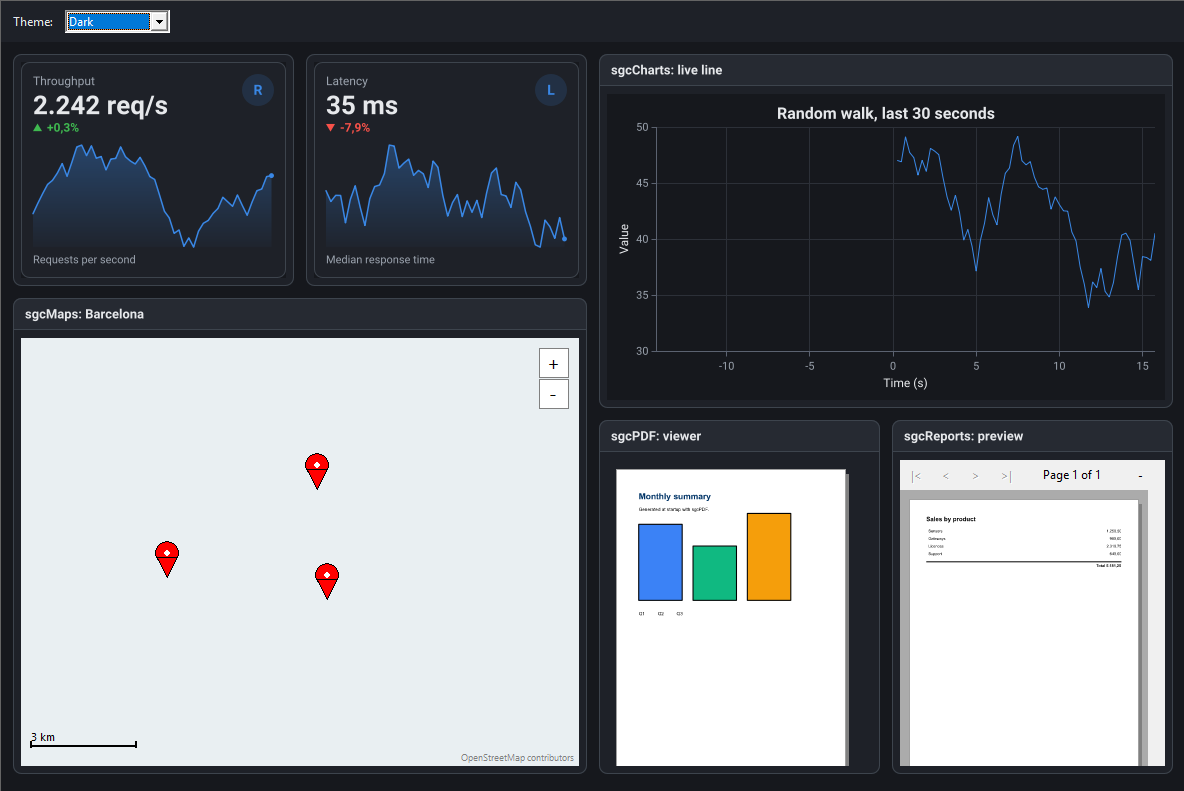
把图表放进仪表板图块,与 KPI 卡片并排,整个界面遵循同一主题。

用趋势图搭配仪表,显示每项测量的当前值。
Standard
Professional 增加
Enterprise 增加