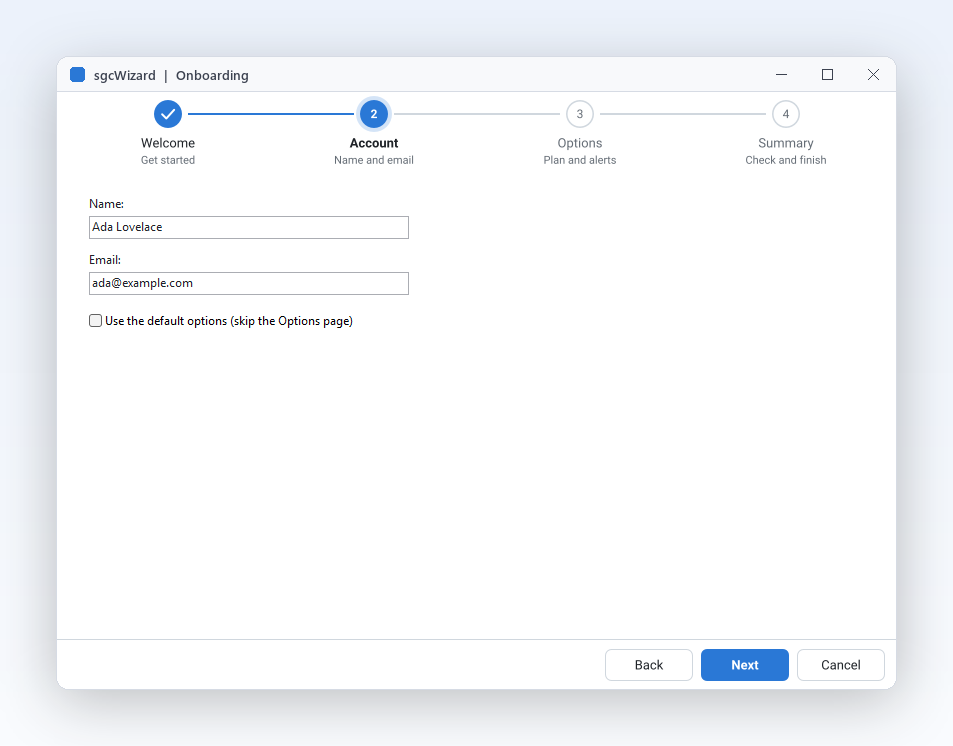
带内置步骤条的多步骤表单。
AddPage会同时创建页面和它在步骤条中的步骤。Caption、Description和StepGlyph为每个步骤添加标签,让用户知道自己在哪里以及还剩什么。Next、Back和GoToPage的切换方式与按钮完全相同。
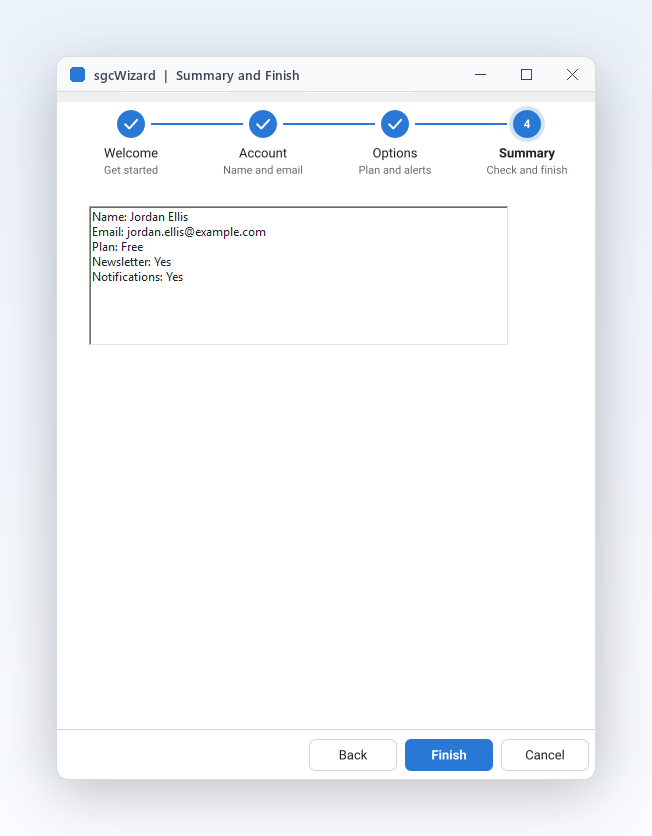
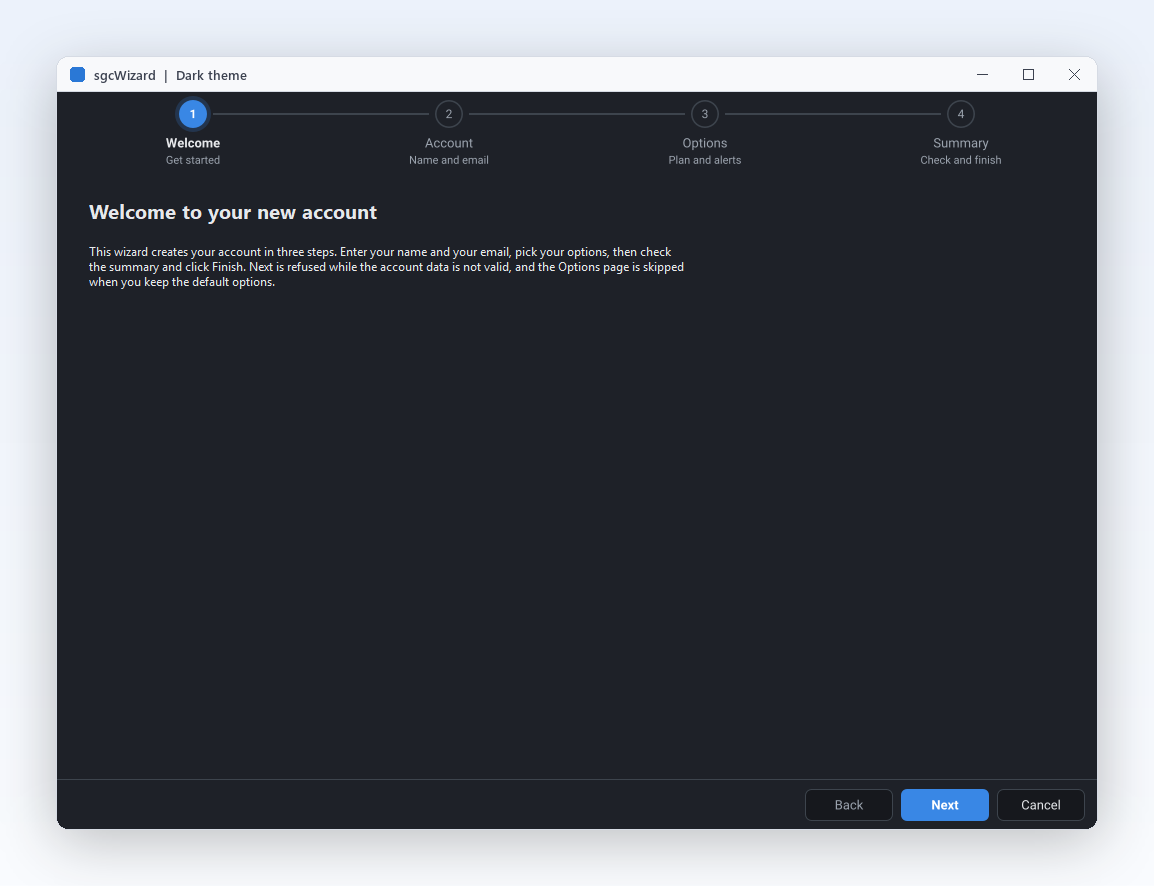
引导用户完成设置、新手引导和结账。您添加的每个页面都会成为步骤条中的一个步骤,内置“上一步”“下一步”“完成”和“取消”,并且只需一个事件,就能在页面有效之前阻止切换。这是适用于 Delphi、C++ Builder 和 .NET 的原生向导与步骤条,并附带源代码。
冗长的表单会让用户望而却步,而拆分成几个清晰步骤的同样字段则更容易填完。sgcWizard 把它们变成引导式流程,遵循您应用程序的规则和外观。
您添加的每个页面都会出现在步骤条中,并内置“上一步”“下一步”“完成”和“取消”。
OnBeforePageChange 会在页面有效之前阻止切换,无论用户按下了什么。
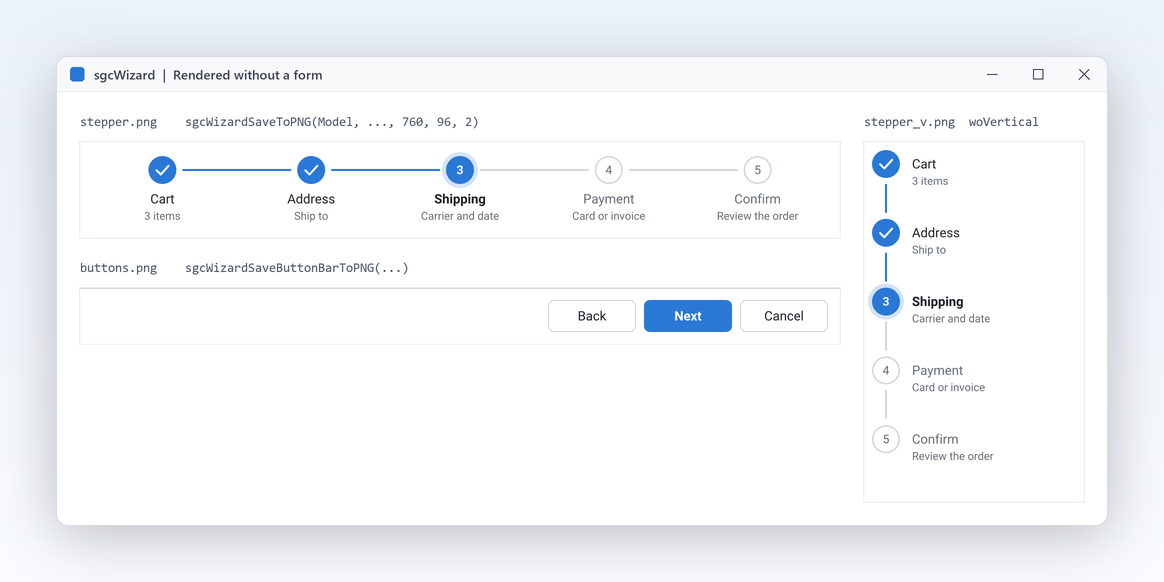
待处理、当前、已完成、错误和已跳过,一目了然。
自定义按钮文字、浅色和深色主题、强调色,以及在 IDE 中设计的页面。
录制自试用版附带的 Onboarding 演示。

AddPage 会同时创建页面和它在步骤条中的步骤。Caption、Description 和 StepGlyph 为每个步骤添加标签,让用户知道自己在哪里以及还剩什么。Next、Back 和 GoToPage 的切换方式与按钮完全相同。
Skip 后,“下一步”和“上一步”会跳过它,而步骤条仍以虚线轮廓显示该步骤。OnFinish 在验证允许完成之后运行,因此保存代码集中在一处。OnCancel 处理“取消”按钮、Escape 键以及对 Cancel 的调用。向导自己从不关闭任何内容。
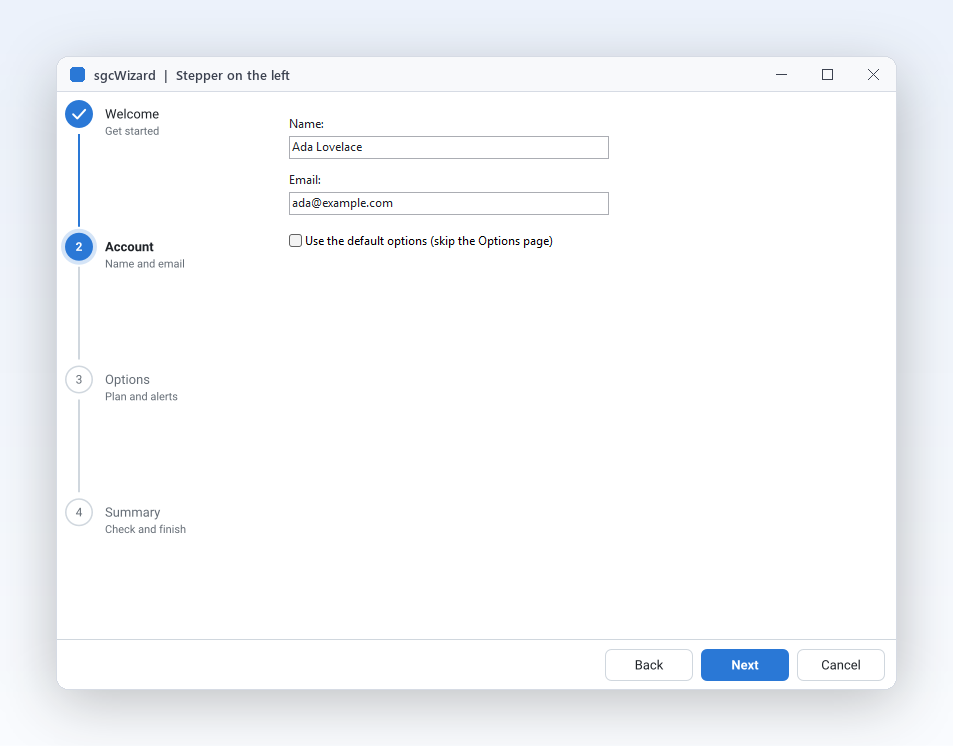
StepperPosition 可取 wspTop、wspLeft 或 wspNone,无需改动您的页面。CircleSize、ConnectorThickness 和 ShowDescriptions 设置步骤标记的大小和标签。
sgcWizardSaveToPNG 和 sgcWizardSaveToSVG 无需窗口,也无需 VCL 或 FireMonkey,即可绘制步骤条。esegece.sgcWizard.Rendering 包可在 Windows、Linux 和 macOS 上写出 PNG。步骤状态、独立步骤条、深色主题和自定义按钮文字,直接来自演示。

AutoStates 后,ActiveIndex 会为您自动设置。
TsgcVCLStepper 实现结账流程,Clickable 步骤可以点击返回。

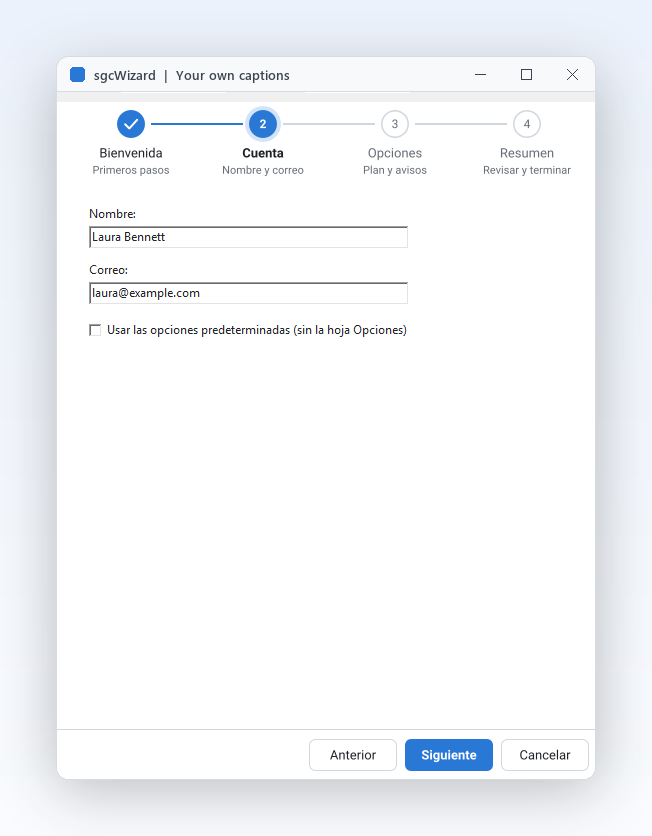
BackCaption、NextCaption、FinishCaption 和 CancelCaption 可为按钮设置您自己的文字,这里使用的是西班牙语。添加页面,把其中一个标记为可选,并在用户离开账户页面之前进行验证。Delphi、C++ Builder 和 C# 中的 API 相同。
dotnet add package esegece.sgcWizard.WinForms
procedure TMainForm.CreateWizard;
var
oPage: TsgcVCLWizardPage;
begin
// the wizard fills the form: stepper on the left, buttons at the bottom
FWizard := TsgcVCLWizard.Create(Self);
FWizard.Parent := Self;
FWizard.Align := alClient;
FWizard.StepperPosition := wspLeft;
FWizard.Theme := utDark;
FWizard.NextCaption := 'Continue';
FWizard.FinishCaption := 'Create account';
// every page is a step of the stepper
oPage := FWizard.AddPage('Welcome');
oPage.Description := 'Start here';
oPage := FWizard.AddPage('Account');
oPage.Description := 'Your details';
FName := TEdit.Create(Self);
FName.Parent := oPage;
FName.SetBounds(24, 24, 240, 24);
// an optional page the user can skip: Next and Back jump over it
FOptions := FWizard.AddPage('Options');
FOptions.Description := 'Optional';
FOptions.Skip := True;
oPage := FWizard.AddPage('Done');
oPage.Description := 'Summary';
FWizard.ActivePageIndex := 0;
FWizard.OnBeforePageChange := WizardBeforePageChange;
FWizard.OnFinish := WizardFinish;
end;
procedure TMainForm.WizardBeforePageChange(Sender: TObject;
aFromIndex, aToIndex: Integer; var aAllow: Boolean);
begin
// veto: leaving Account forwards needs a name
if (aFromIndex = 1) and (aToIndex > aFromIndex) then
aAllow := Trim(FName.Text) <> '';
end;
procedure TMainForm.WizardFinish(Sender: TObject);
begin
ShowMessage('Welcome, ' + FName.Text);
end;
可单独购买 sgcWizard,也可在 sgcUI Enterprise 中获得它,与共用其主题和运行时的所有产品一起使用。均附带源代码。
对于 .NET, esegece.sgcWizard.Community 在 NuGet 上免费。sgcWizard 也包含在 All-Access 套餐。
每款 sgcUI 产品都使用同一个运行时 sgcUICore 绘制,因此向导与其页面上的控件共享字体、间距、强调色和主题。

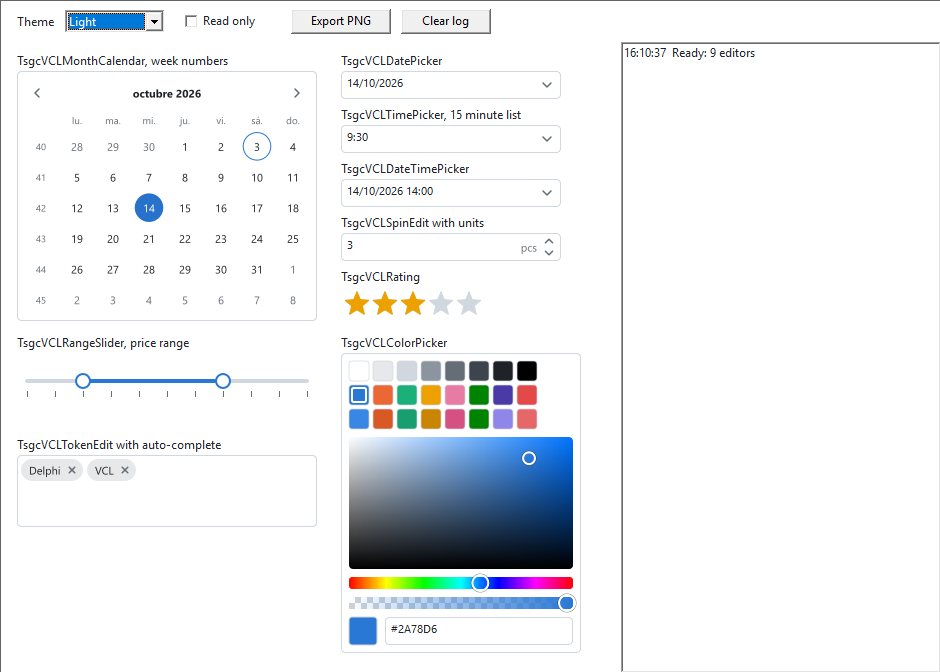
用 sgcEditors 输入控件填充每个向导页面,它们会采用向导的主题。

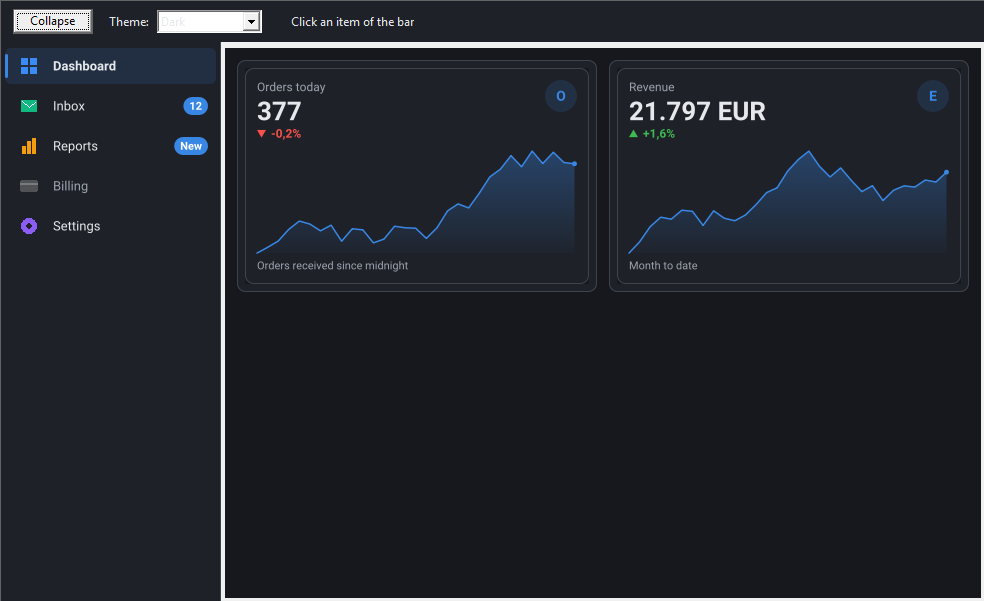
从侧边栏项目打开向导,让应用程序的其余部分仅需一次点击即可到达。

在摘要页面上、点击“完成”之前,显示导入向导即将写入的行。
Standard
Professional 增加
Enterprise 增加