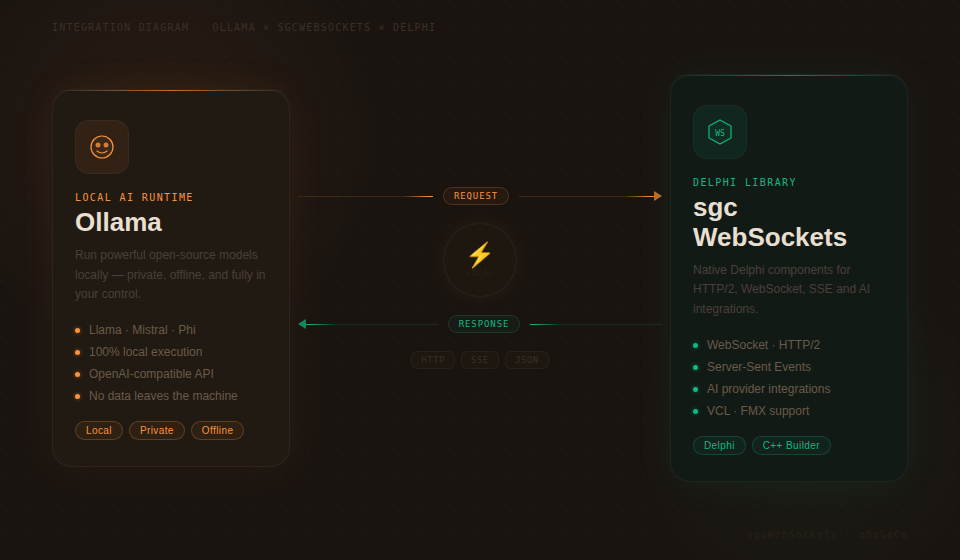
Ollama rende facile eseguire modelli linguistici di grandi dimensioni localmente sul tuo hardware: niente dipendenze cloud, niente costi API e piena privacy dei dati. Per gli sviluppatori Delphi che vogliono integrare capacità AI locali nelle loro applicazioni, sgcWebSockets fornisce TsgcHTTP_API_Ollama: un componente nativo che incapsula l'intera API Ollama con codice Delphi pulito e type-safe.
Che tu debba mantenere dati sensibili on-premises, costruire funzionalità AI offline-capable, gestire la tua libreria di modelli o generare embeddings per la ricerca vettoriale locale, questo componente ti dà accesso diretto a ogni funzionalità di Ollama. Nessun account cloud. Nessuna spesa API ricorrente. Trascina il componente, puntalo alla tua istanza Ollama e inizia a costruire.
Copertura API completa
Ogni funzionalità principale dell'API Ollama è supportata out of the box.
|
Chat Completions Invia messaggi con system prompt, ricevi risposte in modo sincrono o in streaming. Controllo completo su temperature, top-p e stop sequence. |
Streaming in tempo reale Riceve le risposte token per token tramite Server-Sent Events. Costruisci UI reattive con modelli eseguiti localmente. |
Gestione dei modelli Scarica, mostra i dettagli, elenca i tag ed elimina i modelli a livello programmatico. Gestione completa del ciclo di vita da codice Delphi. |
|
Embeddings Genera embeddings vettoriali in locale. Alimenta ricerca semantica, clustering e classificazione senza inviare dati al cloud. |
Self-hosted / host configurabile Connettiti a qualsiasi istanza Ollama tramite URL host configurabile. Esegui in locale, su un server LAN o in un cloud privato. |
Retry e logging integrati Retry automatico in caso di guasti transitori con tentativi e intervalli di attesa configurabili. Logging completo di richieste e risposte per il debug. |
Per iniziare
Integra Ollama nel tuo progetto Delphi in meno di un minuto. Trascina il componente, configura l'host e invia il tuo primo messaggio.
// Create the component and configure the host
var
  Ollama: TsgcHTTP_API_Ollama;
  vResponse: string;
begin
  Ollama := TsgcHTTP_API_Ollama.Create(nil);
  Try
    Ollama.OllamaOptions.Host := 'http://localhost:11434';
    // Send a simple message to a local model
    vResponse := Ollama._CreateMessage(
      'llama3', 'Hello, Ollama!');
    ShowMessage(vResponse);
  Finally
    Ollama.Free;
  End;
end;
Nessuna API key richiesta. Quando ti connetti a un'istanza Ollama locale non è necessaria alcuna autenticazione. Per deployment remoti o protetti, puoi impostare facoltativamente una API key tramite OllamaOptions.ApiKey.
Chat Completions e streaming
L'API Chat Completions funziona con qualsiasi modello tu abbia scaricato nella tua istanza Ollama. Invia testo con system prompt opzionali e ricevi risposte in modo sincrono o in streaming in tempo reale.
System prompt
Controlla il comportamento del modello fornendo un system prompt che imposti contesto, personalità o vincoli per la conversazione.
vResponse := Ollama._CreateMessageWithSystem(
  'llama3',
  'You are a helpful assistant that responds in Spanish.',
  'What is the capital of France?');
// Returns: "La capital de Francia es París."
Streaming in tempo reale
Per interfacce utente reattive, ricevi la risposta del modello token per token tramite Server-Sent Events.
// Enable streaming via SSE
Ollama.OnHTTPAPISSE := OnSSEEvent;
Ollama._CreateMessageStream('llama3',
  'Write a short poem about Delphi programming.');
procedure TForm1.OnSSEEvent(Sender: TObject;
  const aEvent, aData: string; var Cancel: Boolean);
begin
  // aData: JSON payload with generated content
  Memo1.Lines.Add(aData);
end;
API tipizzata avanzata
Per il pieno controllo sui parametri della richiesta — temperature, top-p, stop sequence, max token — usa le classi tipizzate di request e response.
var
  oRequest: TsgcOllamaClass_Request_ChatCompletion;
  oMessage: TsgcOllamaClass_Request_Message;
  oResponse: TsgcOllamaClass_Response_ChatCompletion;
begin
  oRequest := TsgcOllamaClass_Request_ChatCompletion.Create;
  Try
    oRequest.Model := 'llama3';
    oRequest.MaxTokens := 2048;
    oRequest.Temperature := 0.7;
    oMessage := TsgcOllamaClass_Request_Message.Create;
    oMessage.Role := 'user';
    oMessage.Content := 'Explain quantum computing in simple terms.';
    oRequest.Messages.Add(oMessage);
    oResponse := Ollama.CreateMessage(oRequest);
    Try
      if Length(oResponse.Choices) > 0 then
        ShowMessage(oResponse.Choices[0].MessageContent);
    Finally
      oResponse.Free;
    End;
  Finally
    oRequest.Free;
  End;
end;
Gestione dei modelli
Gestisci l'intera libreria locale di modelli da codice Delphi. Scarica nuovi modelli, ispeziona i loro dettagli, elenca i tag disponibili ed elimina i modelli di cui non hai più bisogno, tutto a livello programmatico.
Scarica un modello
// Download a model from the Ollama registry
Ollama._PullModel('llama3');
Mostra i dettagli del modello
// Get detailed information about a model
vDetails := Ollama._ShowModel('llama3');
ShowMessage(vDetails);
Elenca modelli e tag
// List all models via OpenAI-compatible endpoint
vModels := Ollama._GetModels;
// List model tags with detailed metadata (name, size, digest)
vTags := Ollama._GetTags;
// Typed API: access tag properties directly
var
  oTags: TsgcOllamaClass_Response_Tags;
  i: Integer;
begin
  oTags := Ollama.GetTags;
  Try
    for i := 0 to Length(oTags.Models) - 1 do
      Memo1.Lines.Add(Format('%s (%d bytes)',
        [oTags.Models[i].Name, oTags.Models[i].Size]));
  Finally
    oTags.Free;
  End;
end;
Elimina un modello
// Remove a model from the local system
Ollama._DeleteModel('old-model:latest');
Embeddings
Genera embeddings vettoriali in locale usando qualsiasi modello con capacità di embedding. Gli embeddings alimentano ricerca semantica, clustering di documenti e classificazione, tutto senza inviare dati a server esterni.
// Generate embeddings locally
var
  vEmbedding: string;
begin
  vEmbedding := Ollama._CreateEmbeddings(
    'nomic-embed-text',
    'Delphi is a powerful programming language.');
  ShowMessage(vEmbedding);
end;
Per il pieno controllo, usa l'API tipizzata per accedere ai valori grezzi dell'embedding.
var
  oResponse: TsgcOllamaClass_Response_Embeddings;
  i: Integer;
begin
  oResponse := Ollama.CreateEmbeddings(
    'nomic-embed-text',
    'Delphi is a powerful programming language.');
  Try
    for i := 0 to oResponse.EmbeddingCount - 1 do
      Memo1.Lines.Add(FloatToStr(oResponse.GetEmbeddingValue(i)));
  Finally
    oResponse.Free;
  End;
end;
Privacy dei dati. Con Ollama, i tuoi dati non lasciano mai la tua rete. Questo lo rende ideale per i settori regolamentati (sanità, finanza, pubblica amministrazione) in cui la residenza e la privacy dei dati sono requisiti critici.
Configurazione e opzioni
Affina il comportamento del componente con un set completo di opzioni di configurazione.
| Proprietà | Descrizione |
|---|---|
OllamaOptions.Host |
URL del server Ollama (es. http://localhost:11434) |
OllamaOptions.ApiKey |
API key facoltativa per deployment protetti |
HttpOptions.ReadTimeout |
Timeout di lettura HTTP in millisecondi (default: 60000) |
LogOptions.Enabled |
Abilita il logging di richieste e risposte |
RetryOptions.Enabled |
Retry automatico in caso di guasti transitori |
RetryOptions.Retries |
Numero massimo di tentativi di retry (default: 3) |
RetryOptions.Wait |
Tempo di attesa tra i retry in millisecondi (default: 3000) |
Modelli supportati
Ollama supporta centinaia di modelli open source. Ecco alcune scelte popolari:
| Model | Parametri | Ideale per |
|---|---|---|
llama3 |
8B / 70B | Chat generica, ragionamento |
mistral |
7B | Generazione di testo rapida ed efficiente |
codellama |
7B / 13B / 34B | Generazione e analisi di codice |
nomic-embed-text |
137M | Embeddings di testo, ricerca semantica |
Zero costi, pieno controllo. Esegui modelli AI sul tuo hardware senza costi per token. Combinata con la logica di retry integrata e il logging di sgcWebSockets, ottieni un'integrazione AI locale pronta per la produzione per Delphi.