Download sgcDiagram

sgcDiagram ships in the sgcUI All-Access trial, one installer for Delphi and one for C++ Builder with all 14 sgcUI products. Download the fully functional trial, run the compiled demos with no IDE, or add the NuGet packages to a .NET project. Licenses are available on the pricing page.
Free Trial Downloads

One sgcUI trial installs every sgcUI product, sgcDiagram included, with full functionality for evaluation.

sgcUI Trial for Delphi

Fully functional evaluation for Delphi 7 through RAD Studio 13 with all 14 sgcUI products, sgcDiagram included, and the demo projects.

Download Delphi Trial →

sgcUI Trial for C++ Builder

Fully functional evaluation for C++ Builder 2007 through 13. The same components with C++ header files and demo projects.

Download CBuilder Trial →

Compiled Demos

Ready to run executables of every sgcUI product. The sgcDiagram demos are FlowchartEditor, FlowchartEditorFMX, OrgChart, NodeEditor and Headless.

Download Demos →

What You Get in the Trial

  • sgcDiagram with every feature, including the automatic layouts, obstacle avoiding routing, data binding and layers
  • Every other sgcUI product, from sgcGrid to sgcReports
  • The VCL and FireMonkey packages for Delphi 7 to 13, and C++ Builder headers and libraries
  • A notice that it is a trial version after the trial period, nothing else changes

Three Steps to a Running sgcDiagram

Install the trial, run a demo, then drop sgcDiagram on your own form.

Install

Run the sgcUI trial installer. It registers the packages, and the components appear on the SGC Diagram page of the tool palette.

Open a demo

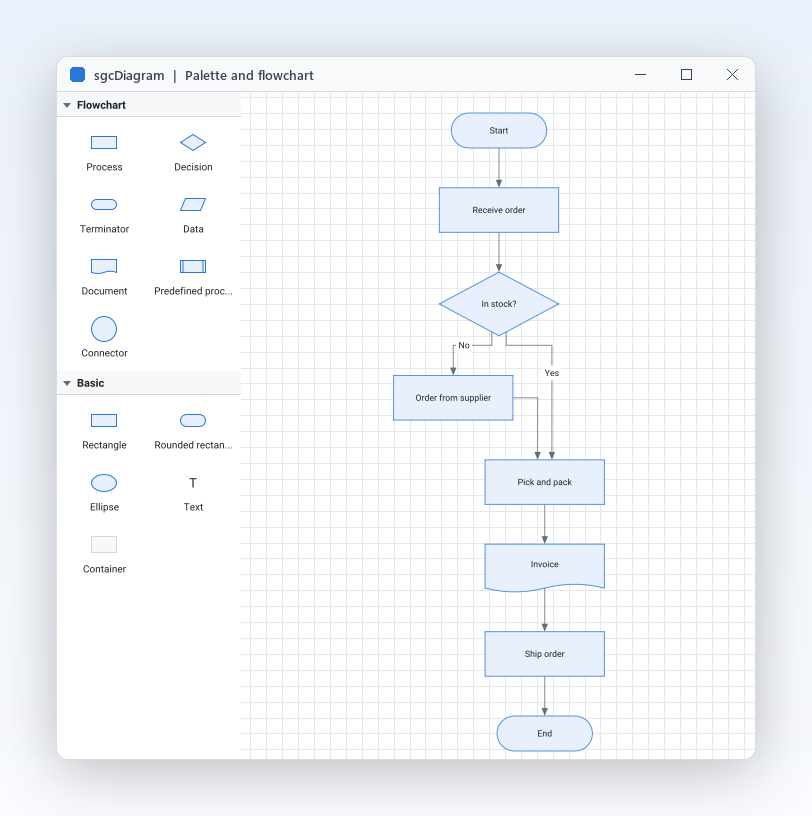
Open FlowchartEditor from the Demos\Diagram folder and run it: drag a shape from the palette, draw a connector from a port and press the layout button.

Drop the component

Drop a TsgcVCLDiagramPalette aligned left and a TsgcVCLDiagramView aligned to the client area, set the View property of the palette, and your form is a diagram editor.

Run the sgcDiagram Demos

FlowchartEditor

Registered only FlowchartEditor

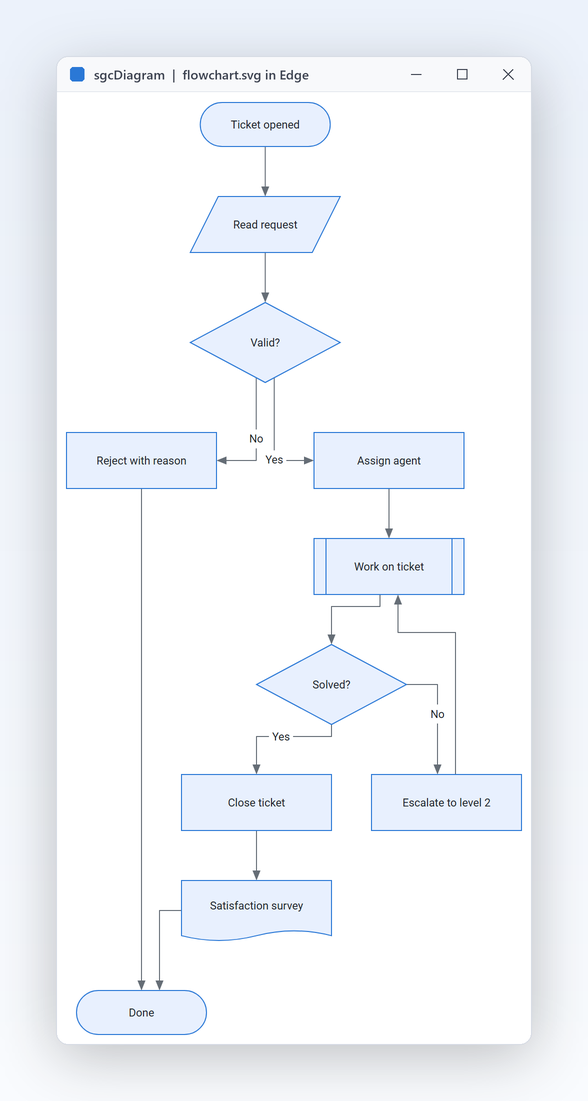
An order flow built in code: drag shapes, draw connectors from the ports, switch the connector kind, undo, run the layered layout, open and save JSON, export PNG and SVG, switch theme and read only mode.

OrgChart

Registered only OrgChart

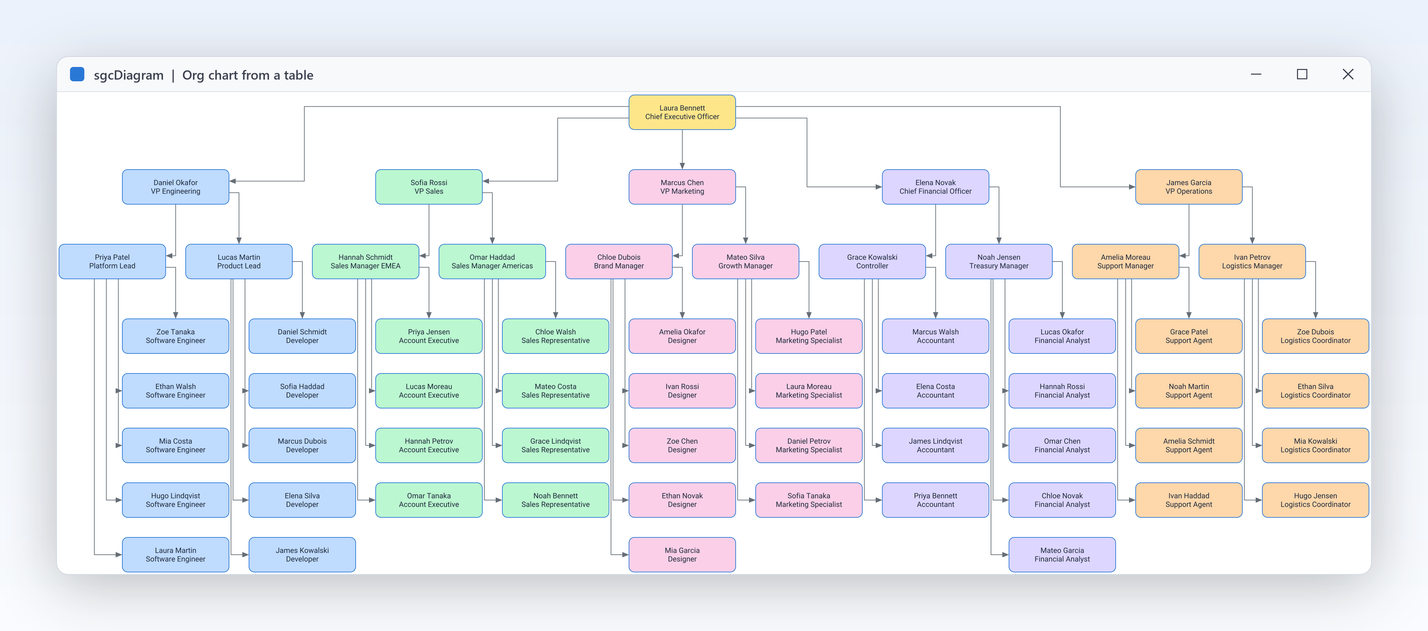
60 employees in a TDBGrid, bound to a read only diagram view. Post an edit and the chart rebuilds, with compact leaves, department colours, click to select and PNG and SVG export.

NodeEditor

NodeEditor

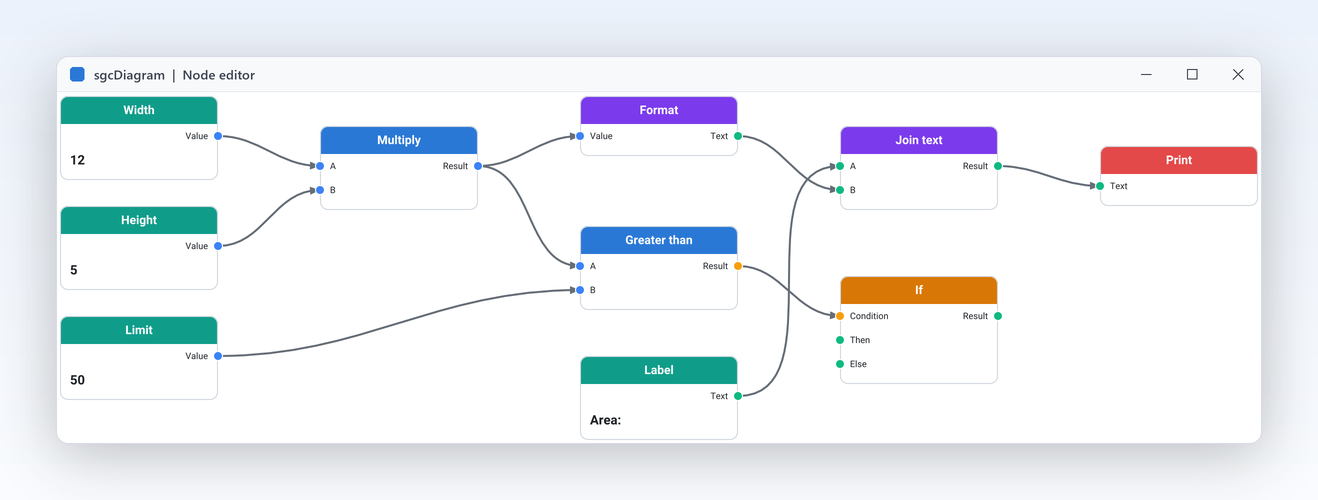
Typed input and output ports, a connection rule in OnConnecting, curved connectors and blocks painted in OnDrawNode, saved as JSON with their ports and captions.

Registered only FlowchartEditorFMX

The flowchart editor on the FireMonkey view and palette, for Windows and Android, where a tap places a shape and a pinch zooms.

Headless

Registered only Headless

A console program with no VCL or FireMonkey unit that builds a flowchart, arranges it with the layered layout and writes PNG, SVG and JSON, also on Linux64.

Supported IDEs and Platforms

ItemSupport
Delphi (VCL)Delphi 7 to 13, Win32 and Win64.
FireMonkeyDelphi XE6 to 13 on Windows, macOS, iOS and Android.
C++ BuilderThe same components through the generated .hpp headers.
Linux64From Delphi 10.2: headless document, JSON, routing, layouts and the PNG and SVG renderer.
.NETWinForms, WPF and Avalonia (Windows, Linux, macOS) on .NET Framework 4.7.2, .NET 8, .NET 9 and .NET 10, plus headless JSON, PNG and SVG.

sgcDiagram for .NET

sgcDiagram also ships as a managed C# port with the same class names for WinForms, WPF and Avalonia, delivered as NuGet packages.

NuGet Packages

Install the free Community edition with dotnet add package esegece.sgcDiagram.Community, or the Registered edition with dotnet add package esegece.sgcDiagram. The controls for your UI framework are in esegece.sgcDiagram.WinForms, esegece.sgcDiagram.Wpf and esegece.sgcDiagram.Avalonia.

View on NuGet →

.NET Demos

Demo projects: FlowchartEditor, FlowchartWpf, FlowchartAvalonia, NodeEditor, OrgChart, ConsoleRender.

Read the .NET overview →

Community vs. Registered

The free Community edition of sgcDiagram can be used by individuals and organizations under EUR 1M annual gross revenue with no more than 5 developers. The Registered edition has every feature, full source code and the commercial license. The Community edition has no automatic layouts, no obstacle avoiding routing, no data binding and one layer.

sgcDiagram NuGet Packages

The Community packages are free. The Registered packages need a .NET license.

EditionInstallNotes
Communitydotnet add package esegece.sgcDiagram.CommunityFree Community edition: everything except the automatic layouts, obstacle avoiding routing, data binding and more than one layer.
Registereddotnet add package esegece.sgcDiagramRegistered: the document, shapes, connectors, routing, layouts, undo, JSON and the framework neutral controller.
Registereddotnet add package esegece.sgcDiagram.WinFormsRegistered: the WinForms diagram view and shape palette.
Registereddotnet add package esegece.sgcDiagram.WpfRegistered: the WPF diagram view and shape palette.
Registereddotnet add package esegece.sgcDiagram.AvaloniaRegistered: the Avalonia diagram view and shape palette for Windows, Linux and macOS.
Registereddotnet add package esegece.sgcDiagram.RenderingRegistered: headless PNG output on Windows, Linux and macOS.

Need a License?

View pricing options for sgcDiagram, or get it as part of an sgcUI edition.