Download sgcCharts

sgcCharts ships in the sgcUI All-Access trial, one installer for Delphi and one for C++ Builder with all 15 sgcUI products. Download the fully functional trial, run the compiled demos with no IDE, or add the NuGet packages to a .NET project. Licenses are available on the pricing page.
Free Trial Downloads

One sgcUI trial installs every sgcUI product, sgcCharts included, with full functionality for evaluation.

sgcUI Trial for Delphi

Fully functional evaluation for Delphi 7 through RAD Studio 13 with all 15 sgcUI products, sgcCharts included, and the demo projects.

Download Delphi Trial →

sgcUI Trial for C++ Builder

Fully functional evaluation for C++ Builder 2007 through 13. The same components with C++ header files and demo projects.

Download CBuilder Trial →

Compiled Demos

Ready to run executables of every sgcUI product. The 19 sgcCharts demos include LiveLine (1,000,000 points), MultiAxis, Candlestick, DataSetChart, BusinessCharts, BusinessChartsFMX, Themes, DrawingTools, PieDonut, RadarCompare, HeatmapLive, TreemapFunnel, MQTTSensors, BinanceLive, WebSocketFeed, SSEFeed, FMXMobile, Headless and HeadlessService.

Download Demos →

Three Steps to a Running sgcCharts

Install the trial, run a demo, then drop sgcCharts on your own form.

Step 1

Run sgcUI_Trial.exe (or sgcUI_Trial_CBuilder.exe) and select the IDE versions you use.

Step 2

Open Demos\Charts\Delphi\LiveLine, compile and run it to see a million point stream, then try Candlestick and TreemapFunnel.

Step 3

In a new VCL application, drop a TsgcChart, a series and a TsgcVCLChart from the SGC Charts palette page and link them in the Object Inspector.

Run the sgcCharts Demos

LiveLine

LiveLine

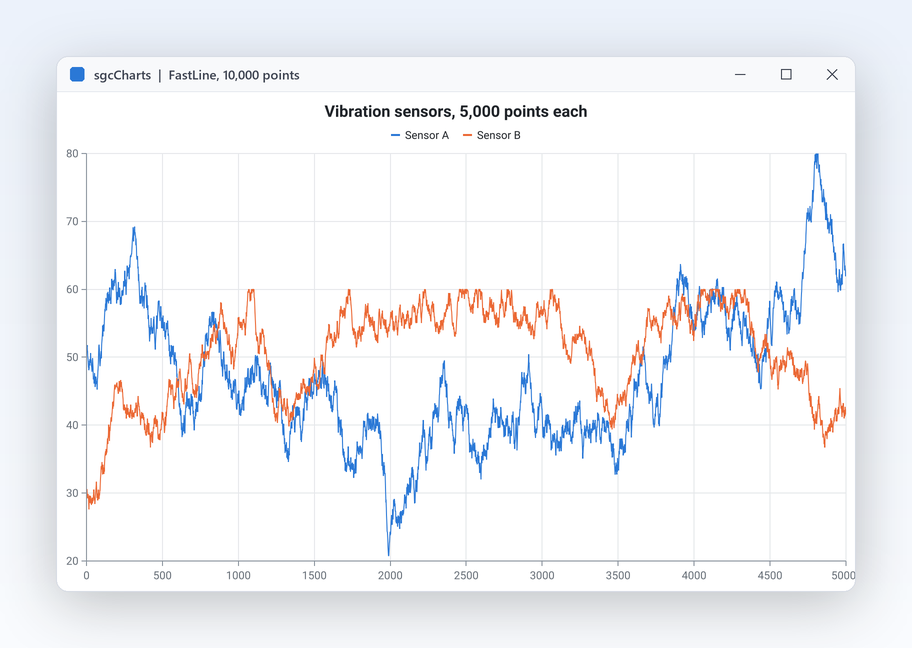
A fast line series with a 1,000,000 point ring buffer fed from a background thread, a 10 s, 60 s or whole buffer time window, a theme switch, and a crosshair over the whole stream.

Candlestick

Daily candles on a date time axis with a volume axis. Zoom and pan with the mouse; where many candles share a pixel column they merge into one correct candle.

Registered only DrawingTools

Trend lines, horizontal and vertical lines, rectangles and Fibonacci retracements drawn with the mouse on a candlestick chart, then selected, locked or deleted.

DataSetChart

DataSetChart

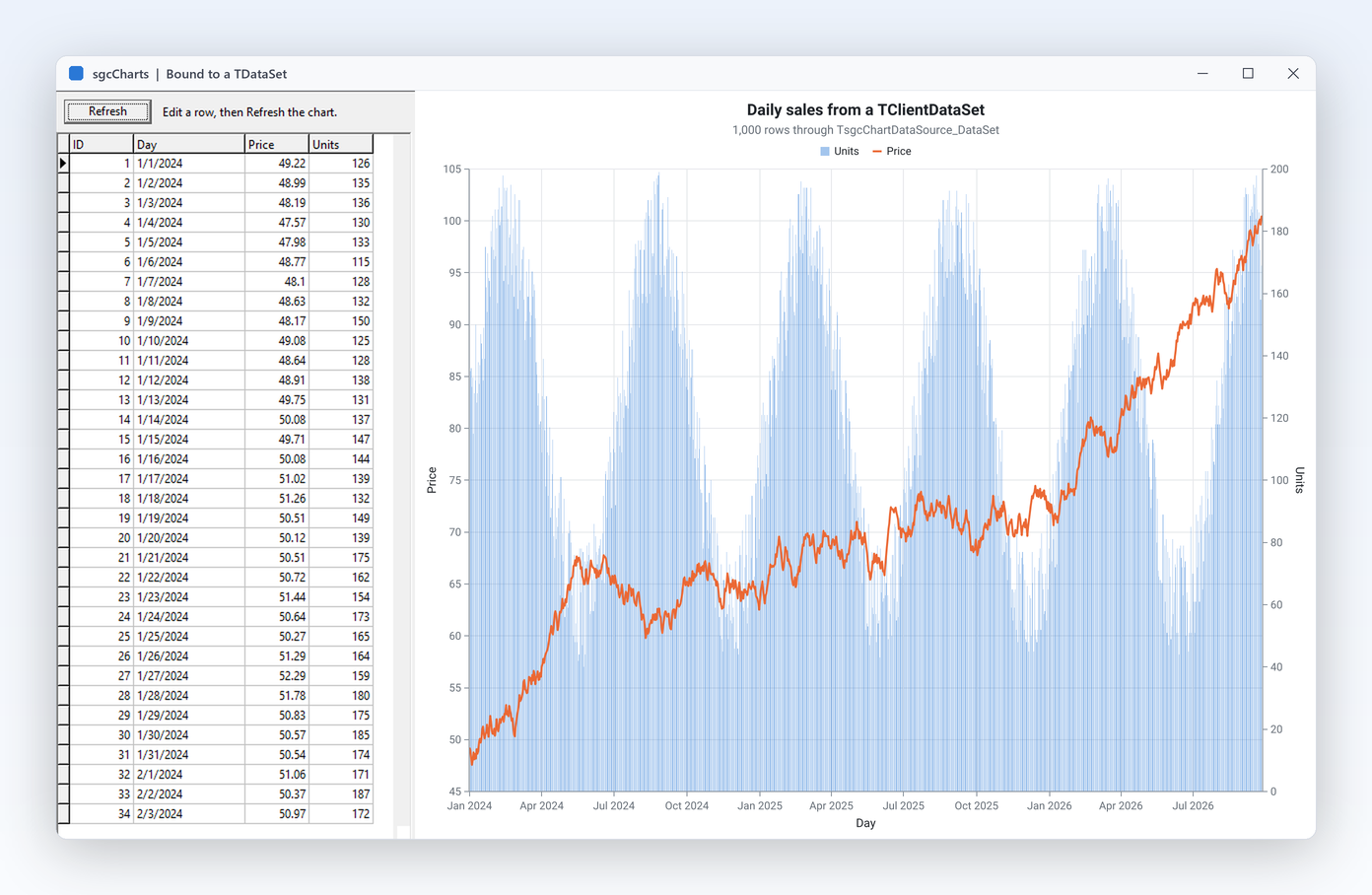
A client dataset of 1,000 rows shown in a DB grid and read by two dataset sources into a line and a bar series. Edit a row, reload, and the chart follows.

BusinessCharts

BusinessCharts

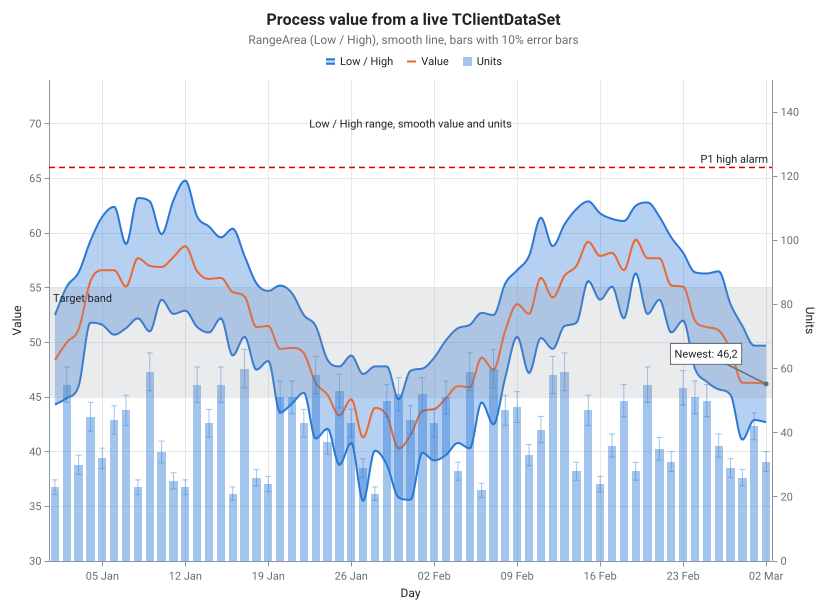
Bubble, box plot, waterfall and smooth range area series with error bars, annotations and an ISA-101 alarm line, the ISA-101 theme and the runtime chart editor, over a live dataset that the chart follows. Also in .NET as BusinessCharts, BusinessChartsWpf and BusinessChartsAvalonia. Also for FireMonkey as BusinessChartsFMX.

Registered only BinanceLive

Live candles from a Binance market stream through the sgcChartsWS bridge, on a financial chart with panes and indicators. Needs sgcWebSockets.

Registered only MQTTSensors

Sensor readings fed by MQTT topics through the sgcChartsWS bridge and plotted as they arrive. Needs sgcWebSockets and an MQTT broker.

Headless

A console program that builds a chart and writes PNG and SVG files with no window. HeadlessService does the same from a Windows service.

Supported IDEs and Platforms

ItemSupport
Delphi (VCL)Delphi 7, 2007, 2009, 2010, XE to XE8, 10 to 10.4, 11, 12 and 13, Win32 and Win64.
FireMonkeyFrom Delphi XE6 on Win32, Win64, macOS, iOS and Android.
C++ BuilderC++ Builder 2007, 2010, XE to XE8, 10 to 10.4, 11, 12 and 13.
Linux64From Delphi 10.2, headless: model, renderer, PNG and SVG.
.NETWinForms, WPF, Avalonia and headless rendering. The Rendering package targets .NET Standard 2.0, .NET Framework 4.7.2, .NET 6, .NET 8, .NET 9 and .NET 10.
BridgesThe sgcChartsWS data sources (WebSocket, MQTT, SSE, Binance) need sgcWebSockets and the Registered edition.

sgcCharts for .NET

sgcCharts also ships as a managed C# port with the same class names for WinForms, WPF and Avalonia, delivered as NuGet packages.

NuGet Packages

Install the free Community edition with dotnet add package esegece.sgcCharts.Community, or the Registered edition with dotnet add package esegece.sgcCharts. The controls for your UI framework are in esegece.sgcCharts.WinForms, esegece.sgcCharts.Wpf and esegece.sgcCharts.Avalonia. The bridge packages esegece.sgcCharts.sgcWebSockets are Registered only.

View on NuGet →

.NET Demos

Demo projects: LiveLine, LiveLineWpf, LiveLineAvalonia, SeriesGallery, SeriesGalleryAvalonia, BusinessCharts, BusinessChartsWpf, BusinessChartsAvalonia, SeriesHeadless, ConsoleRender, BinanceLive, MQTTSensors.

Read the .NET overview →

Community vs. Registered

The free Community edition of sgcCharts can be used by individuals and organizations under EUR 1M annual gross revenue with no more than 5 developers. The Registered edition has every feature, full source code and the commercial license. The Community edition leaves out the financial pack (indicator and volume series, panes, aggregator, drawing tools, last value marker, bid and ask band), the chart designer with the advanced table link types, and the sgcChartsWS bridge. All thirteen series types are included.

sgcCharts NuGet Packages

The Community packages are free. The Registered packages need a .NET license.

EditionInstallNotes
Communitydotnet add package esegece.sgcCharts.Communityfree Community core
Registereddotnet add package esegece.sgcChartsplus esegece.sgcCharts.WinForms, .Wpf or .Avalonia (Registered)
Registereddotnet add package esegece.sgcCharts.Renderingheadless PNG and SVG
Registereddotnet add package esegece.sgcCharts.sgcWebSocketssgcChartsWS bridge, Registered

Need a License?

View pricing options for sgcCharts, or get it as part of an sgcUI edition.