sgcHTML on WebBroker & DataSnap | sgcHTML | eSeGeCe

sgcHTML on WebBroker & DataSnap

sgcHTML is not tied to the sgcWebSockets server. Its component and node layer produces plain HTML strings that are independent of any transport, so the same pages you build for the sgcWebSockets HTTP server can be served from an Embarcadero WebBroker application and from a DataSnap server. Drop one engine component on your web module, or assign it to a bridge server, and your DataSnap REST API and your sgcHTML web UI run side by side on one port.

Standard IWebDispatch
DataSnap on one port
ISAPI / Apache / CGI / HTTP.sys
HTTP/1.1 & HTTP/2
Delphi 7 to 13
Host-Agnostic by Design

sgcHTML is a server-side HTML renderer. Every component and every node emits standard Bootstrap 5 markup as a plain string, with no dependency on the transport that delivers it. Wherever your Delphi or C++ Builder code can write an HTTP response, it can serve an sgcHTML page. That is what lets the same page you built for the sgcWebSockets server run, unchanged, inside a WebBroker application or a DataSnap server.

Plain HTML strings

The component layer and the node layer both resolve to a string of Bootstrap 5 markup. Nothing in that output assumes the sgcWebSockets server, so you can write it into any TWebResponse from your own handler.

Standard IWebDispatch

The WebBroker engine implements the standard IWebDispatch contract. It plugs into the normal WebBroker dispatch chain like any other auto-dispatching component, so it coexists with your existing actions and dispatchers.

Runs where WebBroker runs

Because it is ordinary WebBroker, an sgcHTML page can be served from a standalone TIdHTTPWebBrokerBridge, an ISAPI module, an Apache module, a CGI executable, or an HTTP.sys bridge server. One codebase, several deployment shapes.

Pick the Host That Fits Your App

There are two ways to serve sgcHTML outside the sgcWebSockets server. Plain WebBroker gives you the widest reach, from CGI to ISAPI. The bridge-server path adds live WebSocket push and shares a port with DataSnap.

1. Any WebBroker application

TsgcHTMX_Engine_Server_WebBroker implements the standard IWebDispatch. Drop it on your TWebModule with the web module as its owner, or call its DispatchRequest from a TWebActionItem when you want the action list to run first. Either way it serves the sgcHTML page, the built-in CSS and JavaScript assets, and the HTMX HTTP routes you register on its Router. It runs on a standalone TIdHTTPWebBrokerBridge, an ISAPI module, an Apache module, and CGI.

Interactivity here is standard HTMX over plain HTTP round-trips, so no WebSocket is required. A classic plain-HTML mode is also supported, with no HTMX at all, full-page navigation and standard form posts, for hosts and pages where you want nothing but markup. One caveat to plan for: under plain WebBroker, CGI or ISAPI there is no WebSocket push, because the request and response lifecycle owns the socket. When you need live updates on this path, use HTMX polling, or move to the bridge servers below.

2. DataSnap and the bridge servers, with realtime

TsgcHTMX_Engine_Server_WebBrokerBridge targets the sgcWebSockets WebBroker bridge servers, TsgcWSHTTPWebBrokerBridgeServer over HTTP/1.1 and TsgcWSHTTP2WebBrokerBridgeServer over HTTP/2. TsgcHTMX_Engine_Server_HTTPAPI_WebBrokerBridge targets TsgcWSServer_HTTPAPI_WebBrokerBridge on HTTP.sys. You assign the engine's Server property to your bridge server, and the sgcHTML page, its assets, and live WebSocket fragment push through BroadcastFragment all run on the same port as your DataSnap REST endpoints.

The engine claims only its own paths, so /datasnap/* REST calls and your existing TWebModule actions keep working exactly as before. Any OnCommandRequest handler you already assigned is chained, and your handler runs first, so nothing you built is taken over.

Your DataSnap Methods Are Both the API and the Page Data

The same DataSnap server methods can serve two audiences at once. A TDSServerModule is your REST and JSON API at /datasnap/rest/... for external clients, and it is also the data source your sgcHTML pages render from, in-process, on the same server. You write the business logic once, then reach it from a browser fragment and from an external REST caller through one shared class.

REST / JSON API

External clients call your server methods at /datasnap/rest/TServerMethods/<Method>/... exactly as a standard DataSnap WebBroker server exposes them. The sgcHTML engine leaves those paths untouched.

Server-rendered page data

Your route and action handlers call the very same server-method class in-process, read the result, and hand it to sgcHTML components. The page renders from the identical backend that answers your REST API.

Live push, same port

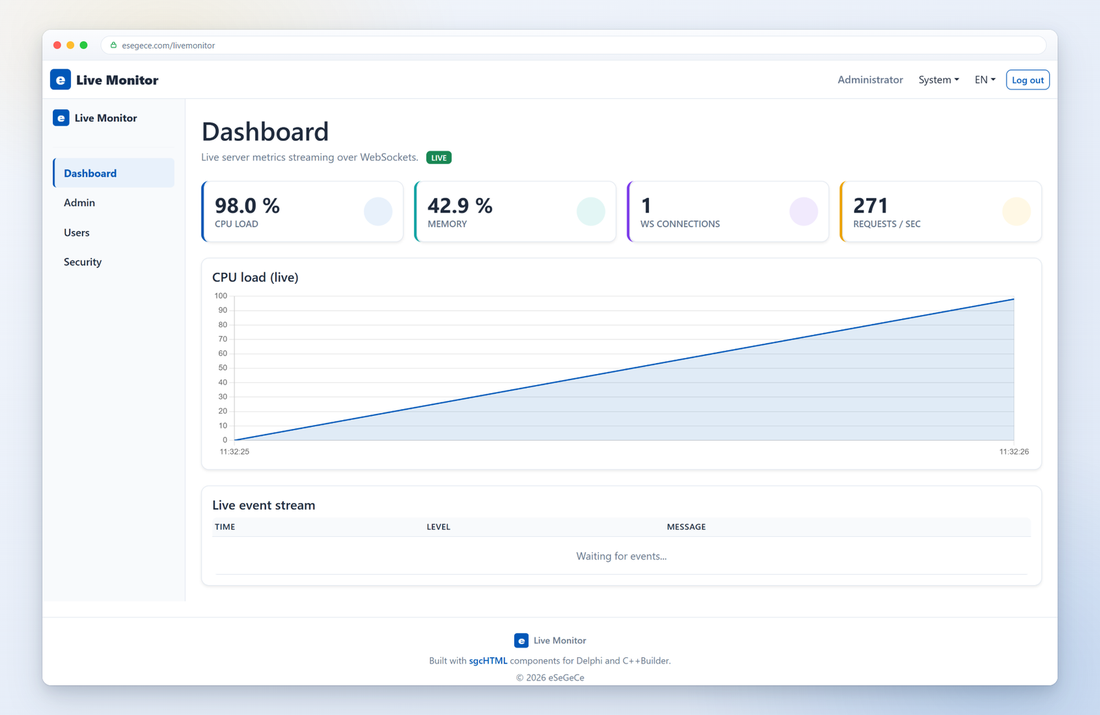
On the bridge-server path, BroadcastFragment pushes new HTML to every connected browser over WebSockets, on the same port and process as your DataSnap endpoints. Dashboards and monitors update the instant your data changes.

Wire the Engine to Your Host

Create the engine, give it a router and a page, and assign it to a bridge server for the DataSnap and realtime path, or drop it on the web module for the plain WebBroker path.

uses
  Web.HTTPApp, sgcWebSocket_Server_WebBrokerBridge,
  sgcHTMX_Engine_Server_WebBrokerBridge, sgcHTMX_Router;

// === DataSnap + realtime: sgcHTML on the SAME port as the DataSnap REST API ===
FServer := TsgcWSHTTPWebBrokerBridgeServer.Create(Self);
FServer.Port := 8080;

// a router holds the HTMX fragment routes (GET / POST round-trips)
FRouter := TsgcHTMX_Router.Create(Self);
oRoute := FRouter.Routes.Add;
oRoute.Path := '/dashboard/refresh';
oRoute.OnRoute := OnDashboardRefresh;

// the engine claims its own page, assets and routes; DataSnap keeps /datasnap/*
FEngine := TsgcHTMX_Engine_Server_WebBrokerBridge.Create(Self);
FEngine.Router := FRouter;
FEngine.Template.Title := 'DataSnap Realtime Dashboard';
FEngine.Template.BodyContent := BuildDashboard;   // page built from components
FEngine.Server := FServer;                         // share the DataSnap port

FServer.Active := True;

// push a live HTML fragment to every connected browser over WebSockets
FEngine.BroadcastFragment(BuildStatsFragment);

// === Plain WebBroker: drop the engine on the TWebModule (standard IWebDispatch) ===
FEngine := TsgcHTMX_Engine_Server_WebBroker.Create(WebModule1);  // Owner = WebModule
FEngine.Router := FRouter;
// includes: sgcWebSocket_Server_WebBrokerBridge.hpp,
//           sgcHTMX_Engine_Server_WebBrokerBridge.hpp, sgcHTMX_Router.hpp

// === DataSnap + realtime: sgcHTML on the SAME port as the DataSnap REST API ===
FServer = new TsgcWSHTTPWebBrokerBridgeServer(this);
FServer->Port = 8080;

// a router holds the HTMX fragment routes (GET / POST round-trips)
FRouter = new TsgcHTMX_Router(this);
TsgcHTMX_Route *oRoute = FRouter->Routes->Add();
oRoute->Path = "/dashboard/refresh";
oRoute->OnRoute = OnDashboardRefresh;

// the engine claims its own page, assets and routes; DataSnap keeps /datasnap/*
FEngine = new TsgcHTMX_Engine_Server_WebBrokerBridge(this);
FEngine->Router = FRouter;
FEngine->Template->Title = "DataSnap Realtime Dashboard";
FEngine->Template->BodyContent = BuildDashboard();   // page built from components
FEngine->Server = FServer;                           // share the DataSnap port

FServer->Active = true;

// push a live HTML fragment to every connected browser over WebSockets
FEngine->BroadcastFragment(BuildStatsFragment());

// === Plain WebBroker: drop the engine on the TWebModule (standard IWebDispatch) ===
FEngine = new TsgcHTMX_Engine_Server_WebBroker(WebModule1);  // Owner = WebModule
FEngine->Router = FRouter;
// WebBroker and DataSnap are Delphi and C++ Builder (VCL) frameworks.
// .NET has no WebBroker and no DataSnap, so this hosting path is specific
// to Delphi and C++ Builder. The sgcHTML .NET port hosts on ASP.NET Core.

using esegece.sgcHTML;
using esegece.sgcHTML.AspNetCore;

var builder = WebApplication.CreateBuilder(args);
var app = builder.Build();

// the sgcHTML.AspNetCore adapter maps the same component-built page
// onto an ASP.NET Core endpoint (Kestrel / IIS), the .NET equivalent
// of the WebBroker host used in Delphi and C++ Builder.
app.UseSgcHtml(engine =>
{
    engine.MapPage("/", () => BuildDashboard());
});

app.Run();

Three Demos Ship With the Product

Each of the paths above is a complete, runnable demo in the sgcWebSockets distribution, so you can start from a project that already builds and dispatches.

WebBroker + DataSnap, HTMX

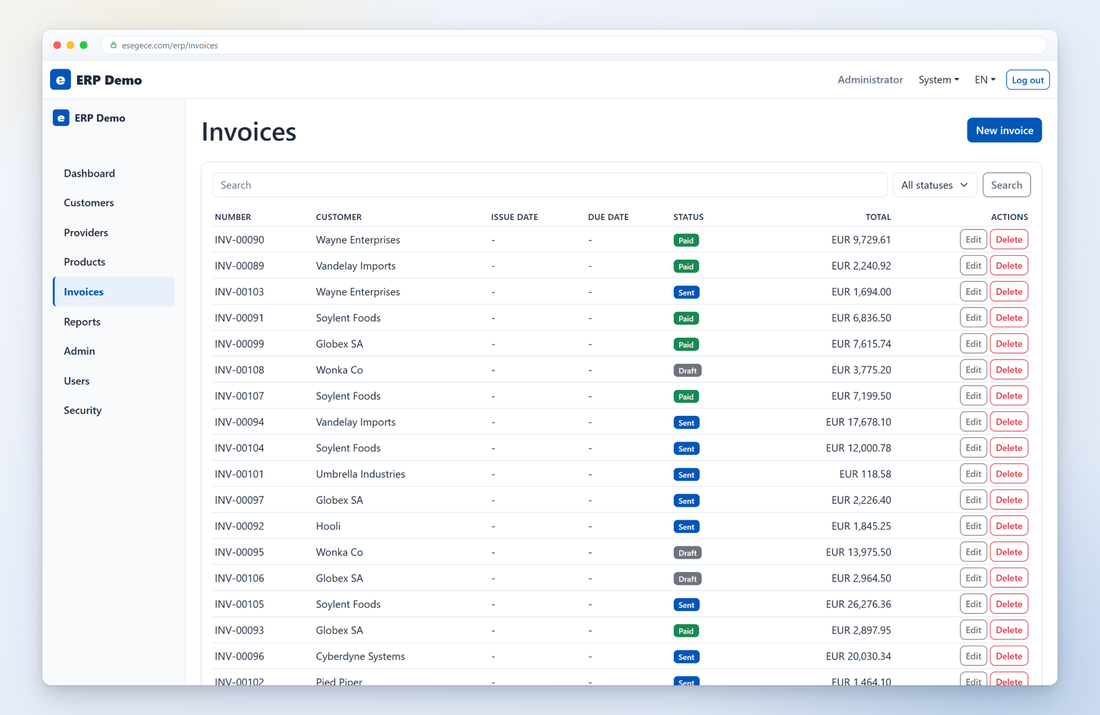
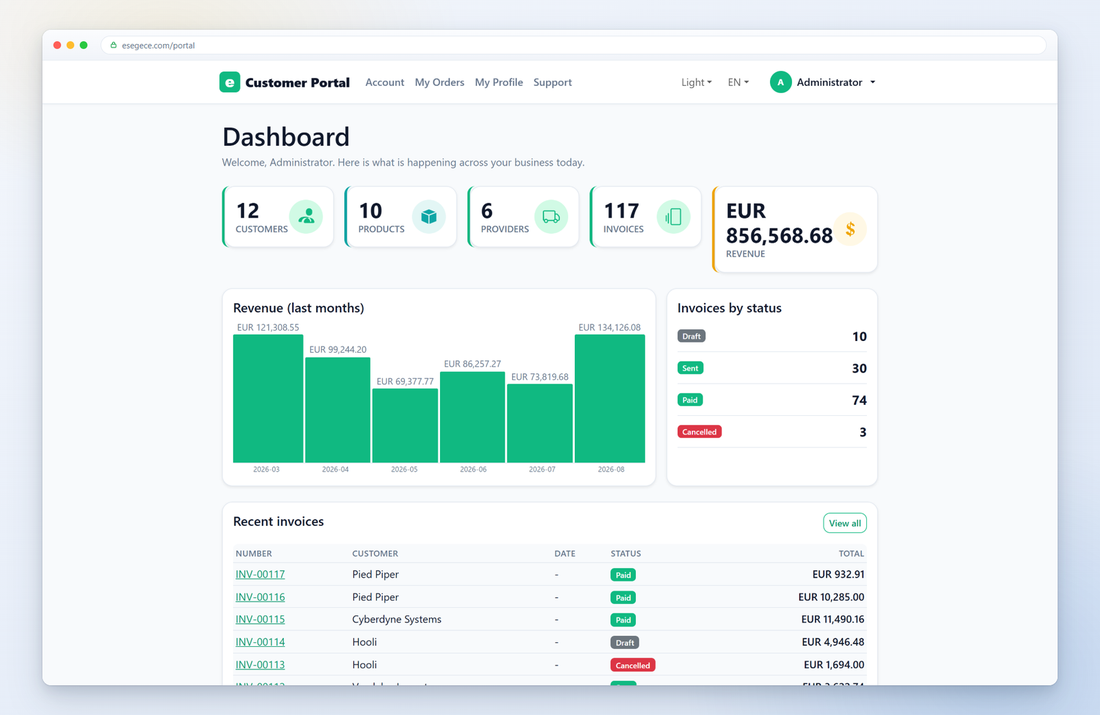
Demos\60.HTML\11.WebBroker is a mini CRM on WebBroker with a DataSnap backend and full HTMX interactivity, showing the engine, DataSnap REST and standard WebModule actions sharing one web module.

Classic plain HTML, no HTMX

Demos\60.HTML\12.WebBrokerHTML serves the same kind of pages in classic plain-HTML mode, with full-page navigation and standard form posts over a DataSnap backend, and no HTMX at all.

Realtime dashboard on one port

Demos\40.DataSnap\Server_Indy_HTTP_HTML runs a live sgcHTML dashboard alongside DataSnap on a single port, pushing stat, chart and log fragments to every browser over WebSockets.

What You Need

The engine units ship with sgcHTML, so there is nothing extra to install for either path.

Plain WebBroker path

TsgcHTMX_Engine_Server_WebBroker supports Delphi 7 through Delphi 13. WebBroker is available in every RAD Studio edition, and the same engine is available in C++ Builder.

DataSnap bridge path

The DataSnap bridge servers and the /datasnap/* REST layer require a Delphi edition that includes DataSnap, that is Enterprise or Architect. The sgcHTML side of the wiring is the same on both paths.

Best value: All-AccessEvery eSeGeCe product, Premium Support included, from €1,059/year.
See All-Access pricing

Add a Web UI to Your WebBroker or DataSnap Server

Serve real-time Bootstrap 5 pages from the WebBroker application or DataSnap server you already run, with the same component API you use everywhere else in sgcHTML.