Download sgcPlanner

sgcPlanner ships in the sgcUI All-Access trial, one installer for Delphi and one for C++ Builder with all 14 sgcUI products. Download the fully functional trial, run the compiled demos with no IDE, or add the NuGet packages to a .NET project. Licenses are available on the pricing page.
Free Trial Downloads

One sgcUI trial installs every sgcUI product, sgcPlanner included, with full functionality for evaluation.

sgcUI Trial for Delphi

Fully functional evaluation for Delphi 7 through RAD Studio 13 with all 14 sgcUI products, sgcPlanner included, and the demo projects.

Download Delphi Trial →

sgcUI Trial for C++ Builder

Fully functional evaluation for C++ Builder 2007 through 13. The same components with C++ header files and demo projects.

Download CBuilder Trial →

Compiled Demos

Ready to run executables of every sgcUI product. The sgcPlanner demos are ProjectPlanner, TeamScheduler, ProjectGantt, TaskBoard, DataSetPlanner, ICalendarSync, ICalSubscription, GoogleCalendarSync, HeadlessReport and PlannerFMX.

Download Demos →

What You Get in the Trial

  • Every sgcPlanner feature, including the Registered ones and the sgcPlannerWS bridges
  • The other 13 sgcUI products in the same installer
  • A trial notice once the trial window has passed; nothing else changes

Three Steps to a Running sgcPlanner

Install the trial, run a demo, then drop sgcPlanner on your own form.

Step 1

Install the sgcUI trial for Delphi or C++ Builder. The SGC Planner page appears on the IDE component palette.

Step 2

Run the compiled demos from sgcUI_bin.zip, or open the ProjectPlanner demo project and press F9.

Step 3

Drop a TsgcPlannerData and a TsgcVCLScheduler, TsgcVCLGantt or TsgcVCLKanban on a form, set the Data property of the view and add items.

Run the sgcPlanner Demos

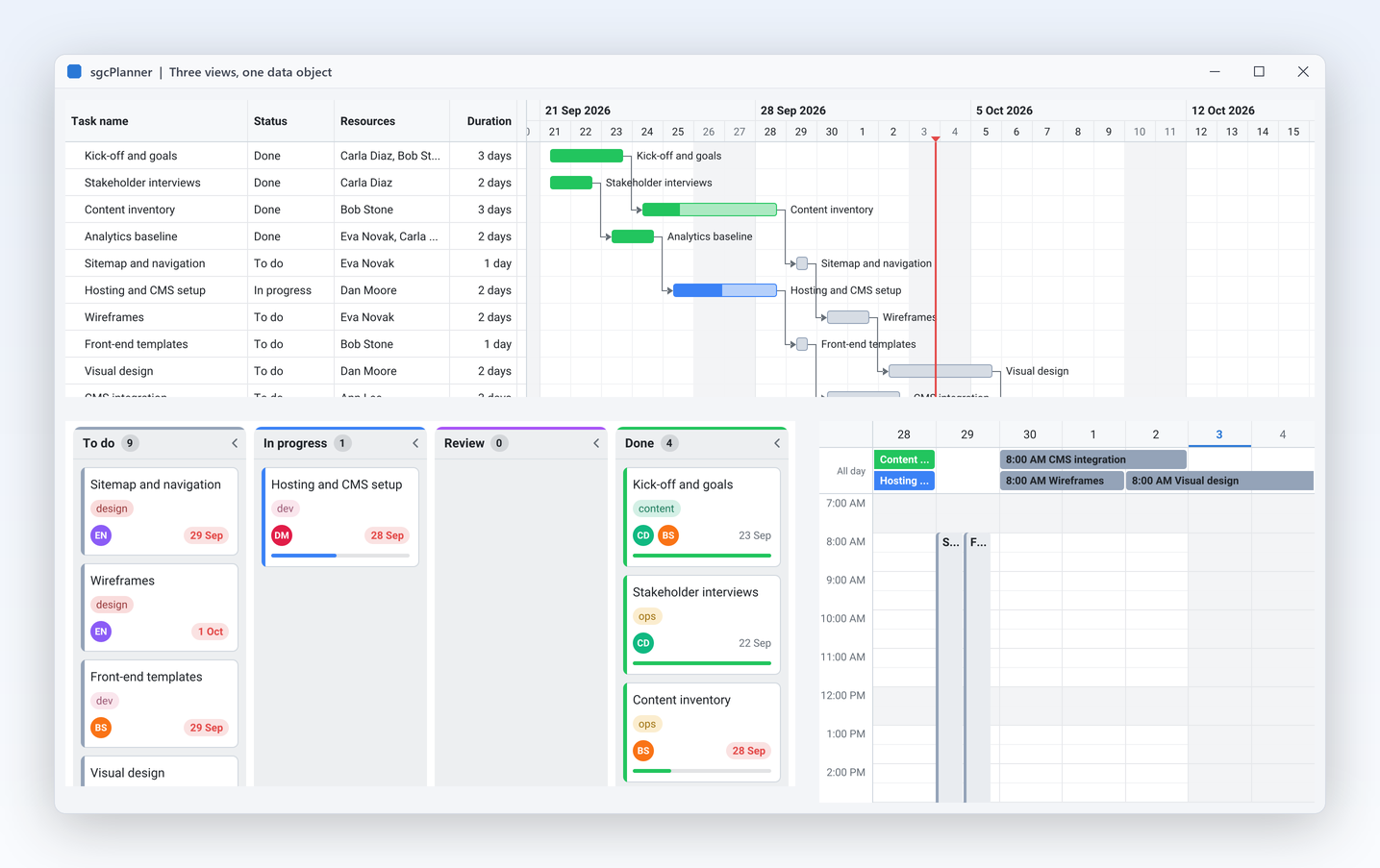
ProjectPlanner

ProjectPlanner

Gantt, Kanban and Scheduler on one data object, always in sync.

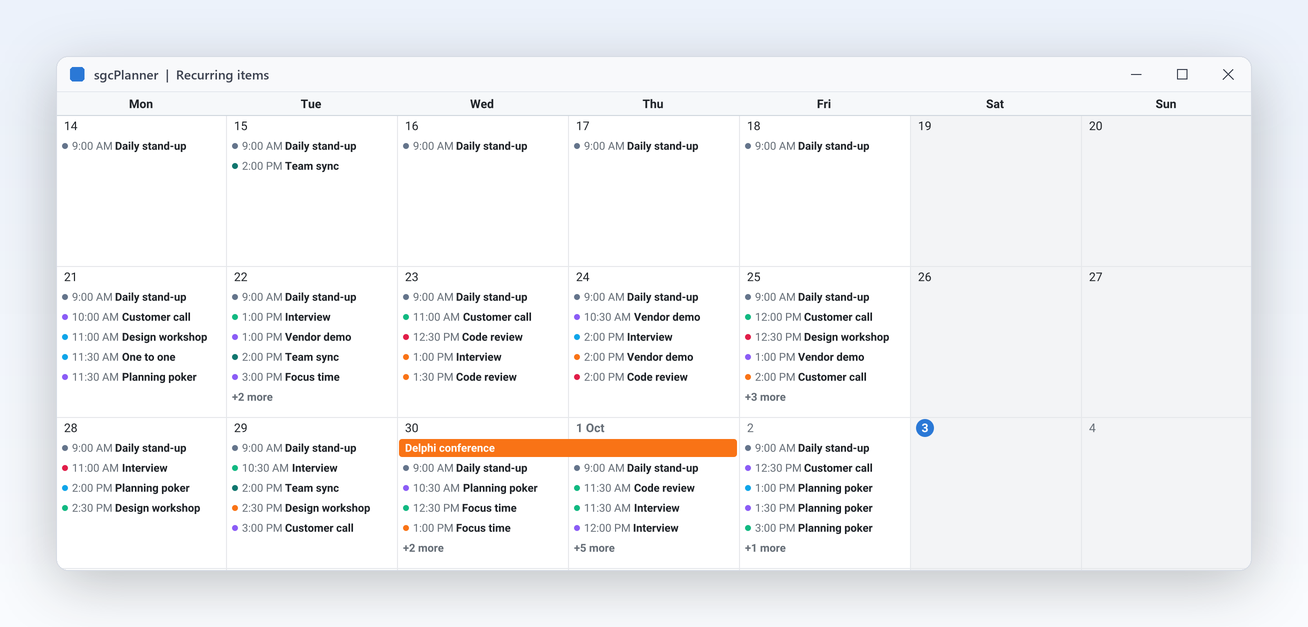
TeamScheduler

TeamScheduler

Six views, resource groups and recurring meetings.

Registered only ProjectGantt

Links, auto scheduling, critical path, baselines and Microsoft Project XML.

Registered only TaskBoard

Status columns, swimlanes by resource and WIP limits on a Kanban board.

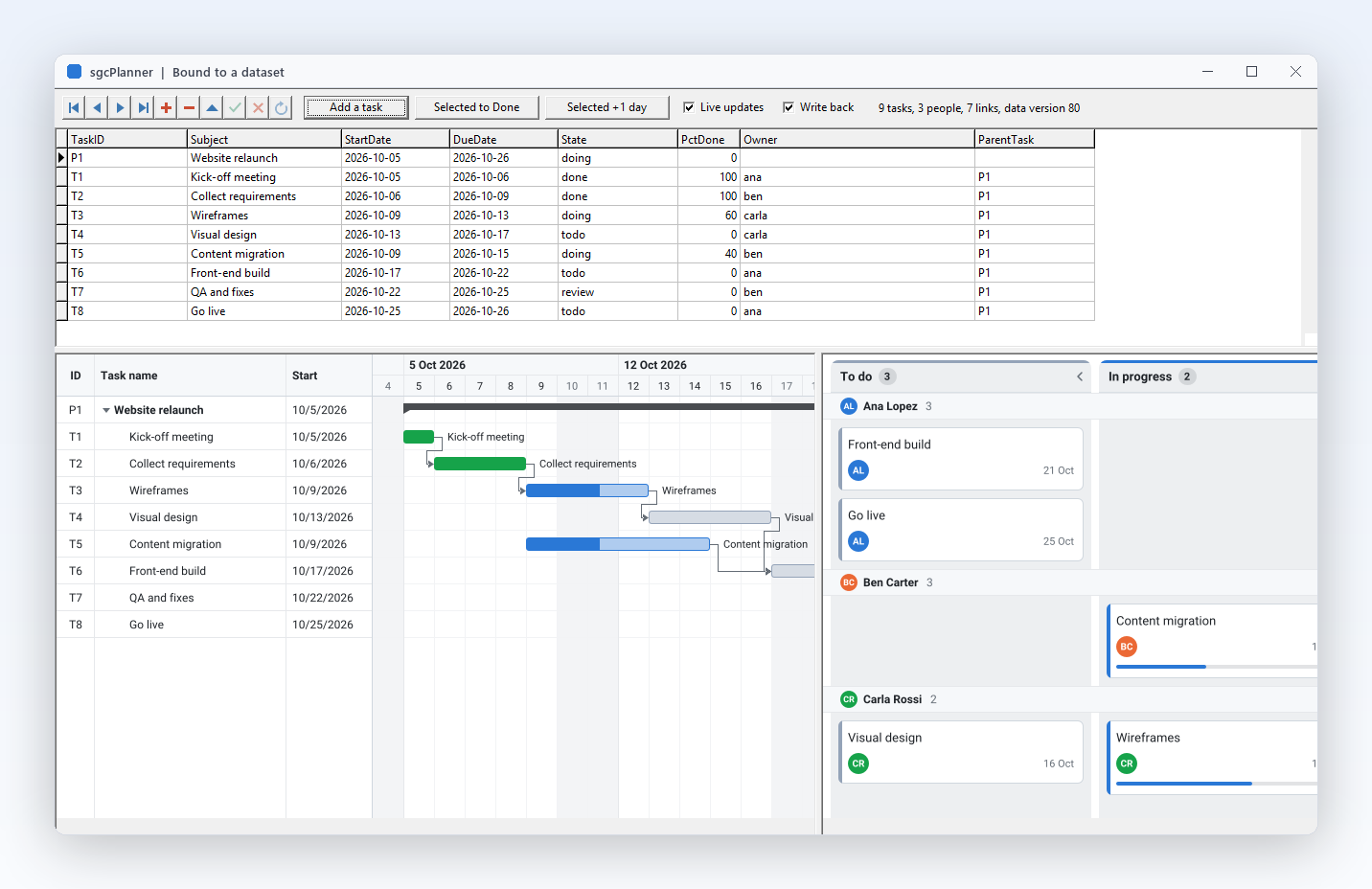
DataSetPlanner

DataSetPlanner

Items, resources and dependencies bound to TDataSets, with edits written back.

Registered only ICalendarSync

Import and export .ics files.

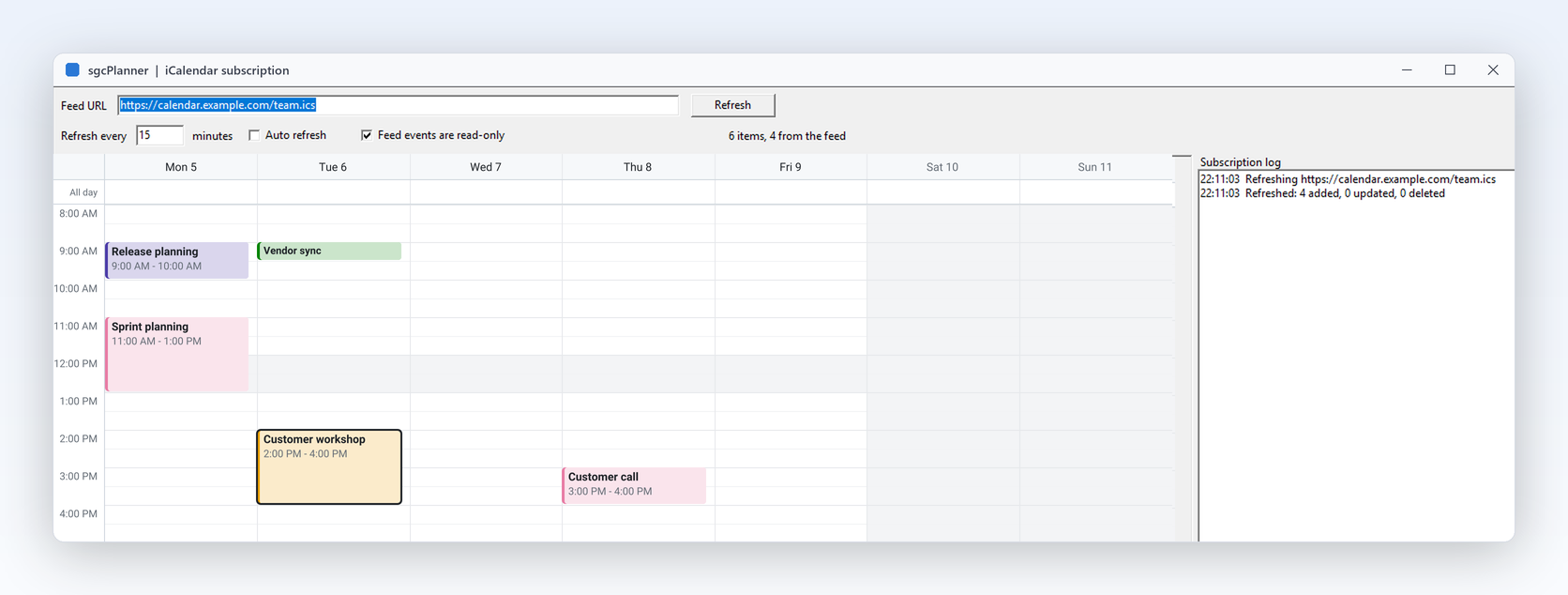
ICalSubscription

Registered only ICalSubscription

Follow a read only .ics URL, such as a holiday list.

Registered only GoogleCalendarSync

Two way sync with one Google Calendar through sgcWebSockets.

HeadlessReport

Renders the views to image files without a window.

PlannerFMX

The three views in a FireMonkey application.

Supported IDEs and Platforms

ItemSupport
Delphi (VCL)Delphi 7 to 13, Win32 and Win64.
FireMonkeyDelphi XE6 to 13 on Windows, macOS, iOS and Android.
C++ BuilderC++ Builder 2007 to 13.
Linux64From Delphi 10.2 for the data, engines, JSON, iCalendar, MS Project and the renderer.
.NETWinForms, WPF and Avalonia. The bridge package targets .NET Standard 2.0, .NET 8, .NET 9 and .NET 10.
BridgesGoogle Calendar sync and iCal subscription (sgcPlannerWS) need a Registered sgcWebSockets and the Registered edition.

sgcPlanner for .NET

sgcPlanner also ships as a managed C# port with the same class names for WinForms, WPF and Avalonia, delivered as NuGet packages.

NuGet Packages

Install the free Community edition with dotnet add package esegece.sgcPlanner.Community, or the Registered edition with dotnet add package esegece.sgcPlanner. The controls for your UI framework are in esegece.sgcPlanner.WinForms, esegece.sgcPlanner.Wpf and esegece.sgcPlanner.Avalonia. The bridge packages esegece.sgcPlanner.sgcWebSockets are Registered only.

View on NuGet →

.NET Demos

Demo projects: ProjectPlanner, TeamScheduler, GoogleCalendarSync, HeadlessRender.

Read the .NET overview →

Community vs. Registered

The free Community edition of sgcPlanner can be used by individuals and organizations under EUR 1M annual gross revenue with no more than 5 developers. The Registered edition has every feature, full source code and the commercial license. The Community edition keeps the three views, drag and drop, summaries, milestones, progress, the DataSet source, JSON and headless output, and leaves out recurrence, auto scheduling, dependency arrows, critical path, baselines, the Timeline view, swimlanes, WIP limits, iCalendar, MS Project XML and the bridges.

Need a License?

View pricing options for sgcPlanner, or get it as part of an sgcUI edition.