Delphi, C++ Builder & .NET Part of sgcUI

sgcGauges, the Instrument Panel for Delphi, C++ Builder & .NET

Ten gauge types for dashboards and HMI panels, from a radial dial to an annunciator. Draw green, amber and red bands, raise an alarm when a value crosses a limit, let the needle glide to each new reading, and render the same gauge to PNG or SVG on a server.

VCL, FireMonkey, WinForms, WPF, AvaloniaTen gauge types, six in CommunityPNG and SVG without a windowIncluded in sgcUI Professional
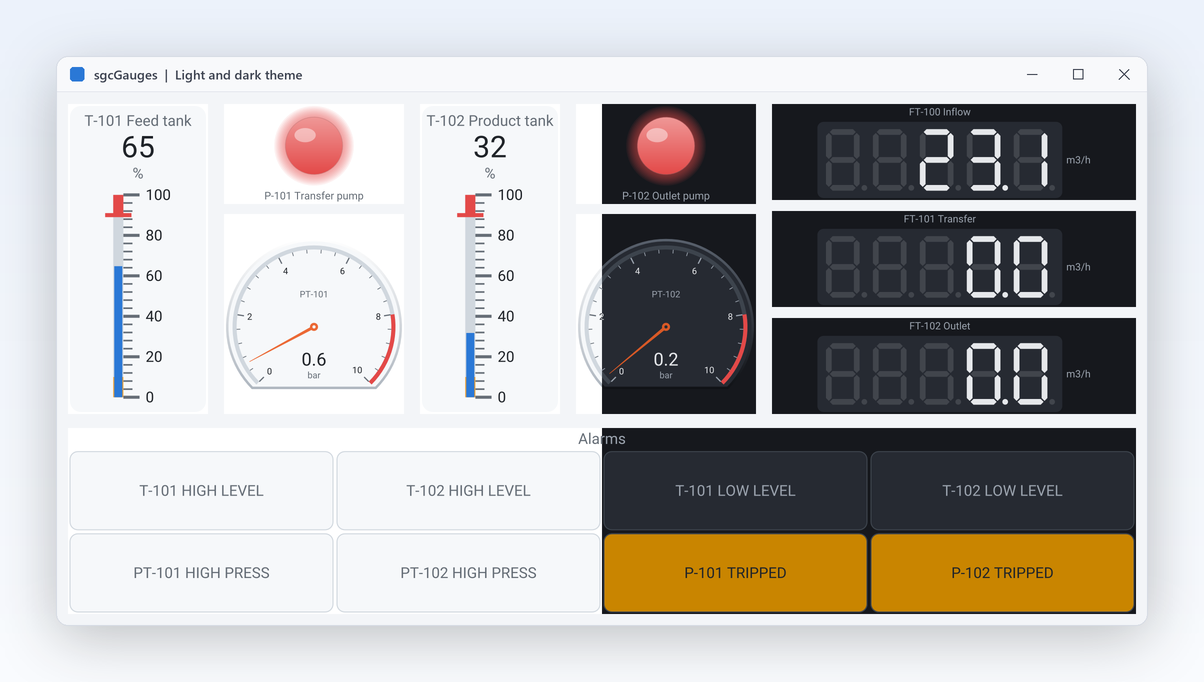
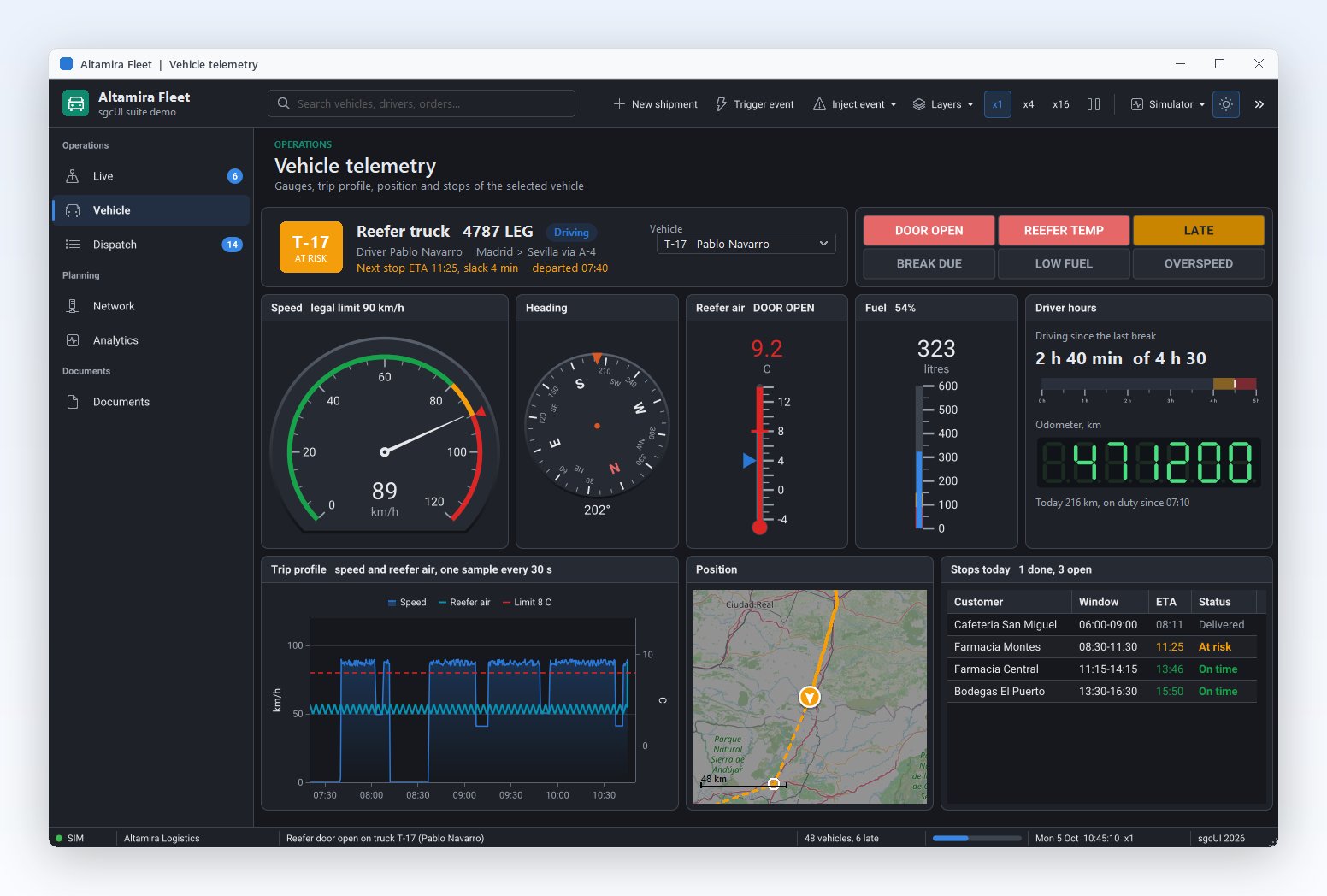
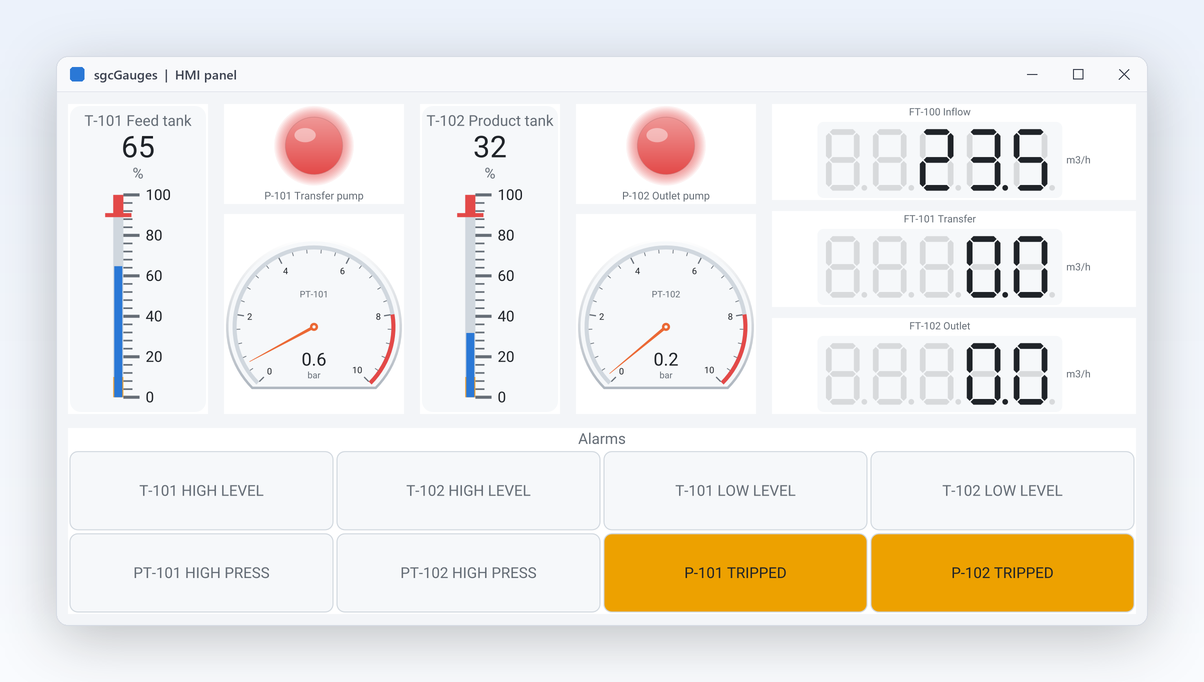
HMIPanel demo with tanks, pumps, LED bars and an annunciator

Everything an Instrument Panel Needs

Eleven capabilities in four groups, with the real class and property names and a link to each help topic. Features marked Registered are not in the free .NET Community build.

Instruments and scales

Ten types on one model, with ranges, styles and several pointers.

sgcGauges gallery with radial, ring, compass, clock, VU meter, linear, digital and LED gauges

Instruments and scales

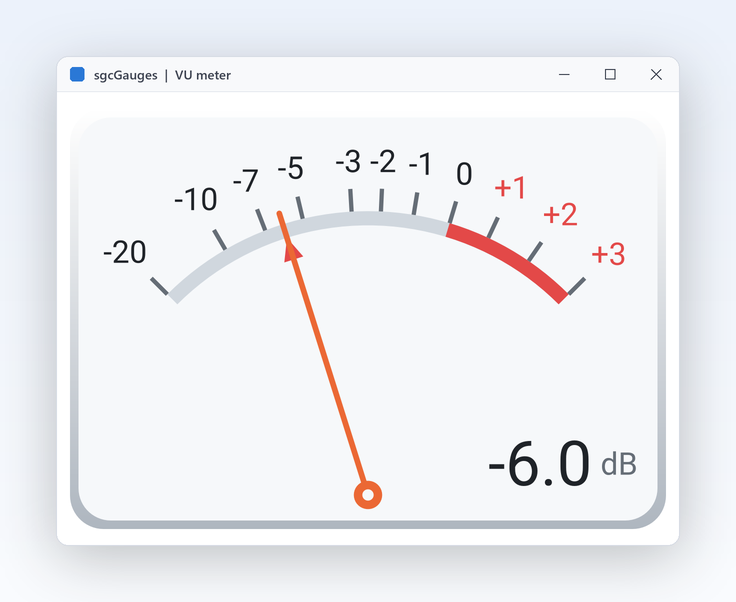
Ten instrument types in one library

Dashboards, HMI panels and test benches need different instruments: a dial for speed, a bar for level, a digital readout for frequency, a lamp for a pump, a tile panel for alarms. sgcGauges ships ten types that share one model, the same scales, pointers, ranges, thresholds and themes. Learn one API and every instrument behaves the same way.

  • TsgcVCLRadialGauge, TsgcVCLLinearGauge, TsgcVCLDigitalGauge, TsgcVCLLEDGauge, TsgcVCLLEDBarGauge, TsgcVCLProgressRingGauge
  • TsgcVCLVUMeterGauge, TsgcVCLClockGauge, TsgcVCLCompassGauge, TsgcVCLAnnunciatorGauge
  • Each type also exists for FireMonkey and, in .NET, for WinForms, WPF and Avalonia
  • A framework neutral model per type, such as TsgcRadialGauge, for headless use

Community has the radial, linear, 7 segment digital, LED, LED bar and progress ring gauges. The VU meter, clock, compass and annunciator are Registered.

Read the help topic
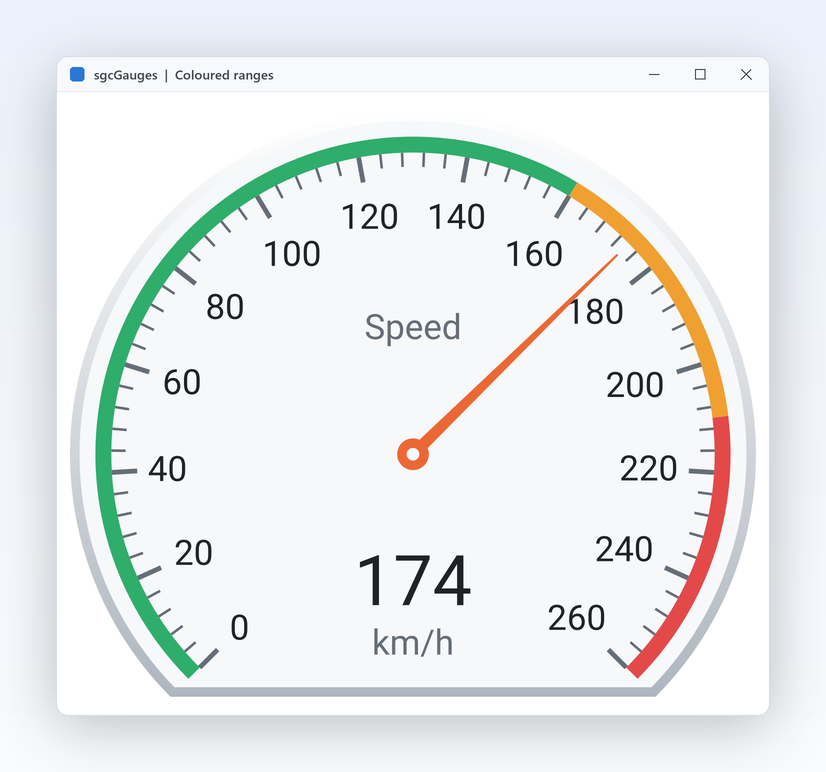
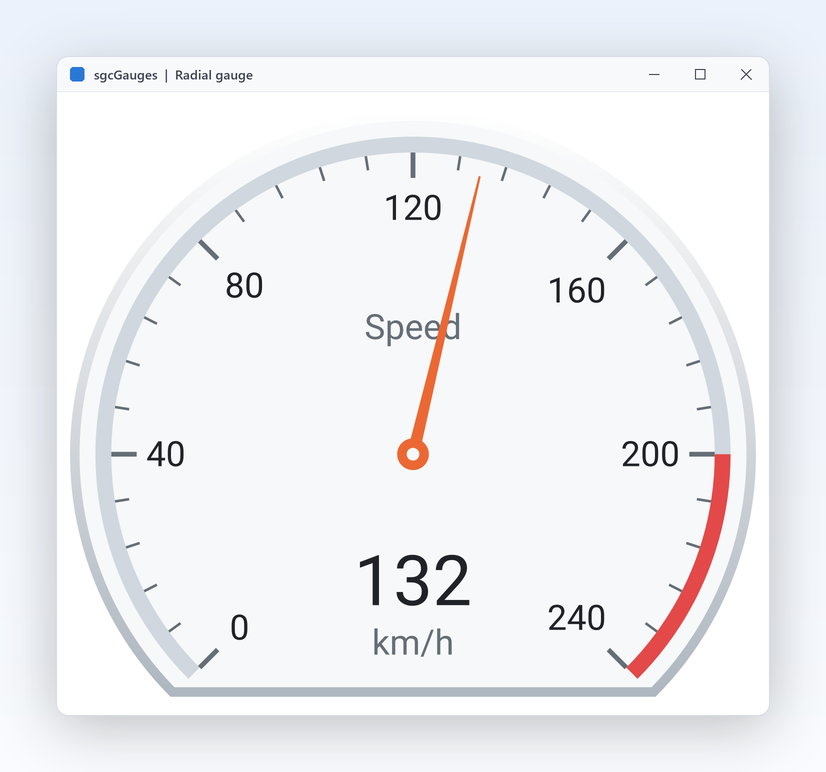
Speedometer from 0 to 260 km/h with green, amber and red ranges

Instruments and scales

Coloured ranges on any scale

An operator reads a gauge in a glance only when green, amber and red say where the value should be. Give a scale any minimum and maximum, set the major interval and minor ticks, and add coloured ranges for the bands that matter. Ranges have their own thickness and caption, and the scale can run in reverse or place its ticks inside or outside. Ranges are drawn on the scale itself, so they also appear in PNG and SVG output and in both themes without extra work.

  • Scales[0].Ranges.Add with StartValue, EndValue, Color, Thickness and Caption
  • TsgcGaugeScale: Minimum, Maximum, MajorInterval, MinorCount, Reversed
  • LabelFormat and ShowLabels for the scale labels
  • StartAngle and SweepAngle shape the arc of a radial gauge
Read the help topic
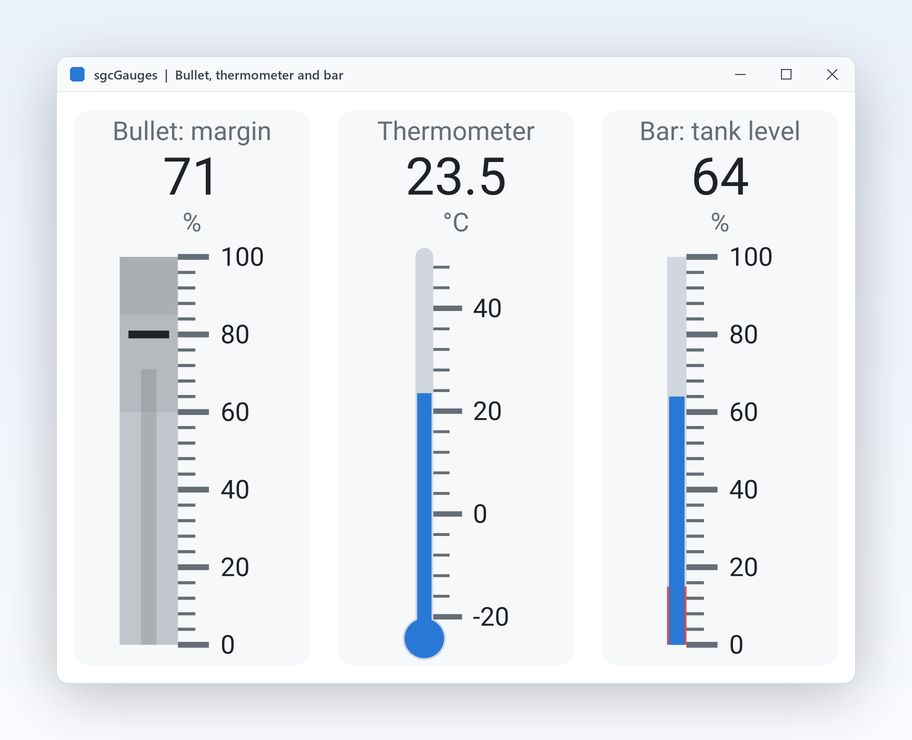
Three vertical linear gauges: bullet graph, thermometer and bar

Instruments and scales

Bullet graph, thermometer and bar in one control

Levels, temperatures and progress against a target are linear by nature. One linear gauge draws three styles: a plain bar, a thermometer with a bulb, and a bullet graph that compares the value with a target marker. Turn it horizontal or vertical to fit a tank, a sidebar or a table row. The bullet target is a property, not an extra pointer, so the bullet graph works in the free Community edition as well. A small gauge fits in a grid cell or a dashboard tile.

  • LinearStyle: glsBar, glsThermometer or glsBullet
  • Target draws the bullet target marker, in every edition
  • Orientation and BulbSize
  • Ranges and thresholds work exactly as on the radial gauge
Read the help topic
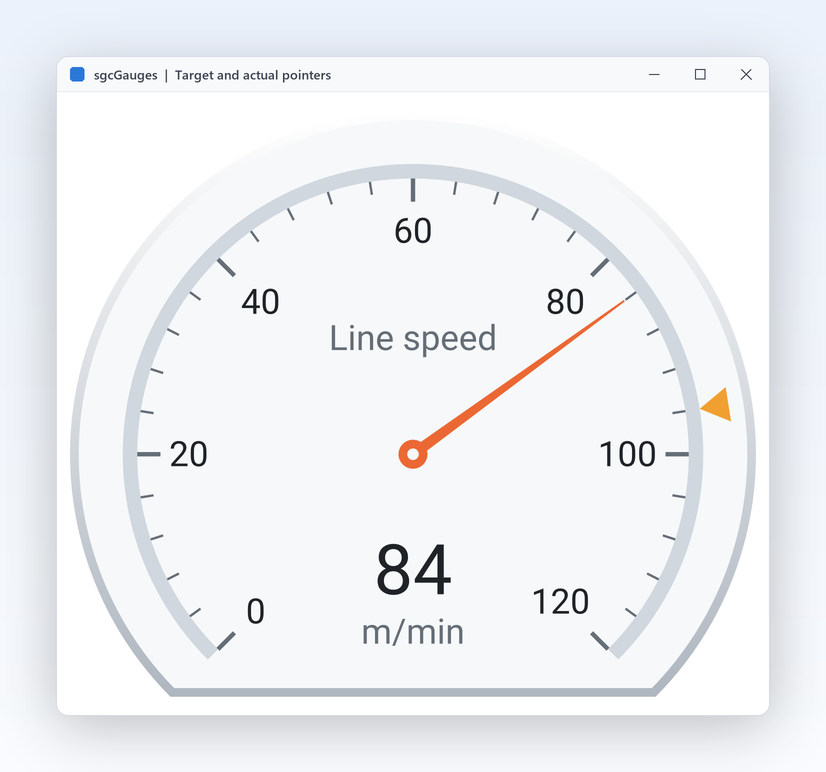
Radial gauge with a needle for the actual value and a marker for the target

Instruments and scales Registered only

Several scales and pointers on one gauge

Some readings only make sense side by side: actual against target, inlet against outlet, hours and minutes. A gauge can carry more than one scale and more than one pointer, and each pointer chooses its scale and style: a needle, a marker or a bar. Thresholds can watch any pointer. A dual pointer dial saves space on crowded panels and makes the gap between target and actual visible at once.

  • Pointers collection of TsgcGaugePointer with Kind, NeedleStyle, MarkerShape and ScaleIndex
  • Scales collection with Radius and Offset per scale
  • PointerIndex on thresholds and feed bindings
  • Forms made with several pointers still load in Community, which draws only the first

Community draws one scale and one pointer per gauge; the Registered edition draws all of them.

Read the help topic

Alarms, motion and live data

Gauges that react: thresholds, animation, industrial displays and live feeds.

Alarms, motion and live data

Alarms with hysteresis, raised in the main thread

A pressure that hovers around its limit must not fire a hundred alarms a minute. A threshold has a value, a direction and a hysteresis band: it fires once when the value crosses, and only rearms after the value has moved back by the band. OnThreshold always runs in the main thread, whatever thread wrote the value, so you can light an LED or show a message directly. Each threshold can watch a different pointer, so one gauge can raise a high alarm on the actual value and a low alarm on a second reading.

  • Thresholds of TsgcGaugeThreshold with Value, Hysteresis and Direction
  • gtdRising, gtdFalling or gtdBoth
  • ValueColor recolours the value text while the threshold is active
  • The Gallery demo lights an alarm LED at 200 km/h
Read the help topic

Alarms, motion and live data

Smooth needle animation with easing

A needle that jumps looks broken, one that glides looks like an instrument. Each new value animates from the old one over a duration you choose, with one of five easing curves, so a sudden change is easy to follow and a live feed never flickers. Turn animation off for test benches that need the raw value at once. OnChange tells you when the value changed, independent of the animation on screen.

  • Animation (TsgcGaugeAnimation) with Enabled and Duration, 300 ms by default
  • Easing: geLinear, geQuadOut, geCubicOut, geCubicInOut, geBackOut
  • Works on every gauge type and in every edition
  • IsAnimating tells whether a pointer is still moving
Read the help topic
Industrial displays: segments, LEDs and annunciators

Alarms, motion and live data

Industrial displays: segments, LEDs and annunciators

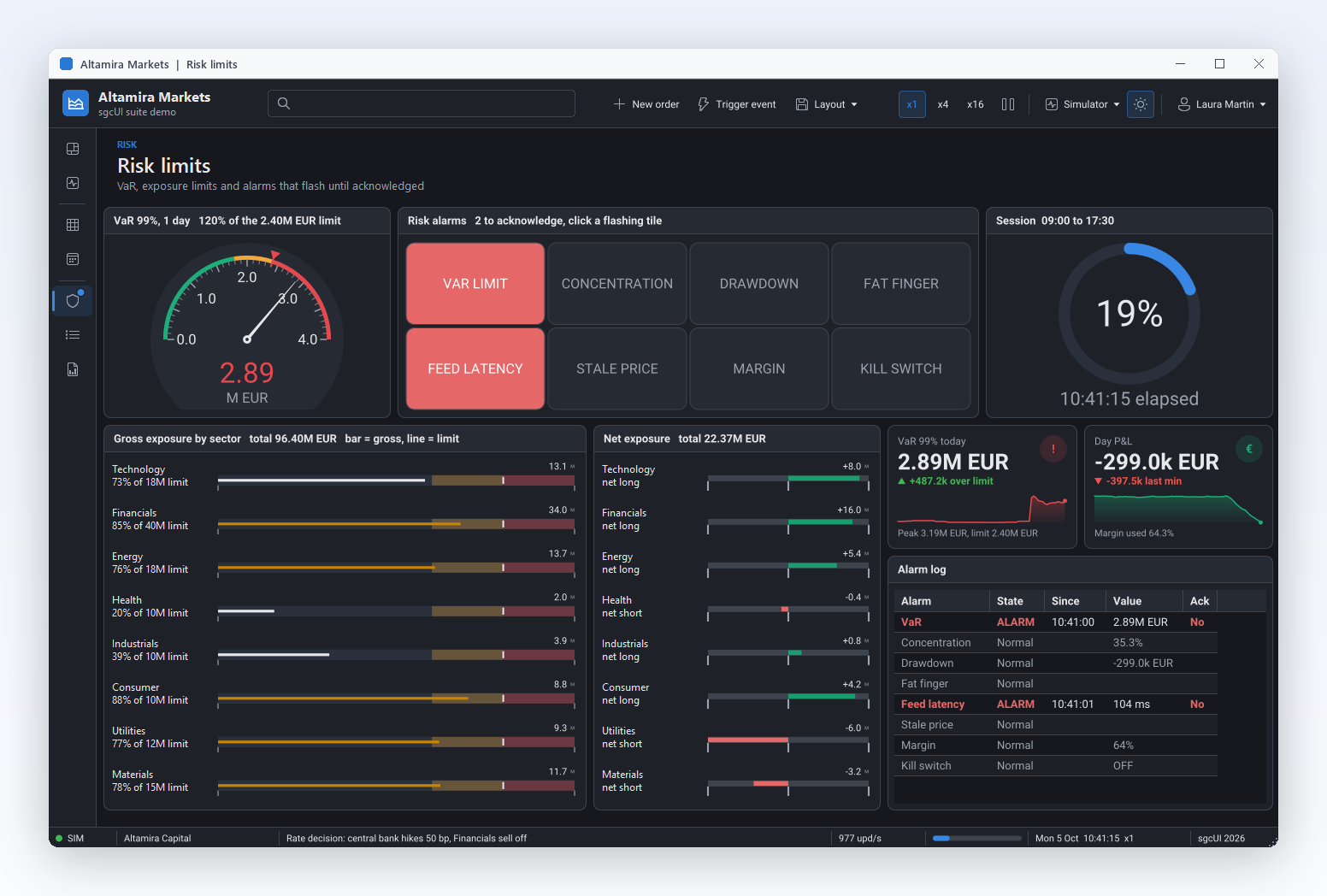
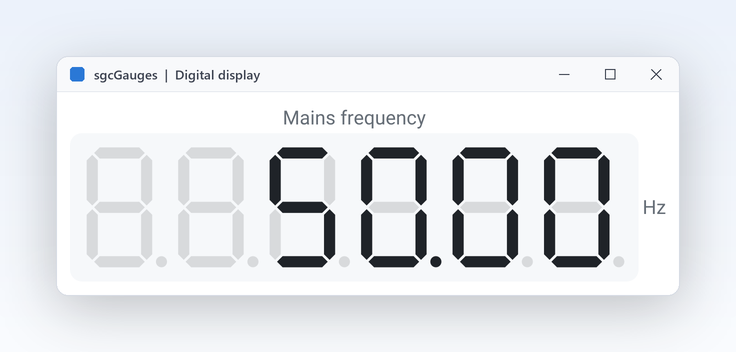
Control panels speak their own visual language. The digital gauge draws 7 segment, 14 segment or dot matrix digits with optional ghost segments and skew. LEDs blink, the LED bar holds its peak, and the annunciator shows a panel of alarm tiles that flash until an operator acknowledges them. Every one of these displays has the same scales, thresholds and themes as the other gauges, so alarms work the same way everywhere.

  • TsgcVCLDigitalGauge: DisplayType, Digits, ShowGhost, Skew
  • TsgcVCLLEDGauge with Blink and BlinkInterval; TsgcVCLLEDBarGauge with PeakHold
  • TsgcVCLAnnunciatorGauge: Tiles, FlashInterval, Acknowledge, AcknowledgeAll
  • The HMIPanel demo combines them with tanks, pumps and pressures

Community has 7 segment digits, LEDs and the LED bar. The 14 segment and dot matrix displays and the annunciator are Registered.

Read the help topic
Alarms, motion and live data Registered only

Bind MQTT topics straight to pointers

In an IoT console most of the code is plumbing: subscribe, parse, find the gauge, set the value. The sgcGaugesWS bridge removes it. A feed source attaches to an sgcWebSockets client, and each binding maps a topic and a JSON path to a gauge pointer. MQTT topic filters with + and # are supported, and a filter path picks one device out of a shared stream. Several bindings can share one source, so a single broker connection drives a whole panel.

  • TsgcGaugeFeedSource_MQTT, TsgcGaugeFeedSource_WebSocket, TsgcGaugeFeedSource_SSE
  • Bindings of TsgcGaugeFeedBinding: Gauge, PointerIndex, Topic, ValuePath
  • FilterPath and FilterValue select messages
  • OnValue and OnError events on the source

The bridge needs sgcWebSockets. In Community, set Value from your own code; it is safe from a background thread.

Read the help topic
Output and looks

The same gauge on a server and in any theme.

Output and looks

Gauges as PNG or SVG without a window

Gauges are also wanted outside the screen: in a shift report, a status e-mail or a web page served by your backend. Every gauge model and every control saves itself as PNG or SVG with no form, so a console program, a Windows service or a Linux64 server can render the same instrument the operator sees. Width, height and scale are parameters, so one call produces a thumbnail for a list and another a sharp 2x image for a report.

  • SaveToPNG and SaveToSVG on every model and control
  • Framework neutral models such as TsgcRadialGauge and TsgcLinearGauge
  • Linux64 headless from Delphi 10.2; the Headless demo writes PNG and SVG on Win32, Win64 and Linux64
  • In .NET, the ConsoleRender demo does the same
Read the help topic
Themes for day and night shifts

Output and looks

Themes for day and night shifts

A control room dims its screens at night, an office prefers a bright look. One property switches a gauge between the light and dark theme, and the colours of face, scale, labels and value follow. Gauges use the same theme type as every sgcUI product, so they switch together with dashboards, charts and grids. Ranges keep their own colours in both themes, so green still means normal at night. The FormatSettings property fixes the decimal separator of the readout independent of the user's locale.

  • Theme := utDark or utLight
  • FaceColor, BackgroundColor and fonts can still be set per gauge
  • Title, Units and ValueFormat for the readout
  • OnFormatValue to format the value text yourself
  • Right to left for Arabic and Hebrew: captions and unit texts follow the direction, while dials, clocks, compasses and progress bars keep their orientation
Read the help topic

Accessibility

UI Automation for screen readers and high contrast, with no setup.

Accessibility

Gauges that expose their values to UI Automation

Every gauge kind exposes its caption, its value and its range to Microsoft UI Automation, and the thresholds are raised as announcements. The gauge describes itself with the same text alternative it writes into an accessible PDF.

  • A gauge only shows a value, so it is not a tab stop by default, and it is still exposed to UI Automation
  • Set TabStop to True when keyboard users should land on a gauge
  • Digital, LED, clock and compass gauges expose their value as text, the other kinds as a range value
  • Under a Windows high contrast theme the gauges paint with the system colours

Accessibility is on by default in every edition, the free Community edition included, on VCL in every Delphi and C++Builder version from Delphi 7 to Delphi 13, on FireMonkey on Windows, and on WinForms, WPF and Avalonia. In Delphi and C++Builder, AccessibleName and AccessibleDescription set the name and the description exposed to UI Automation, and in .NET the standard accessible name and help text of each framework do the same. See the accessibility conformance reports.

Read the help topic
See sgcGauges in action

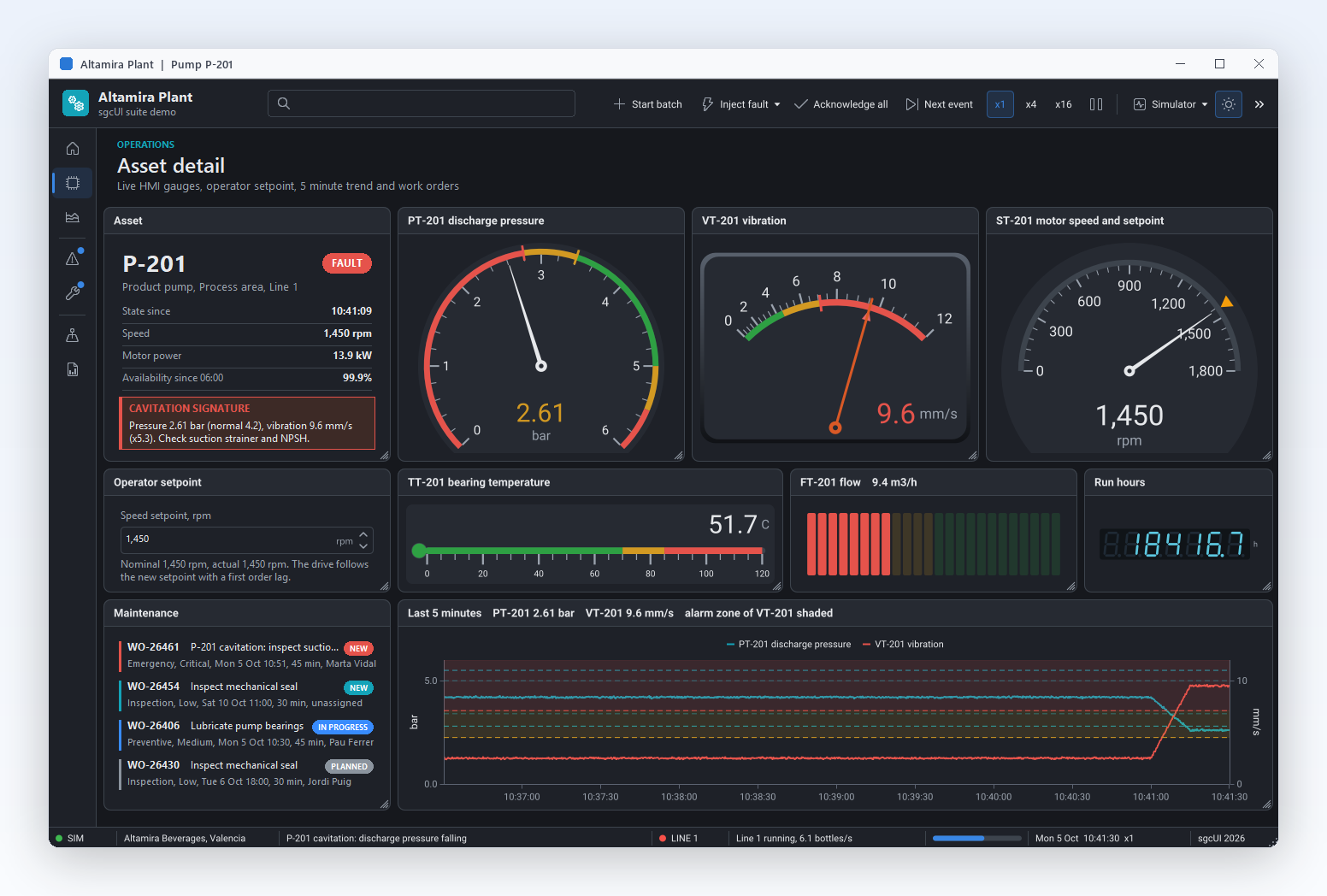
sgcGauges inside the sgcUI suite demos: complete applications that run offline with built-in simulated data.

Who Builds with sgcGauges

SCADA and HMI screens

A plant HMI shows two tanks with level gauges, pump LEDs, pressure dials with red bands and an annunciator panel for alarms. Thresholds with hysteresis raise each alarm once, the annunciator flashes until the operator acknowledges it, and the night shift switches to the dark theme.

  • Ranges and thresholds
  • Annunciator
  • LEDs
  • Dark theme
Run the HMIPanel demo

IoT and telemetry consoles

A telemetry console subscribes to a broker and shows six live readings from field devices. Bindings map each topic and JSON field to a pointer, the needles glide to each new value, and no message handling code is written by hand. The same gauges render as PNG for the daily status mail.

  • MQTT bindings
  • Animation
  • Headless PNG
Run the MQTTLive demo

KPI dashboards with instruments

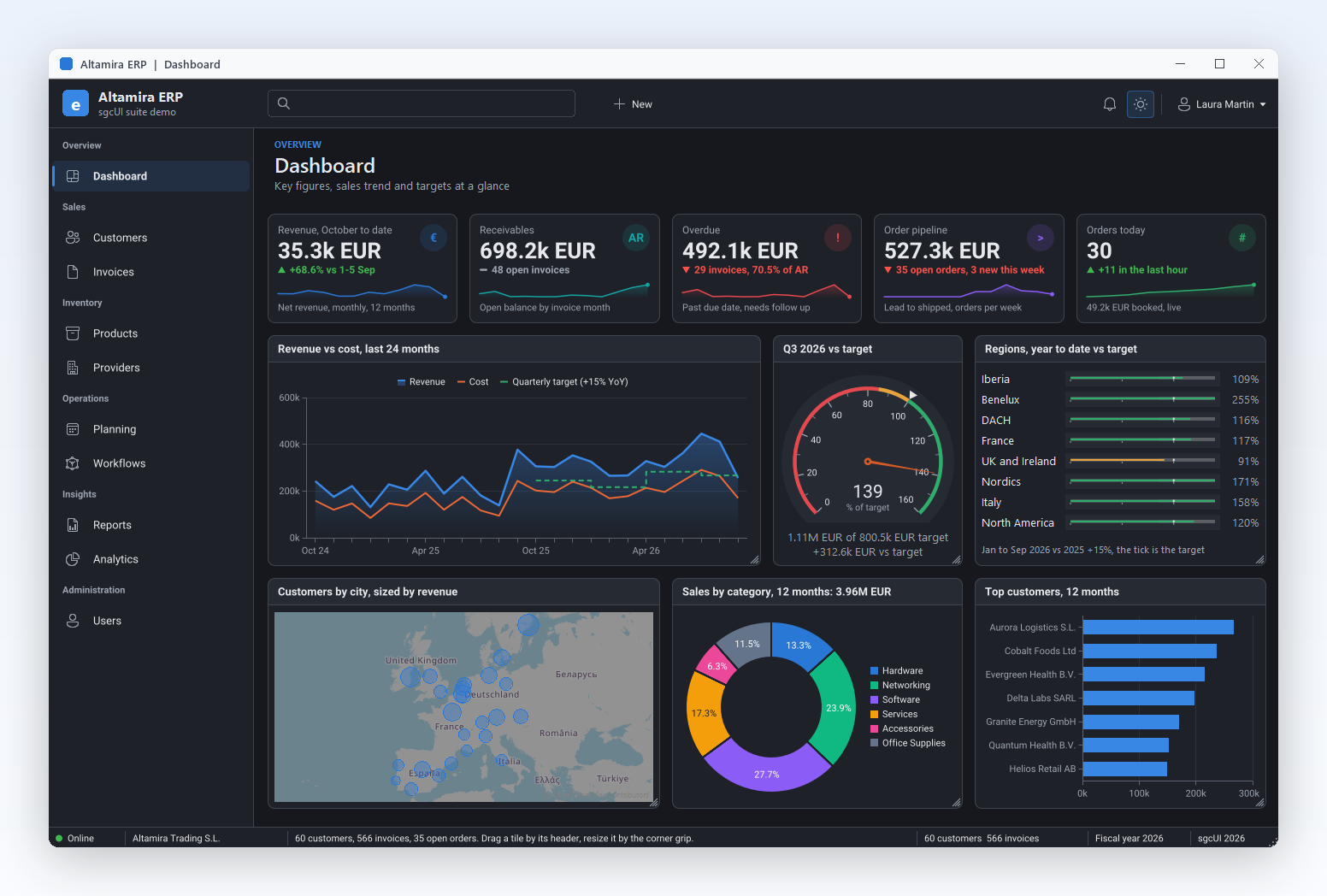
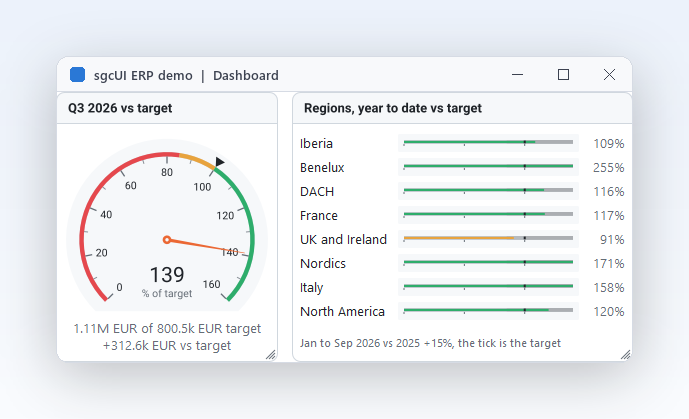
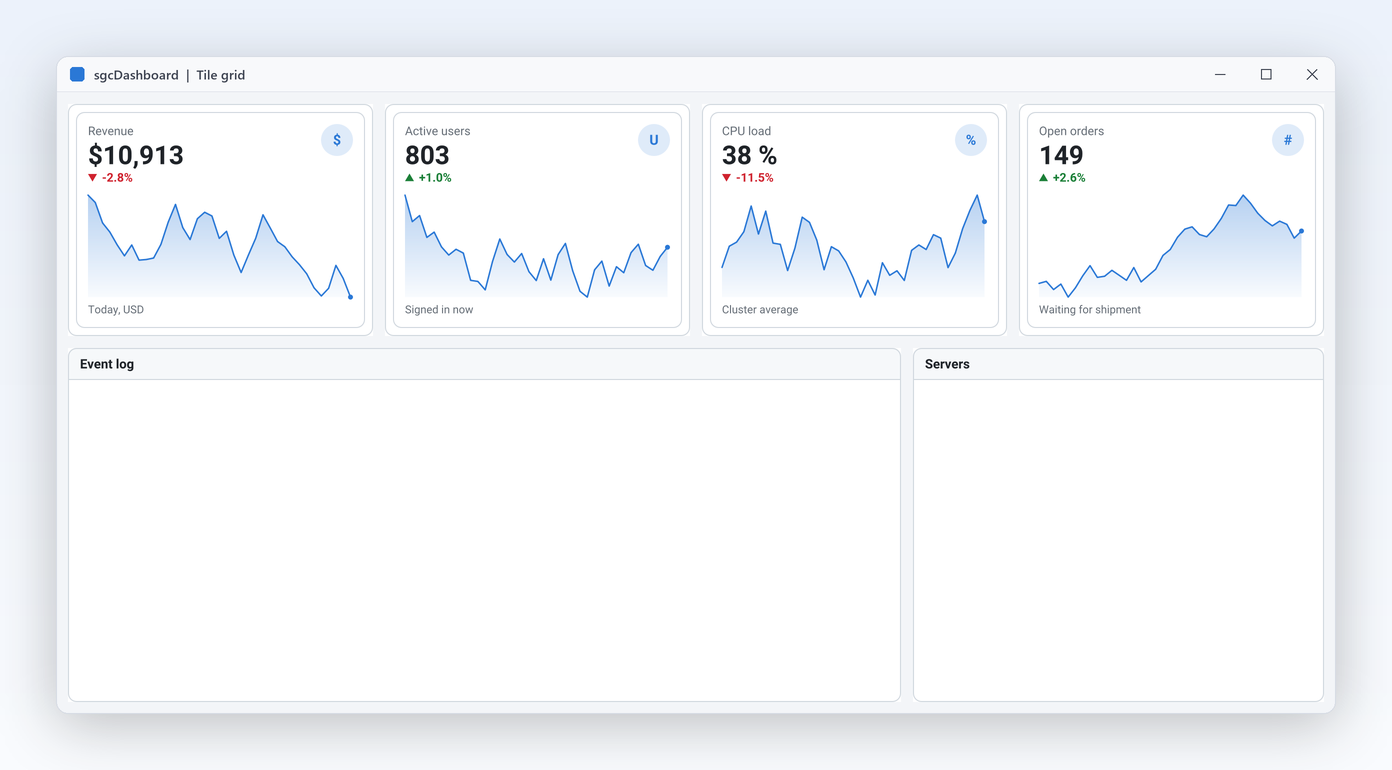
A management dashboard puts gauges in tiles next to KPI cards and charts: utilisation as a progress ring, delivery time as a bullet graph against its target, and service level as a dial with coloured bands. Everything follows one theme property and the gauges size themselves to their tiles.

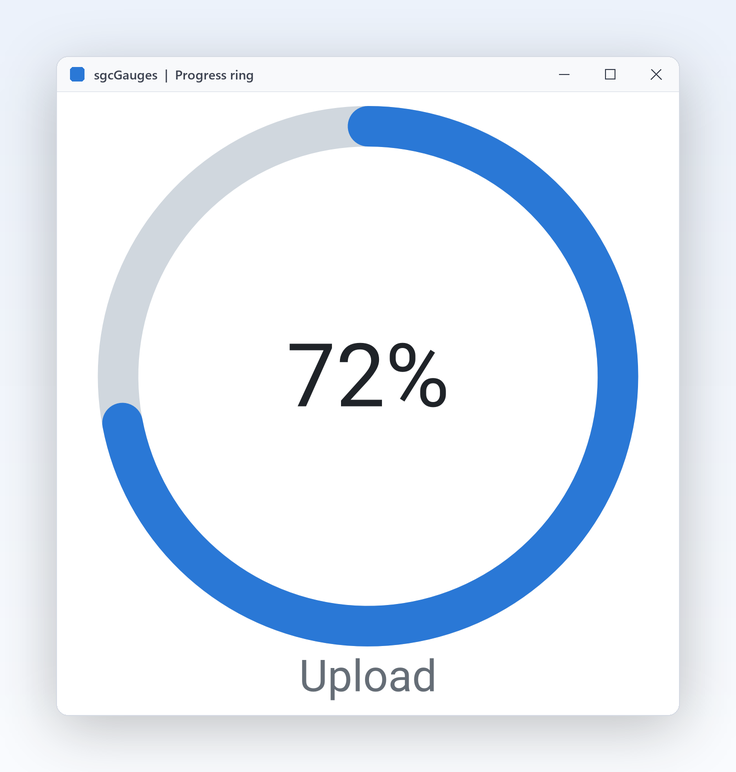
  • Progress ring
  • Bullet graph
  • sgcDashboard tiles
Run the Gallery demo

A Pressure and Level Panel in a Few Lines

The same API in Delphi, C++ Builder and C#: a radial pressure gauge with a red band and an alarm threshold, a bullet level gauge and a blinking alarm LED.

A radial pressure gauge with a red band and an alarm threshold, a bullet level gauge and a blinking alarm LED on a VCL form.

uses
  SysUtils, Classes, Controls, Forms, sgcUICore_Theme,
  sgcGauges_Types, sgcGauges_Model, sgcGauges_VCL;

type
  TTankPanel = class(TComponent)
  public
    Pressure: TsgcVCLRadialGauge;
    Level: TsgcVCLLinearGauge;
    Alarm: TsgcVCLLEDGauge;
    procedure PressureThreshold(Sender: TObject; aThreshold: TsgcGaugeThreshold;
      aValue: Double; aRising: Boolean);
  end;

procedure TTankPanel.PressureThreshold(Sender: TObject;
  aThreshold: TsgcGaugeThreshold; aValue: Double; aRising: Boolean);
begin
  // runs in the main thread, whatever thread wrote the value
  Alarm.Active := aRising;
end;

function CreateTankPanel(aForm: TForm): TTankPanel;
begin
  Result := TTankPanel.Create(aForm);
  Result.Pressure := TsgcVCLRadialGauge.Create(aForm);
  Result.Pressure.Parent := aForm;
  Result.Pressure.SetBounds(16, 16, 240, 240);
  Result.Pressure.Title := 'Pressure';
  Result.Pressure.Units := 'bar';
  Result.Pressure.Theme := utDark;
  Result.Pressure.Scales[0].Maximum := 10;
  Result.Pressure.Scales[0].MajorInterval := 2;
  with Result.Pressure.Scales[0].Ranges.Add do
  begin
    StartValue := 8;
    EndValue := 10;
    Color := $FFE34948;
  end;
  with Result.Pressure.Thresholds.Add do
  begin
    Value := 8;
    Hysteresis := 0.5;
    Direction := gtdBoth;
  end;
  Result.Pressure.Animation.Easing := geCubicOut;
  Result.Pressure.OnThreshold := Result.PressureThreshold;
  Result.Level := TsgcVCLLinearGauge.Create(aForm);
  Result.Level.Parent := aForm;
  Result.Level.SetBounds(272, 16, 320, 110);
  Result.Level.Title := 'Tank level';
  Result.Level.Units := '%';
  Result.Level.LinearStyle := glsBullet;
  Result.Level.Target := 80;
  Result.Alarm := TsgcVCLLEDGauge.Create(aForm);
  Result.Alarm.Parent := aForm;
  Result.Alarm.SetBounds(272, 140, 64, 64);
  Result.Alarm.OnColor := $FFE34948;
  Result.Alarm.Blink := True;
  Result.Level.Value := 62;
  Result.Pressure.Value := 6.5;
  // the same drawing code exports the gauge to PNG at twice its size
  Result.Pressure.SaveToPNG(ExtractFilePath(ParamStr(0)) + 'pressure.png', 2);
end;

Read the help topic →

The same panel in C++ Builder with the generated headers.

#include <vcl.h>
#include "sgcUICore_Theme.hpp"
#include "sgcGauges_Types.hpp"
#include "sgcGauges_Model.hpp"
#include "sgcGauges_VCL.hpp"

class TTankPanel : public TObject
{
public:
  TsgcVCLRadialGauge *Pressure;
  TsgcVCLLinearGauge *Level;
  TsgcVCLLEDGauge *Alarm;
  void __fastcall PressureThreshold(TObject *Sender,
    TsgcGaugeThreshold *aThreshold, double aValue, bool aRising);
};

void __fastcall TTankPanel::PressureThreshold(TObject *Sender,
  TsgcGaugeThreshold *aThreshold, double aValue, bool aRising)
{
  // runs in the main thread, whatever thread wrote the value
  Alarm->Active = aRising;
}

TTankPanel * __fastcall CreateTankPanel(TForm *Form)
{
  TTankPanel *P = new TTankPanel();
  P->Pressure = new TsgcVCLRadialGauge(Form);
  P->Pressure->Parent = Form;
  P->Pressure->SetBounds(16, 16, 240, 240);
  P->Pressure->Title = "Pressure";
  P->Pressure->Units = "bar";
  P->Pressure->Theme = utDark;
  P->Pressure->Scales->Items[0]->Maximum = 10;
  P->Pressure->Scales->Items[0]->MajorInterval = 2;
  TsgcGaugeRange *R = P->Pressure->Scales->Items[0]->Ranges->Add();
  R->StartValue = 8;
  R->EndValue = 10;
  R->Color = 0xFFE34948;
  TsgcGaugeThreshold *T = P->Pressure->Thresholds->Add();
  T->Value = 8;
  T->Hysteresis = 0.5;
  T->Direction = gtdBoth;
  P->Pressure->Animation->Easing = geCubicOut;
  P->Pressure->OnThreshold = P->PressureThreshold;
  P->Level = new TsgcVCLLinearGauge(Form);
  P->Level->Parent = Form;
  P->Level->SetBounds(272, 16, 320, 110);
  P->Level->Title = "Tank level";
  P->Level->Units = "%";
  P->Level->LinearStyle = glsBullet;
  P->Level->Target = 80;
  P->Alarm = new TsgcVCLLEDGauge(Form);
  P->Alarm->Parent = Form;
  P->Alarm->SetBounds(272, 140, 64, 64);
  P->Alarm->OnColor = 0xFFE34948;
  P->Alarm->Blink = true;
  P->Level->Value = 62;
  P->Pressure->Value = 6.5;
  // the same drawing code exports the gauge to PNG at twice its size
  P->Pressure->SaveToPNG(ExtractFilePath(ParamStr(0)) + "pressure.png", 2);
  return P;
}

Read the help topic →

The WinForms version in C#, with the same class names as Delphi.

using System;
using System.Drawing;
using System.Windows.Forms;
using esegece.sgcGauges;
using esegece.sgcUICore;

public class TankForm : Form
{
    private readonly TsgcWinFormsRadialGauge pressure;
    private readonly TsgcWinFormsLinearGauge level;
    private readonly TsgcWinFormsLEDGauge alarm;

    public TankForm()
    {
        ClientSize = new Size(610, 270);
        pressure = new TsgcWinFormsRadialGauge { Bounds = new Rectangle(10, 10, 240, 240) };
        pressure.Title = "Pressure";
        pressure.Units = "bar";
        pressure.Theme = TsgcUITheme.utDark;
        pressure.Scales[0].Maximum = 10;
        pressure.Scales[0].MajorInterval = 2;
        TsgcGaugeRange red = pressure.Scales[0].Ranges.Add();
        red.StartValue = 8;
        red.EndValue = 10;
        red.Color = 0xFFE34948;
        TsgcGaugeThreshold limit = pressure.Thresholds.Add();
        limit.Value = 8;
        limit.Hysteresis = 0.5;
        limit.Direction = TsgcGaugeThresholdDirection.gtdBoth;
        pressure.Animation.Easing = TsgcGaugeEasing.geCubicOut;

        level = new TsgcWinFormsLinearGauge { Bounds = new Rectangle(260, 10, 340, 110) };
        level.Title = "Tank level";
        level.Units = "%";
        level.LinearStyle = TsgcGaugeLinearStyle.glsBullet;
        level.Target = 80;

        alarm = new TsgcWinFormsLEDGauge { Bounds = new Rectangle(260, 130, 64, 64) };
        alarm.OnColor = 0xFFE34948;
        alarm.Blink = true;

        // OnThreshold runs in the UI thread, whatever thread wrote the value
        pressure.OnThreshold = (sender, threshold, value, rising) => alarm.Active = rising;
        Controls.AddRange(new Control[] { pressure, level, alarm });
        level.Value = 62;
        pressure.Value = 6.5;
    }
}
dotnet add package esegece.sgcGauges.WinForms

Read the help topic →

Run the sgcGauges Demos

Gallery, GalleryFMX, Headless, HMIPanel, DashboardGauges and MQTTLive for Delphi and C++ Builder. The .NET demos are Gallery (WinForms), GalleryWpf, GalleryAvalonia, ConsoleRender, HMIPanel and MQTTLive.

HMIPanel

HMIPanel

Two tanks with pumps, levels, pressures and annunciator alarms, the layout of a typical process screen.

DashboardGauges

Six gauges in sgcDashboard tiles, following the dashboard theme. Builds with the Community edition.

Headless

A console program that writes PNG and SVG on Win32, Win64 and Linux64.

GalleryFMX

The gallery on FireMonkey, for Windows and Android.

Registered only MQTTLive

Six gauges fed by MQTT through the sgcGaugesWS bridge. Needs sgcWebSockets and a broker.

Compiled demos

Ready to run executables of every sgcUI product, nothing to install.

Download sgcUI_bin.zip →

Where sgcGauges Is Included

sgcGauges is in the sgcUI Professional and Enterprise editions, and it is also sold on its own. sgcGauges is also included in the All-Access bundle.

sgcGauges single package

€199 / developer, full source code, 1 year of updates.

Buy sgcGauges → See pricing →

sgcUI Professional

Standard plus sgcGauges, sgcCharts and sgcDashboard, from €529.

See Professional →

sgcUI Enterprise

All 14 sgcUI products, from €699.

See Enterprise →

The free Community edition (esegece.sgcGauges.Community on NuGet) has radial, linear, 7 segment digital, LED, LED bar and progress ring gauges with ranges, thresholds, animation, themes and headless output. It has no VU meter, clock, compass or annunciator, no extra scales or pointers, and no sgcGaugesWS bridge.

FeatureCommunity (free)Registered
Radial, linear, 7 segment digital, LED, LED bar and progress ring✓✓
Ranges, thresholds, animation and themes✓✓
Headless PNG and SVG output✓✓
VU meter, clock, compass and annunciator−✓
Several scales and pointers per gauge−✓
14 segment and dot matrix displays−✓
sgcGaugesWS bridge (MQTT, WebSocket, SSE)−✓

Supported Frameworks and Platforms

Components in sgcGauges

Every gauge has a framework neutral model for headless rendering, a VCL control (also used from C++ Builder), a FireMonkey control and WinForms, WPF and Avalonia controls.

GaugeVCL and C++ BuilderFireMonkey.NET
RadialTsgcVCLRadialGaugeTsgcFMXRadialGaugeTsgcWinFormsRadialGauge
Linear (bar, thermometer, bullet)TsgcVCLLinearGaugeTsgcFMXLinearGaugeTsgcWpfLinearGauge
Digital (7 segment, 14 segment, dot matrix)TsgcVCLDigitalGaugeTsgcFMXDigitalGaugeTsgcWinFormsDigitalGauge
LEDTsgcVCLLEDGaugeTsgcFMXLEDGaugeTsgcWinFormsLEDGauge
LED barTsgcVCLLEDBarGaugeTsgcFMXLEDBarGaugeTsgcWinFormsLEDBarGauge
Progress ringTsgcVCLProgressRingGaugeTsgcFMXProgressRingGaugeTsgcWinFormsProgressRingGauge
VU meterTsgcVCLVUMeterGaugeTsgcFMXVUMeterGaugeTsgcWinFormsVUMeterGauge
ClockTsgcVCLClockGaugeTsgcFMXClockGaugeTsgcWinFormsClockGauge
CompassTsgcVCLCompassGaugeTsgcFMXCompassGaugeTsgcWpfCompassGauge
AnnunciatorTsgcVCLAnnunciatorGaugeTsgcFMXAnnunciatorGaugeTsgcAvaloniaAnnunciatorGauge

The .NET column shows one example per gauge, every gauge exists as TsgcWinForms, TsgcWpf and TsgcAvalonia. All gauges share the base class TsgcCustomGauge with the collections Scales, Pointers, Thresholds and Ranges. The framework neutral models (TsgcRadialGauge, TsgcLinearGauge and so on) render without a window.

TargetComponentPlatforms
Delphi 7 to 13, VCLTsgcVCL gaugesWin32, and Win64 from XE2
Delphi XE6 to 13, FireMonkeyTsgcFMX gaugesWindows, macOS, iOS and Android
C++ Builder 2007 to 13TsgcVCL gaugesGenerated .hpp headers and static libraries
Delphi 10.2 to 13, framework neutralGauge models and headless PNG and SVG outputLinux64 (no Linux controls)
.NET Framework 4.7.2, .NET 8, 9 and 10WinForms, WPF and Avalonia gaugesWindows desktop, Avalonia targets, headless rendering

Frequently Asked Questions

Yes. Set Value from the thread that receives the data. Thresholds are evaluated for you and OnThreshold always fires in the main thread, so a handler can update controls without extra synchronisation. The sgcGaugesWS bridge does the same when it feeds pointers from MQTT, WebSocket or SSE.

The radial, linear, 7 segment digital, LED, LED bar and progress ring gauges, with ranges, thresholds, animation, themes and headless output. The VU meter, clock, compass, annunciator, extra scales and pointers, 14 segment and dot matrix digits and the bridge are Registered. See Editions.

Yes, with the Registered edition and sgcWebSockets. Drop a TsgcGaugeFeedSource_MQTT, link your MQTT client, and add a binding per gauge with the Topic and the JSON ValuePath. Topic filters with + and # work, and FilterPath picks one device from a shared topic.

The FireMonkey controls work from Delphi XE6, and the GalleryFMX demo runs on Windows and Android. On Linux64 sgcGauges is headless only: the models compile and render PNG and SVG from Delphi 10.2, but there are no Linux controls.

Yes. Every scale has its own Minimum, Maximum, MajorInterval and minor ticks, and any number of coloured ranges with start, end, colour, thickness and caption. A radial gauge also lets you choose the start and sweep angle of the arc.

Yes. SaveToPNG and SaveToSVG work on every control and every model, with no window, so a service or a Linux64 server can put the current readings into a PDF or an e-mail. The Gallery demo also exports PNG at 2x.

The digital gauge sizes itself from the scale: with Digits at 0 it reserves as many digits as the scale maximum needs, and the default scale runs from 0 to 100. Set Scales[0].Maximum to the largest value you expect, or set Digits explicitly.

sgcGauges Help

3,000+Developers
20+Years
761+Components
30+API Integrations
5Platforms
30-Day Money-Back GuaranteeNot satisfied? Request a full refund within 30 days of purchase. See refund policy

Try sgcGauges Today

The sgcUI trial includes sgcGauges and every other sgcUI product.