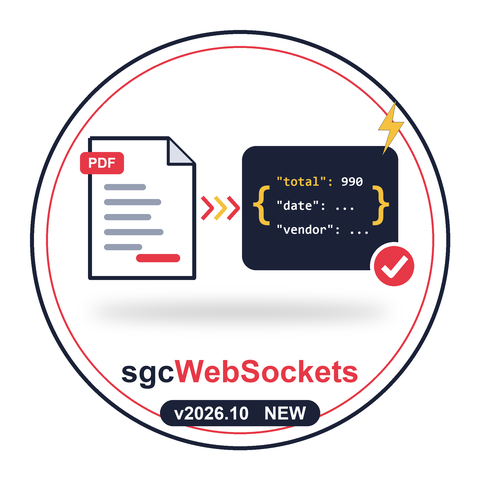
Most business software still has a person somewhere who reads a PDF and types its numbers into a form. Supplier invoices, till receipts, the scan of an identity card at a front desk. The large language models read those documents well today, but asking a model for "the invoice data" gives you prose, or JSON in whatever shape it felt like writing, and no way to tell which values it was unsure about.
sgcWebSockets 2026.10 adds TsgcAIDocumentExtractor for Delphi, C++Builder and .NET. You give it a PDF or an image, it asks the model you already use through TsgcAIChat, and it hands back JSON that has been validated against a schema, with a confidence for every field. The component is not part of the current download. It arrives with the 2026.10 release.
TsgcAIDocumentExtractor reading a real invoice PDF with Anthropic Claude and returning validated JSON with a confidence per field. Also on YouTube.
A PDF In, JSON Out
Drop a TsgcAIChat and a TsgcAIDocumentExtractor on a form, point the extractor at the chat, choose a preset and call ExtractFile. OpenAI, Anthropic and Gemini read PDF files as they are. DeepSeek, Grok, Mistral and Ollama take images, so for those providers you send the pages as PNG or JPEG.
uses
  sgcAI, sgcAI_Chat, sgcAI_DocumentExtractor;

procedure TForm1.btnExtractClick(Sender: TObject);
begin
  oChat := TsgcAIChat.Create(Self);
  oChat.Provider := aicpAnthropic;
  oChat.ChatOptions.ApiKey := 'your-api-key';

  oExtractor := TsgcAIDocumentExtractor.Create(Self);
  oExtractor.AIChat := oChat;
  oExtractor.Preset := dpInvoice;

  Memo1.Lines.Text := oExtractor.ExtractFile('invoice.pdf');
end;
This is the flow shown in the video, and it was verified live against Anthropic Claude on a real invoice PDF. ExtractFiles sends several pages of one document in a single request, and ExtractAttachments takes documents you already hold in memory as base64.
The extractor does its work through TsgcAIChat, which gains the same abilities for your own prompts. ChatWithDocument sends a PDF or an image with a message, ChatWithAttachments sends several at once, and ChatJSONWithAttachments asks for a JSON answer about them. A new TLSOptions property sets the OpenSSL version, the IOHandler and the certificates used for every provider.
Memo1.Lines.Text := oChat.ChatWithDocument('Summarize this contract', 'contract.pdf');

oFiles := TsgcAIChatAttachments.Create;
try
  oFiles.AddFile('page1.png');
  oFiles.AddFile('page2.png');
  Memo1.Lines.Text := oChat.ChatJSONWithAttachments(
    'List every line item as JSON', oFiles);
finally
  oFiles.Free;
end;
Presets and Your Own Schema
Three presets cover the common documents: dpInvoice, dpReceipt and dpIDCard. Each one brings its JSON schema and its extraction instructions, so there is nothing else to configure. For any other document, set Preset to dpCustom and write the schema yourself.
oExtractor.Preset := dpCustom;
oExtractor.SchemaName := 'purchase_order';
oExtractor.Schema.Text :=
  '{"type": "object", "additionalProperties": false,' +
  ' "required": ["order_number", "supplier", "total"],' +
  ' "properties": {' +
  '   "order_number": {"type": "string"},' +
  '   "supplier": {"type": ["string", "null"]},' +
  '   "total": {"type": "number"}}}';
oExtractor.Instructions.Text := 'Write every amount without a currency symbol.';
With OpenAI the schema is sent in strict mode, so it has to follow the strict rules: every object declares "additionalProperties": false, every property is listed in required, and an optional value uses a nullable type such as ["string", "null"]. The built in presets already follow those rules. To start from one of them and add a field, copy it with TsgcAIDocumentExtractor.GetPresetSchema(dpInvoice).
Validation and Retry
The answer never reaches your code unchecked. The extractor validates it locally against the schema: types, required properties, nested objects and arrays, and enums. When it does not match, the component tells the model what was wrong and asks once more. ValidationRetries sets how many times, and it is 1 by default.
If the data is still invalid after the retries, the extractor raises an exception. Set RaiseOnInvalid to False to get the data anyway and read the problems from LastResult.ValidationErrors, one path: message line each.
oExtractor.ValidationRetries := 1;
oExtractor.RaiseOnInvalid := False;

Memo1.Lines.Text := oExtractor.ExtractFile('invoice.pdf');
if not oExtractor.LastResult.Valid then
  Memo1.Lines.AddStrings(oExtractor.LastResult.ValidationErrors);
Confidence and Human Review
Valid JSON is not the same as correct JSON. A blurred total or a smudged date can still produce a well formed number. So the model also reports how sure it is about every field it extracted, and the extractor gives you those values. LastResult.Confidence is the lowest of them, LastResult.FieldConfidence('total') returns the value for one path, and OnLowConfidence fires once for each field under MinConfidence.
oExtractor.MinConfidence := 0.8;
oExtractor.OnLowConfidence := OnLowConfidenceEvent;
Memo1.Lines.Text := oExtractor.ExtractFile('invoice.pdf');

if oExtractor.LastResult.FieldConfidence('total') < 0.8 then
  ShowMessage('Check the total by hand');

procedure TForm1.OnLowConfidenceEvent(Sender: TObject; const aField: string;
  aConfidence: Double);
begin
  lstReview.Items.Add(Format('%s: %.2f', [aField, aConfidence]));
end;
That turns a review queue into something a person can get through: they check the two fields the model doubted, not the whole invoice.
Local OCR, Nothing Leaves the Machine
Some documents must not go to a cloud service at all. Link an OCR component to the extractor and pick the engine that suits you. TsgcAIOCRTesseract runs the Tesseract OCR engine installed on the machine. TsgcAIOCRWindows uses the text recognition built into Windows 10 and later, so there is nothing to install. With OCRMode set to domAlways, the images are never sent to the model. The OCR engine reads the text locally, and a text model such as Ollama does the extraction, so the whole pipeline runs on your own hardware.
oOCR := TsgcAIOCRTesseract.Create(Self);
oOCR.Language := 'eng';

oChat.Provider := aicpOllama;
oChat.ChatOptions.Model := 'llama3.1';

oExtractor.OCR := oOCR;
oExtractor.OCRMode := domAlways;
oExtractor.Preset := dpReceipt;
Memo1.Lines.Text := oExtractor.ExtractFile('receipt.png');
The Windows engine takes a BCP-47 language tag such as en-US, or an empty Language to use the languages of the user profile.
oWinOCR := TsgcAIOCRWindows.Create(Self);
oWinOCR.Language := 'en-US';

oExtractor.OCR := oWinOCR;
oExtractor.OCRMode := domFallback;
Memo1.Lines.Text := oExtractor.ExtractFile('invoice.png');domFallback, used in this second sample, is the other option. The extractor tries the vision request first and only uses the recognised text when that request fails, firing OnOCRFallback so you know it happened. LastResult.UsedOCR and LastResult.OCRText tell you afterwards which path produced the data. The OCR step reads images, so a scanned PDF goes in as page images.
C# for .NET
The .NET edition of sgcWebSockets has the same components with the same names in the esegece.sgcWebSockets namespace. The presets, the confidence values and the events work the same way, and both OCR engines, TsgcAIOCRTesseract and TsgcAIOCRWindows, are there too.
using esegece.sgcWebSockets;

var chat = new TsgcAIChat();
chat.Provider = TsgcAIChatProvider.aicpAnthropic;
chat.ChatOptions.ApiKey = "your-api-key";

var extractor = new TsgcAIDocumentExtractor();
extractor.AIChat = chat;
extractor.Preset = TsgcAIDocumentPreset.dpInvoice;
extractor.MinConfidence = 0.8;
extractor.OnLowConfidence += (sender, field, confidence) =>
    Console.WriteLine($"review {field}: {confidence:0.00}");

string json = extractor.ExtractFile("invoice.pdf");
Console.WriteLine(json);
Console.WriteLine($"valid: {extractor.LastResult.Valid}, confidence: {extractor.LastResult.Confidence:0.00}");
Availability
TsgcAIDocumentExtractor, TsgcAIOCRTesseract, TsgcAIOCRWindows and the new TsgcAIChat methods arrive in sgcWebSockets 2026.10, for Delphi, C++Builder and .NET. They are not in the version you can download today. When 2026.10 is out, it will be on the download page.
The full reference, with every property and event and a step by step invoice guide, is in the TsgcAIDocumentExtractor help. For everything else the AI components do, see the sgcAI product page and the sgcWebSockets AI page.
Read Next
- A Server-Sent Events Client for Delphi and .NET, also new in 2026.10
- Build an AI Agent in Delphi: Function Calling and MCP Tool Use
Questions, feedback or migration help? Get in touch. You will get a reply from the people who wrote the code.