
The Windows 11 look.
One line of code.
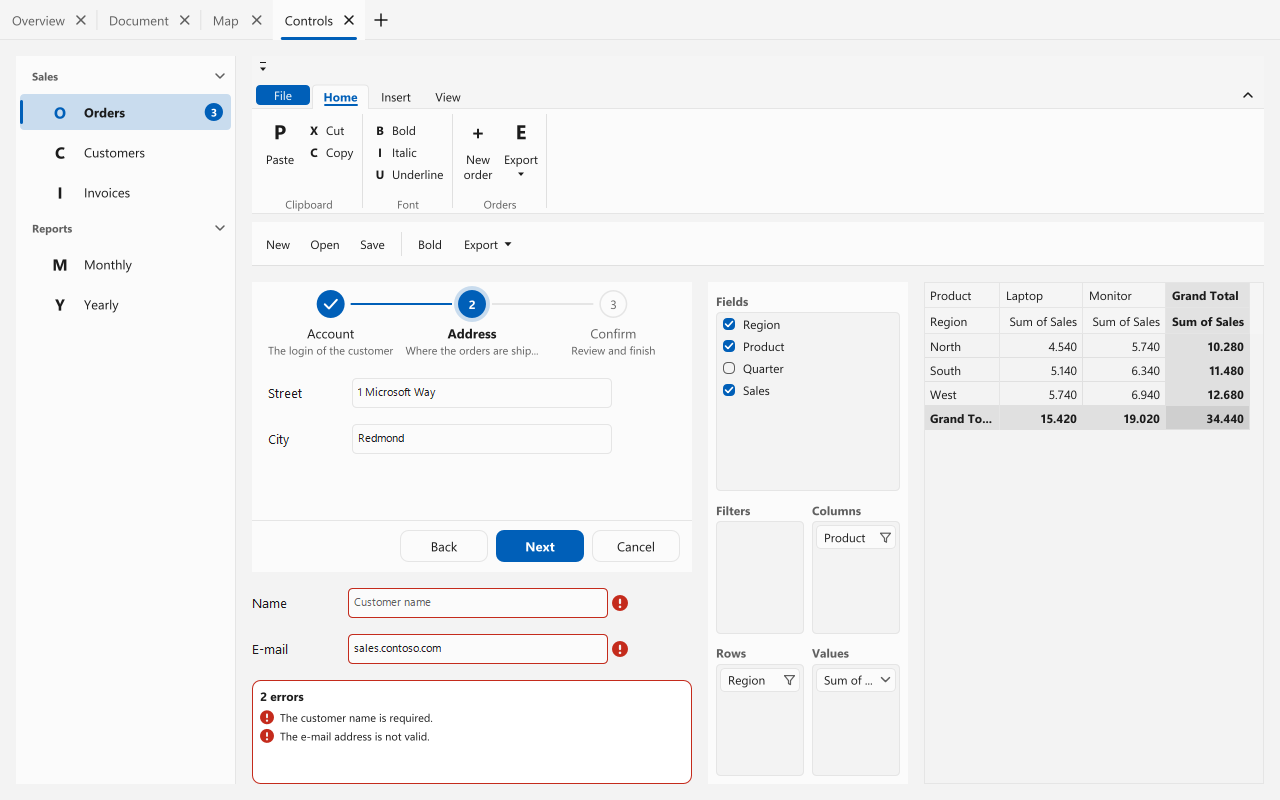
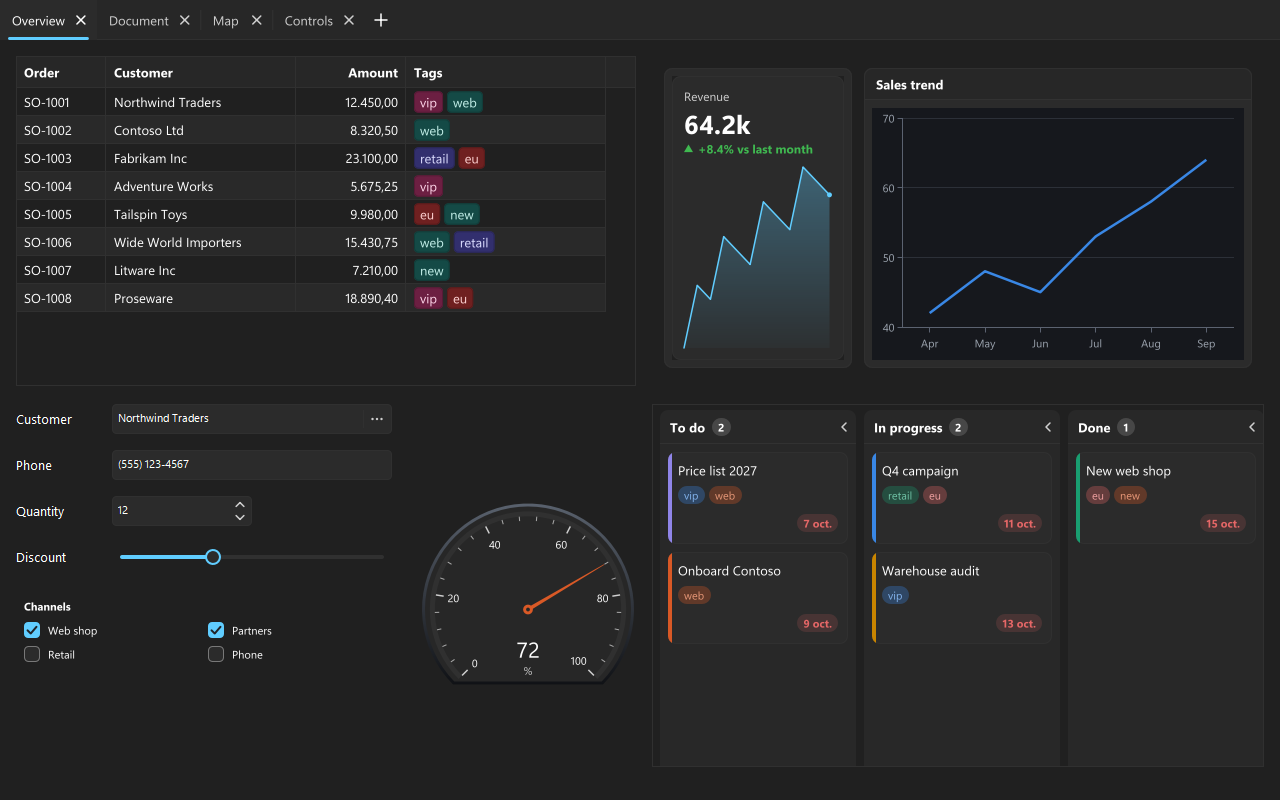
Fluent is a new theme preset for the whole sgcUI suite. Grids, charts, gauges, Kanban boards, ribbons, wizards and editors all switch to rounded corners, softer borders, Segoe UI Variable text and the Windows accent colour, in light, dark and high contrast.
- VCL
- FireMonkey
- C++ Builder
- Light & dark
- High contrast
- VCL Styles
↔ Drag the handle to compare


Your users live in Windows 11 all day. Its rounded corners, quiet borders, layered surfaces and accent colour have become what a modern desktop application looks like. Starting with sgcUI 2026.11, your Delphi and C++ Builder applications can look exactly like that, without touching a single form.
The new Fluent theme preset restyles every sgcUI product at once. It is a real design system, not a colour swap: a theme now also defines the corner radius of each kind of element, the stroke widths, and the hover, pressed, selected and disabled colours, and every product reads them from the active preset.
Fluent in 60 Seconds
Classic to Fluent, light to dark, and the whole suite in one minute. Also on YouTube.
One Line Switches the Whole Suite
Call it once at startup, before the main form is shown, and every sgcUI control of the application paints with the Fluent look. Call it again at run time and every visible control repaints on the spot.
uses
  sgcUICore_Theme;

// every sgcUI control of the application takes the Windows 11 look
sgcUISetApplicationThemePreset('Fluent');
Classic stays the default. Nothing changes in an existing application until you opt in, so you can upgrade sgcUI today and switch to Fluent when it suits you.
What Fluent Changes
Variable Text
Up Close
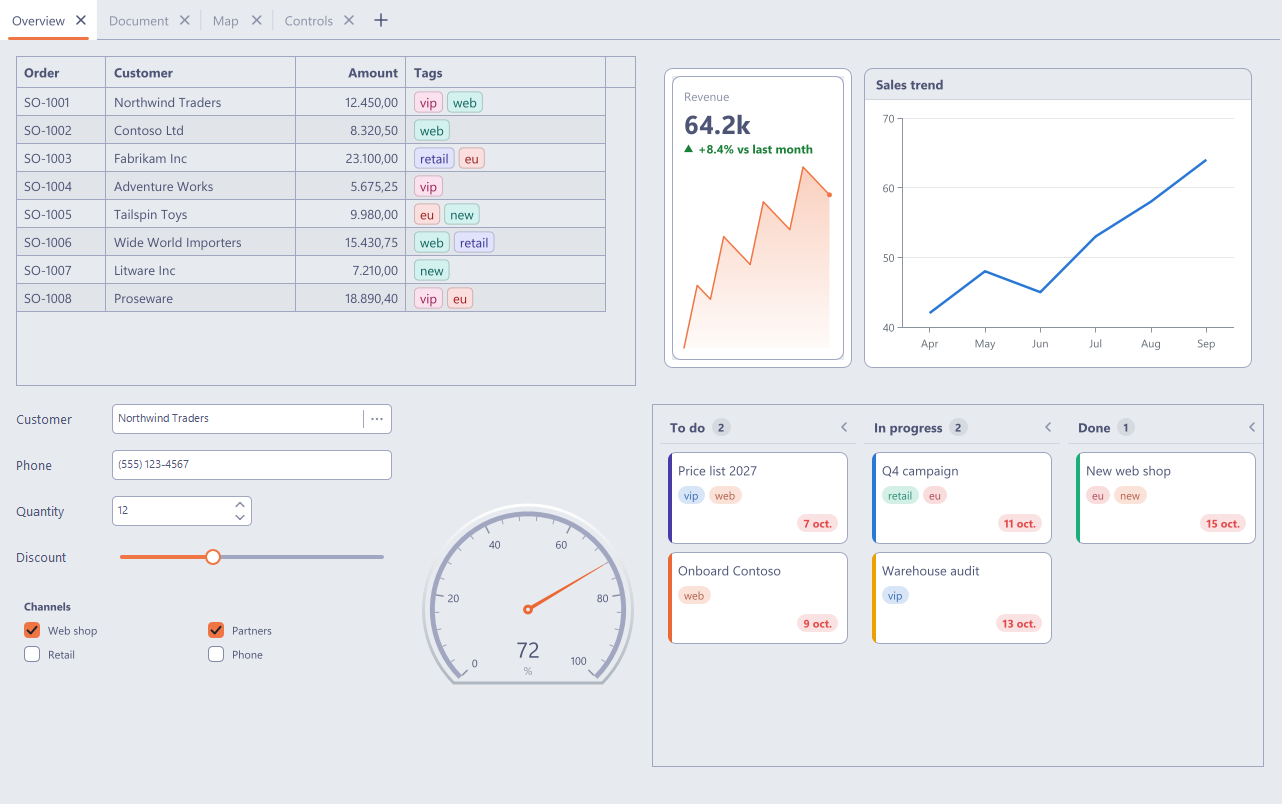
The difference is in the details. Here is the Kanban board from the screenshot above at twice the size. Drag the handle and look at the columns, the cards, the tag chips and the text.


Light, Dark and High Contrast
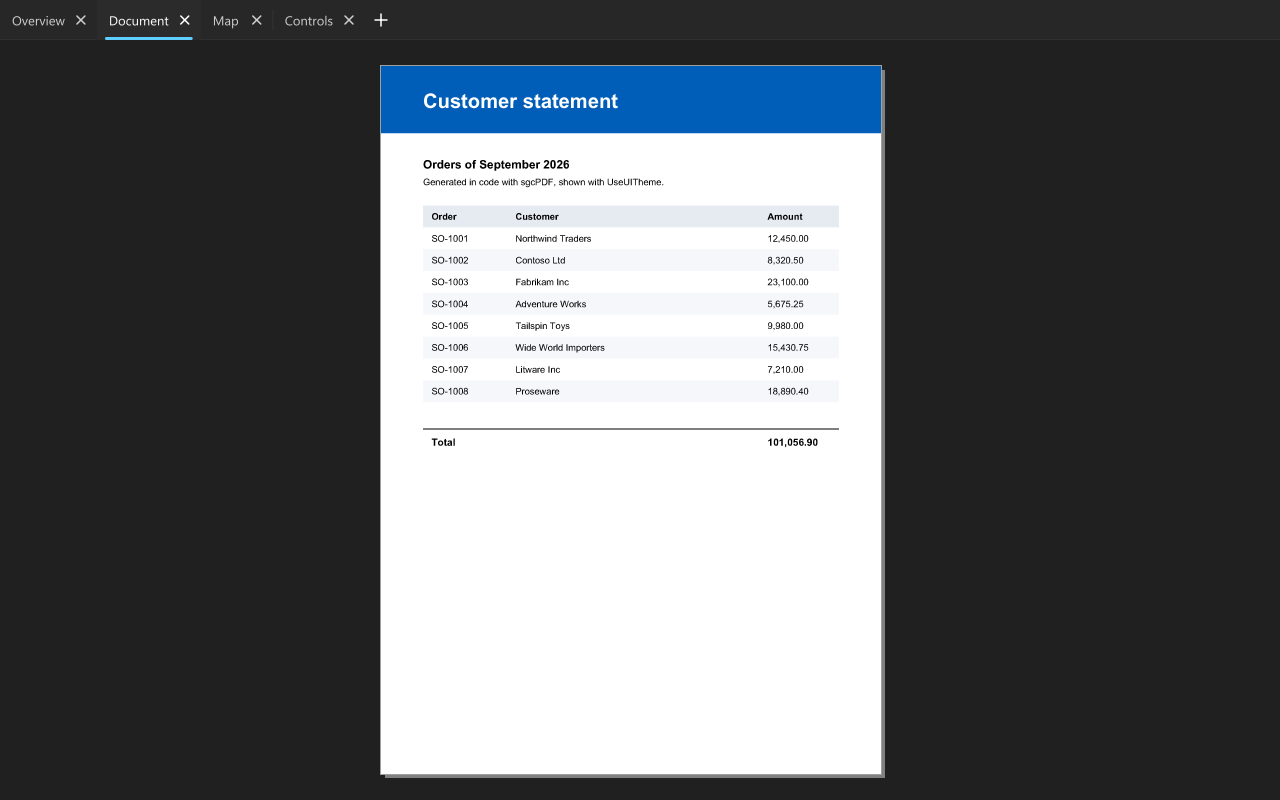
Fluent ships a light and a dark variant, and high contrast keeps the Fluent shapes with the colours of the Windows high contrast scheme. Your application can follow the light or dark setting of Windows live: when the user flips the switch in Windows, every sgcUI control repaints without a restart.


uses
  sgcUICore_Theme;

sgcUISetApplicationThemePreset('Fluent');
// follow the light / dark setting of Windows, live, and theme the forms too
sgcUISetApplicationThemeFollow(utfSystem, True);

// optional: your brand colour instead of the Windows accent
sgcUISetApplicationAccentColor($FFE2571E);
Following the system is off by default. Fluent takes the Windows accent colour, and an accent colour set by the application always wins.
A Real Windows 11 Window
The controls are only half of the picture. While Fluent or the system follow is active, sgcUIApplyThemeToForm also gives VCL and FireMonkey forms a dark title bar in dark mode and the Windows 11 rounded window corners. You can set the frame of any form directly too.
uses
  sgcUICore_Theme, sgcUICore_Theme_VCL;

// dark title bar and Windows 11 rounded corners for this form
sgcUIApplyWindowFrameVCL(Self, utDefault);
FireMonkey forms use sgcUIApplyWindowFrameFMX from sgcUICore_Theme_FMX.


Every Product, One Look
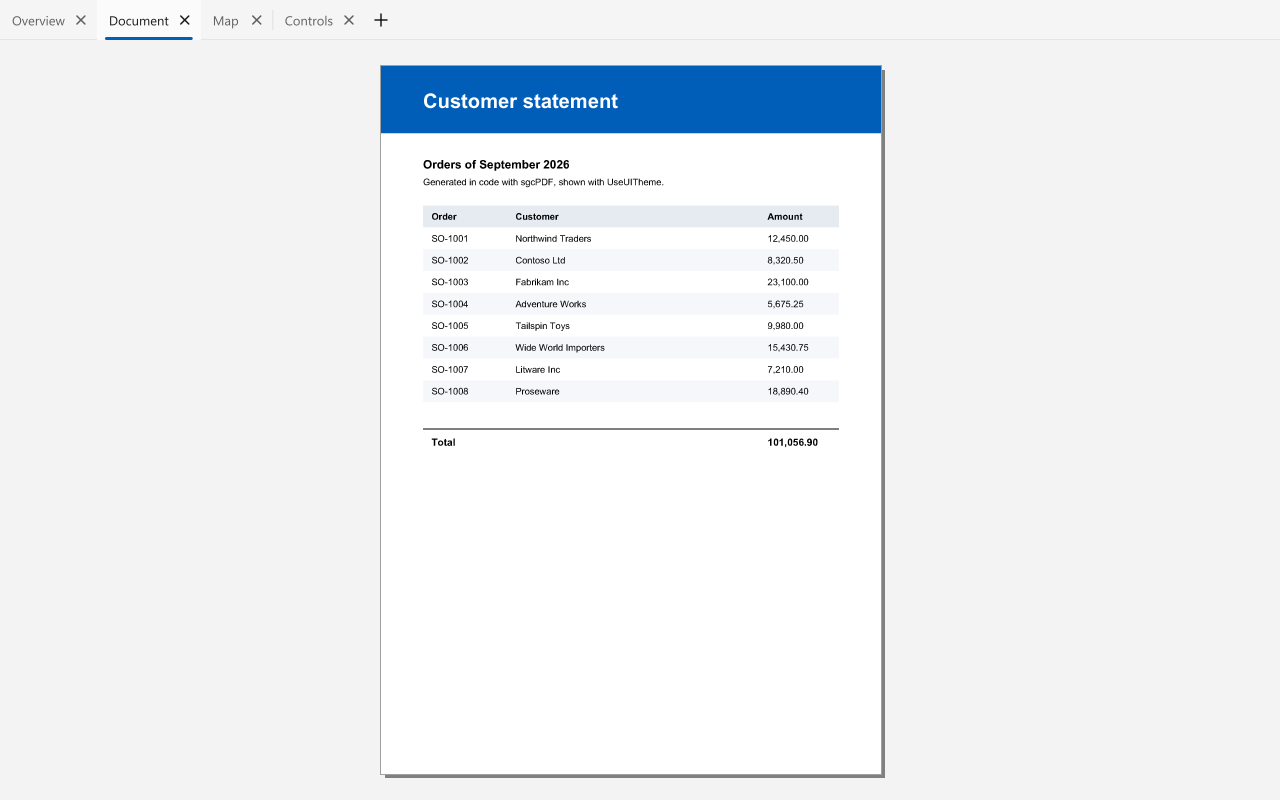
Each of the 14 sgcUI products takes its corner radii, frame widths and state colours from the preset, so the Fluent look reaches the whole suite: the navigation bar and the ribbon, the wizard stepper, the pivot grid and its field list, the scheduler and the Gantt chart. The PDF viewer joins in with the new UseUITheme property, and the maps with their new Theme property, so zoom buttons, compass, scale bar and popups follow the theme as well.
Already Using VCL Styles?
Keep them. With the new host follow, the sgcUI controls take their colours from the active VCL style (Delphi XE2 and later), while Fluent still supplies the shapes. Change the style at run time and the sgcUI controls follow.
uses
  Vcl.Themes, sgcUICore_Theme, sgcUICore_Theme_VCL;

TStyleManager.TrySetStyle('Amakrits');
sgcUISetApplicationThemePreset('Fluent');
// colours from the active VCL style, shapes from Fluent
sgcUISetApplicationThemeFollow(utfHost, True);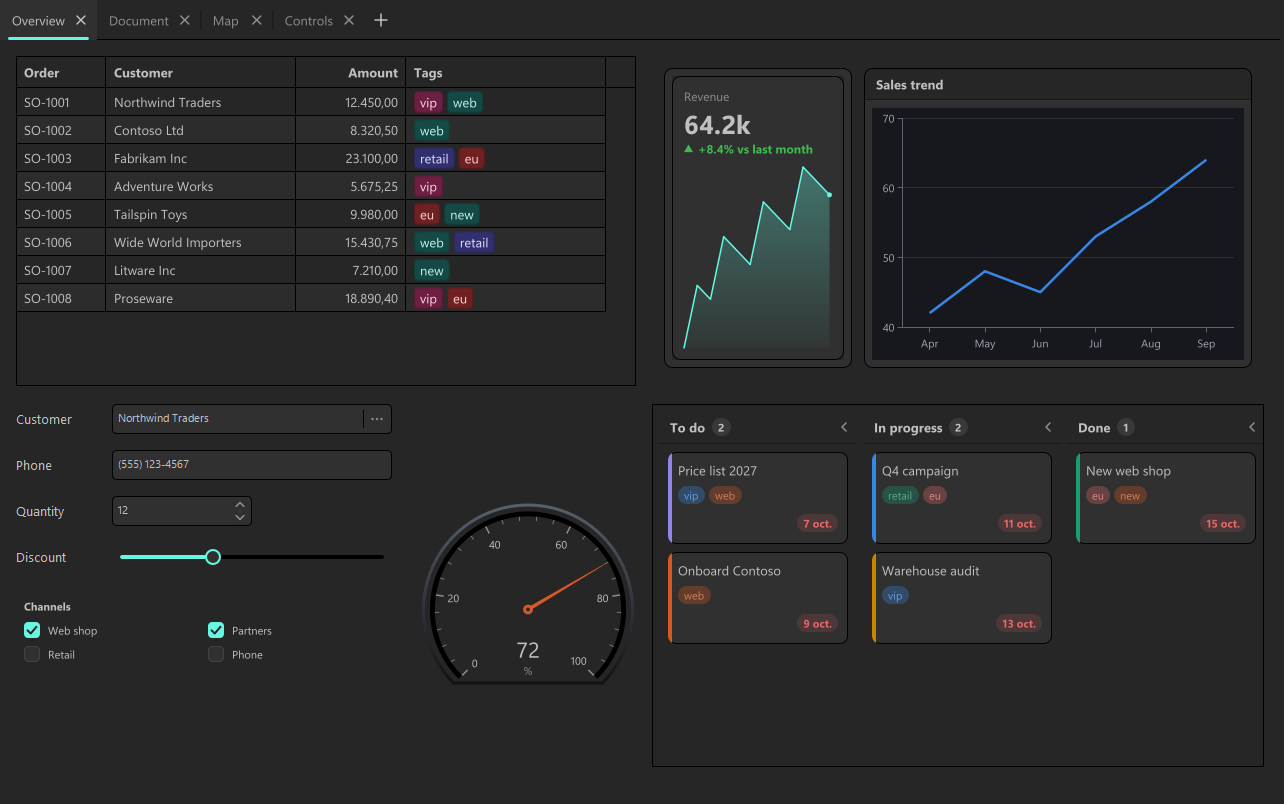
Make It Yours
Fluent and Classic are two presets, not the only two. Start from the Fluent definition, change what your brand needs and register it under your own name. Every product picks it up the same way.
uses
  sgcUICore_Theme;

var
  vLight, vDark: TsgcUIThemeDef;
begin
  // start from Fluent and make the cards and tiles rounder
  vLight := sgcUIFluentThemeDef(False);
  vDark := sgcUIFluentThemeDef(True);
  vLight.RadiusMedium := 12;
  vDark.RadiusMedium := 12;
  vLight.RadiusLarge := 16;
  vDark.RadiusLarge := 16;
  sgcUIRegisterThemePreset('Rounded', vLight, vDark);
  sgcUISetApplicationThemePreset('Rounded');
end;
The application font wins over the preset too: set your own with sgcUISetDefaultFontName or sgcUISetDefaultFontFiles and Fluent keeps everything else.
See It for Yourself: the Theme Gallery Demo
The new Theme Gallery demo, for VCL, FireMonkey and C++ Builder, puts Classic and Fluent side by side in light, dark and high contrast, on Overview, Document, Map and Controls pages. It has a host follow option and a VCL style picker, and it can save a screenshot of every combination. Every screenshot in this article was taken with it.
Give Your Application the Windows 11 Look
Fluent arrives with sgcUI 2026.11 for Delphi and C++ Builder, on VCL and FireMonkey.
Questions or feedback? Get in touch, you will get a reply from the people who wrote the code.