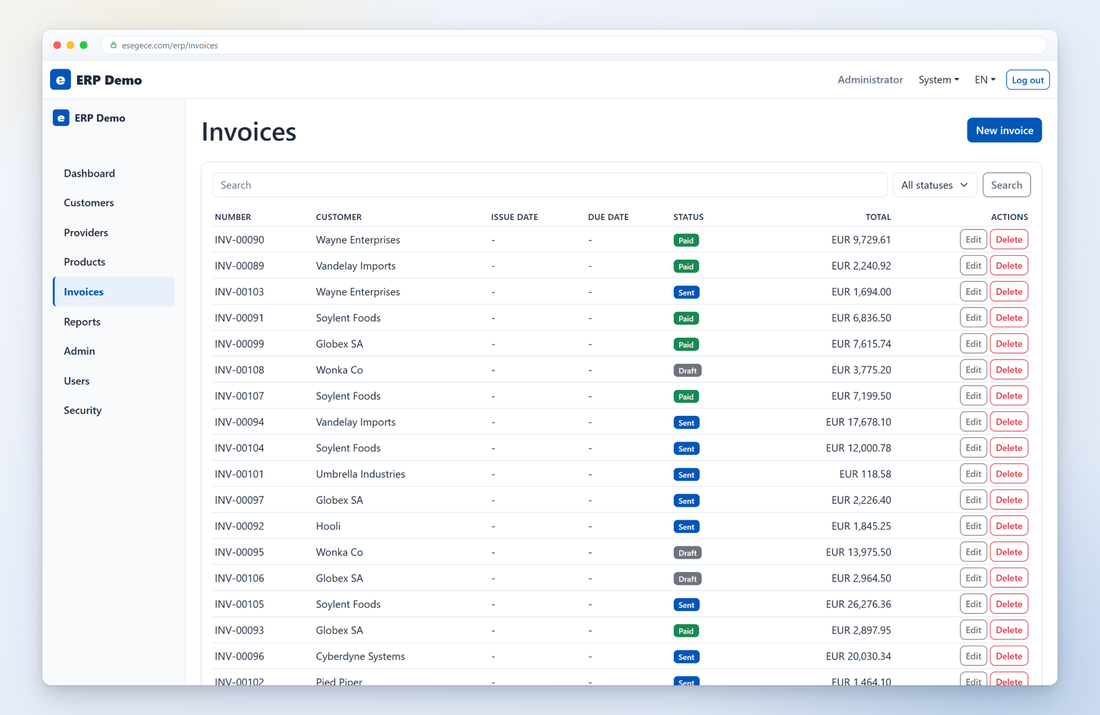
Business screens
Grids, forms, master-detail and reporting, bound to your existing datasets.
Open the live demo →uniGUI by FMSoft is a commercial Delphi web framework with a large visual palette and a design-time experience close to native VCL development, and many teams have shipped serious applications with it. Teams usually start looking at sgcHTML when they want lighter pages built on plain Bootstrap 5 markup instead of a bundled JavaScript application framework, when per-session component state in server RAM becomes a capacity planning topic, or when they want WebSocket realtime and a .NET option from the same component set. sgcHTML keeps you in Object Pascal and RAD Studio while changing how the pages are produced.
The two frameworks solve the browser-UI problem in different ways. Here is the factual difference, then what the sgcHTML model gives you.
In uniGUI, applications are built in the RAD Studio form designer with DB-aware controls and rendered in the browser through a bundled Sencha Ext JS layer. Sessions are stateful: each user holds full component state in server RAM, so busy applications need memory planning and session management. sgcHTML takes a different route: your Delphi (or C++ Builder or C#) code renders standard Bootstrap 5 HTML on the server, the browser stays interactive through htmx, and each request is stateless unless you choose to keep state.
No bundled third-party JavaScript application framework. The client side is Bootstrap 5 plus htmx (~14 KB), so pages are lighter and load fast on any device.
The output is standard server-rendered HTML you can inspect in the browser and restyle with any Bootstrap 5 theme, with light and dark theming built in, instead of an Ext JS look.
No full component state per session in server RAM by default. You decide what session data to keep, which simplifies capacity planning and restarts.
WebSocket push comes from the same component set through the sgcHTMX engine, and the same Tsgc* API is available in Delphi, C++ Builder and a pure managed .NET implementation.
The building blocks map cleanly. This is the translation table your team will use screen by screen.
| uniGUI concept | sgcHTML equivalent |
|---|---|
| uniForm / uniFrame | sgcHTML page and panel composition built from node components |
| DB-aware grids and edits | Data-aware TsgcHTMLComponent_Grid / TsgcHTMLComponent_Form bound straight to a TDataSet |
| Ext JS client layer | Bootstrap 5 markup plus htmx (~14 KB) |
| Ajax events | htmx fragment routes returning component HTML |
| Session manager and per-user RAM state | Stateless rendering plus the session data you choose to keep |
| Ext theming | Any Bootstrap 5 theme, with light and dark theming built in |
| uniGUI Server / HyperServer deployment | Single sgcWebSockets server binary, or a WebBroker, DataSnap or RAD Server host |
| Polling and push extensions | sgcHTMX WebSocket broadcast of HTML fragments (hx-swap-oob) |
Moving to sgcHTML replaces the UI layer, not your investment.
You stay in RAD Studio with Delphi or C++ Builder. sgcHTML components are native classes compiled into your server binary, with full source code included.
Your TDataSet logic, queries and business rules carry over unchanged. 28 of the 110 components are data-aware and bind straight to a TDataSet or DataSource.
You keep shipping a single self-contained executable or service, with no external runtime to install alongside it.
You write Object Pascal or C#; sgcHTML writes the HTML, CSS and JavaScript. No JavaScript is required from the developer.
You do not have to migrate everything at once. Four steps that teams follow in practice.
List every uniForm and uniFrame, the datasets behind it, and which screens need live data. This inventory drives the whole plan.
Match each screen to sgcHTML components using the concept table above and the component gallery: grids, forms, charts, dashboards and more.
Both servers can run side by side behind the same reverse proxy, since sgcHTML serves standard HTTP. Move one screen at a time and keep the rest on uniGUI until it is ready.
Add htmx interactions for partial updates, and WebSocket push through the sgcHTMX engine wherever the application needs live data.
You do not have to do this alone. Tell us about your uniGUI application, the screens, the data behind them and the realtime behaviour you need, and the eSeGeCe team helps you plan the migration: a component mapping, a realistic sequence and an effort estimate.
If you prefer, we rebuild the application for you through sgcCustomization HTML: one-time packages from €149, where our team builds the complete web application from a written description and delivers a project you compile, deploy and evolve.
To be fair: staying on uniGUI is a reasonable choice when a deep RAD form-designer experience and a desktop-like interface matter more than stateless scaling, and when the number of concurrent users is bounded and planned for. If you want the full picture before deciding, read our neutral side-by-side matrix with sources, where every claim links to each vendor's own documentation.
These are Delphi applications serving their own HTML through sgcHTML, with no JavaScript build step and no separate front-end project.
Grids, forms, master-detail and reporting, bound to your existing datasets.
Open the live demo →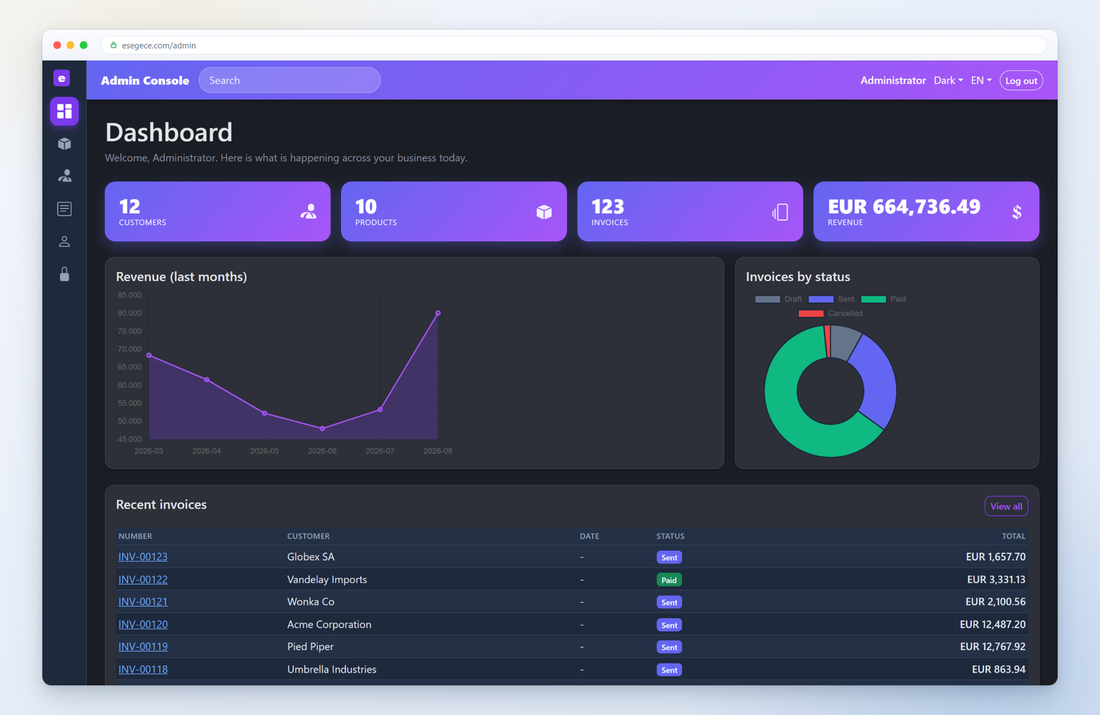
Live CRUD with search-as-you-type and inline editing through htmx.
Open the live demo →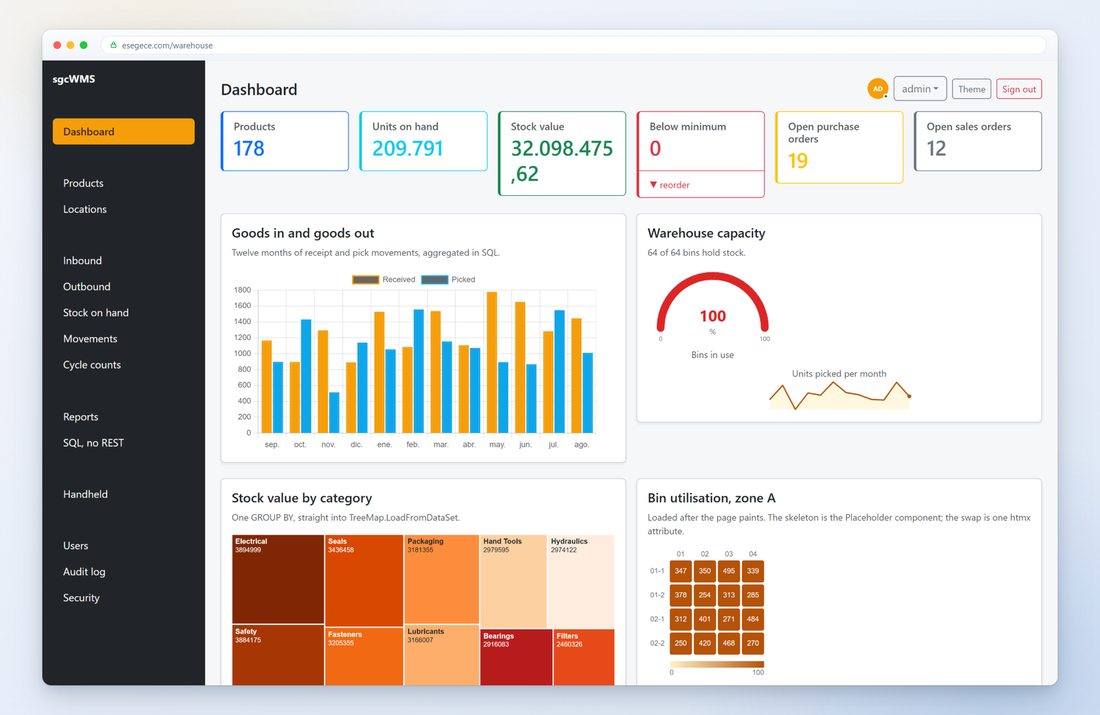
KPI cards, charts, tree maps and gauges rendered from Pascal.
Open the live demo →