A word processor.
Inside your application.
sgcRichEdit is the new rich text document editor of sgcUI. Your users write letters, contracts, notes and reports with styles, lists, tables, images and links. Your code reads and writes RTF, HTML, Markdown and JSON, and exports DOCX, PDF and PNG pages.
- VCL
- FireMonkey
- C++ Builder
- WinForms
- WPF
- Avalonia
↔ Drag the handle to switch from light to dark


Sooner or later every business application needs real documents. A CRM writes letters to customers, a practice management tool keeps case notes, an ERP stores quotation templates, and a help desk answers in formatted text. A plain memo is not enough for any of that.
sgcRichEdit is a complete document editor built into sgcUI. It keeps a real document model with named styles, multilevel lists, tables with merged cells, inline images and hyperlinks, and it lays the document out in pages. One document model drives the VCL, FireMonkey, WinForms, WPF and Avalonia controls, and the same model loads, converts and exports documents without any window at all.
sgcRichEdit in 60 Seconds
Styles, tables, every language, light and dark, every format and every platform in one minute. Also on YouTube.
A Real Document, Not a Text Box
Contracts, reports and letters must look the same every time they are opened. sgcRichEdit stores paragraphs with named styles, and formatting comes from a style chain plus direct formatting, so changing the Heading 1 style changes every heading of the document at once.
OnLinkClick event.Up Close
Bold, italic, underline, strikeout, superscript and subscript, font names, sizes, colours and highlights, alignment, indents and line spacing. Here is the formatting of the document above at 200% zoom.

Tables, Images and Pages
The editor paginates the document with its own page settings. Paragraphs split by lines, the header rows of a table repeat on each page, and page breaks are kept, so what users see is what they print. Print and PrintPreview work on the desktop, and ExportToPNG renders any page at the resolution you choose.

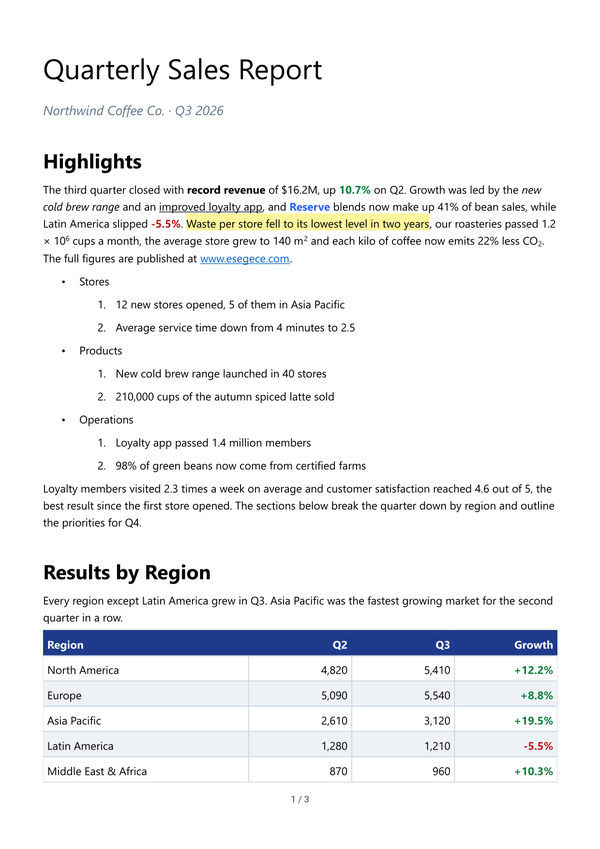
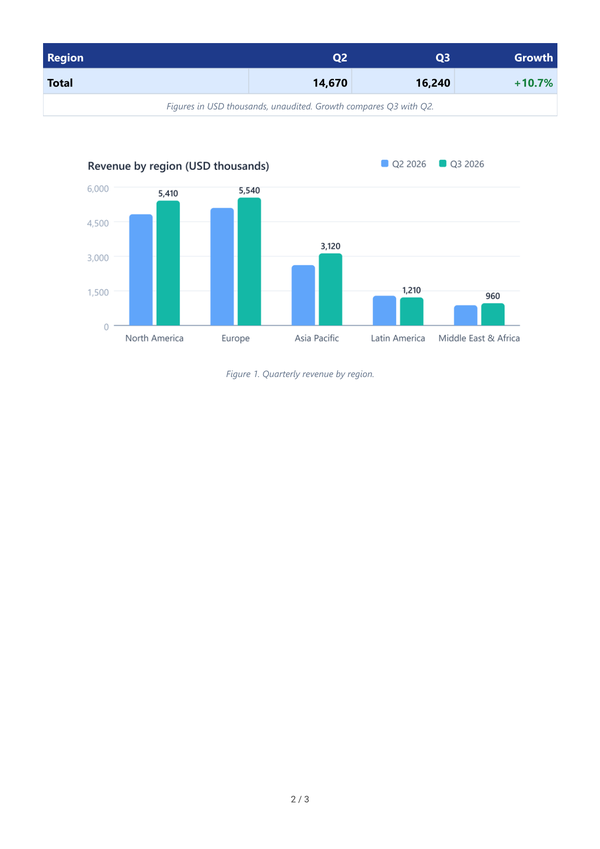
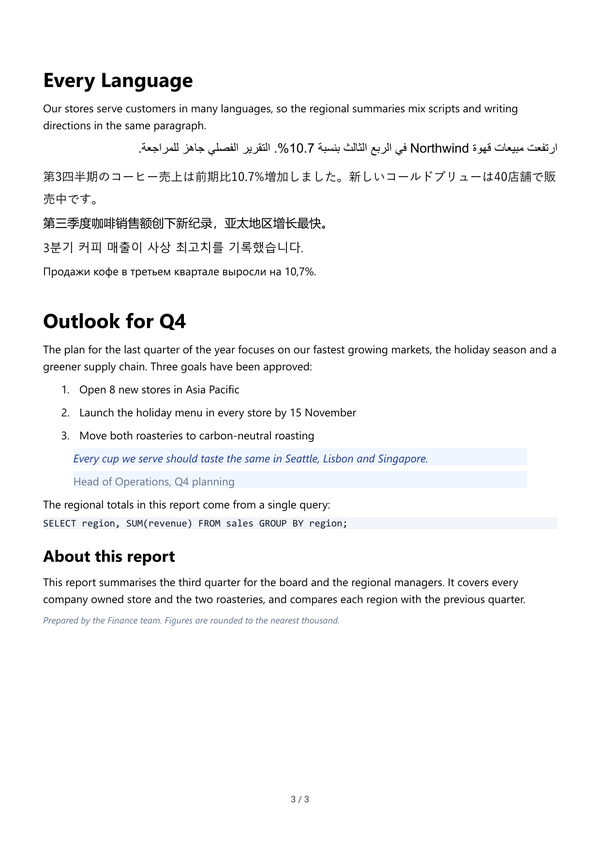
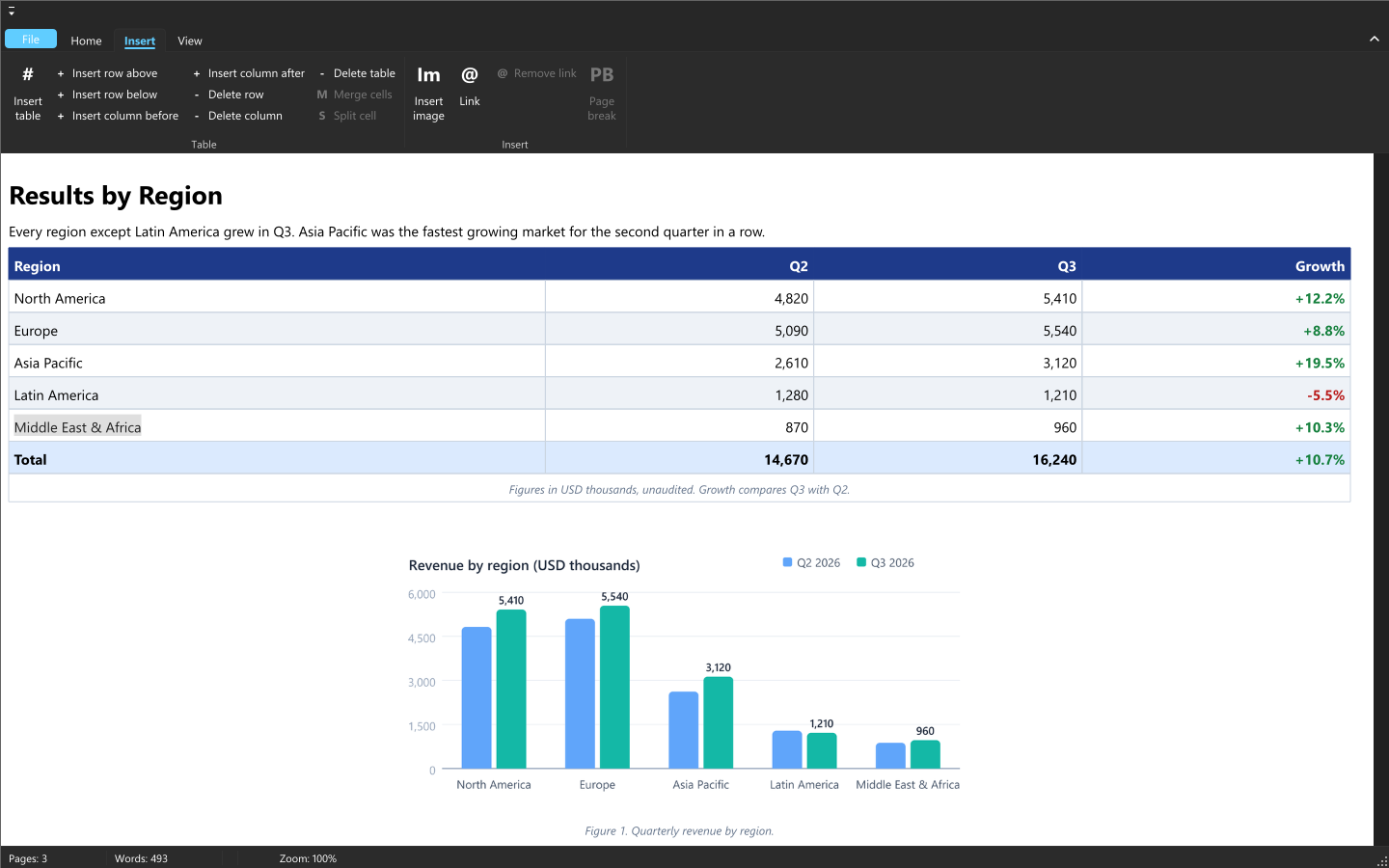
The three pages of the document in the screenshots, written by ExportToPNG at 150 DPI.
Every Language, Every User
Japanese, Chinese and Korean users type through an input method editor, and Arabic and Hebrew users write from right to left, often with English words in the same sentence. sgcRichEdit shows the IME composition inline at the caret and commits it as one undo step. Bidirectional paragraphs keep the caret and the selection where the reader expects them, and each paragraph has its own direction.

- Inline IME composition for Japanese, Chinese and Korean.
- Right to left paragraphs, and mixed Arabic and English text in one line. Ctrl+Right Shift and Ctrl+Left Shift set the paragraph direction.
- The UI Automation text pattern on Windows, for the VCL, FireMonkey, WinForms and WPF controls: a screen reader reads by character, word, line and paragraph, announces the formatting and follows the caret. Images are named by their alternative text and links are reported as links.
- The editor texts in 12 languages: English, Spanish, German, French, Italian, Portuguese (Brazil), Dutch, Polish, Turkish, Japanese, Korean and Chinese.
Light, Dark, Fluent or Classic
sgcRichEdit is an sgcUI control, so it follows the application theme like the rest of the suite. Pick the Fluent preset and the editor and the ribbon take the Windows 11 look. Switch to dark and the ribbon, the status bar and the backstage go dark, while the page stays white, like paper.

uses
  sgcUICore_Theme;

// the Windows 11 look for every sgcUI control, sgcRichEdit included
sgcUISetApplicationThemePreset('Fluent');
// follow the light / dark setting of Windows, live
sgcUISetApplicationThemeFollow(utfSystem, True);
One Document, Every Format
Documents arrive as RTF from Word, as HTML from a browser or an email, and as Markdown from a developer tool. sgcRichEdit reads and writes all of them and keeps its own native JSON format, which stores every detail of the document. LoadFromFile detects the format, SaveToFile takes the format you ask for, and AsHTML, AsRTF and AsMarkdown read and write the document as a string.
Load
Save and export
Each format unit in the uses clause registers its reader or writer, and sgcUIPDF_Export connects the PDF export to the sgcPDF engine, which is installed with sgcRichEdit.
uses
  sgcRichEdit_Formats, sgcRichEdit_VCL,
  sgcRichEdit_RTF_Reader, sgcRichEdit_HTML_Writer, sgcRichEdit_Markdown,
  sgcRichEdit_DOCX, sgcUIPDF_Export;

procedure TForm1.ConvertContract;
begin
  sgcVCLRichEdit1.LoadFromFile('contract.rtf');
  sgcVCLRichEdit1.SaveToFile('contract.html', refHTML);
  sgcVCLRichEdit1.SaveToFile('contract.md', refMarkdown);
  sgcVCLRichEdit1.SaveToFile('contract.docx', refDOCX);
  sgcVCLRichEdit1.ExportToPDF('contract.pdf');
  sgcVCLRichEdit1.ExportToPNG('page1.png', 0, 150);
end;- RTF from Word keeps text, fonts, colours, paragraph formatting, styles, lists, merged tables, hyperlinks and PNG and JPEG images.
- The HTML reader understands CSS, tables and the list hints of Word and Outlook.
- Markdown covers headings, emphasis, code, quotes, lists, links, images, tables and strikethrough.
ExportToPDFwrites a tagged PDF with headings, lists, tables, images with alternative text and links.- Copy puts the selection on the clipboard as RTF, HTML and plain text, so it pastes with its formatting into Word, an email or a web form. Paste takes RTF and HTML from Word and from browsers, and Ctrl+Shift+V pastes plain text.
Editing That Feels Familiar
Users bring their word processor habits with them. The editor answers the usual shortcuts (Ctrl+B, Ctrl+I, Ctrl+U, alignment, headings, bullets and Ctrl+K for links), keeps a full undo and redo history, and finds and replaces text across paragraphs and table cells.

Every command is available from code through ExecuteCommand and CommandState, and through VCL and FireMonkey actions, so your own toolbar or an sgcToolbar ribbon stays in sync with the selection.
uses
  sgcRichEdit_Commands;

procedure TForm1.btnBoldClick(Sender: TObject);
begin
  sgcVCLRichEdit1.ExecuteCommand(recBold);
end;

procedure TForm1.sgcVCLRichEdit1SelectionChange(Sender: TObject);
begin
  // the button shows the state of the selection
  btnBold.Down := sgcVCLRichEdit1.CommandState(recBold).Checked;
end;
Your Documents, in Your Database
Notes, letters and templates usually live in a database field. TsgcVCLDBRichEdit and TsgcFMXDBRichEdit connect to a TDataSource, read memo and BLOB fields, put the dataset in edit mode on the first change and write the document back when the user leaves the control. Escape restores the field value, and AutoDisplay loads large documents on demand.
uses
  sgcRichEdit_Formats, sgcRichEdit_VCL_DB;

sgcVCLDBRichEdit1.DataSource := dsNotes;
sgcVCLDBRichEdit1.DataField := 'NOTE';
// store the documents as JSON; refAuto, the default, detects the format
sgcVCLDBRichEdit1.FieldFormat := refJSON;
Headless, Even on Linux64
Documents often have to be converted on a server: RTF to HTML for a portal, JSON to PDF for an archive, a page to PNG for a thumbnail. The document model, the formats, the layout and the exports do not depend on VCL or FireMonkey, so a Windows service or a Linux64 daemon (Delphi 10.2 and later) can load, change, render and export documents without a window, with the same page layout as the visual controls.
uses
  sgcRichEdit_Model, sgcRichEdit_Formats, sgcRichEdit_Print,
  sgcRichEdit_RTF_Reader, sgcRichEdit_HTML_Writer, sgcUIPDF_Export;

var
  oDocument: TsgcRichDocument;
begin
  oDocument := TsgcRichDocument.Create;
  try
    sgcRichLoadFromFile(oDocument, 'letter.rtf');
    sgcRichSaveToFile(oDocument, 'letter.html', refHTML);
    // tagged PDF, no window and no VCL or FireMonkey needed
    sgcRichExportPDF(oDocument, nil, 'letter.pdf');
  finally
    oDocument.Free;
  end;
end;
For .NET Too
The .NET controls for WinForms, WPF and Avalonia use the same names as the Delphi ones. The core library targets .NET Standard 2.0, .NET Framework 4.7.2 and .NET 6, 8, 9 and 10, and the DocumentText property binds to your data in all three frameworks.
using esegece.sgcRichEdit;
using esegece.sgcUICore;

// once at startup: PDF export through the esegece.sgcUICore.sgcPDF package
TsgcUIPDFExporter.Register();

richEdit.LoadFromFile("contract.rtf");
richEdit.SaveToFile("contract.html", TsgcRichEditFormat.refHTML);
richEdit.SaveToFile("contract.docx", TsgcRichEditFormat.refDOCX);
richEdit.ExportToPDF("contract.pdf");
Run the Demos
The Delphi and C++ Builder demos install with the sgcUI trial, and the .NET demos ship with the Registered .NET download.
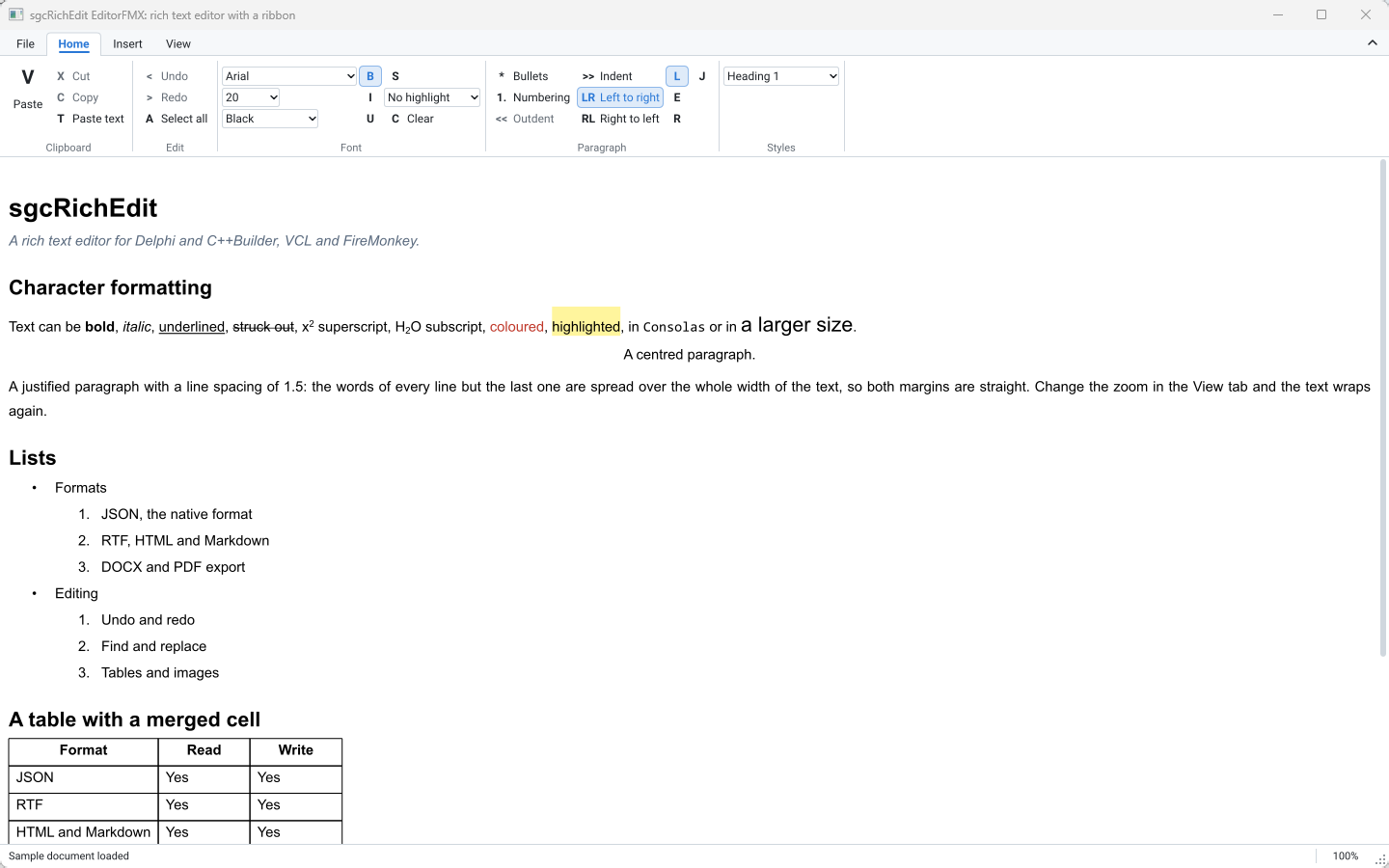
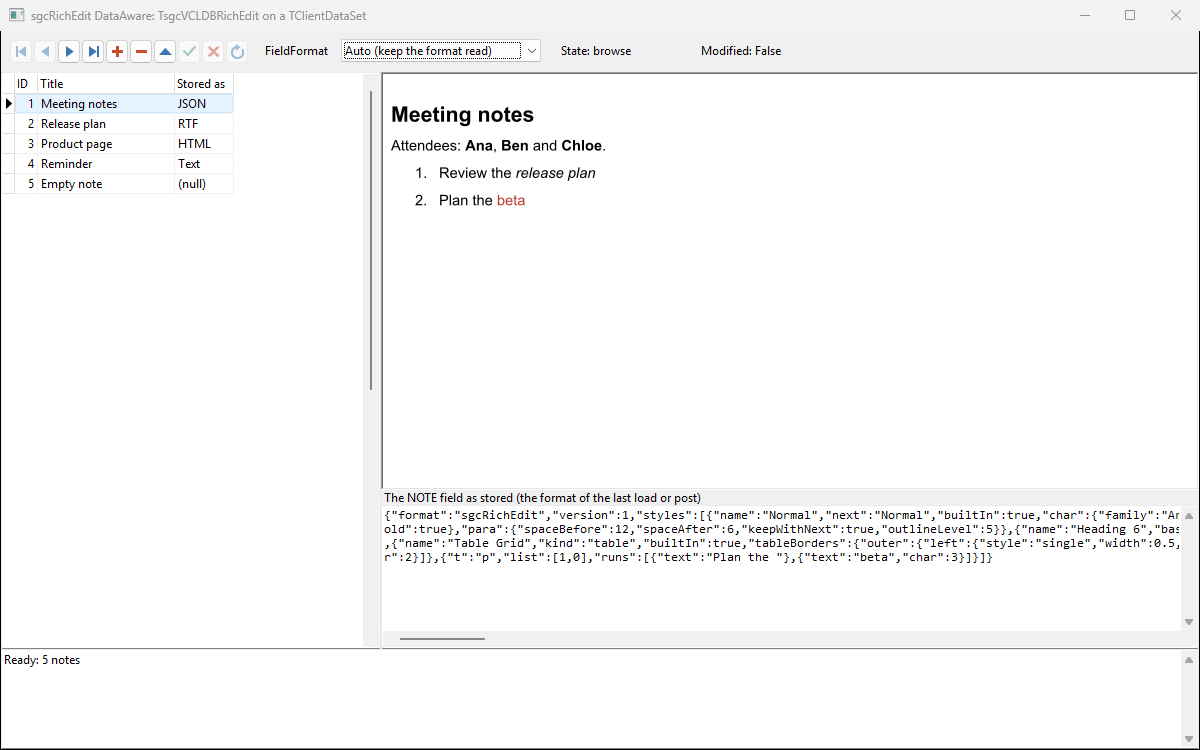
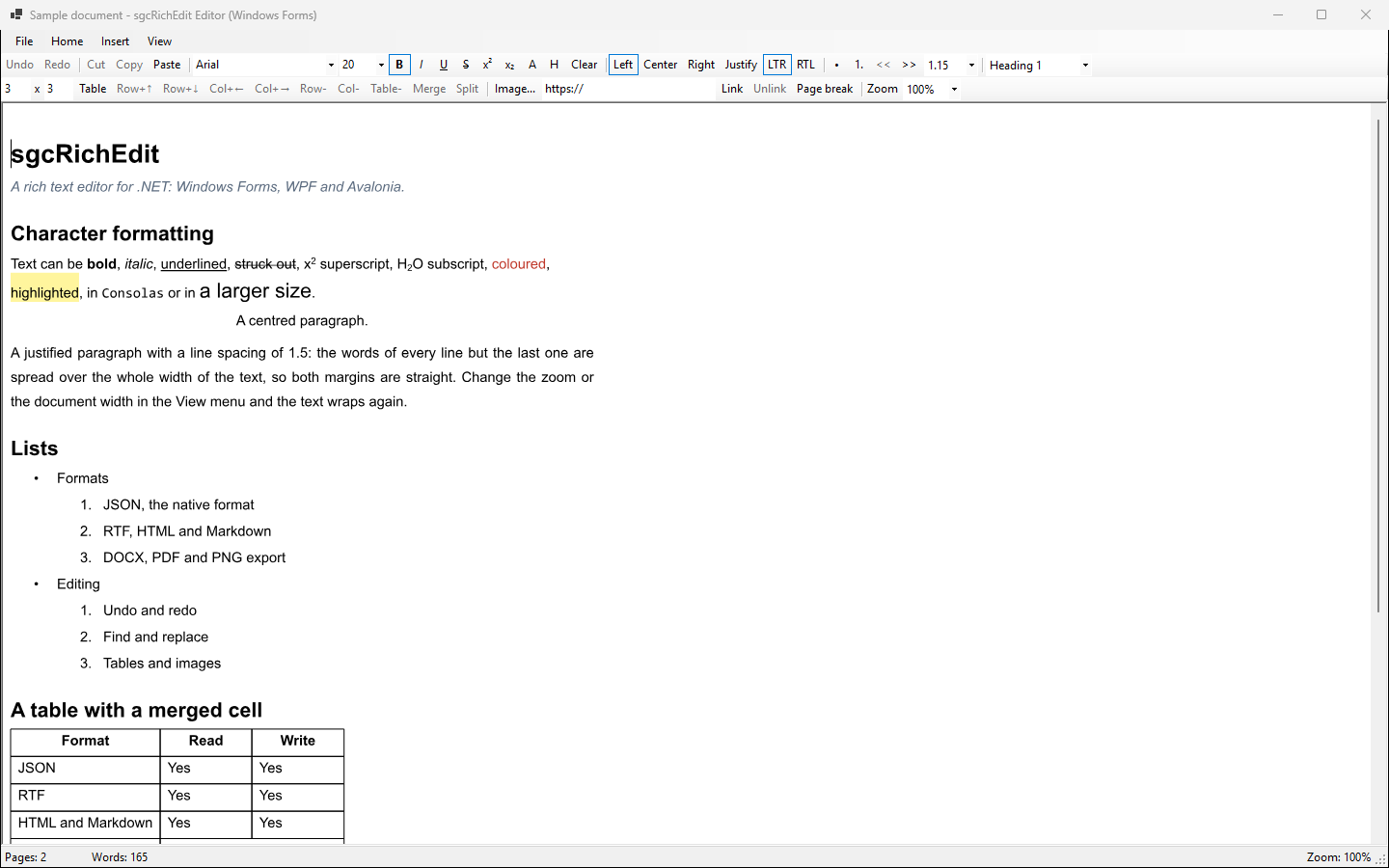
- Editor: a complete VCL word processor with a ribbon built with sgcToolbar. Open and save JSON, RTF, HTML, Markdown and text, export DOCX and tagged PDF, print and preview, find and replace.
- EditorFMX: the same editor on FireMonkey, with touch mode and PDF export.
- DataAware and DataAwareFMX: a data-aware editor bound to a dataset, one document per record.
- .NET: Editor for WinForms, EditorWpf, EditorAvalonia and DataBinding, which binds
DocumentTextto a data source.
Where sgcRichEdit Is Included
sgcRichEdit is sold on its own for Delphi and C++ Builder and for .NET, and it is included in sgcUI Enterprise and in the All-Access bundle. The single package installs sgcPDF too, so PDF export always works. There is no free Community edition. See the pricing page for the details.
Give Your Users a Word Processor
sgcRichEdit arrives with sgcUI 2026.11 for Delphi and C++ Builder, on VCL and FireMonkey, and for .NET on WinForms, WPF and Avalonia.
Questions or feedback? Get in touch, you will get a reply from the people who wrote the code.