
Your application, live.
Who is online, what happened, what is failing.
Presence avatars, toasts and a notification inbox, a bell badge, an activity feed with an audit trail and a live log viewer, all fed by WebSocket, MQTT or Server Sent Events. Native controls for Delphi, C++Builder and .NET.
- VCL
- FireMonkey
- C++Builder
- WinForms
- WPF
- Avalonia
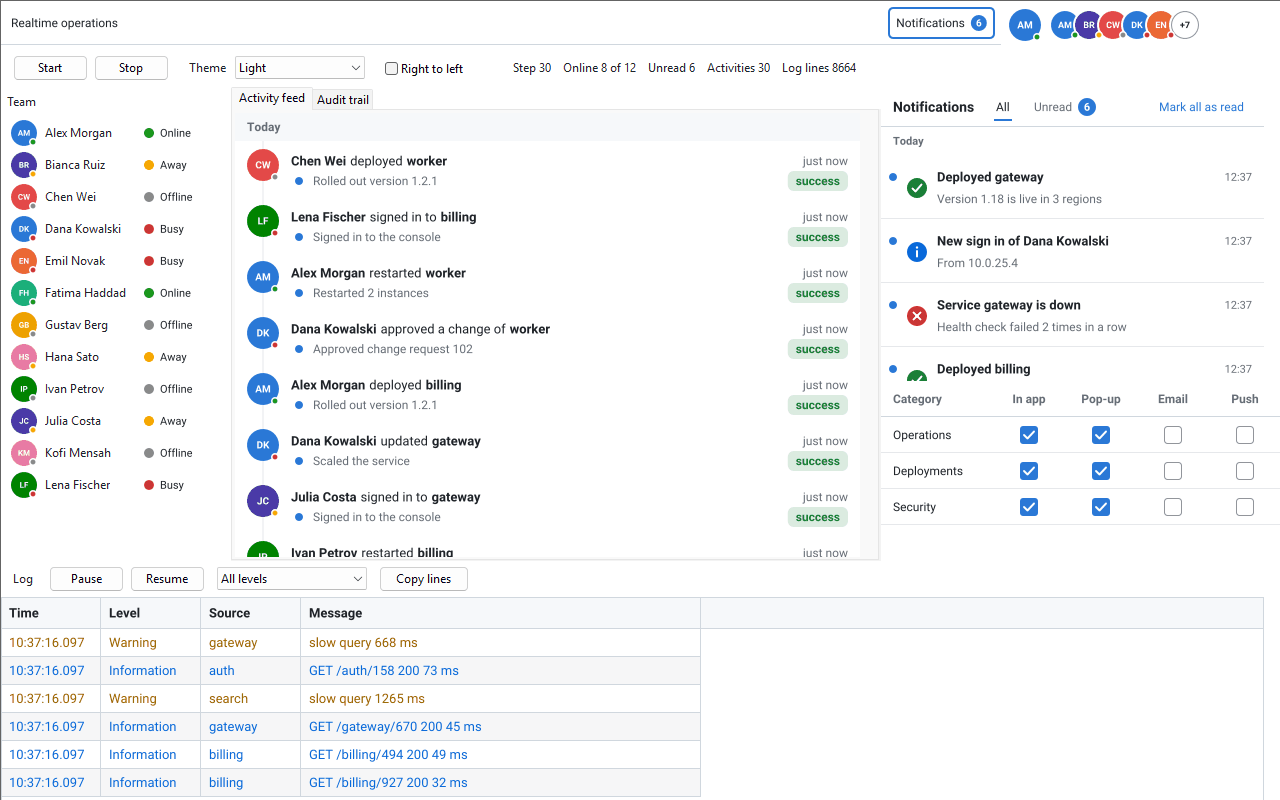
Operations consoles, help desks, admin panels and trading screens all have to answer the same questions while the data keeps moving: who is online right now, what needs my attention, who changed what, and what is failing at this moment. The sgcUI Realtime UI pack answers each of them with a model and a set of native controls, and connects all of them to a live feed with a single kind of JSON message.
The Realtime UI pack in one minute: presence, notifications, activity and live logs, fed by one JSON message. Also on YouTube.
The Realtime UI pack is not a separate product. Each piece lives in the sgcUI product it extends, sgcUICore, sgcNavigation, sgcToolbar, sgcDashboard and sgcGrid, in the units, packages and NuGet packages you already use, and follows the edition of that product. It runs on VCL and FireMonkey for Delphi and C++Builder, and on WinForms, WPF and Avalonia for .NET, with light, dark and high contrast themes, right to left layouts and 12 languages.
Presence: Who Is Online
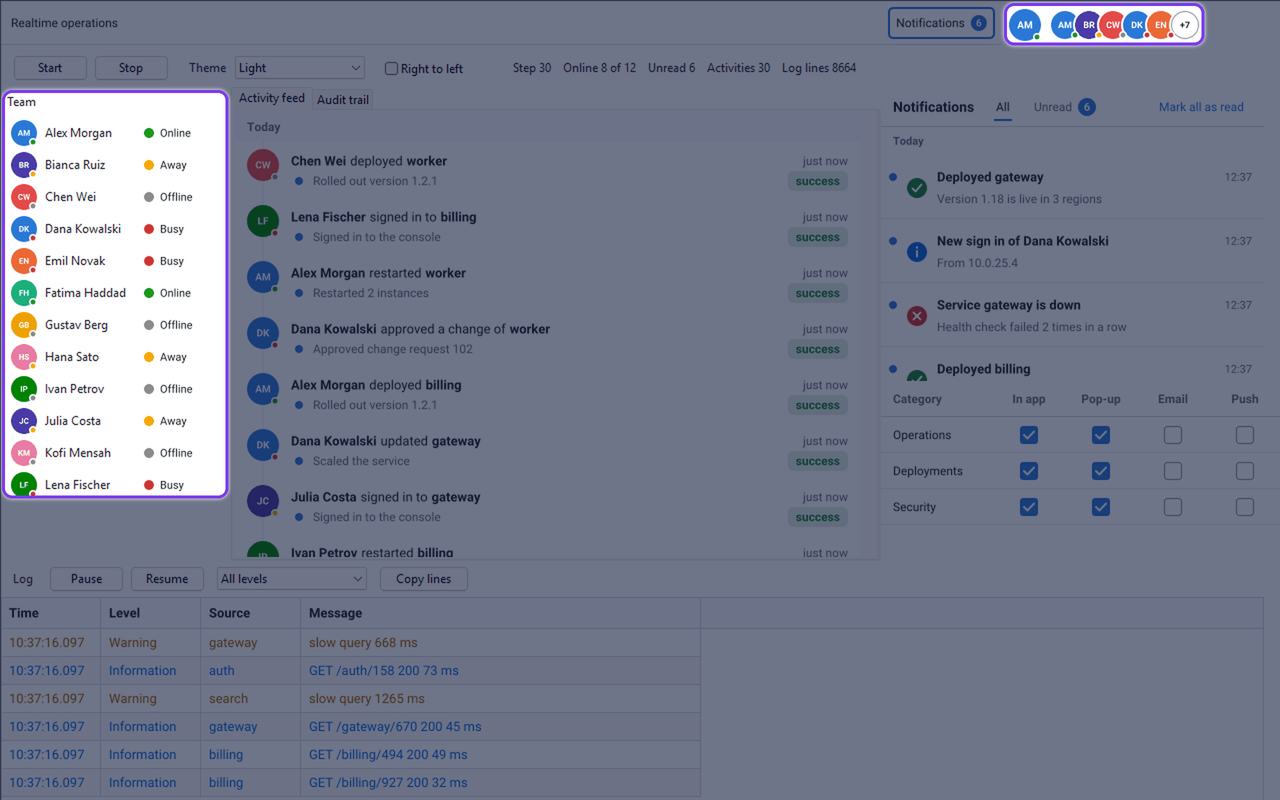
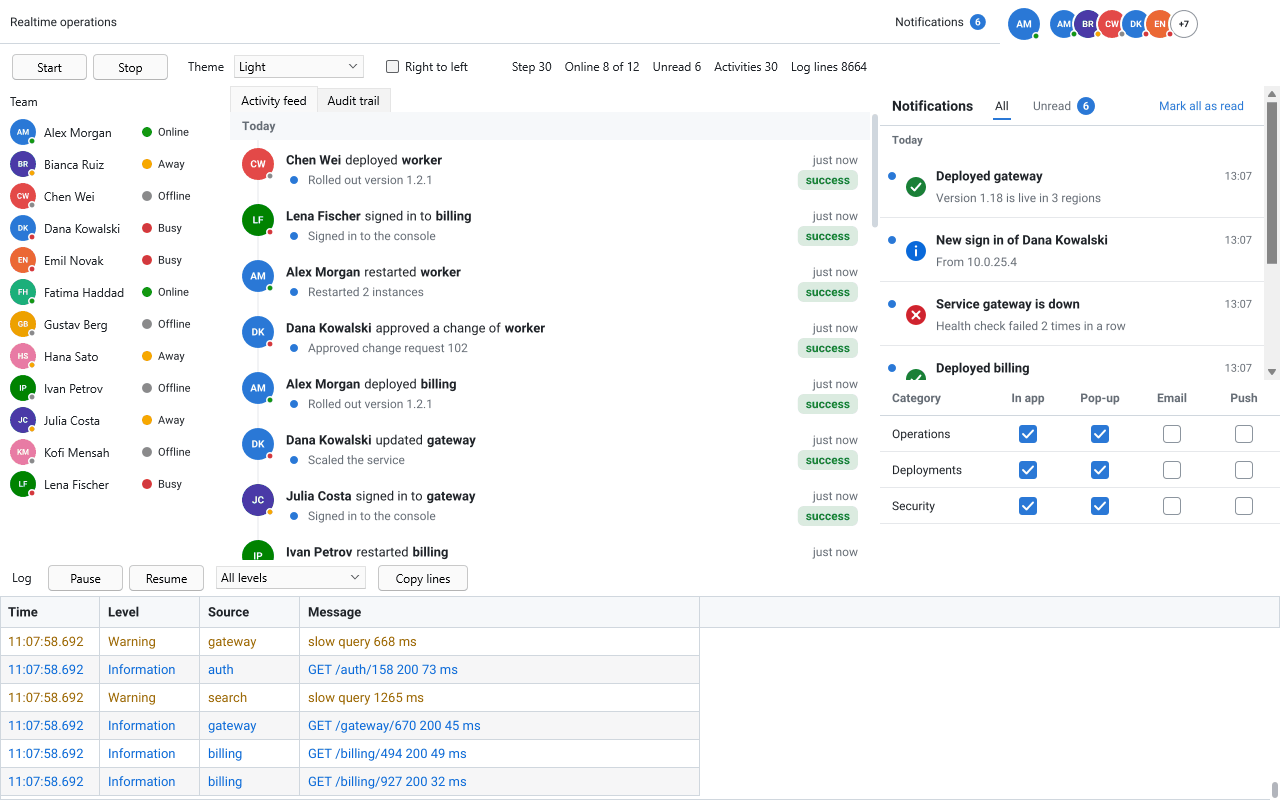
TsgcUIPresenceModel keeps the users of your application with their name, initials, colour, avatar image, status (online, away, busy or offline), status text and last seen time. The controls read the model and repaint on their own when a status changes.
- Avatar (
TsgcVCLAvatar): initials or a picture with a status dot. - Avatar group (
TsgcVCLAvatarGroup): overlapping avatars of a team that collapse into a “+N” chip afterMaxVisible. - Presence indicator (
TsgcVCLPresenceIndicator): a status dot with its text for rosters and lists. - The users of sgcChat are now presence users too, so a chat and a team roster share the same people.
uses
  sgcUICore_Presence, sgcUICore_Presence_VCL;

procedure TfrmMain.LoadTeam;
begin
  // usually set in the Object Inspector
  sgcVCLAvatarGroup1.Model := FPresence;
  sgcVCLAvatarGroup1.MaxVisible := 5;

  FPresence.AddOrUpdate('u1', 'Alex Morgan');
  FPresence.AddOrUpdate('u2', 'Bianca Ruiz', uprAway, 'Back at 3');
  // later, when the status changes
  FPresence.SetStatus('u1', uprBusy, 'In a meeting');
end;
Notifications: Toasts, an Inbox and a Bell Badge
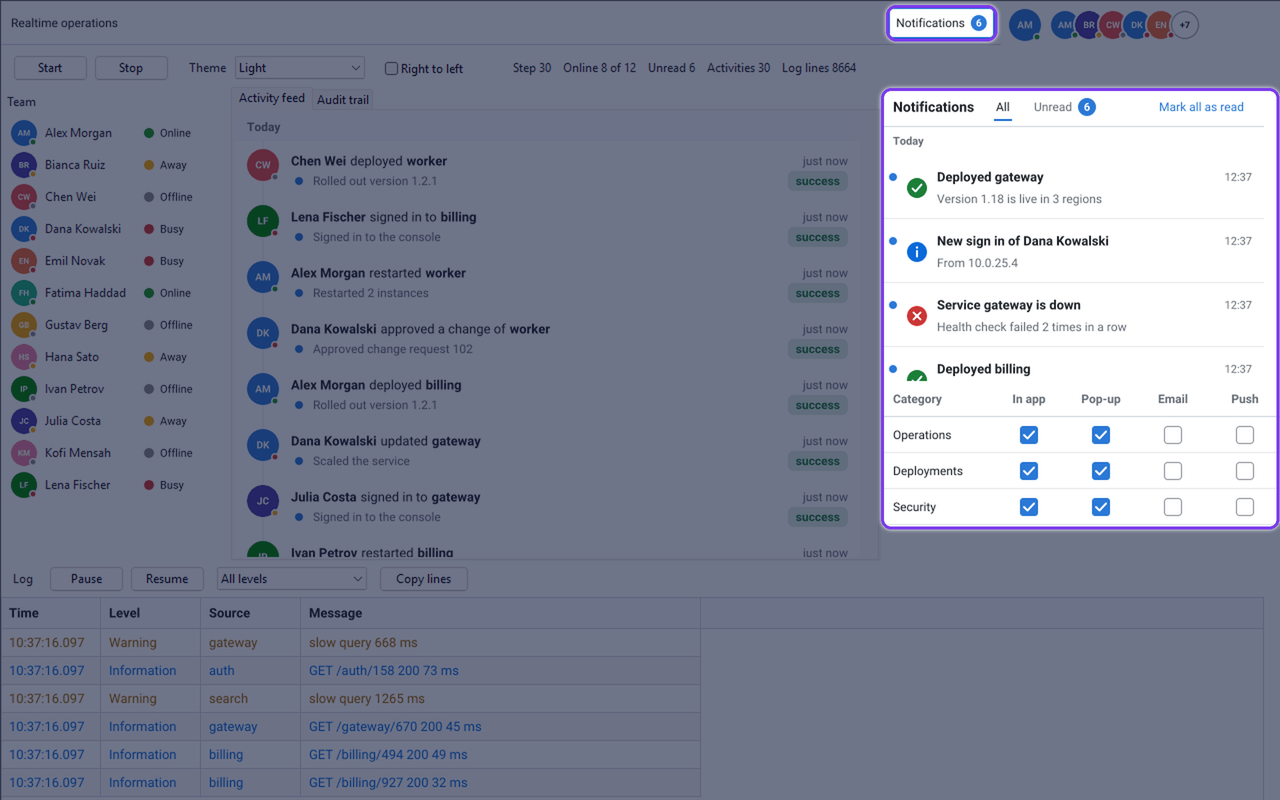
TsgcNotificationModel holds the notifications of the current user, with title, body, severity, time, read state, actions and group, and keeps the unread count. Four pieces show it:
- Toasts (
TsgcVCLToastManager): stacked toasts at a corner of the form or the screen that never take the focus, hide on their own, pause while the mouse is over them and offer action buttons. Severity colours come from the theme. - Inbox (
TsgcVCLNotificationInbox): a virtualized list grouped by day, with All and Unread filters, mark all read, dismiss and actions. - Preferences (
TsgcVCLNotificationPrefsEditor): a grid of categories and channels, in app, toast, email and push. The toast manager only shows what the user asked for. - Bell badge (
TsgcToolbarBadgeLink): the unread count as the badge of a toolbar item, “99+” above 99, and of a ribbon item in Registered.
uses
  sgcNavigation_Notification, sgcNavigation_Toast_VCL,
  sgcNavigation_Inbox_VCL, sgcToolbar_BadgeLink;

procedure TfrmMain.SetupNotifications;
begin
  sgcVCLToastManager1.Model := FNotifications;
  sgcVCLToastManager1.Preferences := FPreferences;
  sgcVCLNotificationInbox1.Model := FNotifications;
  // the unread count as the badge of the first toolbar item
  sgcToolbarBadgeLink1.Source := FNotifications;
  sgcToolbarBadgeLink1.Target := sgcVCLToolbar1;
  sgcToolbarBadgeLink1.ItemIndex := 0;

  FNotifications.Add('Deployed billing', 'Version 1.8 is live in 3 regions',
    nsvSuccess, 'deploy');
end;
Activity Feed and Audit Trail: Who Did What
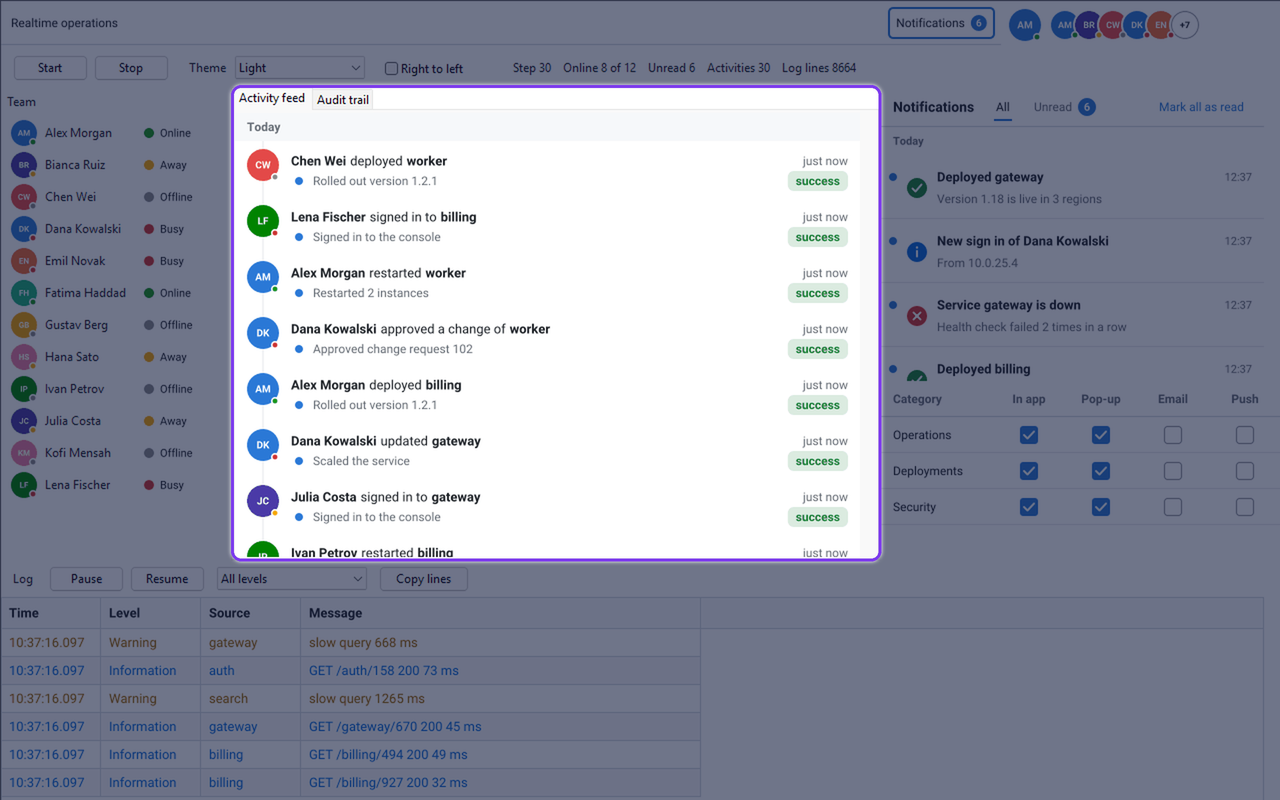
TsgcDashboardActivityModel records who did what and when: the actor, a verb, the object, an outcome and, for audit purposes, the before and after value of every changed field. Actor names, colours and avatars come from the presence model, so the feed and the roster always agree.
- Activity feed (
TsgcVCLActivityFeed): a timeline grouped by day with relative times in 12 languages, filters by actor, verb, object type and text, and load older paging. - Audit trail (
TsgcVCLAuditTrail): the same items as rows that expand to show each changed field with its old and new value. - Dashboard tiles: Activity Feed and Audit Trail tiles for sgcDashboard, with a search box, saved in the dashboard layout.
uses
  sgcDashboard_Activity, sgcDashboard_Activity_VCL;

procedure TfrmMain.RecordApproval;
var
  oItem: TsgcDashboardActivity;
begin
  FActivity.Presence := FPresence; // actor names, colours and avatars
  sgcVCLActivityFeed1.Model := FActivity;
  sgcVCLAuditTrail1.Model := FActivity;

  oItem := TsgcDashboardActivity.Create;
  oItem.Id := 'a18';
  oItem.Time := FActivity.NowUTC;
  oItem.ActorId := 'u2';
  oItem.Verb := 'approved';
  oItem.ObjectName := 'Change request 102';
  oItem.Outcome := 'success';
  oItem.Changes.Add('status', 'pending', 'approved');
  // the model owns the item and inserts it by Time
  FActivity.AddActivity(oItem);
end;
Live Log Viewer: What Is Failing Right Now
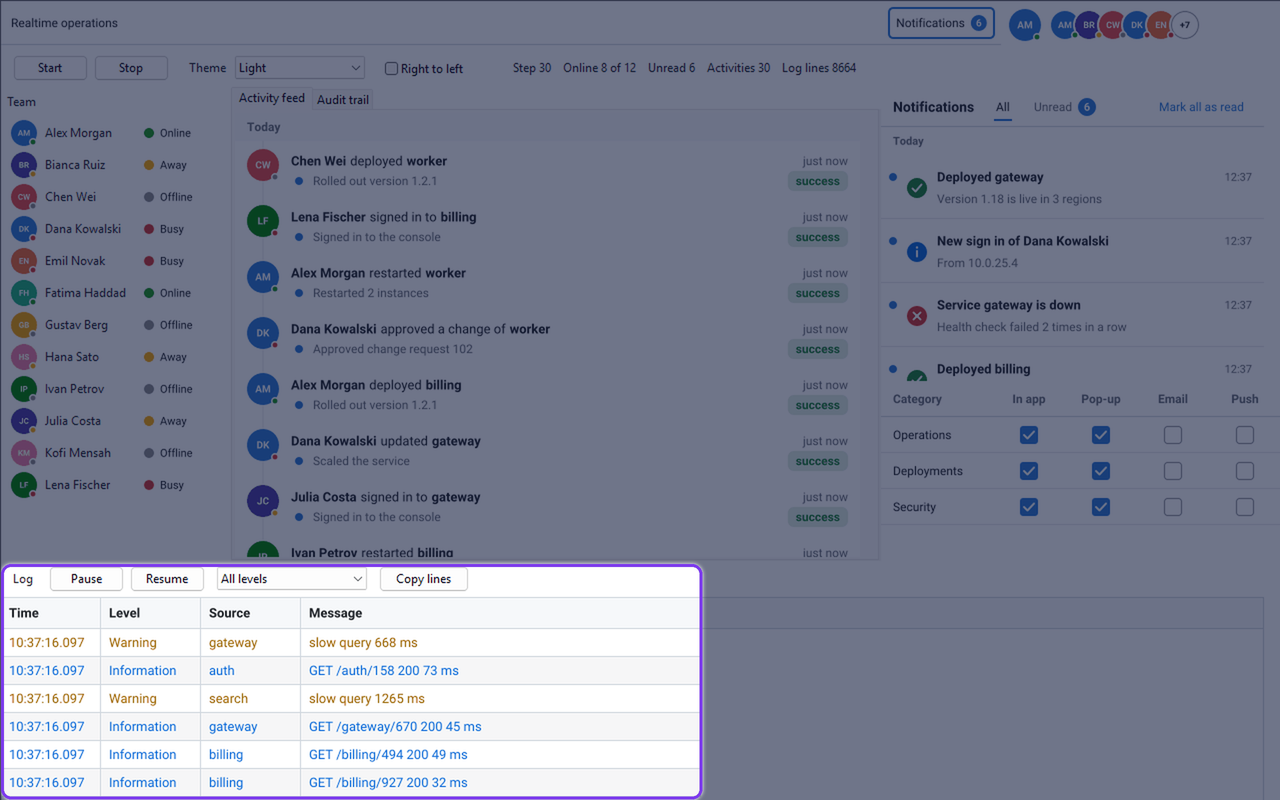
TsgcGridLogModel is a thread safe ring buffer of log lines with levels from trace to fatal, a source, a message and properties, level, source and text filters, and text, JSON and CSV export. Any thread can append to it; the changes reach the screen in batches. TsgcGridLogLink turns any sgcGrid into a log viewer.
- Level colours from the theme, and text or regular expression highlights.
- Follow tail keeps the newest line in view, and stops by itself when the user scrolls up to read.
- Pause and Resume, and Copy lines for the selected rows.
- The visible lines stay in place while new lines arrive and the oldest ones leave the ring.
uses
  sgcGrid_Log, sgcGrid_LogLink;

procedure TfrmMain.SetupLog;
begin
  FLog.Capacity := 100000;
  sgcGridLogLink1.Model := FLog;
  sgcGridLogLink1.Grid := sgcVCLGrid1;
  sgcGridLogLink1.FollowTail := True;
  sgcGridLogLink1.Active := True;
end;

// from any thread
FLog.Append(gllWarning, 'gateway', 'slow query 668 ms');
Live Data: One Message for Every Feed
The four models read the same kind of JSON message, so one connection can carry all of them. Each message names its type and an op, and each model takes only its own:
{"type":"presence","op":"upsert","user":{"id":"u7","presence":"away","statusText":"Lunch"}}
{"type":"notification","op":"add","notification":{"id":"n2","title":"Build 812 passed","severity":"success"}}
{"type":"activity","op":"add","item":{"id":"a20","actorId":"u7","verb":"updated","objectName":"Invoice INV-17"}}
{"type":"log","op":"append","entry":{"level":"warning","source":"api","message":"Slow query"}}
Three live sources connect the models to a server through sgcWebSockets: TsgcUILiveSource_WebSocket, TsgcUILiveSource_MQTT and TsgcUILiveSource_SSE. Each source hooks a client you already configured, with its URL, credentials, TLS and reconnection, and hands every message to its bindings. Messages that arrive on a worker thread are applied on the main thread in one batch, so a burst of a thousand log lines costs one visit to the user interface. A binding can also pick an MQTT topic, an SSE event name, a filter or a path inside an application envelope.
uses
  sgcWebSocket, sgcUICoreWS_Live, sgcUICoreWS_Live_WebSocket;

procedure TfrmMain.ConnectLive;
var
  oSource: TsgcUILiveSource_WebSocket;
begin
  oSource := TsgcUILiveSource_WebSocket.Create(Self);
  oSource.Client := sgcWebSocketClient1;
  // every message carries its type, so each model takes only its own
  oSource.Bindings.Add.Target := FPresence;
  oSource.Bindings.Add.Target := FNotifications;
  oSource.Bindings.Add.Target := FActivity;
  oSource.Bindings.Add.Target := FLog;
end;
The live sources are Registered and need sgcWebSockets, like every sgcWebSockets bridge of sgcUI. Without a server, or in a Community build, the application calls the model API instead: AddOrUpdate and SetStatus, Add or Post, AddActivity and Append.
Every Platform, Light and Dark
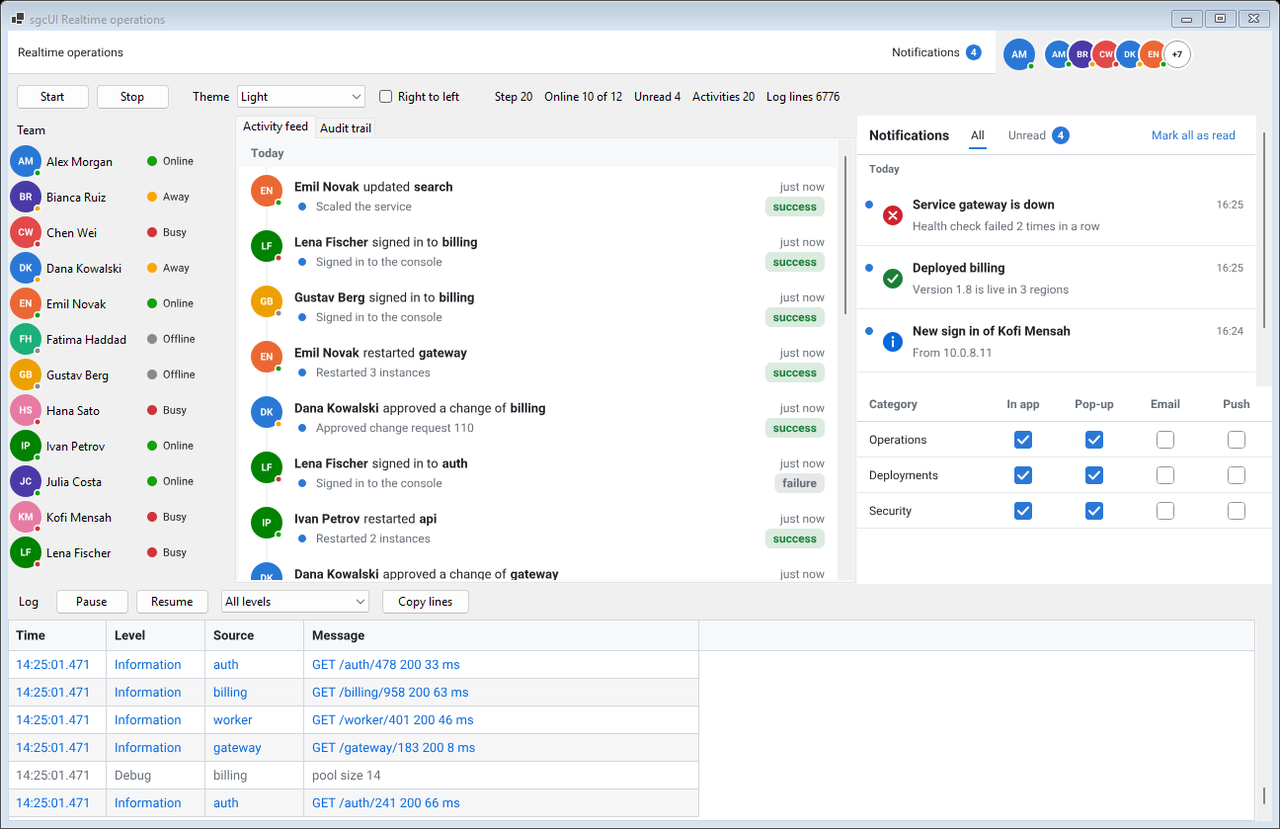
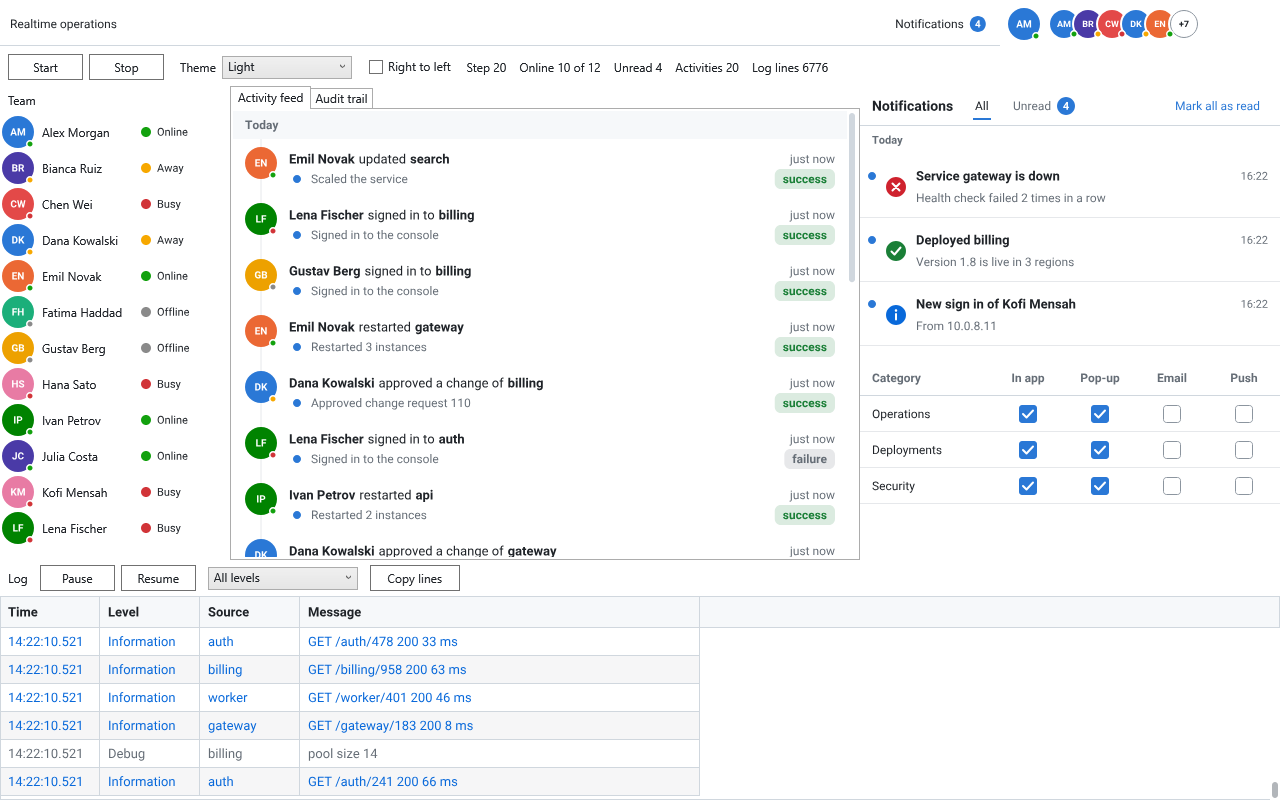
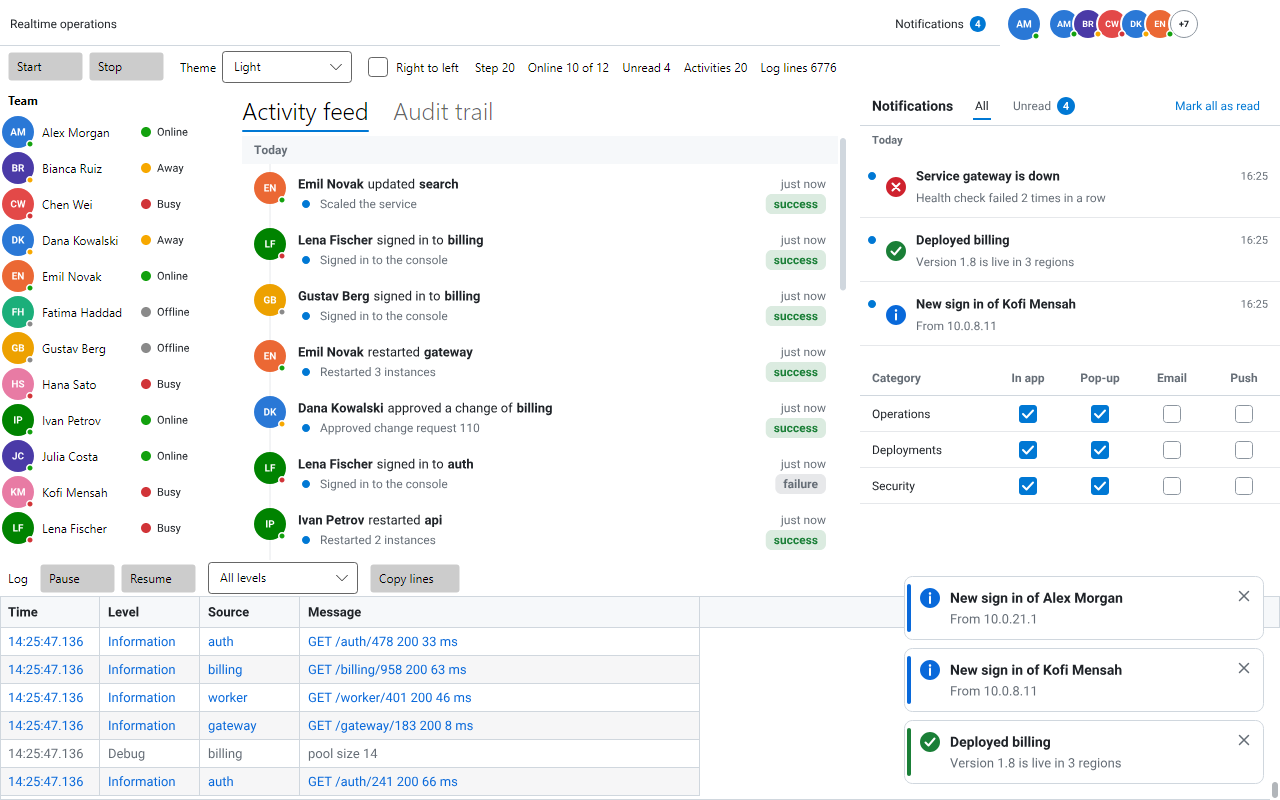
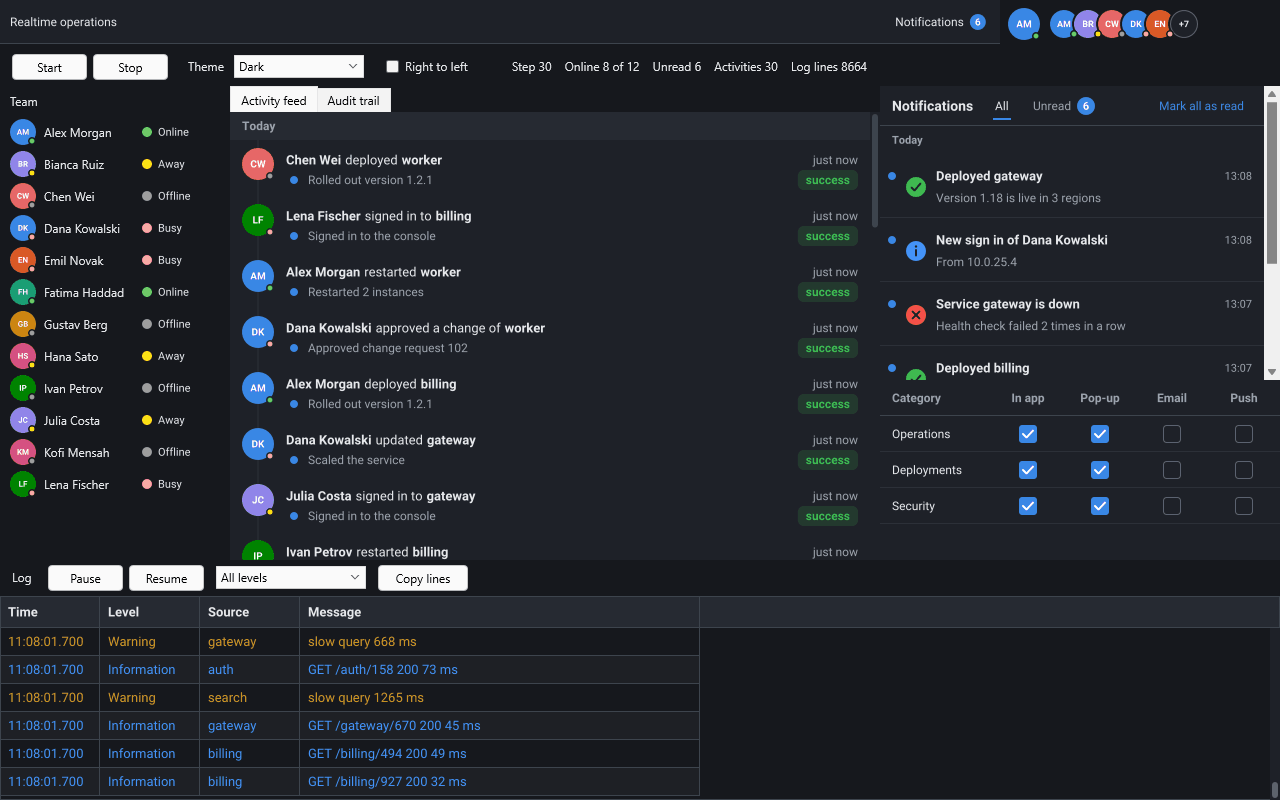
The same models and the same JSON run on every platform. The .NET controls are native WinForms, WPF and Avalonia controls with the same names in the esegece.sgcUICore, esegece.sgcNavigation, esegece.sgcToolbar, esegece.sgcDashboard and esegece.sgcGrid packages, and every theme of the suite, dark and high contrast included, reaches the new controls.
The Realtime Operations Demo
The Realtime operations demo puts every piece on one screen: a team roster, toasts with the inbox and the preferences, a bell badge, the activity feed and the audit trail, and a live log, all driven by a built in simulator so it runs with no server. It ships for VCL, FireMonkey and C++Builder in the Delphi Suite demos, and for WinForms, WPF and Avalonia in the .NET Suite demos, and the simulator produces the same sequence on every platform. A second VCL demo, RealtimeLive, sends the same messages through an in process WebSocket server and a TsgcUILiveSource_WebSocket, and a URL box connects it to your own server instead.
Editions
Every piece follows the edition of the product that holds it. The presence pieces of sgcUICore and the log pieces of sgcGrid are in every edition, Community included, and the presence messages too. The notification and badge pieces need sgcNavigation and sgcToolbar, in sgcUI Standard and higher, and the activity pieces need sgcDashboard, in sgcUI Professional and higher. The free .NET Community packages include them too, while the Delphi Community edition ships sgcGrid only. The live notification, activity and log messages, the ribbon as a badge target and the three live sources are Registered. Read the Realtime UI pack page and the Realtime UI pack help for the details per product.
Make Your Application Live
One trial for Delphi and one for C++Builder install every sgcUI product, the Realtime UI pack included.
Questions or feedback? Get in touch, you will get a reply from the people who wrote the code.