
The free Community edition of sgcUI for Delphi used to contain one product, sgcGrid. It now contains four. sgcNavigation, sgcToolbar and sgcEditors join sgcGrid, together with sgcUICore and sgcLocalization, for VCL and FireMonkey, in Delphi 7 to Delphi 13.
That is enough to build a complete application shell: a navigation bar and tabs on the side, a toolbar and a status bar around the content, a live grid in the middle and real editors in the detail panels. Six showcase applications that ship only with the Community edition show how far that goes.
A tour of sgcUI Community for Delphi and its six showcase applications. Also on YouTube.
What Is New: Four Products in One Free Installer
The Community edition is one free installer, sgcUI_Community.exe. It installs compiled packages (dcu, dcp and bpl) with the design-time packages, for Delphi only. There is no source code and no C++Builder support in this edition.
- sgcGrid is a live data grid. Rows are updated by key from any thread and changed cells flash. The filter row, the find panel, column filters and the filter builder, grouping with group and footer summaries, bands, frozen columns, pinned rows, cell merging and preview rows are all there, with image, progress and sparkline cells, data bars and colour scales, the ISA-18.2 alarm list, printing and print preview.
- sgcNavigation (new) brings the navigation bar in sidebar, accordion and tree modes, with search, badges, glyphs and a collapsed icon rail. Also tabs with close buttons, a breadcrumb linked to the bar, the tabbed form and the notebook, plus the task dialog, message and input boxes, the busy overlay, the splash screen, toasts, the notification inbox and the notification preferences editor.
- sgcToolbar (new) brings the toolbar and the status bar with every item kind: buttons, toggles, radio groups, dropdown menus, images and glyphs, with keyboard support. The status bar shows text, progress and indicator panels, and toolbar badges show counts on the buttons.
- sgcEditors (new) brings the month calendar, the date, time, date time and date range pickers, the spin edit with units, the half star rating, check and radio groups, the colour picker, the token edit, button, search, mask, currency and lookup edits and the memo. For touch screens and settings pages there are the NumPad, the on-screen keyboard, the toggle switch, the IP address and time span edits, the font picker, the checked and dual list boxes, the layout control with JSON, the property grid and the validation support.
- sgcUICore is the foundation the four products share: the themes that restyle every control at once, avatars and presence indicators, the validator and the validation summary, the spell checker, printing and the print preview, accessibility and the ISA-101 preset.
- sgcLocalization translates your own Delphi application. The localizer finds the texts of your forms, frames and data modules, the translation editor inside the IDE offers XLIFF and AI proposals, and the language combo switches the language at run time, right to left languages included.
Six Showcase Applications
Six complete applications ship only in the Community edition, built with nothing but Community controls. The VCL versions are in Demos\Community\Delphi and the FireMonkey versions in Demos\Community\FMX. Each one has a readme.html that explains what it shows and which Community features each part uses. Click a screenshot to see it full size.
ERP
A business application shell with seven modules: Overview, Customers, Products, Invoices, Providers, Users and Settings. The overview opens with KPI cards, customers are grouped by country next to an edit panel, and invoices and products use data bars, sparklines and footer totals.
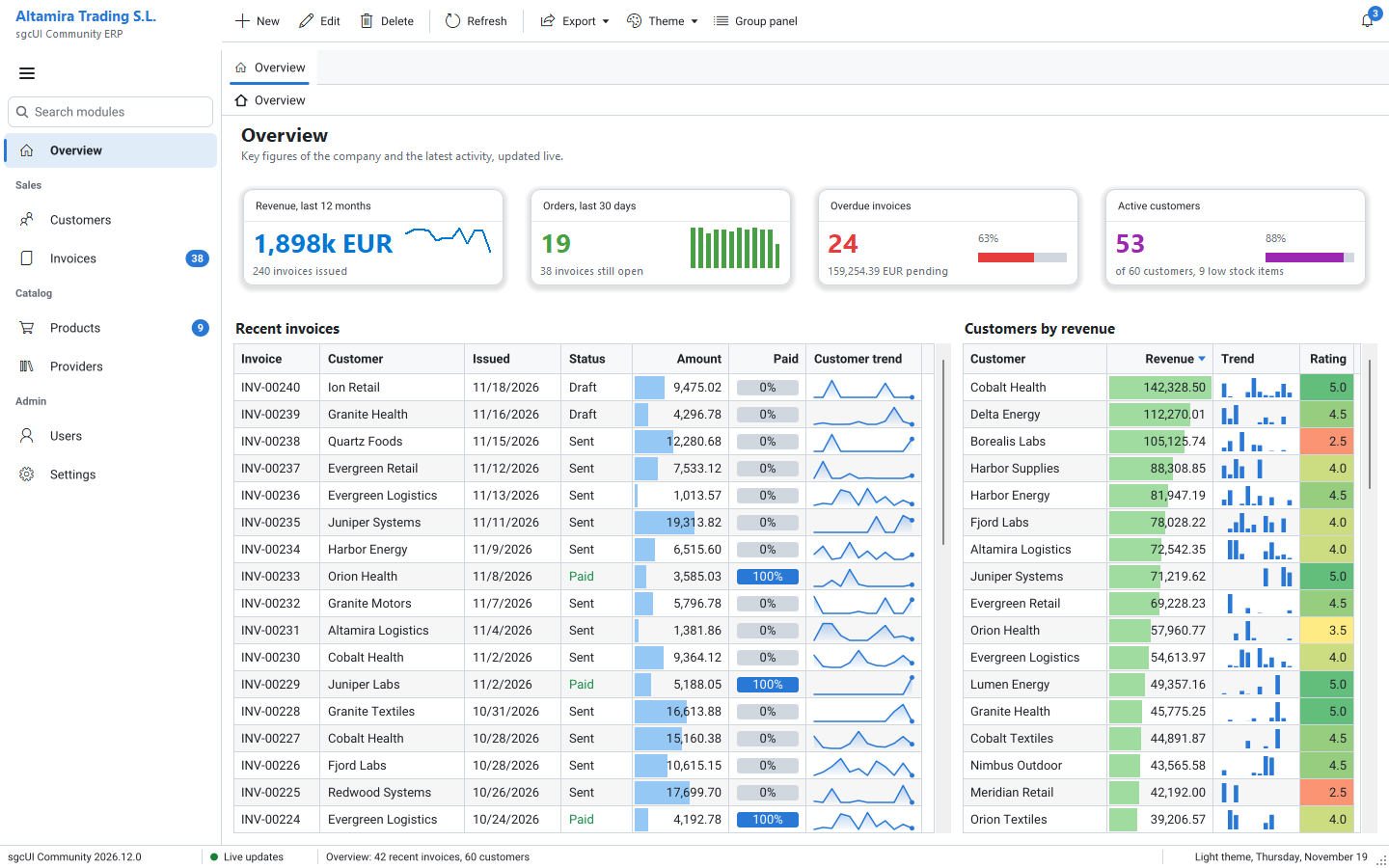
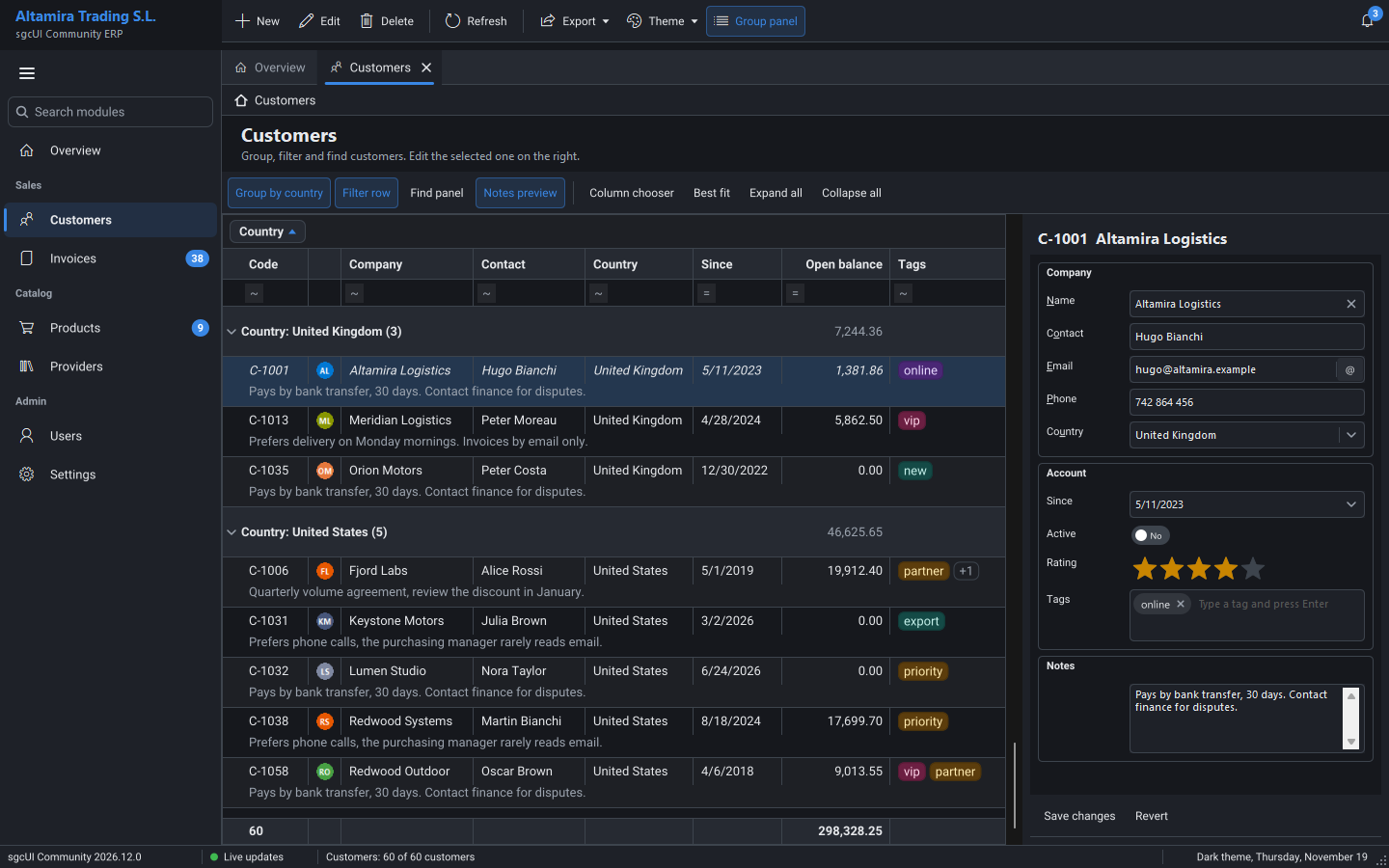
The Community grid does not edit in place. The showcase applications edit in a panel or a dialog and push the change into the grid by key, which is the pattern the ERP demo follows.
Markets
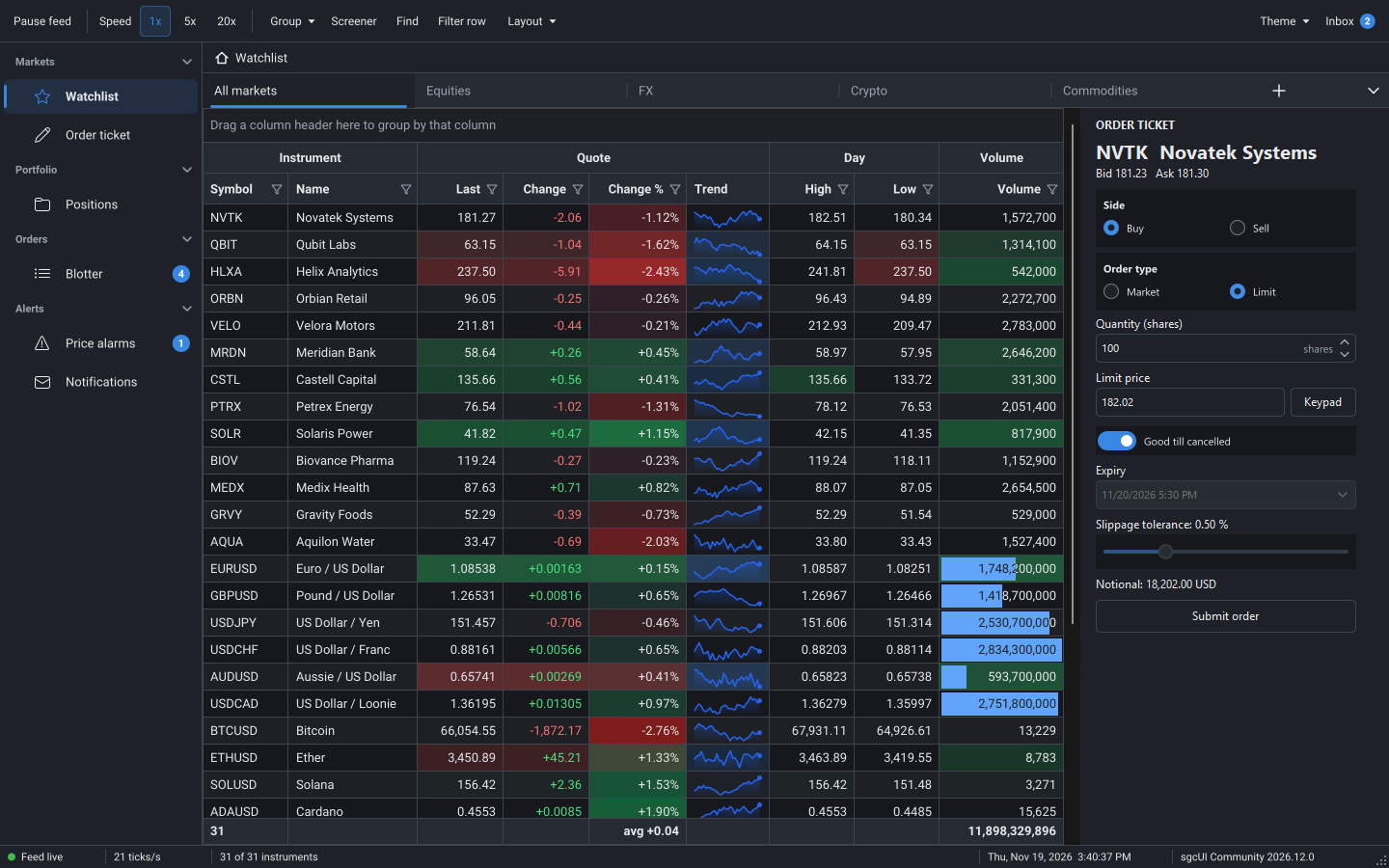
A trading desk with live watchlists that a background thread updates by key, flashing prices, a change heat map, trend sparklines, an order ticket, positions and price alerts.
Realtime
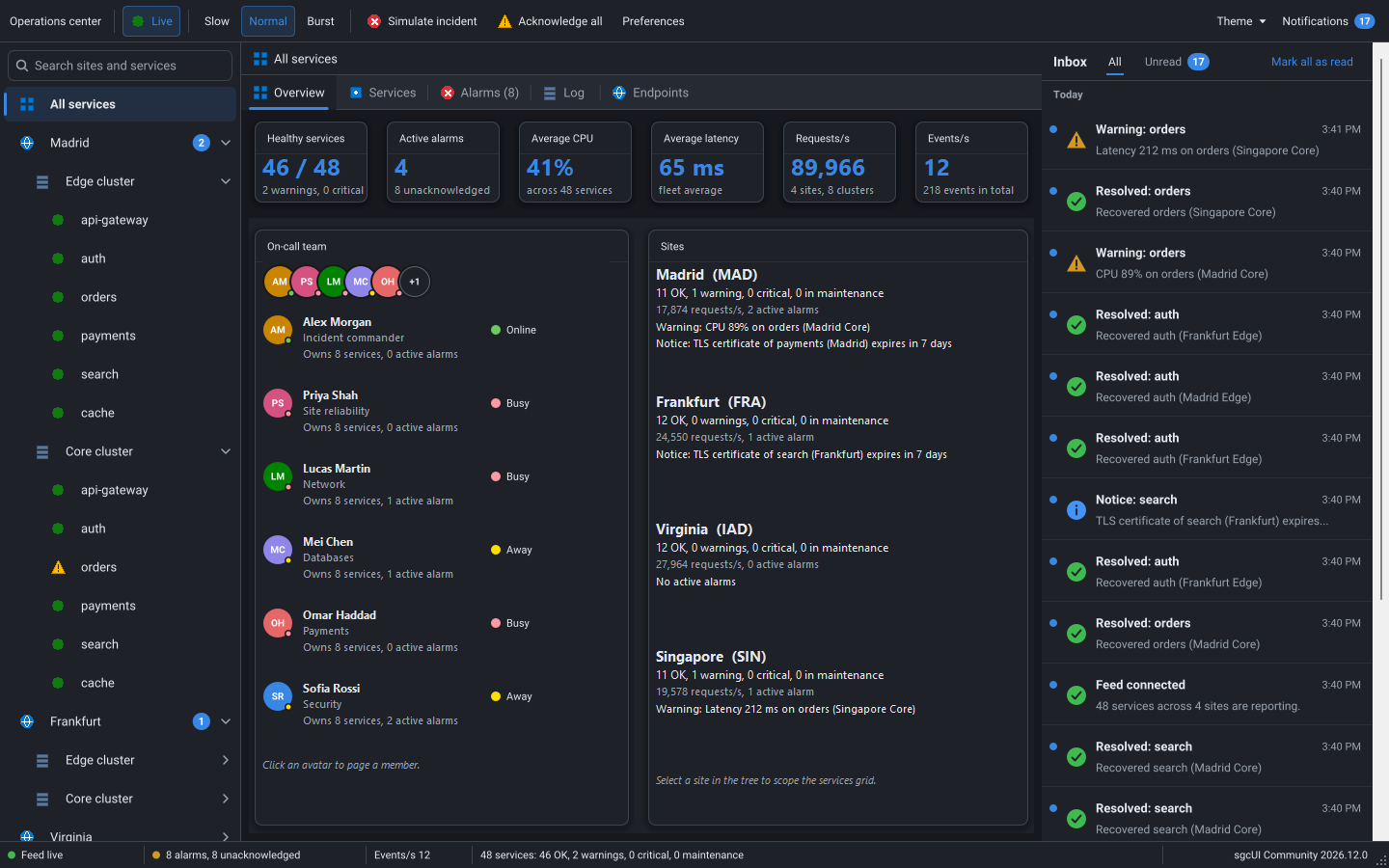
An operations console with live services in a tree of sites, alarm badges, KPI cards, the on call team with presence avatars, an event log and a notification inbox filled by the live feed.
HMI
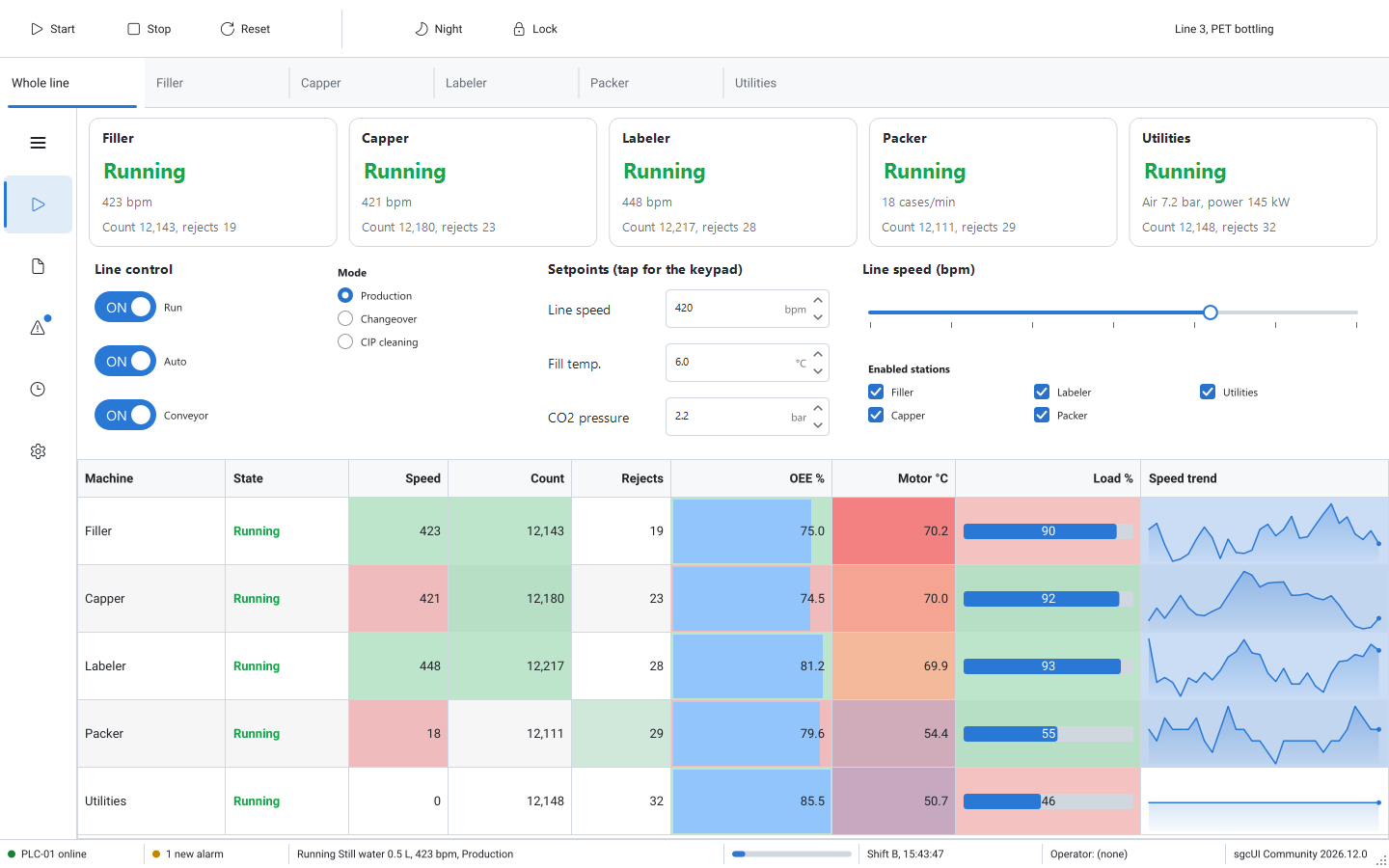
A touch operator panel for a bottling line, with pages for operation, recipes, alarms, trends and maintenance. Large touch toolbar buttons and line area tabs sit around a live tag grid, machine cards, touch switches and setpoints.
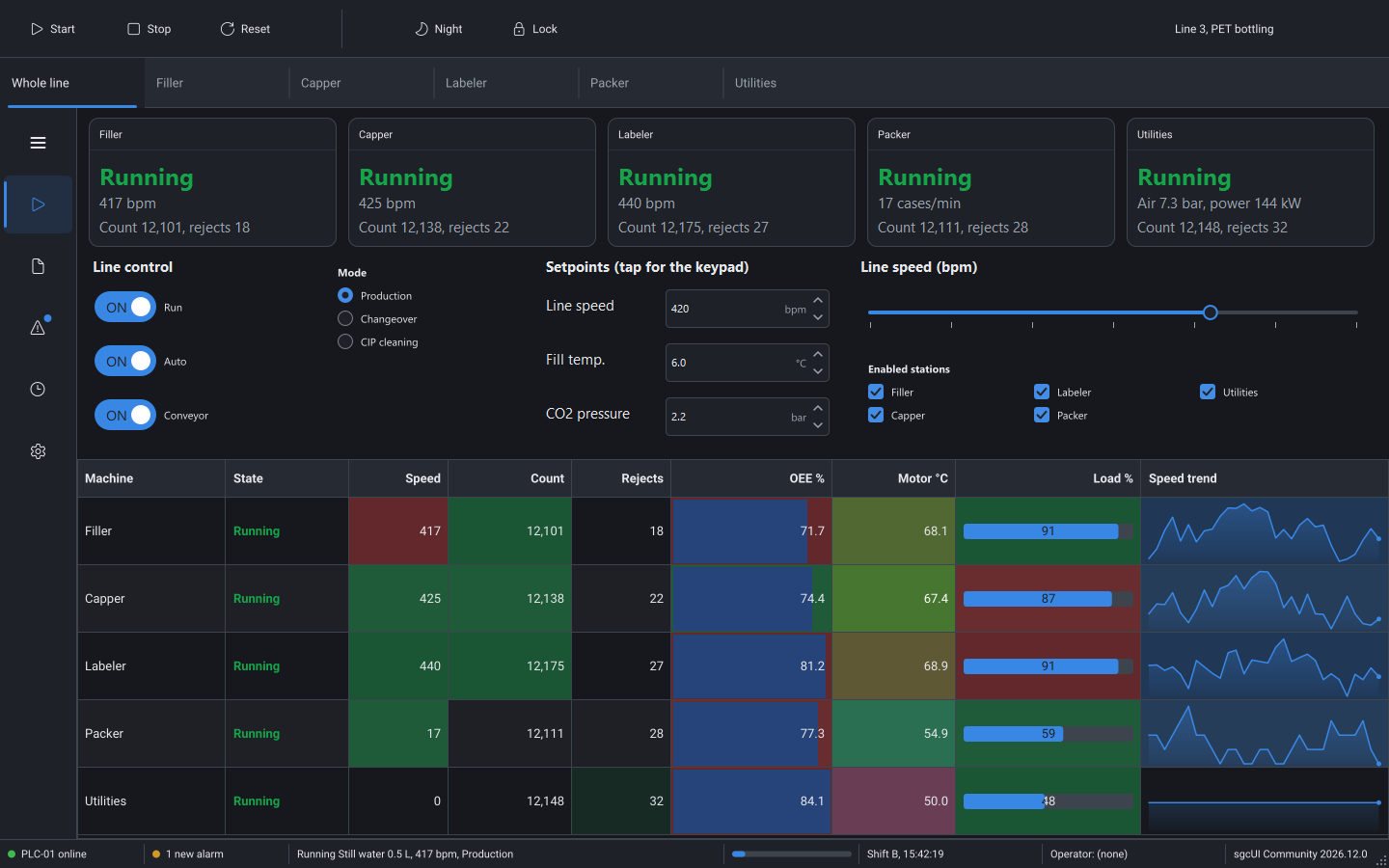
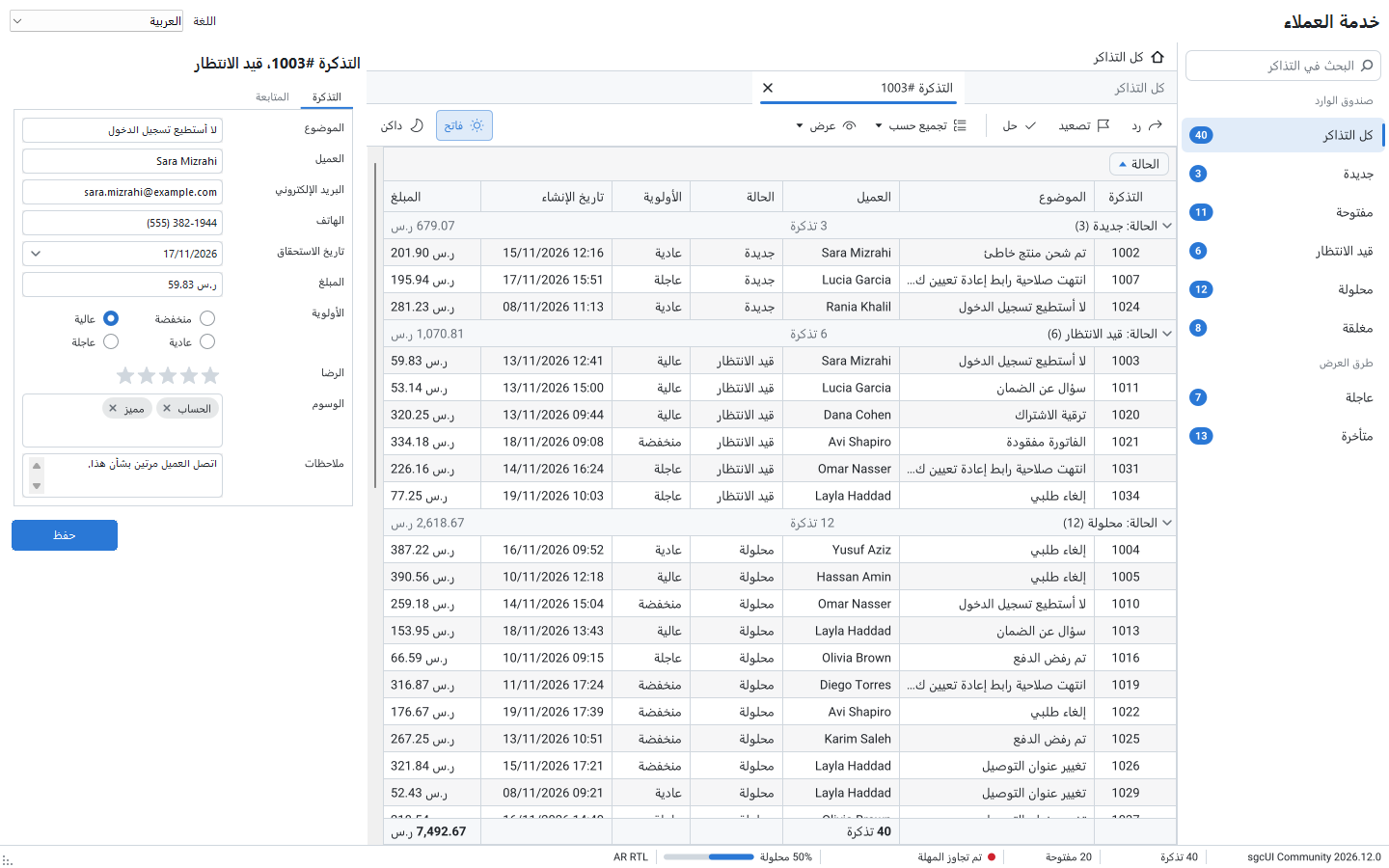
RightToLeft
A customer service application in English, Spanish, Arabic and Hebrew. Switch the language at run time and the whole form mirrors, from the navigation bar to the editors. The translation and the switch come from sgcLocalization.
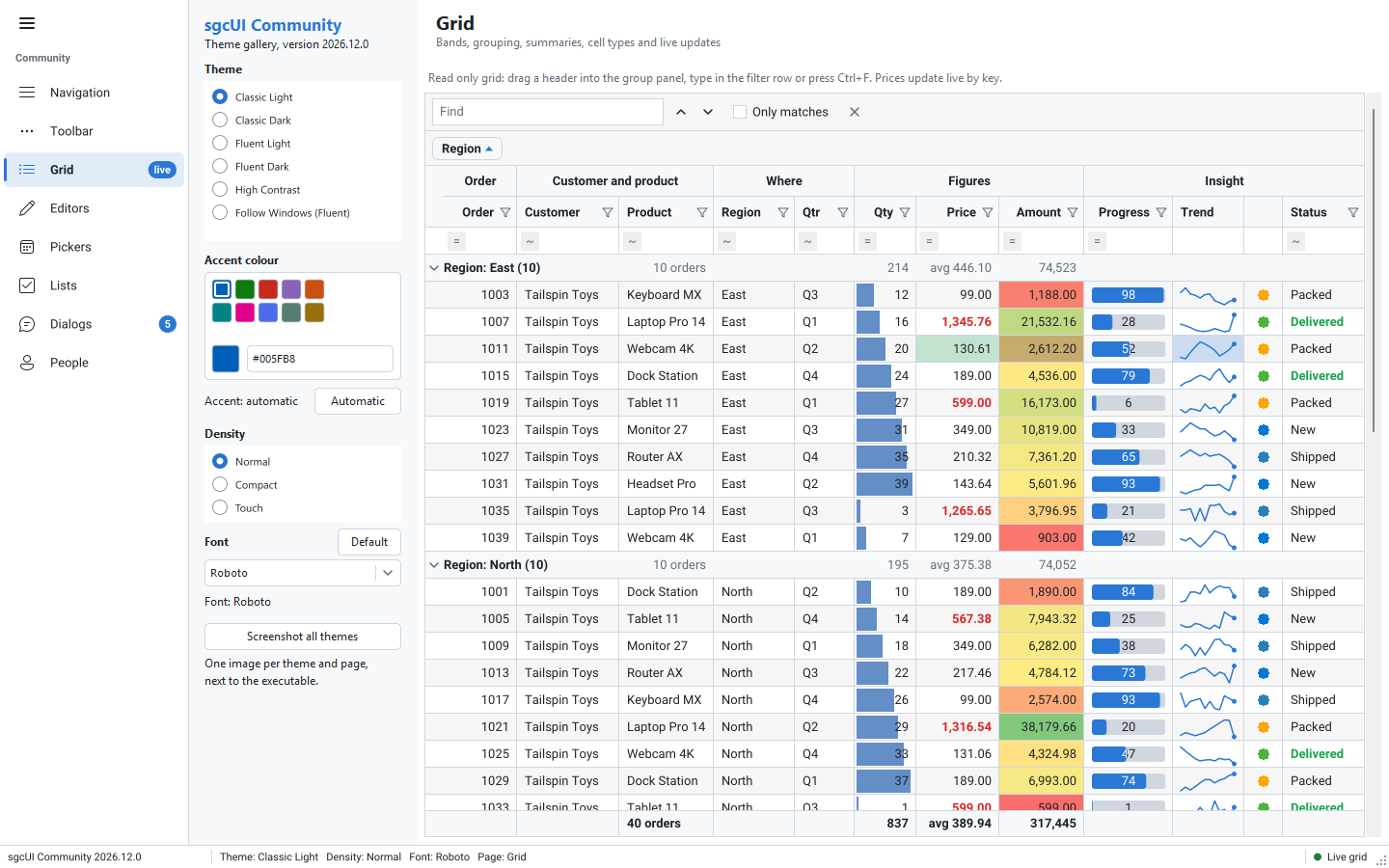
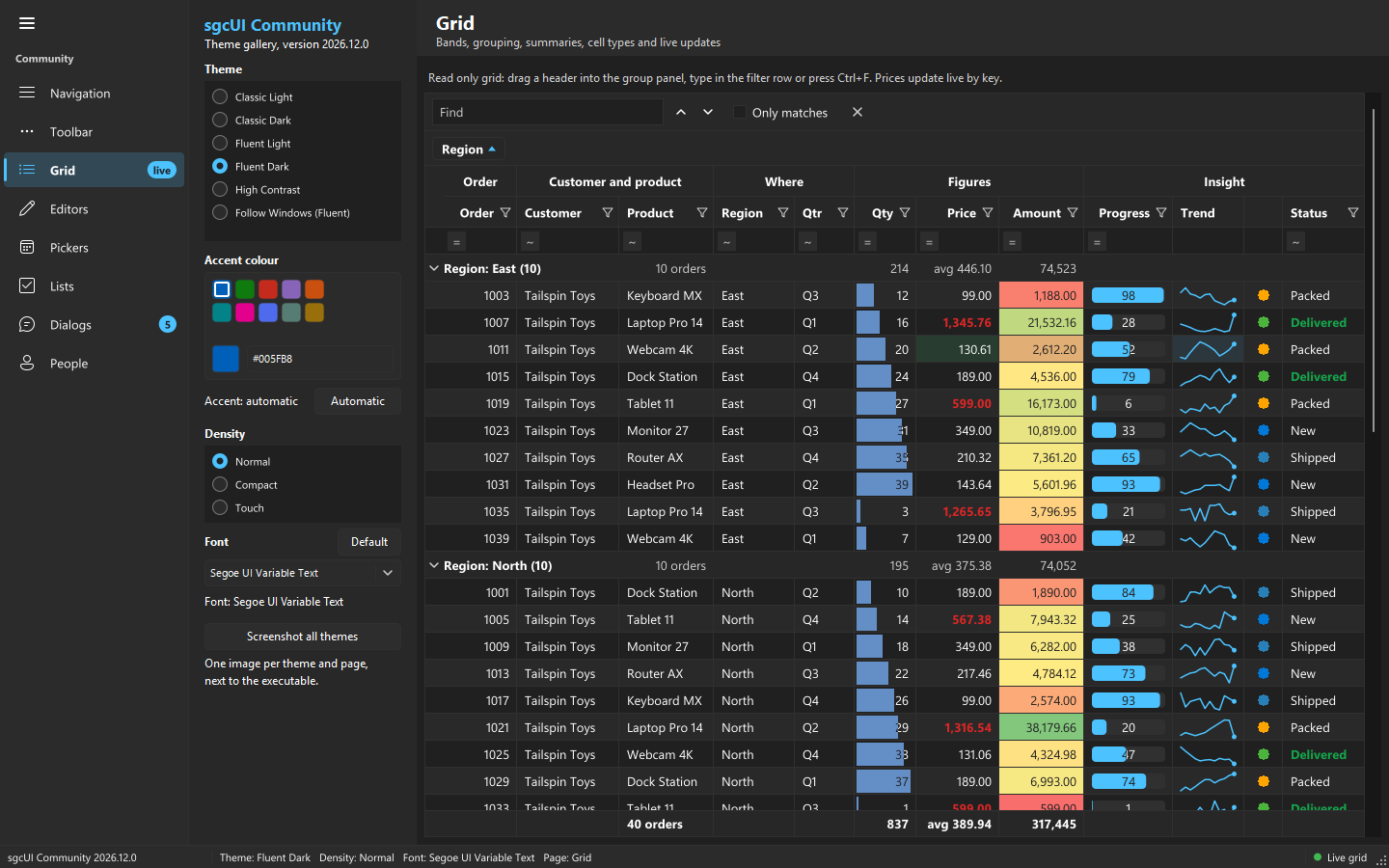
ThemeGallery
Every Community control under every built-in theme. One click in the settings panel restyles the whole application, with live theme, accent, density and font settings.
Want to try them first? sgcUI_Community_Demos.zip holds all six, VCL and FireMonkey, compiled for Windows: unzip and run.
Every Delphi Platform, Linux64 Included
The packages cover Delphi 7 to Delphi 13: VCL in every version, FireMonkey from Delphi XE6. The installer registers the design-time packages in every supported IDE, so the controls are on the palette as soon as it finishes.
- VCL applications build for Win32 and Win64.
- FireMonkey applications run on Windows, macOS, iOS and Android.
- Linux64: when FMXLinux is installed in Delphi 13, the installer adds the Linux64 FireMonkey packages, built with FMXLinux 1.84, to the Linux 64-bit library path. The sgcUI FireMonkey controls then compile into Linux64 desktop applications without the source code. The FMXLinux setup steps are in the post sgcUI on Linux64 with FMXLinux.
We built the six showcase applications with Delphi 13 against the compiled Community packages only, with no source code: the VCL and FireMonkey versions for Win32 and Win64, and the FireMonkey versions for macOS (Intel and Apple silicon), iOS (device and simulator), Android (32 and 64 bit) and Linux64. Every one compiles with 0 errors.
Community and Registered
Every sgcUI edition is built from the same source. The edition only decides which units and features a build includes. In short:
| Product | Community | Registered adds |
|---|---|---|
| sgcGrid | Live updates by key, flash on change, format rules, virtual mode, filter row, find panel, column filters, filter builder, grouping and summaries, bands, image, progress and sparkline cells, data bars, colour scales, frozen columns, pinned rows, saved layouts, read only DataSet source, ISA-18.2 alarm model, printing and print preview | In-place editing, clipboard paste, undo and redo, inserting and deleting rows, the sgcEditors cell editors, DataSet editing, tree and master detail rows, Excel mode, XLSX export and import, computed columns, server mode, card view, alarm acknowledge log, PDF export (needs sgcPDF), sgcWebSockets bridges |
| sgcNavigation | Navigation bar in sidebar, accordion and tree modes, tabs, breadcrumb, tabbed form, notebook, task dialog, message and input boxes, busy overlay, splash screen, toasts, notification inbox and preferences | Action links, command palette, tab drag reorder, pinned tabs, tear-off and the saved tab layout, breadcrumb edit mode, docking manager, live messages of the notification model |
| sgcToolbar | Toolbar with buttons, toggles, radio groups, dropdown menus, images and keyboard support, status bar with text, progress and indicator panels, toolbar badges | Overflow menu, action links, ribbon and ribbon form |
| sgcEditors | Calendar and pickers, spin edit, rating, check and radio groups, button, search, mask, currency and lookup edits, memo, NumPad, on-screen keyboard, toggle switch, IP address and time span edits, font picker, list boxes, layout control, validation. Colour picker with swatches and hex, token edit with validation, range slider with one thumb, property grid for one object | Data-aware editors, data form, HSV square and alpha bar in the colour picker, auto-complete list in the token edit, range slider with two thumbs, property grid for several objects |
| Delivery | Compiled packages (dcu, dcp and bpl) for Delphi, with the Community showcase applications | Full source code, C++Builder, 1 year of updates, the Suite and product demos, and up to all 19 sgcUI products |
The complete tables are on the sgcUI Community for Delphi page.
The Licence
Free for individuals and organizations under EUR 1M annual gross revenue with no more than 5 developers.
- If your annual gross revenue is under EUR 1,000,000 and your team has no more than five developers, you can use the Community edition free of charge in commercial and non-commercial projects.
- An organization that meets or exceeds either threshold needs a Commercial licence to continue using it.
- The features that the Community edition leaves out, C++Builder and the other sgcUI products need a Commercial licence too. sgcUI Standard includes sgcGrid, sgcNavigation, sgcToolbar and sgcEditors with full source code, and each product is also sold alone.
The Registered editions and their prices are on the sgcUI pricing page.
Download and Get Started
- Download sgcUI_Community.exe, also linked from the sgcUI Community for Delphi page and the sgcUI download page, and run it. When it finishes, the controls are on the palette of every supported Delphi version.
- Open a showcase application. For VCL, open
Demos\Community\Delphi\ERP\sgcUICommunityERP.dprin Delphi 7 or later. For FireMonkey, openDemos\Community\FMX\ERP\sgcUICommunityERPFMX.dprin Delphi 13. - Build and run it. No database, network or external file is needed.
- Read the
readme.htmlnext to the project. It lists what the demo shows, which Community features each module uses and how to build it.
Links
- sgcUI Community for Delphi: products, screenshots, platforms, comparison and licence
- sgcUI Community for .NET, the free edition for .NET developers
- sgcUI pricing, for the Registered editions
- sgcUI on Linux64 with FMXLinux, the setup for Linux64 desktop applications
Questions or feedback? Get in touch. You will get a reply from the people who wrote the code.