Last post in this series on sgcHTML's 25 new components. We're closing with the three that every admin panel eventually needs: who's online right now, who's allowed to do what, and the table where you actually manage the accounts. All three push live updates over the same WebSocket channel your chat and job-progress screens already use, so this batch fits directly alongside the components from the earlier posts.
Presence — a live who's-online roster
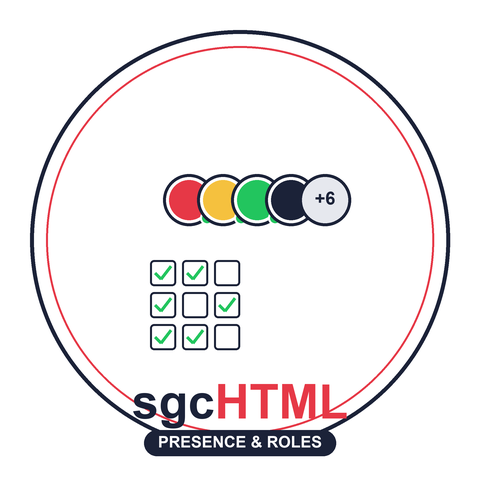
TsgcHTMLComponent_Presence renders either an overlapping avatar stack or a name-and-status list, capped by MaxVisible with a "+N" overflow chip. AddUser upserts a roster entry, SetUserStatus updates just the status dot, and GetUserFragmentHTML pushes that single change to every connected client.
uses
  sgcHTML_Component_Presence;

var
  oPresence: TsgcHTMLComponent_Presence;
begin
  oPresence := TsgcHTMLComponent_Presence.Create(nil);
  try
    oPresence.PresenceID := 'roster';
    oPresence.Layout := plAvatars;
    oPresence.MaxVisible := 5;
    oPresence.Title := 'Online';

    oPresence.AddUser('u1', 'Ana Torres', psOnline);
    oPresence.AddUser('u2', 'Marc Bell', psAway, '', 'Back at 3pm');
    oPresence.AddUser('u3', 'Kenji Ito', psBusy);

    WebModule.Response := oPresence.HTML;   // avatar stack + scoped CSS
  finally
    oPresence.Free;
  end;
end;

// Push a status change to every connected client, no full re-render:
oPresence.SetUserStatus('u2', psOnline);
TsgcHTMX_Engine_Server.BroadcastFragment(oPresence.GetUserFragmentHTML('u2'));
RolesPermissions — a grant matrix, not a form full of checkboxes
TsgcHTMLComponent_RolesPermissions lays out roles as columns and permissions as rows (grouped by category), with a checkbox at every intersection. AddRole and AddPermission build the two axes, SetGrant checks the initial cells, and every client-side toggle arrives server-side as a JSON payload that your handler must authorize before applying with ProcessGrantChanged.
uses
  sgcHTML_Enums, sgcHTML_Component_RolesPermissions;

var
  oMatrix: TsgcHTMLComponent_RolesPermissions;
begin
  oMatrix := TsgcHTMLComponent_RolesPermissions.Create(nil);
  try
    oMatrix.MatrixID := 'acl';
    oMatrix.StickyHeader := True;

    oMatrix.AddRole('admin', 'Administrator').Color := hcDanger;
    oMatrix.AddRole('editor', 'Editor');
    oMatrix.AddRole('viewer', 'Viewer');

    oMatrix.AddPermission('users.edit', 'Edit users', 'Users');
    oMatrix.AddPermission('users.delete', 'Delete users', 'Users');
    oMatrix.AddPermission('billing.view', 'View invoices', 'Billing');

    oMatrix.SetGrant('admin', 'users.edit', True);
    oMatrix.SetGrant('admin', 'users.delete', True);
    oMatrix.SetGrant('editor', 'users.edit', True);

    WebModule.Response := oMatrix.HTML;   // matrix table + inline script
  finally
    oMatrix.Free;
  end;
end;

// Server-side handler for a checkbox toggle received over WebSockets.
// ALWAYS verify the acting user is authorized before applying the change:
oMatrix.ProcessGrantChanged('editor', 'users.delete', True);
UserManagement — the account table itself
TsgcHTMLComponent_UserManagement is the table those roles get assigned in: avatar, status badge, role badges, last login, search box, and a per-row actions dropdown (edit, disable/enable, reset password, and, if you opt in, impersonate and delete). AddUser appends a row and returns a TsgcHTMLUser to fill in; ProcessUserAction handles whatever a row's dropdown sends back, again only after your own authorization check.
uses
  sgcHTML_Component_UserManagement;

var
  oUsers: TsgcHTMLComponent_UserManagement;
  oUser: TsgcHTMLUser;
begin
  oUsers := TsgcHTMLComponent_UserManagement.Create(nil);
  try
    oUsers.TableID := 'users';
    oUsers.AllowImpersonate := True;
    oUsers.AllowDelete := True;

    oUser := oUsers.AddUser('u1', 'ana.torres', 'ana@example.com');
    oUser.DisplayName := 'Ana Torres';
    oUser.Roles := 'admin,editor';
    oUser.Status := usActive;
    oUser.LastLogin := '2026-07-15 09:12';

    oUsers.AddUser('u2', 'marc.bell', 'marc@example.com').Status := usInvited;

    WebModule.Response := oUsers.HTML;   // toolbar + table + inline script
  finally
    oUsers.Free;
  end;
end;

// Server-side handler for an action received over WebSockets.
// ALWAYS verify the acting user is authorized before applying it:
oUsers.ProcessUserAction('userDisable', 'u2');
Notice the pattern repeated in both RolesPermissions and UserManagement: the component only ever renders UI and emits an event. Nothing changes state until your own server-side code decides the acting user is allowed to make that change, then calls ProcessGrantChanged or ProcessUserAction explicitly. The component never authorizes anything for you, by design.
That's the series
Twenty-five components across five posts: structured data (TreeGrid, PivotTable, ActivityFeed, Splitter), charts and codes (Heatmap, Sparkline, CandlestickChart, TreeMap, QRCode, Barcode), form inputs (MultiSelect, ColorPicker, Slider, TimePicker, SignaturePad, Transfer), feedback and layout (Badge, PDFViewer, ContextMenu, ProgressBar, JobProgress, LogViewer), and today's three admin components. The full feature matrix now lists 83 components across nine families, and every one of them is documented with a QuickStart in Delphi, C++Builder and .NET on its own page: Presence, RolesPermissions and UserManagement included.
Questions, feedback or migration help? Get in touch — you will get a reply from the people who wrote the code.