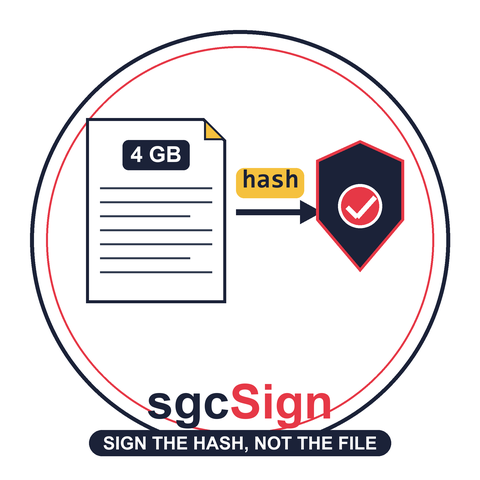
A signing server keeps the private key in one place, which is the point of having one. The usual price is the file itself: the build agent uploads the installer, the server signs it and sends the whole thing back. For an installer of a few gigabytes that is the installer across the network twice, to add a signature of a few kilobytes.
It does not have to be. What Authenticode signs is never the file, it is a digest of the file, and the digest can be computed where the file already is. From sgcSign 2026.10 the sgcSign Server signs a Windows Installer package and an MSIX or APPX package from that digest alone, the way it already did for an EXE.
A 1 GB installer signed twice through the sgcSign Server, once uploaded and once from its hash, with every byte on the wire counted. Also on YouTube.
What actually gets signed
An Authenticode signature covers a digest, and each format defines its own. For an EXE it is the PE image hash, with the checksum and the certificate table left out. For an MSI it is a digest over the streams of the compound file in a fixed order. For an MSIX it is a small blob of SHA-256 digests over the parts of the package. The server needs that value and nothing else: it signs the digest with the key it holds, and the client writes the signature into the file.
From the command line
The command line tool takes the hash route by default for --format msi and --format appx, as it already did for --format authenticode, and --upload sends the whole file instead. The demo signs the same 1 GB package both ways against a server on the same machine, through a small relay that counts every byte the tool sends and receives. The package holds 1 GiB of random data, so nothing on the way can compress it.
> sgcsign sign --format msi --upload --server http://127.0.0.1:18481 --apikey $k `
    --provider demo --tsa http://timestamp.digicert.com --verbose `
    --out BigApp-signed-upload.msi BigApp.msi
Signed: BigApp-signed-upload.msi | Signer: O=eSeGeCe Demo, CN=sgcSign Demo Code Signing | Duration: 3015 ms

> Get-Content .\relay.log -Tail 1
RUN 4: connections=1 bytes_up(client->server)=1075356521 bytes_down(server->client)=1075364108 wall=14.087s

> sgcsign sign --format msi --server http://127.0.0.1:18481 --apikey $k `
    --provider demo --tsa http://timestamp.digicert.com --verbose `
    --out BigApp-signed-hash.msi BigApp.msi
[prehash] alg=sha256 hash=9151f2ee34b18f80a20d4b2cec515ac344066bbed846c7efbc98d7c5e5a0cddd

> Get-Content .\relay.log -Tail 1
RUN 5: connections=1 bytes_up(client->server)=477 bytes_down(server->client)=11044 wall=0.178s
Both files come back signed, and they carry the same digest: signtool verify /v shows Hash of file (sha256): 9151F2EE…5A0CDDD on both, the value in the [prehash] line, with the demo signer and the DigiCert timestamp.
The numbers
| Upload route | Hash route | |
|---|---|---|
| Package | 1,075,355,648 bytes | 1,075,355,648 bytes |
| Sent to the server | 1,075,356,521 bytes | 477 bytes |
| Received from the server | 1,075,364,108 bytes | 11,044 bytes |
| Time on the wire | 14.1 s | 0.18 s |
| Whole command | 16.3 s | 4.8 s |
This ran over loopback, where moving bytes costs almost nothing, and the upload route still spent 14 seconds doing it. Over a real link the transfer is the whole cost: at 100 Mbit/s the 2.15 GB of the upload route take close to three minutes, and the hash route still sends 477 bytes. What is left of the hash route's 4.8 seconds is preparing and hashing the 1 GB package on the build agent, work the upload route does too, only on the server.
The same thing in Delphi
In a Delphi build tool the flow is four steps: prepare the package, hash the prepared package, send the hash, and embed the signature that comes back. The HTTP call is whatever client your project already uses. This one uses the RTL THTTPClient and System.JSON.
program HashSignMSI;

{$APPTYPE CONSOLE}

uses
  System.SysUtils, System.Classes, System.JSON, System.Net.HttpClient,
  sgcSign_MSI, sgcSign_Base64, sgcSign_Authenticode;

const
  CS_SERVER = 'http://127.0.0.1:18480';

var
  vPrepared, vSigned, vHex, vBody: string;
  vHash, vPKCS7: TBytes;
  vI: Integer;
  oHTTP: THTTPClient;
  oFields: TStringList;
  oResponse: IHTTPResponse;
  oJSON: TJSONValue;
begin
  try
    vPrepared := ChangeFileExt(ParamStr(1), '.prepared.msi');
    vSigned := ChangeFileExt(ParamStr(1), '.signed.msi');
    // 1. Prepare: this is the package the digest covers
    sgcMSIPrepareForSigning(ParamStr(1), vPrepared);
    // 2. Hash the PREPARED package on this machine
    vHash := sgcMSIComputeHash(vPrepared, ahSHA256);
    vHex := '';
    for vI := 0 to Length(vHash) - 1 do
      vHex := vHex + LowerCase(IntToHex(vHash[vI], 2));
    Writeln('SHA-256 : ', vHex);
    // 3. Only the digest leaves the machine
    oHTTP := THTTPClient.Create;
    oFields := TStringList.Create;
    try
      oHTTP.CustomHeaders['X-API-Key'] := GetEnvironmentVariable('SGCSIGN_APIKEY');
      oFields.Add('hash=' + vHex);
      oFields.Add('alg=sha256');
      oFields.Add('provider=demo');
      oFields.Add('tsa_url=http://timestamp.digicert.com');
      oFields.Add('level=t');
      oResponse := oHTTP.Post(CS_SERVER + '/api/v1/sign/msi/hash', oFields);
      vBody := oResponse.ContentAsString(TEncoding.UTF8);
      if oResponse.StatusCode <> 200 then
        raise Exception.CreateFmt('HTTP %d: %s', [oResponse.StatusCode, vBody]);
    finally
      oFields.Free;
      oHTTP.Free;
    end;
    // 4. Base64-decode the PKCS#7 and embed it into the SAME prepared package
    oJSON := TJSONObject.ParseJSONValue(vBody);
    try
      vPKCS7 := TsgcBase64.Decode(oJSON.GetValue<string>('signature'));
    finally
      oJSON.Free;
    end;
    sgcMSIEmbedSignature(vPrepared, vSigned, vPKCS7);
    Writeln('PKCS#7  : ', Length(vPKCS7), ' bytes');
    Writeln('Signed  : ', vSigned);
  except
    on E: Exception do
    begin
      Writeln(ErrOutput, 'error: ', E.Message);
      ExitCode := 1;
    end;
  end;
end.
Against the same server it got back a 7,941 byte PKCS#7, and signtool reads the result exactly like the two files above.
Prepare first, then hash
An installer package is signed in the shape it will ship in, so it has to be put into that shape before it is hashed. sgcMSIPrepareForSigning and sgcAppxPrepareForSigning do it, and the rule is simple: hash what prepare gave you, and embed the signature into that same prepared package, not into the original. Hash the original instead and the signature covers bytes that no longer exist.
MSIX: check the publisher yourself
On the hash route neither side sees both halves of the one check Windows is strict about. The server holds the certificate and never sees the manifest, and the client holds the manifest and never sees the certificate. So every hash response carries signer_subject, the subject of the certificate that signed. Compare it with the Publisher of the package, with sgcAppxReadPublisher and sgcAppxDNMatches, before you embed the signature. The command line tool does this on its own and refuses to write the package when they differ.
When to upload anyway
The full-file routes are still there. Use them when the client cannot compute the digest itself, or when a signature needs approval, because the approval workflow only operates on full-file uploads. --upload switches the command line tool back to that route for a single run.
Availability
The hash routes for installer packages, /api/v1/sign/msi/hash and /api/v1/sign/appx/hash, the hash-first default of the command line tool and the prepare, hash and embed functions ship in sgcSign 2026.10 for Delphi and C++Builder. The routes are documented in the sgcSign online help.
Signing large packages from a build farm? Get in touch, and you will get a reply from the people who wrote the code.