Report Builder for Delphi: Design Reports Visually or in Code
sgcReports is a report builder for Delphi and C++ Builder: your users design reports visually, and your code builds them with the fluent TsgcReportBuilder class.
A report is a model of pages, bands, items, styles and data sources. The designer and the code both edit that model, and a JSON definition stores it.
Your users design reports visually in the VCL, FireMonkey or web report designer, and your code builds them with the fluent TsgcReportBuilder class. Both produce the same report model, with bands, groups, master detail and expressions, which you preview, print or export to PDF, Excel, CSV and more, on the desktop or in a service with no window.
Drop a TsgcVCLReportDesigner or a TsgcFMXReportDesigner on a form, or serve TsgcReportHTMLDesigner in the browser. Users drag fields onto bands, set properties in an inspector and switch to a live preview. Registered
TsgcReportBuilder describes styles, pages, bands and items as one fluent chain. The report compiles, diffs and refactors with the rest of your project, and works from Delphi 7, with no anonymous methods required.
Save a report with sgcReportSaveToJSONFile and load it at run time, so a layout can live in a database or a customer folder and change without a new build. The designers open and save the same files.
An end-user report designer your users run inside your application, and the same designer at design time in the IDE.
Report designer Registered only
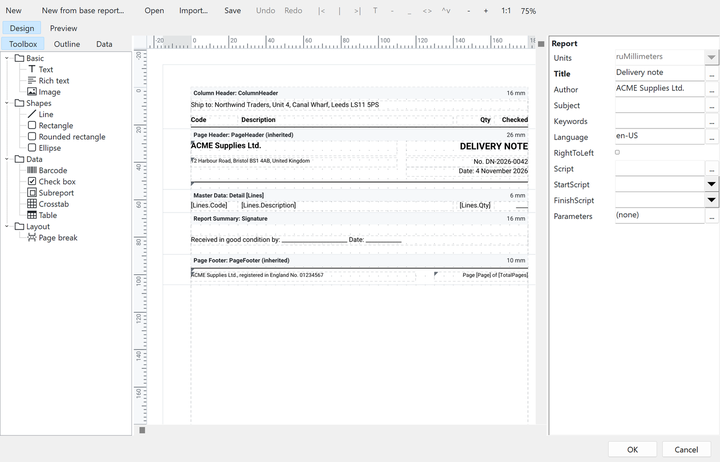
TsgcVCLReportDesigner is a panel with a toolbar, the Toolbox, Outline and Data tabs, a design surface with rulers, a property inspector, and Design and Preview tabs. Drop it on a form, assign Engine, add the data sources, and your users edit the report, save it as a JSON definition and preview it with live data. TsgcFMXReportDesigner is the FireMonkey twin, built over the same designer units.
TsgcReportEngine in the IDE and choose Design report… to edit its report with the same designerConnect the designer to the engine and the data sources when the form is created, and load the last saved layout:
procedure TfrmMain.FormCreate(Sender: TObject);
begin
sgcDesigner.Engine := sgcEngine;
sgcDesigner.AddDataSource(sgcOrders);
if FileExists('orders.json') then
sgcDesigner.LoadFromFile('orders.json')
else
sgcDesigner.NewReport;
end;
procedure TfrmMain.FormCloseQuery(Sender: TObject; var CanClose: Boolean);
begin
if sgcDesigner.Modified then
sgcDesigner.SaveToFile('orders.json');
end;To edit a report from a menu without a dedicated form, sgcShowReportDesigner (VCL) or sgcShowReportDesignerFMX (FireMonkey, Windows and macOS) shows the designer modally with OK and Cancel buttons, and restores the report when the user cancels:
procedure TfrmMain.mnuEditReportClick(Sender: TObject);
begin
if sgcShowReportDesigner(sgcEngine) then
sgcReportSaveToJSONFile(sgcEngine.Report, 'orders.json');
end;TsgcFMXReportDesigner (Delphi XE6 and later) has the same toolbar, trees, surface, inspector and preview tab, hosting a TsgcReportPreviewFMX. ToolbarButtonSize makes the buttons easy to tap on a touch screen. The modal form and the file dialogs are available on Windows and macOS.
TsgcReportHTMLDesigner edits the JSON definition in the browser with a band canvas, a property inspector and a live preview, served by the same HTTP endpoint as the finished report. It needs sgcWebSockets Professional or higher and sgcHTML. Leave DesignerEnabled off on production endpoints and put it behind your own authentication.
sgcReports for .NET includes end-user designers for WinForms, WPF and Avalonia, the counterparts of TsgcVCLReportDesigner, with the same toolbar, trees, inspector and preview. They load and save JSON definitions too.
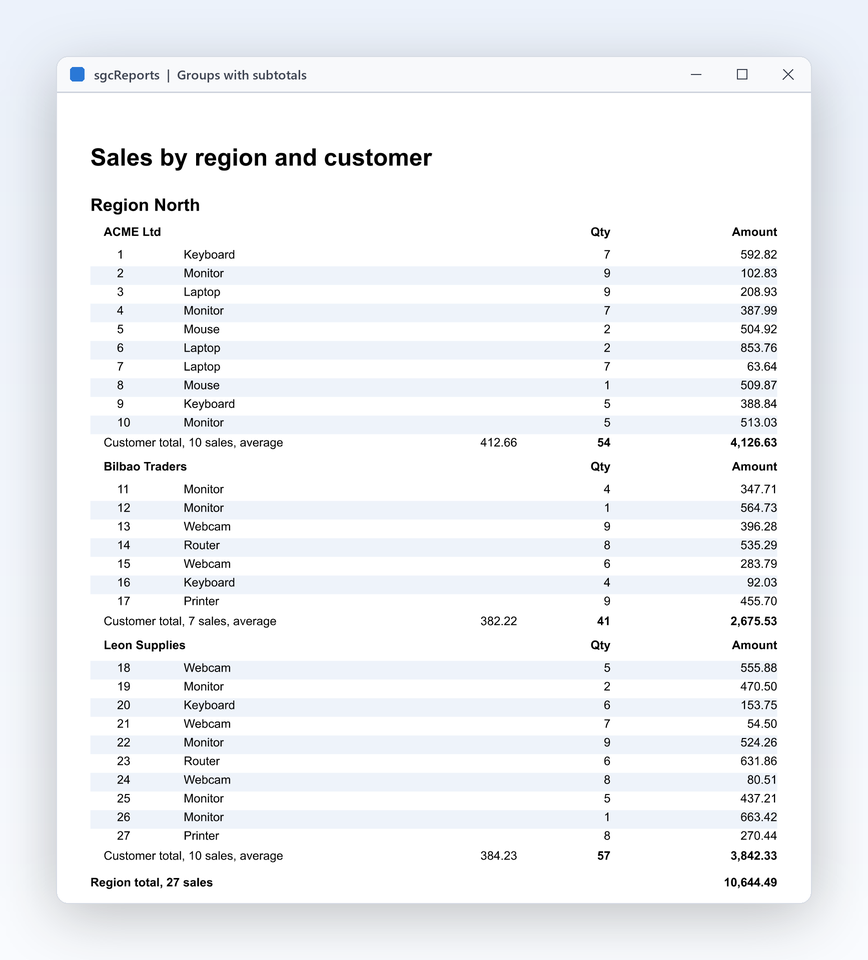
A grouped sales report over any TDataSet: a header per region, a line per sale, a subtotal per region and a page footer, saved as PDF and Excel.
uses
Classes, SysUtils, DB,
sgcReports_Types, sgcReports_Model, sgcReports_Data, sgcReports_Fluent;
const
CS_TOTAL = '[FormatFloat(''#,0.00'', Sum(Sales.Amount))]';
procedure ExportSalesReport(aSales: TDataSet; const aFolder: string);
var
oSales: TsgcReportDataSetSource;
oBuilder: TsgcReportBuilder;
begin
oSales := TsgcReportDataSetSource.Create(nil);
oBuilder := TsgcReportBuilder.Create;
try
// any TDataSet: FireDAC, TClientDataSet, dbExpress...
oSales.SourceName := 'Sales';
oSales.DataSet := aSales;
oBuilder.Title('Sales by region').Units(ruMillimeters)
.Style('Base').Font('Arial', 10).EndStyle
.Style('Group').Font('Arial', 11).Bold.BackColor($EEEEEE).EndStyle
.Page.Paper(rpsA4).Margins(15)
.GroupHeader('Sales.Region', 9).Style('Group')
.Text('Region: [Sales.Region]', 0, 1, 180, 7).TagRole(rtrHeading2).EndBand
.MasterData('Sales', 6).Style('Base')
.Text('[Sales.Customer]', 2, 0, 120, 6)
.Text('[Sales.Amount]', 130, 0, 50, 6).AlignRight.Format('#,0.00').EndBand
.GroupFooter(9).Style('Base')
.Text('Region total ' + CS_TOTAL, 80, 1, 100, 6).AlignRight.Bold.EndBand
.PageFooter(8).Style('Base')
.Text('Page [Page] of [TotalPages]', 0, 1, 180, 6).AlignCenter.EndBand
.EndPage.Data(oSales);
oBuilder.SaveToPDF(IncludeTrailingPathDelimiter(aFolder) + 'sales.pdf');
oBuilder.SaveToXLSX(IncludeTrailingPathDelimiter(aFolder) + 'sales.xlsx');
finally
oBuilder.Free;
oSales.Free;
end;
end;Style, Page, GroupHeader, MasterData, GroupFooter and PageFooter read like the layout they produceSaveToPDF, SaveToXLSX, SaveToCSV and SaveToPNG prepare and export straight from the builder, and stream variants such as SaveToPDFStream serve web responsesTsgcReport model, available as Report, and its Engine connects to a previewA real banded layout, so business reports such as sales by region or invoices by customer need no workarounds.
Bands and groups
A report has report title, page header, group header, data, group footer, page footer and summary bands, plus column headers and footers. A group breaks when its expression changes, prints its own totals and can start a new page or repeat its header on every page. Subreports let one page include the layout of another.
GroupExpression on a group header band, and nested groups for two or more levelsStartNewPage, RepeatOnEveryPage and KeepTogether control the page flowPrintOnFirstPage and PrintOnLastPage decide where page bands appearExpressions
Any text item holds expressions in brackets, evaluated by the engine for every row, so a footer total always matches the lines printed above it. There are 68 functions and 10 aggregates, including date arithmetic, padding and formatting, ToWords in 12 languages, conditional aggregates and running values that restart with every group.
'[Sum(Lines.Qty * Lines.Price)]'
'[FormatDateTime(''dd/mm/yyyy'', Invoices.Date)]'
'Page [Page] of [TotalPages]'Sum, FormatFloat, FormatDateTime, Upper, Round, IsNull, SumIf, CountIf, RunningSum and PreviousOnGetVariable supplies your own variables at run timeHighlights apply a style when a condition is true, for example negative amounts in red, with no scriptThe report reads your data where it already lives: a query, a JSON document or your own objects.
Master detail
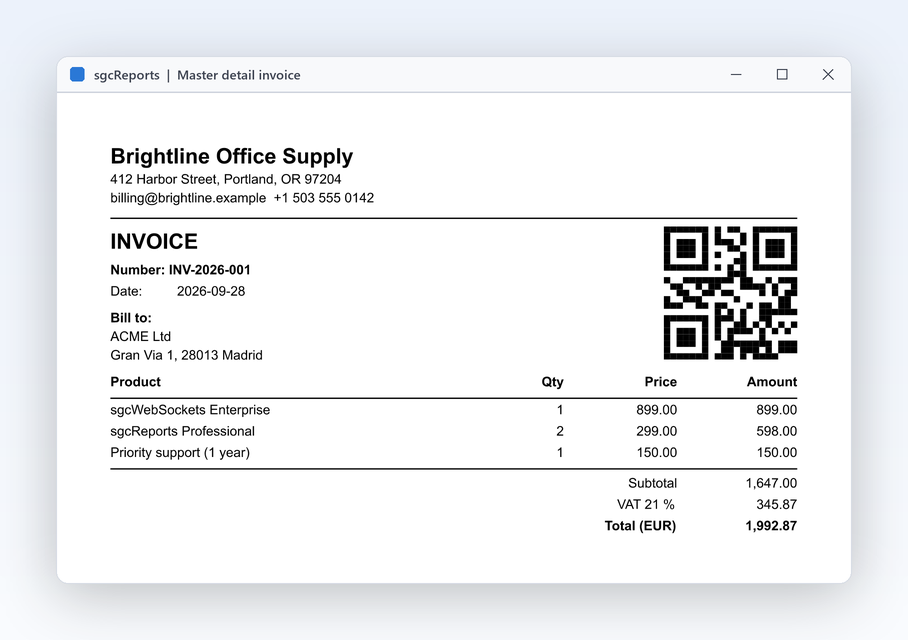
TsgcReportDataSetSource reads any TDataSet, such as TClientDataSet, FireDAC or dbExpress. A detail source links to its master by key fields, so each invoice prints its own lines, and the group footer sums them. Left unopened, the dataset is opened and closed around the run; already open, its state and position are restored afterward.
MasterSource, MasterFields and DetailFields link the sourcesTsgcReportJSONSource reads a JSON string or file, RecordsPath picks the arrayTsgcReportEventSource pulls rows from your code through OnFirst, OnNext and OnGetValuesrcInvoices.SourceName := 'Invoices';
srcInvoices.DataSet := cdsInvoices;
srcLines.SourceName := 'Lines';
srcLines.DataSet := cdsLines;
srcLines.MasterSource := srcInvoices;
srcLines.MasterFields := 'Number';
srcLines.DetailFields := 'Invoice';
sgcEngine.AddDataSource(srcInvoices);
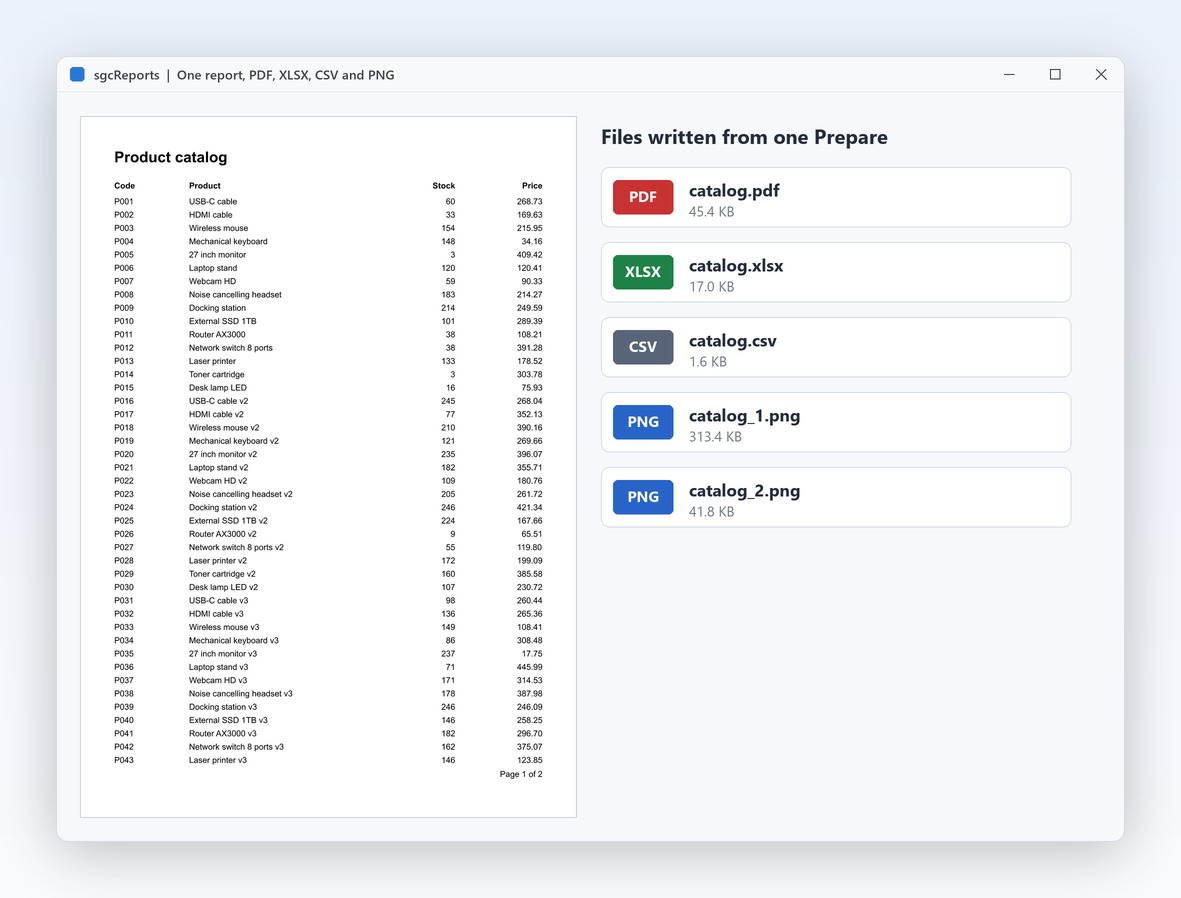
sgcEngine.AddDataSource(srcLines);The engine prepares the pages once, and every export works from the same prepared result, so the numbers are identical in every file.
Output formats
The PDF export writes tagged PDF/UA-1 by default, and PDF/A-3 for long term archives. XLSX output keeps numbers as numbers, so the spreadsheet sums them without cleanup. Every export can write to a file or to a stream.
FPages := sgcEngine.Prepare;
try
pdfExport.SaveToFile(FPages, OutputFolder + 'orders.pdf');
xlsxExport.SaveToFile(FPages, OutputFolder + 'orders.xlsx');
csvExport.SaveToFile(FPages, OutputFolder + 'orders.csv');
imageExport.SaveToFiles(FPages, OutputFolder + 'orders_%d.png');
finally
FPages.Free;
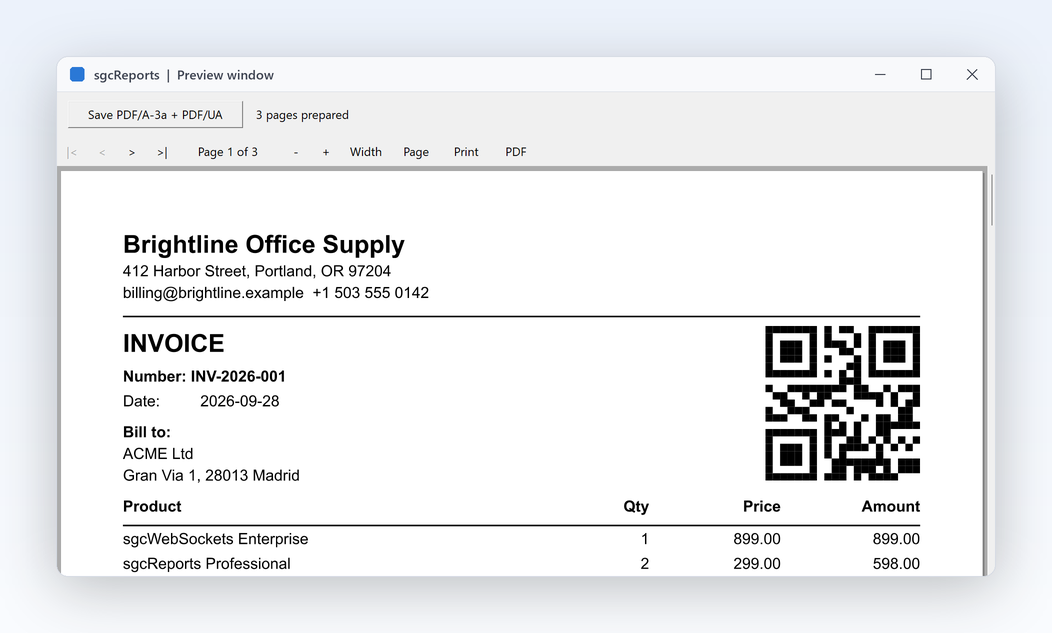
end;Users page through the report before they print or save it, with the same rendering as the PDF.
Preview and printing
TsgcReportPreviewVCL shows the prepared pages with navigation, zoom and fit modes, prints them and saves them to PDF. The previews find text with the matches highlighted, show page thumbnails and export to PDF, Excel, CSV, PNG, HTML, Word, ODT, ODS, RTF, SVG and plain text from an Export menu. TsgcReportPreviewFMX is the FireMonkey preview on Windows, macOS, iOS and Android.
FirstPage, NextPage, PriorPage and LastPage, ZoomIn, ZoomOut, FitWidth and FitPageprocedure TfrmMain.btnPreviewClick(Sender: TObject);
begin
sgcPreview.Engine := sgcEngine;
sgcPreview.Prepare;
end;
procedure TfrmMain.btnPrintClick(Sender: TObject);
begin
sgcPreview.Print('Sales by region');
end;
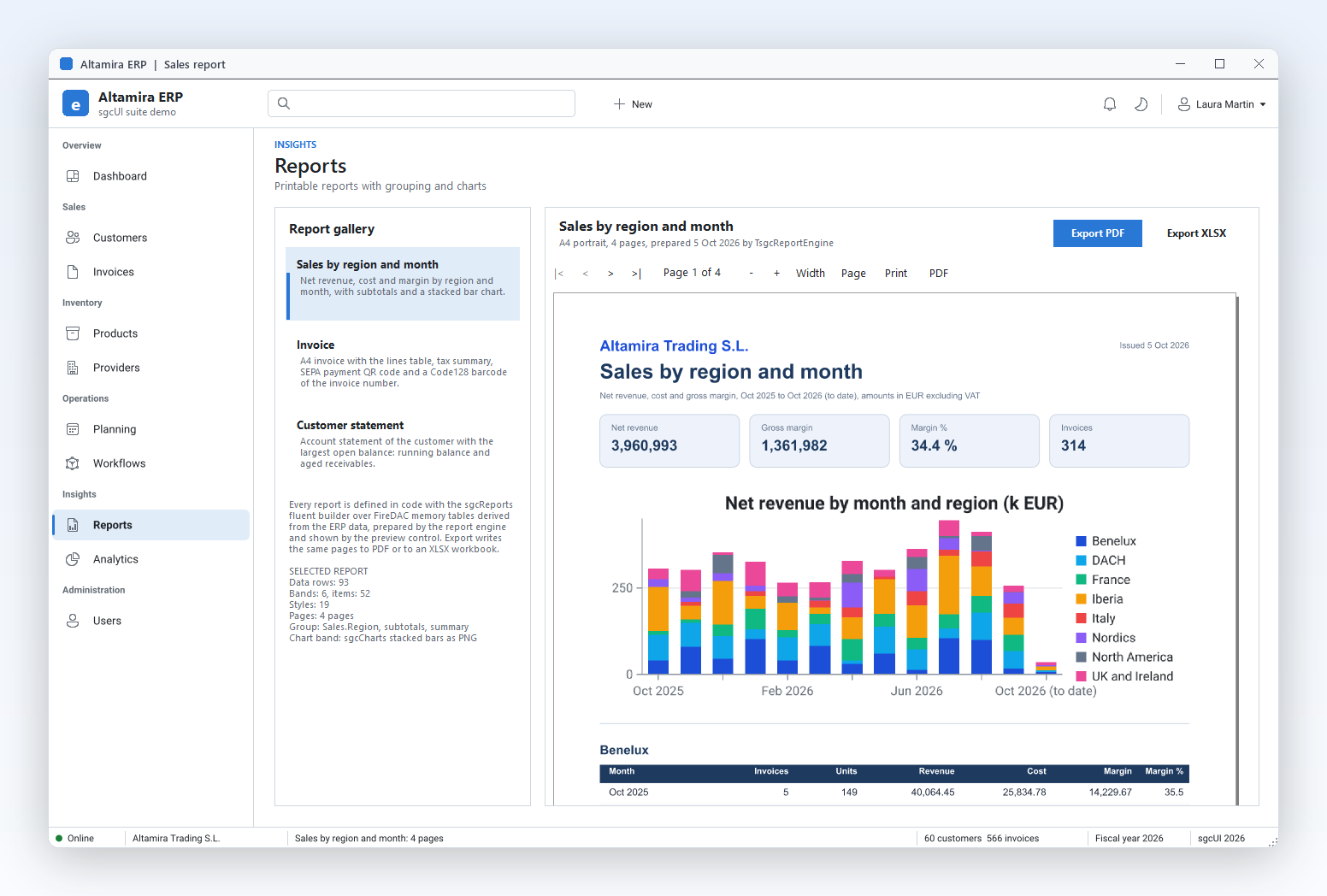
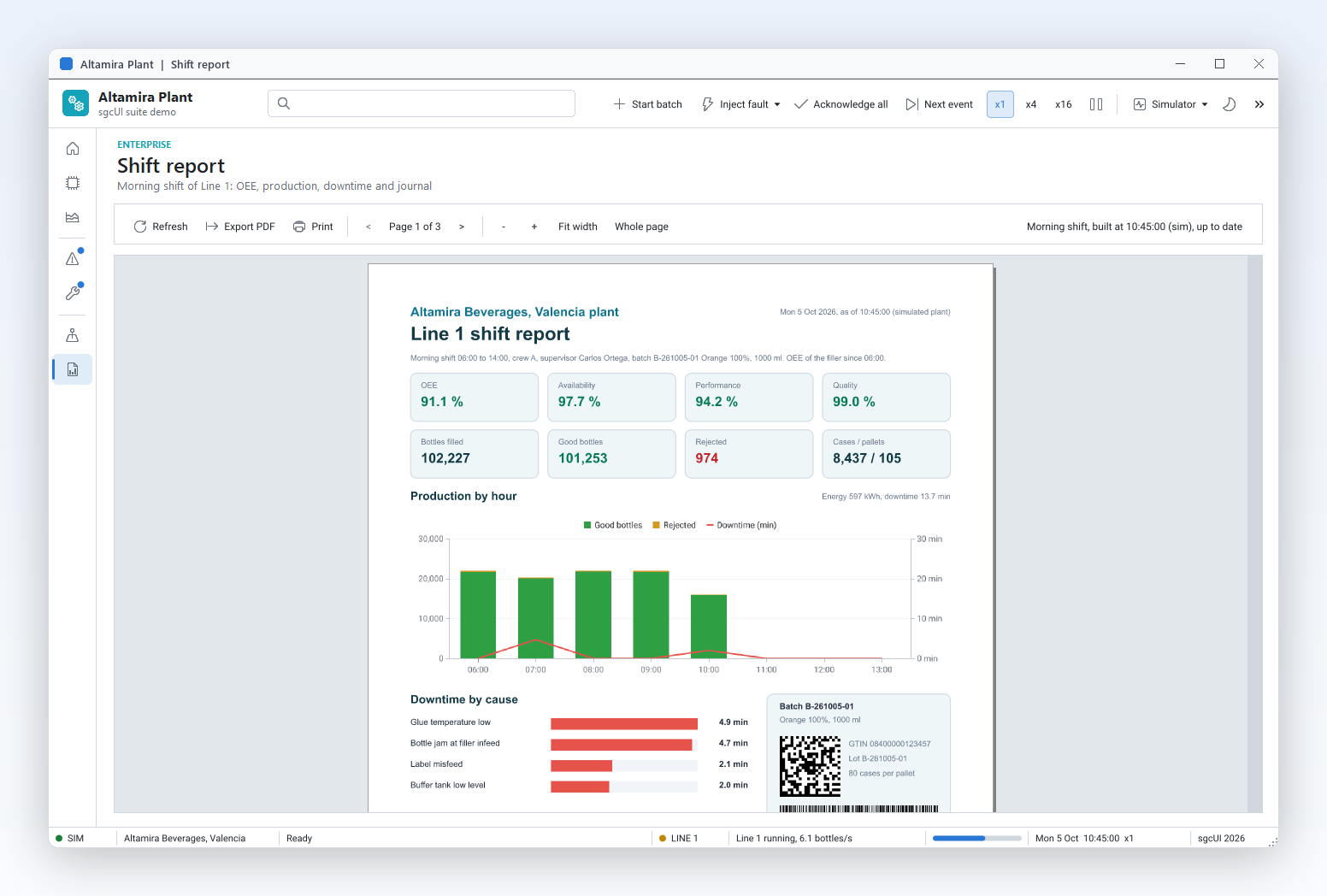
A shift report with KPI boxes, a chart and a barcode.
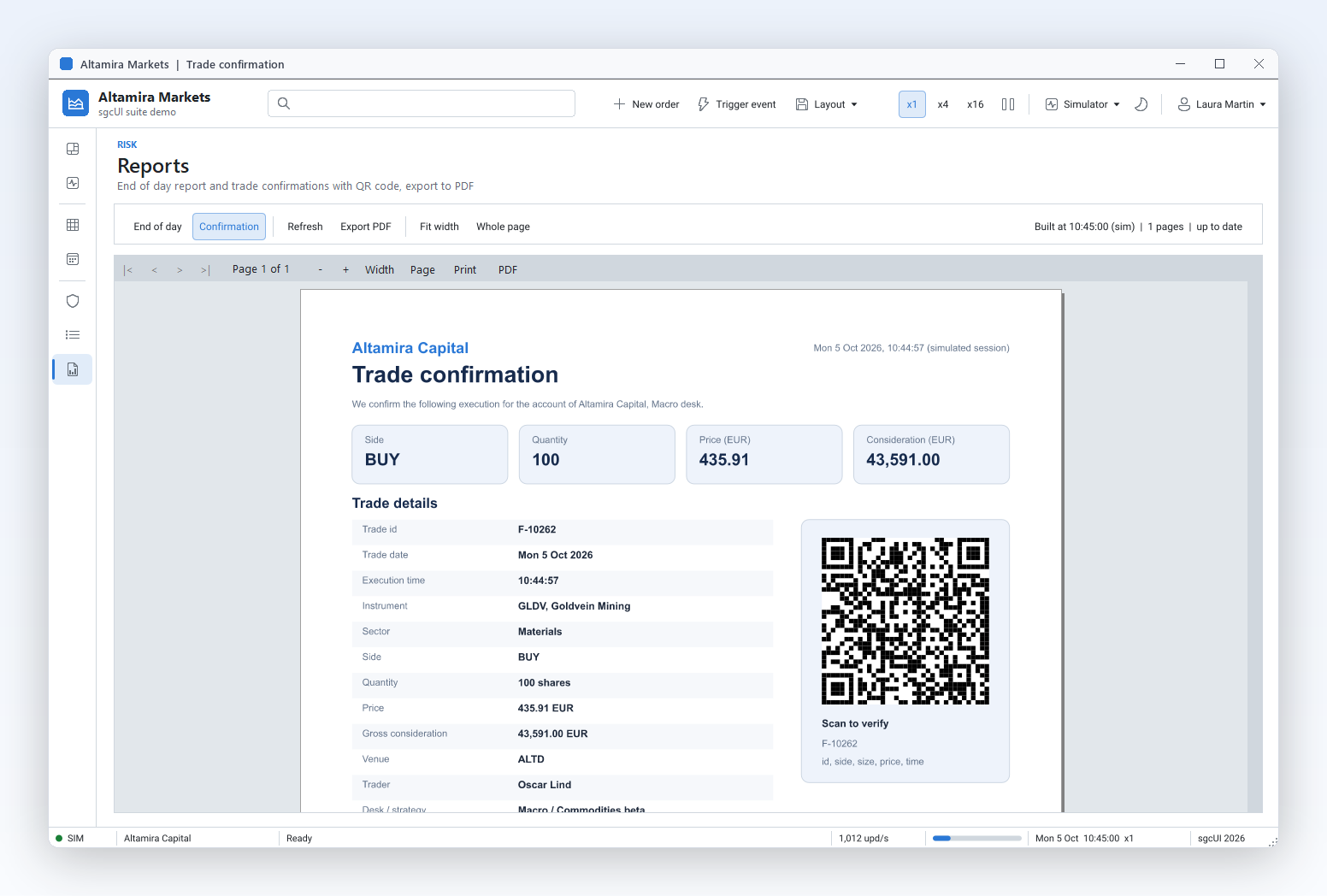
A trade confirmation with a QR code.
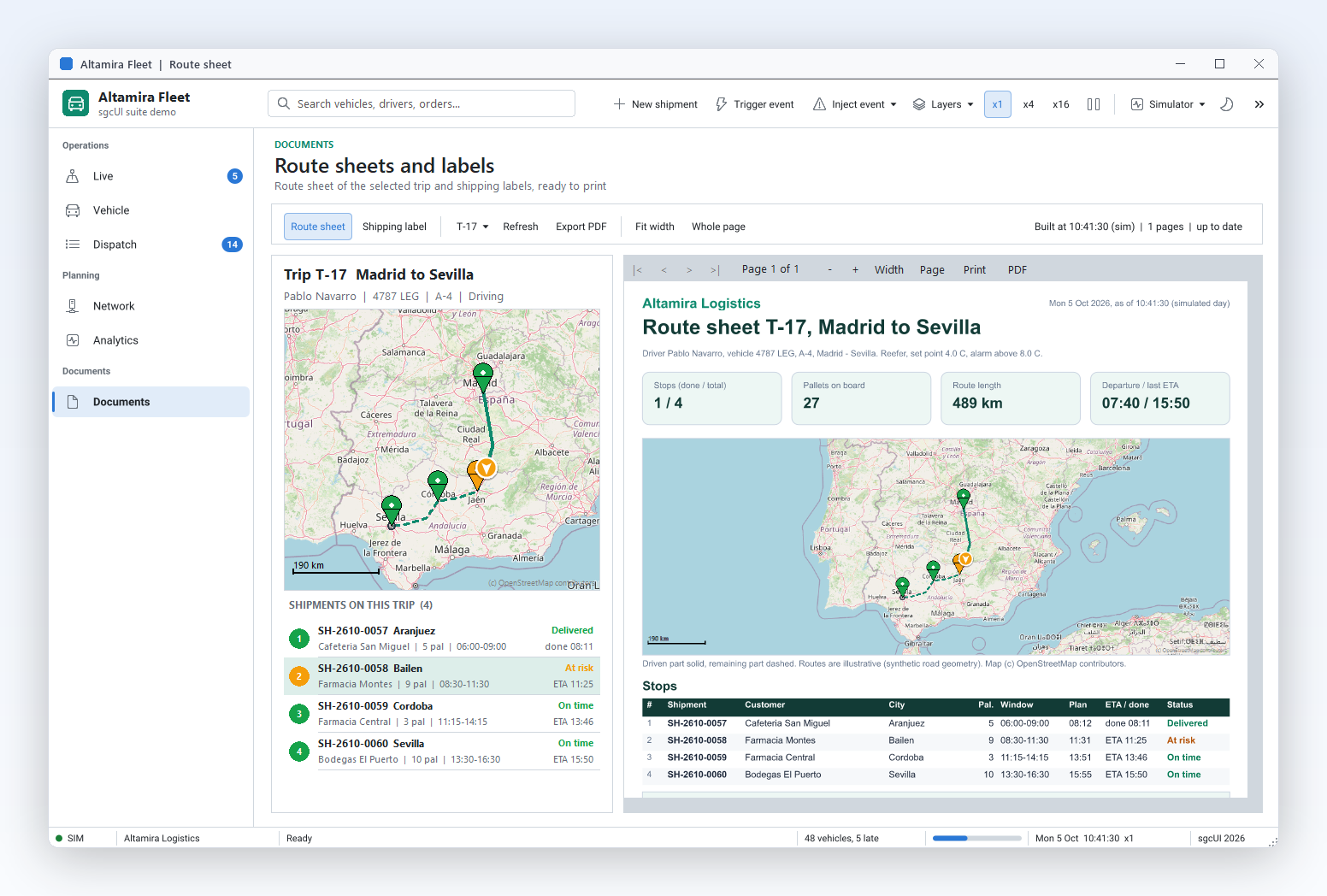
A route sheet with a map and a stop table.
Nightly statements, invoices after checkout and exports behind an API run on a server with no window.
The sgcReports core has no VCL or FireMonkey dependency and needs no external DLL or printer driver. TsgcReportEngine prepares reports with no window, in a Windows service or a Linux64 daemon.
Each worker creates its own report, engine, data sources and exports, while a read only TsgcReportFontManager serves every thread. sgcReportsConfigureForServer tunes the memory manager for many threads on Windows.
A definition saved by the designer is a normal JSON file, so a server loads it with sgcReportLoadFromJSONFile and runs it headless. The ReportLinuxDaemon demo watches a jobs folder and renders PDF, XLSX, CSV or PNG with 4 worker threads.
An application that moves to sgcReports usually has many reports already. Convert them instead of drawing them again.
Report import Registered only
TsgcReportImporter converts QuickReport forms (.dfm with a TQuickRep) and ReportBuilder templates (.rtm), as text or binary, into report definitions and lists every object, property, expression and script it could not map. The VCL, FireMonkey, WinForms, WPF and Avalonia designers have an Import command. You review the list, add the data sources, fix the rest in the designer and save the result as a JSON definition.
DataSourceMap renames it to your own sourceImportResult holds the result of the last import, and the designers show the issues in a windowoReport := TsgcReport.Create(nil);
oImporter := TsgcReportImporter.Create;
try
// the old pipeline Orders is the data source Sales here
oImporter.DataSourceMap.Values['Orders'] := 'Sales';
try
oImporter.ImportFromFile(oReport, 'orders.rtm');
sgcReportSaveToJSONFile(oReport, 'orders.json');
except
on E: ESgcReportImportError do
WriteLn('Not imported: ', E.Message);
end;
finally
oImporter.Free;
oReport.Free;
end;Moving a whole application? The QuickReport migration kit maps bands and controls to their sgcReports twins with numbered steps.
| Target | What runs | Platforms |
|---|---|---|
| Delphi 7 to 13 | Report model, expressions, data, layout, engine, fluent builder and exports | Windows, Linux64, macOS, iOS and Android |
| C++ Builder 2007 to 13 | The same classes | Generated .hpp headers and static libraries |
| VCL designer and preview | TsgcVCLReportDesigner, TsgcReportPreviewVCL | Windows |
| FireMonkey designer and preview | TsgcFMXReportDesigner (Delphi XE6 and later), TsgcReportPreviewFMX | Preview on Windows, macOS, iOS and Android |
sgcReports is sold on its own from €199 per developer, with full source code and 1 year of updates, and it is included in sgcUI Enterprise and the All-Access bundle. It writes PDF through sgcPDF, which is required in every configuration. The end-user designers, the report import, DOCX, ODT and RTF export and the web designer are in the Registered edition; the trial has every feature unlocked.
Bind your data with a TsgcReportDataSetSource over a TDataSet, describe the bands with TsgcReportBuilder and call SaveToPDF, as in the code sample above. If you prefer to draw the layout, drop a TsgcReport, a TsgcReportEngine and a TsgcVCLReportDesigner on a form, design the report and save it as a JSON definition. Both ways produce the same report model.
Yes, in the Registered edition. TsgcVCLReportDesigner and TsgcFMXReportDesigner are end-user designers you embed in your forms, and sgcShowReportDesigner opens one modally from a menu. For web applications, TsgcReportHTMLDesigner runs in the browser. Every designer saves JSON definitions that load anywhere in sgcReports.
Yes, in the Registered edition. TsgcReportImporter converts ReportBuilder templates (.rtm), as text or binary, and QuickReport forms (.dfm with a TQuickRep) into report definitions, and lists every object, property, expression and script it could not map. The designers have an Import command that does the same. See Bring your existing report templates.
Yes. SaveToPDF and SaveToXLSX on the builder, or TsgcReportPDFExport and TsgcReportXLSXExport on prepared pages, write tagged PDF/UA-1 (PDF/A-3 on request) and Excel workbooks that keep numbers as numbers. CSV, PNG, HTML, ODS, SVG and plain text are in every edition, and DOCX, ODT and RTF in the Registered edition.
Assign the engine to a TsgcReportPreviewVCL and call Prepare. The preview pages, zooms, finds text and exports, and Print prints the shown document. FireMonkey applications use TsgcReportPreviewFMX on Windows, macOS, iOS and Android.
Yes. The core has no VCL or FireMonkey dependency and no external DLL, so TsgcReportEngine and the exports run in Windows services and Linux64 daemons, with one engine per thread. The ReportLinuxDaemon demo renders jobs from a folder with 4 worker threads.
Delphi 7 to 13 and C++ Builder 2007 to 13. TsgcReportBuilder is a plain class that works on Delphi 7, with no anonymous methods required. The FireMonkey designer needs Delphi XE6 or later. The same classes are available for .NET.
Yes, always. sgcReports writes PDF and draws barcodes with the sgcPDF engine, and the previews draw through the sgcPDF viewer control. sgcUI Enterprise includes both.