Avalonia 12, C# & XAML sgcUI for .NET

Avalonia Controls from sgcUI

Native Avalonia UI controls and components for Avalonia 12, one C# and XAML code base for Windows, Linux and macOS.

Grid, charts, dashboards and mapsWindows, Linux and macOSFluentTheme and dark modeFree Community packages on NuGet
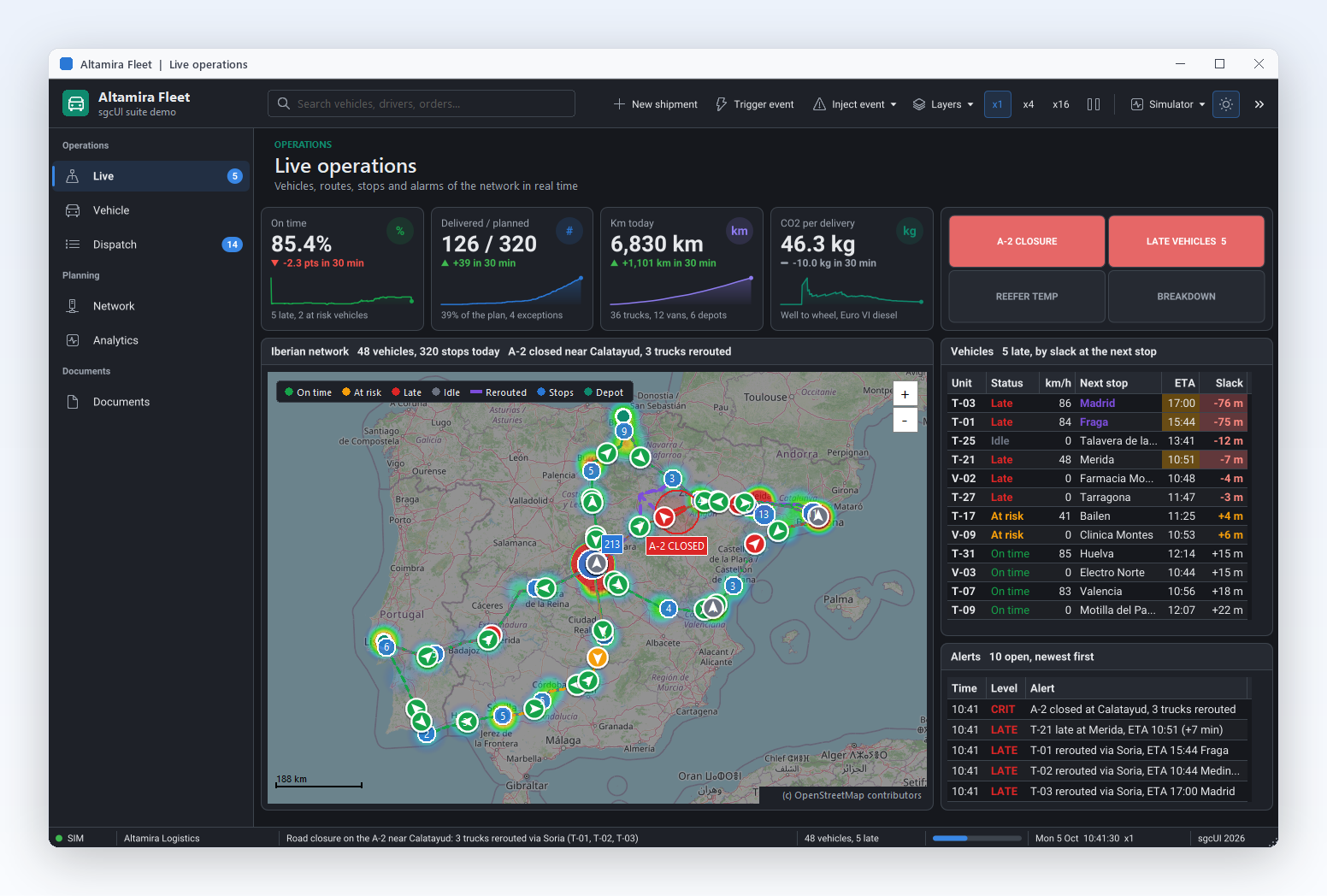
Altamira Fleet, an sgcUI suite demo in the dark theme: KPI cards with sparklines, alarm tiles, a map of Spain with 48 vehicles and their routes, a vehicle grid and an alerts log

Business Screens Built from sgcUI Controls

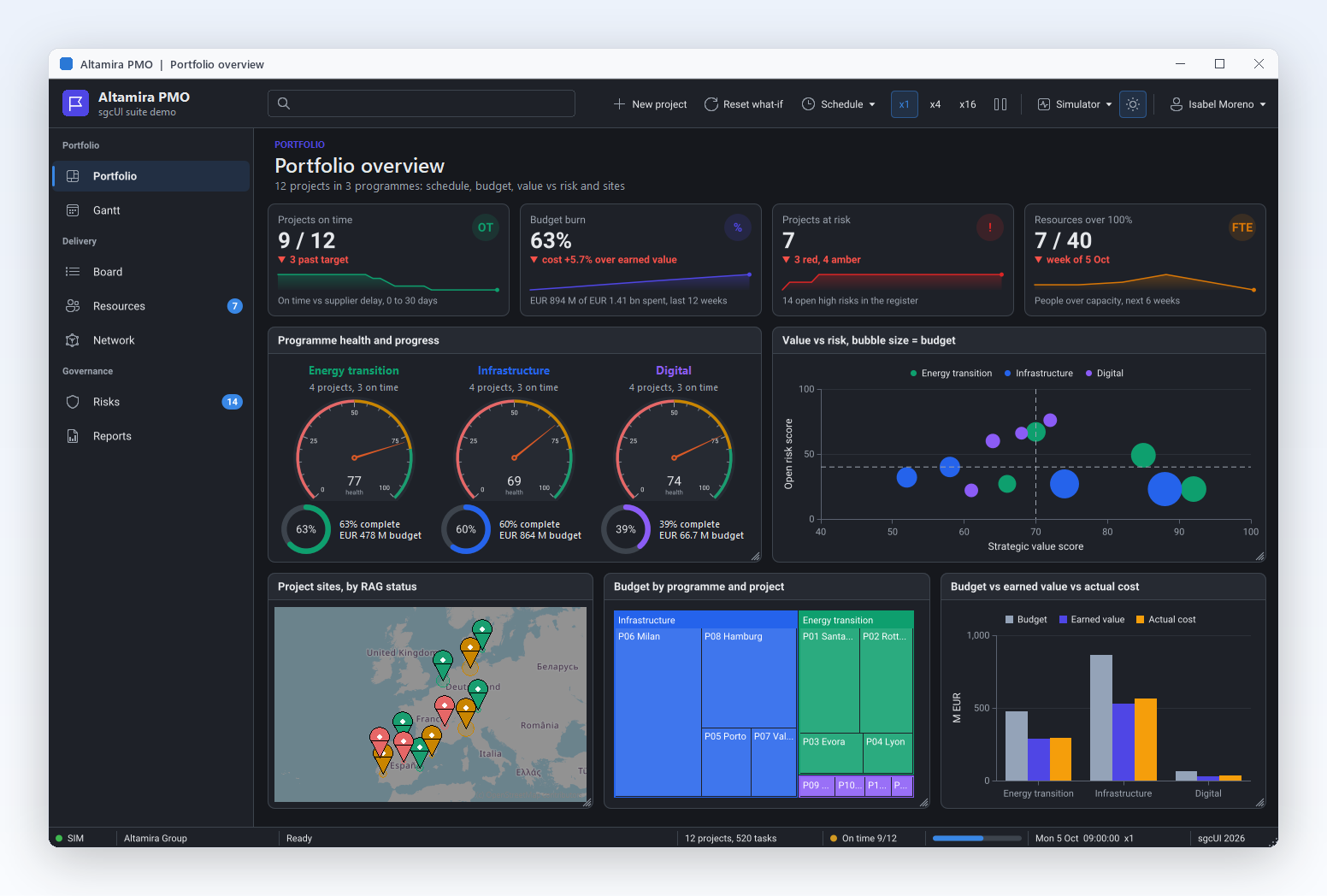
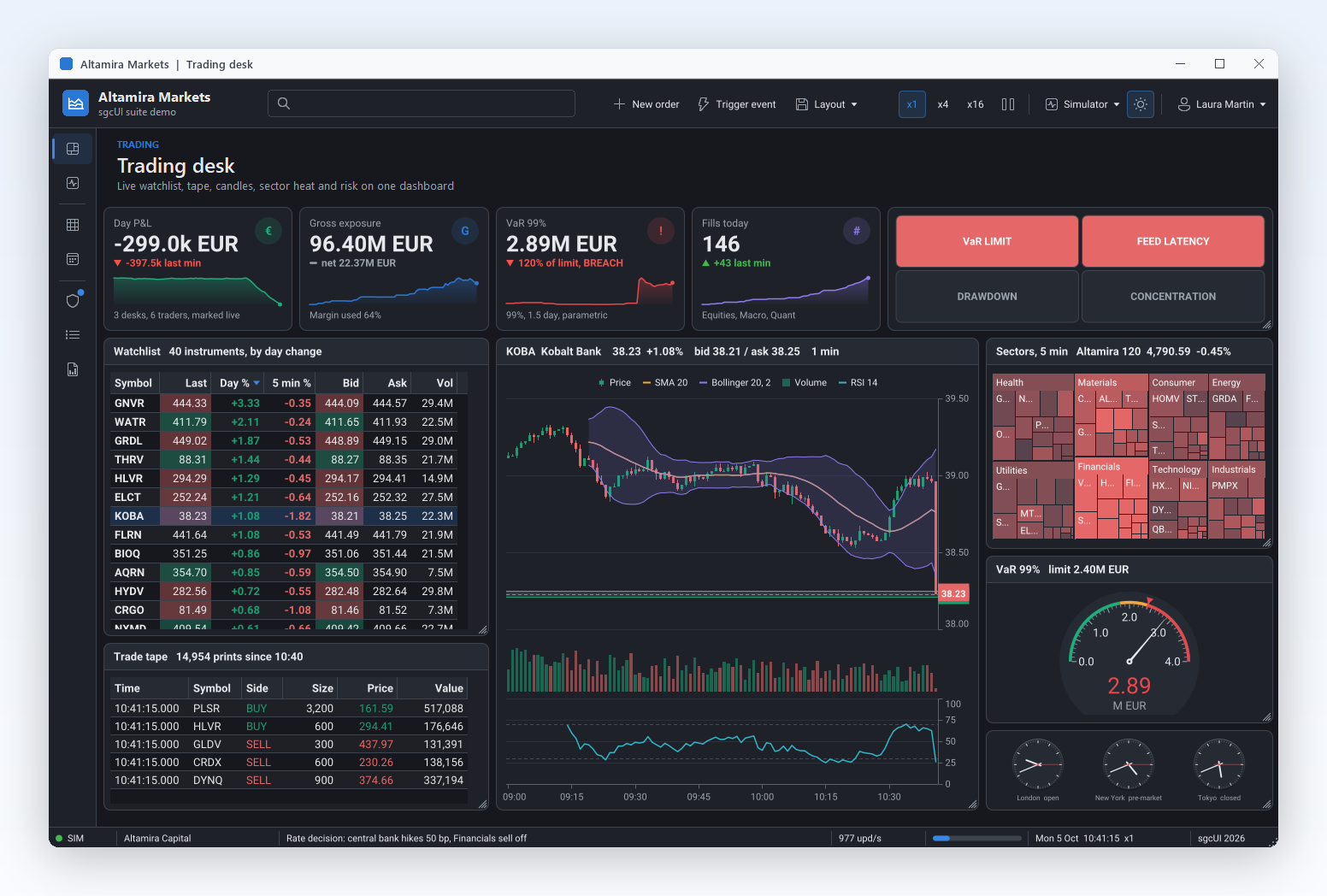
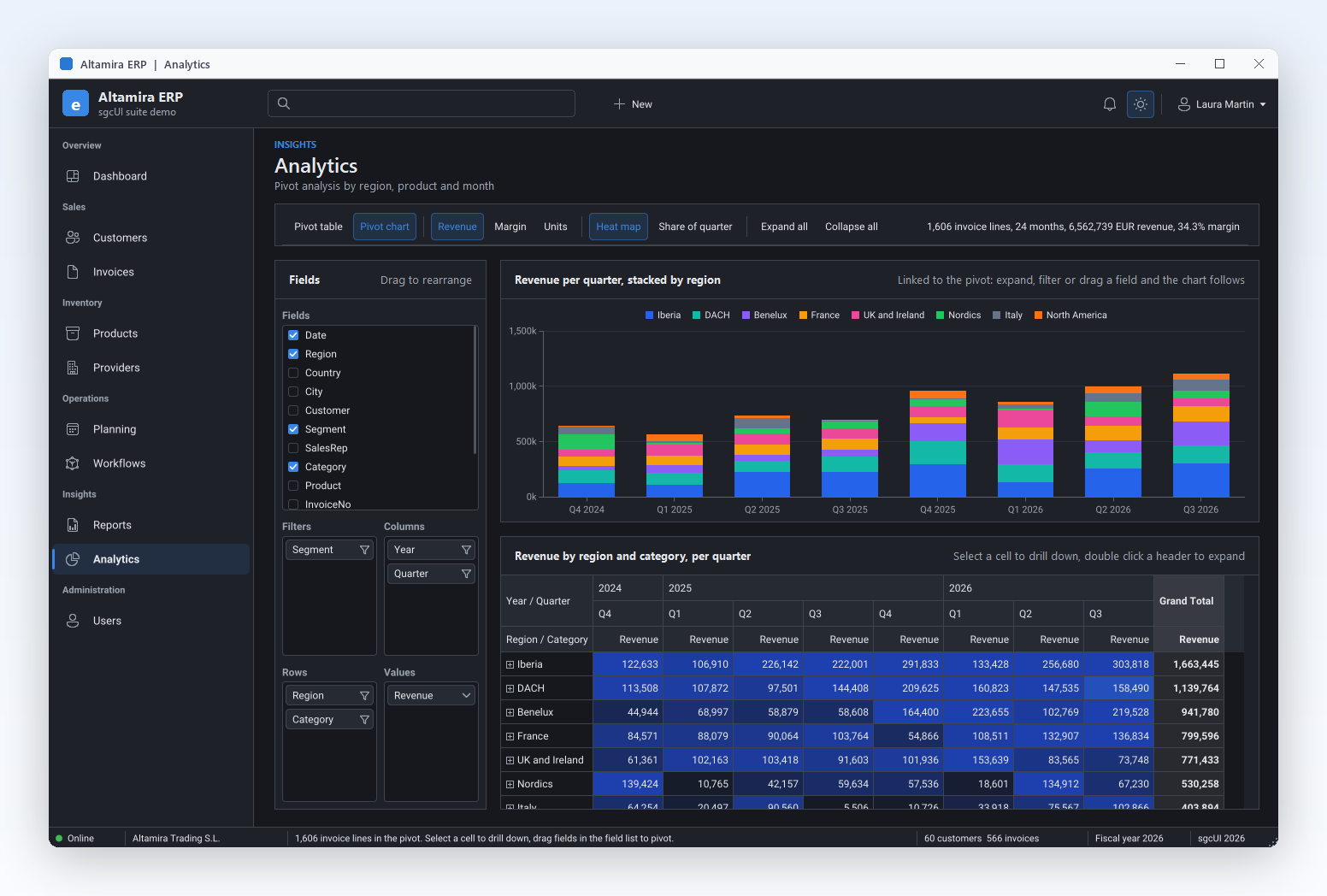
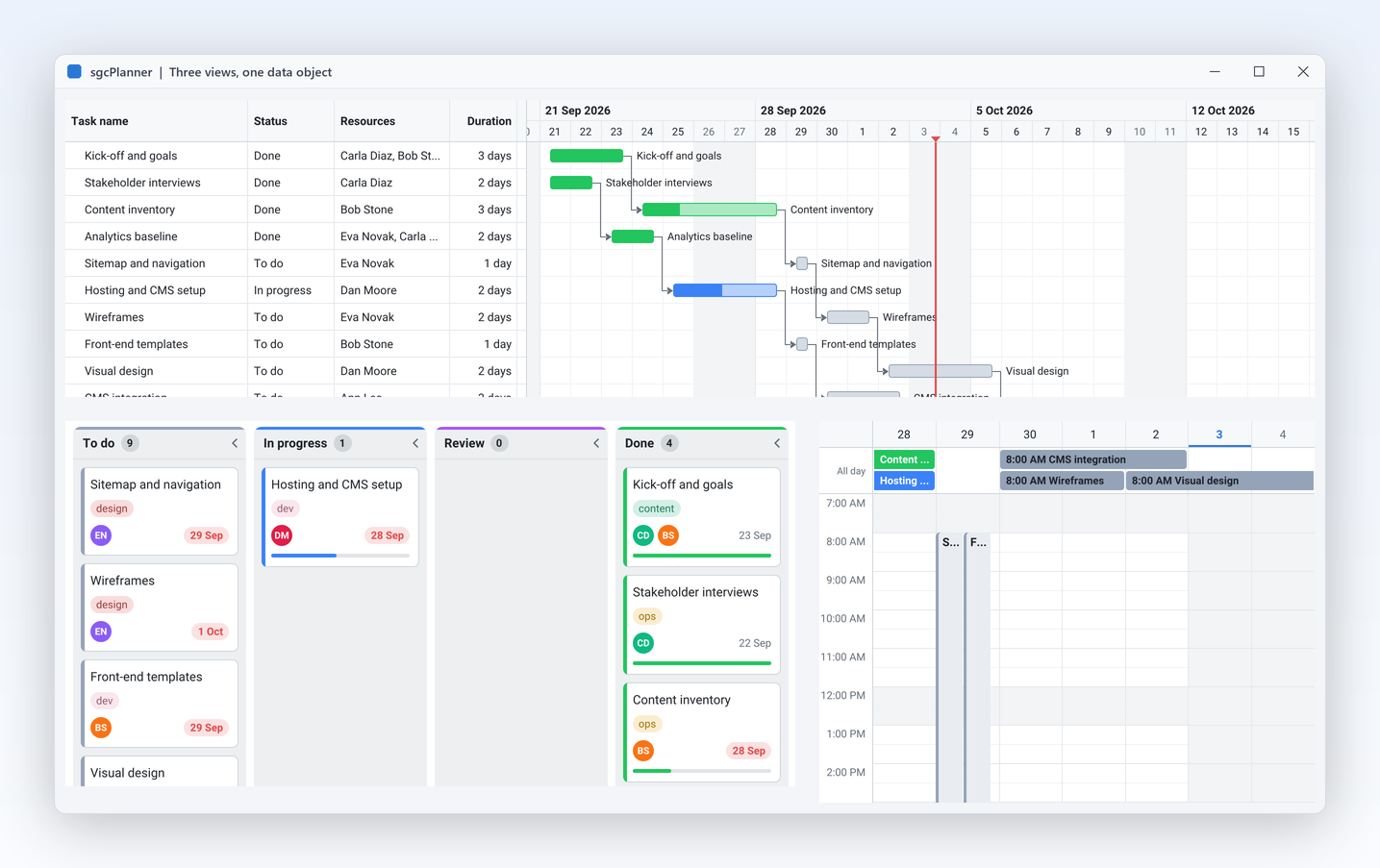
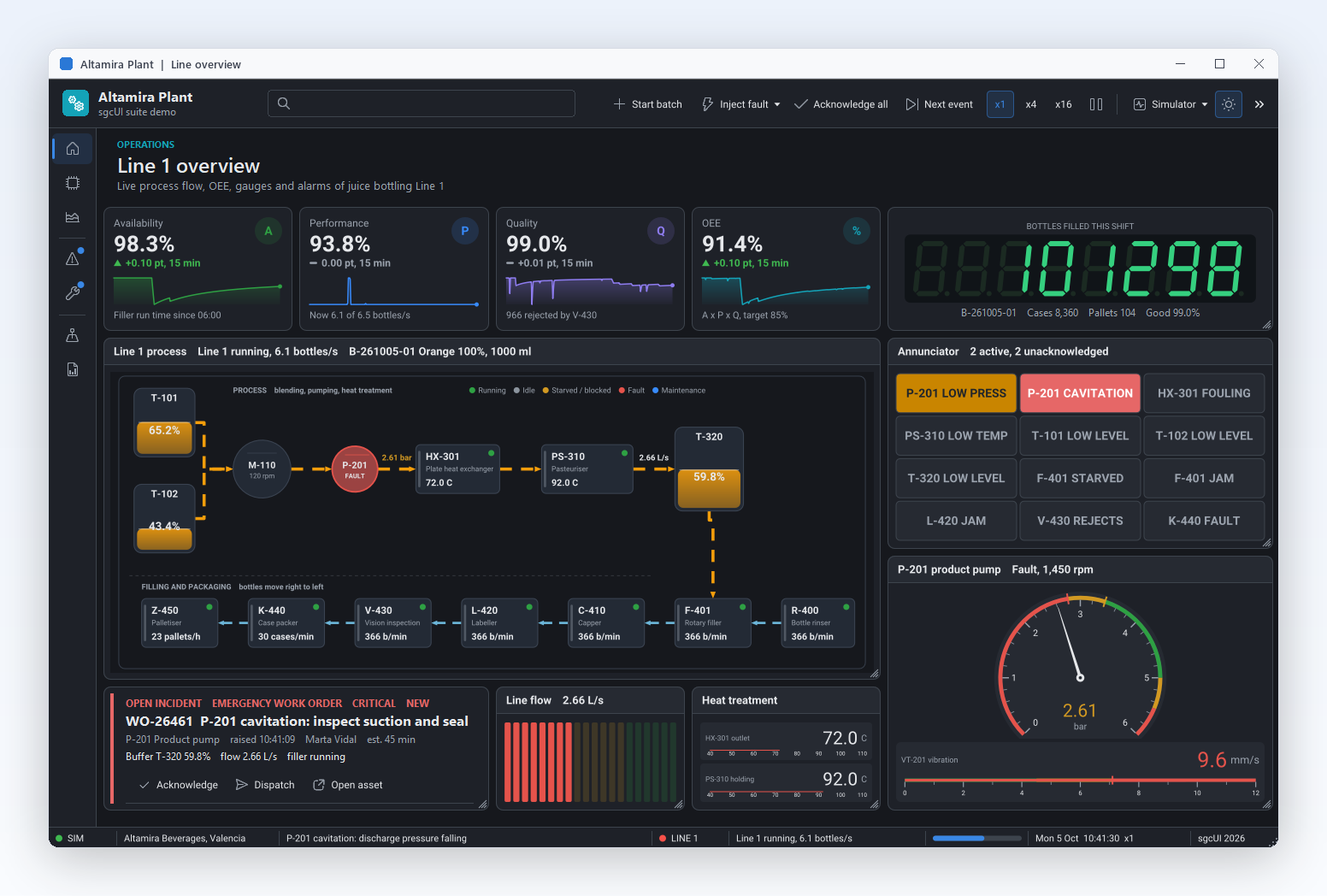
A grid, a pivot grid, charts, dashboards, gauges, a planner, diagrams, maps, a PDF viewer and reports, plus the editors, navigation, toolbars and wizards around them. Every product paints with the shared sgcUICore runtime, so the controls look like one application.

The screenshots come from the sgcUI suite demos.

Every sgcUI Product for Avalonia

Avalonia controls carry the TsgcAvalonia prefix and live in one NuGet package per product. Each product is sold alone or inside an sgcUI .NET edition.

ProductWhat it gives an Avalonia appMain Avalonia controlsFree Community package
sgcGridLive data grid with grouping, summaries, filters, virtual mode and Excel export. See the Avalonia DataGrid.TsgcAvaloniaGrid, TsgcAvaloniaFilterBuilderesegece.sgcGrid.Avalonia.Community
sgcPivotGridPivot table grid with a drag and drop field list and pivot charts. See the Avalonia pivot grid.TsgcAvaloniaPivotGrid, TsgcAvaloniaPivotFieldListesegece.sgcPivotGrid.Avalonia.Community
sgcChartsLine, area, bar, scatter, candlestick, OHLC, pie, radar, funnel and treemap series, declared in XAML and bound to collections.TsgcAvaloniaChart, TsgcAvaloniaSparklineesegece.sgcCharts.Avalonia.Community
sgcDashboardDashboard with tiles and KPI cards, and tiles that host charts, gauges, grids, pivots and maps.TsgcAvaloniaDashboard, TsgcAvaloniaDashboardTile, TsgcAvaloniaKPICardesegece.sgcDashboard.Avalonia.Community
sgcGaugesRadial, knob, tank, slider, LED, digital and VU meter gauges.TsgcAvaloniaRadialGauge, TsgcAvaloniaTankGauge, TsgcAvaloniaLEDGaugeesegece.sgcGauges.Avalonia.Community
sgcPlannerScheduler, Gantt chart and Kanban board on one shared data model. See the Avalonia scheduler.TsgcAvaloniaScheduler, TsgcAvaloniaGantt, TsgcAvaloniaKanbanesegece.sgcPlanner.Avalonia.Community
sgcDiagramFlowcharts, org charts and node graphs your users draw, with a palette and a minimap.TsgcAvaloniaDiagramView, TsgcAvaloniaDiagramPaletteesegece.sgcDiagram.Avalonia.Community
sgcMapsAvalonia map control with ItemsSource and SelectedItem, printing, a print preview and PDF export.TsgcAvaloniaMapesegece.sgcMaps.Avalonia.Community
sgcPDFAvalonia PDF viewer with thumbnail and outline views, a signature pad and a barcode control.TsgcAvaloniaPDFViewer, TsgcAvaloniaPDFThumbnailViewesegece.sgcPDF.Avalonia.Community
sgcReportsReport preview and report designer for Avalonia windows.TsgcAvaloniaReportPreview, TsgcAvaloniaReportDesigneresegece.sgcReports.Avalonia.Community
sgcEditorsForm input controls, from date and time pickers and a range slider to lookup, mask, currency and token edits, plus a data form.TsgcAvaloniaDatePicker, TsgcAvaloniaLookupEdit, TsgcAvaloniaDataFormesegece.sgcEditors.Avalonia.Community
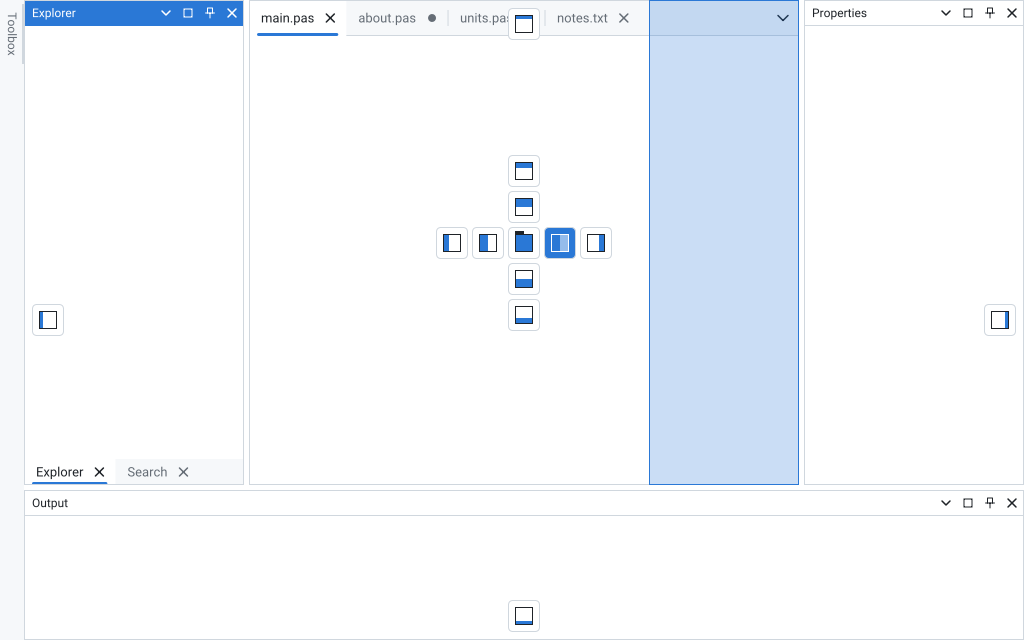
sgcNavigationNavigation bar, tabs, a tabbed window, toasts and a notification inbox, plus the Avalonia dock manager.TsgcAvaloniaNavigationBar, TsgcAvaloniaDockManager, TsgcAvaloniaToastManageresegece.sgcNavigation.Avalonia.Community
sgcToolbarToolbar, status bar and ribbon, with a ribbon window.TsgcAvaloniaToolbar, TsgcAvaloniaStatusBar, TsgcAvaloniaRibbonesegece.sgcToolbar.Avalonia.Community
sgcWizardMulti page wizards and a standalone stepper.TsgcAvaloniaWizard, TsgcAvaloniaStepperesegece.sgcWizard.Avalonia.Community
sgcRichEditRich text document editor and a code editor.TsgcAvaloniaRichEdit, TsgcAvaloniaCodeEditRegistered only
sgcSpreadsheetExcel style spreadsheet with a formula bar.TsgcAvaloniaSpreadsheet, TsgcAvaloniaSpreadsheetFormulaBarRegistered only
sgcChatAI assistant and team chat controls with a Markdown viewer.TsgcAvaloniaChatView, TsgcAvaloniaChatPanel, TsgcAvaloniaMarkdownViewerRegistered only

The Registered package of each product drops the .Community suffix, for example esegece.sgcGrid.Avalonia. The full list is on the .NET downloads and every feature on the feature matrix.

Avalonia UI Controls for Windows, Linux and macOS

The Avalonia packages are built on Avalonia 12: they need Avalonia 12.0 or later, are tested with 12.1.4 and target net8.0, net9.0 and net10.0. The window you build on Windows runs on Linux and macOS.

One XAML namespace

xmlns:sgc="https://www.esegece.com/sgcui" maps the controls of every sgcUI product. Columns, fields, series and tiles are declared inside the control element.

ItemsSource and compiled bindings

ItemsSource takes any IEnumerable, such as an ObservableCollection. Styled properties take bindings and styles, and compiled bindings with x:DataType work as usual.

Changes from any thread

Adds, removes and moves update only the rows involved, INotifyPropertyChanged repaints the changed values, and changes raised on a worker thread are applied on the UI thread.

Sample data in the previewer

An empty sgcGrid, sgcPivotGrid, sgcCharts, sgcPlanner or sgcDiagram shows sample rows, a sample pivot, a sample line, sample tasks or a sample flow in the Avalonia previewer, so the layout can be checked before the data is bound.

Forms that check themselves

TsgcAvaloniaValidator checks the sgcEditors controls and the standard edit, combo, check box and date controls of a form, and Smart Paste fills a form from a pasted text such as an address block.

Ask your data

TsgcAvaloniaAIQueryBar turns a question in plain language into filters, sorts and highlights on the grid, with the light or dark theme of the host.

Avalonia Components That Follow FluentTheme

The sgcUI controls take their colours from your Avalonia application, so they sit next to the Fluent controls without a separate skin.

Light and dark at run time

Controls whose Theme is utDefault follow the Avalonia ActualThemeVariant with the platform accent, and switch while the app runs. It is on by default.

FluentTheme colours

Under a preset other than Classic, Avalonia 12 with FluentTheme gives the controls their backgrounds, borders, text and fills while ThemeFollow is utfHost.

Pin a theme when you need one

sgcUIApplication.SetTheme pins a fixed theme for the whole application, and Theme set to utLight or utDark pins one control.

A Grid and a Chart in One Avalonia Window

Two sgcUI products under one XAML namespace, bound to the same view model, with FluentTheme and the Fluent preset. The sample compiles against the Community packages from nuget.org.

1. The packages

Start from a net8.0, net9.0 or net10.0 Avalonia desktop project with the Avalonia.Desktop and Avalonia.Themes.Fluent packages of Avalonia 12, then add one package per sgcUI product:

dotnet add package esegece.sgcGrid.Avalonia.Community
dotnet add package esegece.sgcCharts.Avalonia.Community

The Registered packages, without the .Community suffix, come from your account instead of nuget.org. Reference one of the two for a product, never both.

2. SalesWindow.axaml

<Window xmlns="https://github.com/avaloniaui"
        xmlns:x="http://schemas.microsoft.com/winfx/2006/xaml"
        xmlns:local="using:SalesApp"
        xmlns:sgc="https://www.esegece.com/sgcui"
        x:Class="SalesApp.SalesWindow"
        x:DataType="local:SalesViewModel"
        Title="Sales" Width="1000" Height="480">
    <Window.DataContext>
        <local:SalesViewModel />
    </Window.DataContext>
    <Grid ColumnDefinitions="*,*">
        <sgc:TsgcAvaloniaGrid ItemsSource="{Binding Sales}" ShowFooter="True">
            <sgc:TsgcAvaloniaGridColumn FieldName="Region" Width="160" />
            <sgc:TsgcAvaloniaGridColumn FieldName="Amount" DataType="gdtCurrency" DisplayFormat="#,##0.00"
                                        SummaryType="gsuSum" />
        </sgc:TsgcAvaloniaGrid>
        <sgc:TsgcAvaloniaChart Grid.Column="1">
            <sgc:TsgcAvaloniaChartSeries ItemsSource="{Binding Sales}" SeriesKind="cskBar" Title="Sales"
                                         LabelMember="Region" YMember="Amount" />
        </sgc:TsgcAvaloniaChart>
    </Grid>
</Window>

The grid shows the regions with a total in the footer, and the chart draws one bar per region from the same collection. Enum values take the value name, such as gdtCurrency, gsuSum or cskBar.

3. The view model and the application

using System;
using System.Collections.ObjectModel;
using Avalonia;
using Avalonia.Controls;
using Avalonia.Controls.ApplicationLifetimes;
using Avalonia.Styling;
using Avalonia.Themes.Fluent;
using esegece.sgcUICore;

namespace SalesApp
{
    public class TSale
    {
        public string Region { get; set; }
        public decimal Amount { get; set; }
    }

    public class SalesViewModel
    {
        public ObservableCollection<TSale> Sales { get; } = new ObservableCollection<TSale>
        {
            new TSale { Region = "North", Amount = 12500m },
            new TSale { Region = "South", Amount = 9800m },
            new TSale { Region = "East", Amount = 7400m },
            new TSale { Region = "West", Amount = 11200m }
        };
    }

    public partial class SalesWindow : Window
    {
        public SalesWindow()
        {
            InitializeComponent();
        }
    }

    public class App : Application
    {
        public override void Initialize()
        {
            Styles.Add(new FluentTheme());
            // Default follows the operating system between light and dark
            RequestedThemeVariant = ThemeVariant.Default;
            // Fluent colours and corners for every sgcUI control
            sgcUIApplication.ThemePreset = sgcUICore_Theme.CS_UI_THEME_FLUENT;
        }

        public override void OnFrameworkInitializationCompleted()
        {
            if (ApplicationLifetime is IClassicDesktopStyleApplicationLifetime oDesktop)
                oDesktop.MainWindow = new SalesWindow();
            base.OnFrameworkInitializationCompleted();
        }
    }

    internal static class Program
    {
        [STAThread]
        private static void Main(string[] args)
        {
            AppBuilder.Configure<App>().UsePlatformDetect().StartWithClassicDesktopLifetime(args);
        }
    }
}

Each product has an Avalonia quick start in the sgcUI .NET help, and the binding rules shared by every product are in Data Binding in .NET.

Free on NuGet, Registered With Source

The registered .NET editions and packages include full C# source code for WinForms, WPF and Avalonia and 1 year of updates. Every product is also sold alone, see the sgcUI .NET pricing.

Community, free

The .Community packages on nuget.org, for individuals and organizations under EUR 1M annual gross revenue with no more than 5 developers. sgcRichEdit, sgcSpreadsheet and sgcChat have no Community package.

.NET downloads →

.NET Standard

€380 / developer: sgcGrid, sgcNavigation, sgcToolbar and sgcEditors, with free binary redistribution.

Buy .NET Standard →

.NET Professional

€529 / developer: everything in Standard plus sgcCharts, sgcDashboard and sgcGauges.

Buy .NET Professional →

.NET Enterprise

€699 / developer: every sgcUI product, with sgcPivotGrid, sgcPlanner, sgcDiagram, sgcWizard, sgcMaps, sgcPDF, sgcReports, sgcRichEdit, sgcSpreadsheet, sgcChat and sgcDocs.

Buy .NET Enterprise →

From WinForms and WPF to Avalonia

Each sgcUI product has a model that knows nothing about the host. The WinForms, WPF and Avalonia controls are thin views over it, with the same C# class names.

WinForms and WPF to Avalonia

The migration kit lists the host control of every product, the members that change in a port, eight steps per screen and what does not map one to one, with compiled C# from a sample that runs on all three hosts.

WinForms and WPF to Avalonia →

Already building on Avalonia

A control by control guide for Avalonia teams: a scheduler, Kanban, pivot grid, diagram and dashboard that run inside your Avalonia 12 app next to the Fluent controls.

sgcUI for existing Avalonia teams →

Windows only, or Delphi too

The same products ship for WPF and WinForms, see the WPF DataGrid. They are also available for Delphi and C++Builder as the VCL components and the FireMonkey components.

The sgcUI suite →

Avalonia Controls Questions

A business app usually needs a data grid, charts, a dashboard, a scheduler and the forms around them. sgcUI ships these as native Avalonia controls: TsgcAvaloniaGrid, TsgcAvaloniaPivotGrid, TsgcAvaloniaChart, TsgcAvaloniaDashboard, the gauges, the scheduler, Gantt and Kanban of sgcPlanner, maps, a PDF viewer, reports and the sgcEditors input controls. They share one theme and one XAML namespace, so the screens look like one application. Try them with the free Community packages.

Yes. The Avalonia packages target net8.0, net9.0 and net10.0 on Avalonia 12 (12.0 or later, tested with 12.1.4), and the controls run on Windows, Linux and macOS. On macOS the grid takes Cmd for Ctrl, and on a touch screen a contact pans the grid.

Yes. With Theme at utDefault, the default, a control follows the Avalonia ActualThemeVariant and the platform accent, and switches while the app runs. Select the Fluent preset with sgcUIApplication.ThemePreset = sgcUICore_Theme.CS_UI_THEME_FLUENT and keep FluentTheme in Application.Styles, and the controls take the backgrounds, borders, text and fills of the framework theme.

Yes, for 14 of the products, such as esegece.sgcGrid.Avalonia.Community and esegece.sgcCharts.Avalonia.Community on nuget.org. The Community packages are free for individuals and organizations under EUR 1M annual gross revenue with no more than 5 developers. sgcRichEdit, sgcSpreadsheet and sgcChat are Registered only, and the Registered packages add every feature, full C# source code and the commercial license.

Yes, one screen at a time. The sgcUI controls for WinForms, WPF and Avalonia are thin hosts over one shared model per product, with the same C# class names, so the data and the logic of a screen stay the same and only the host lines change. The WinForms and WPF to Avalonia kit lists the host control of every product, the steps per screen and the known differences.

No. The Avalonia packages add no toolbox entries, you declare the controls in AXAML under xmlns:sgc="https://www.esegece.com/sgcui". In the Avalonia previewer an empty grid, pivot grid, chart, planner or diagram shows sample data, so the layout can be checked before the data is bound. The WinForms and WPF packages do add their controls to the toolbox.

Best value: All-AccessEvery eSeGeCe product, Premium Support included, from €1,059/year.
See All-Access pricing

Build Your Avalonia App with sgcUI

Add the free Community packages to your Avalonia 12 project today, or buy an sgcUI .NET edition for every feature and the full C# source code.