Delphi VCL Components from sgcUI
sgcUI is a suite of native Delphi VCL components for Delphi 7 to 13 and C++Builder 2007 to 13.
sgcUI includes a data grid, a pivot grid, charts, dashboards, gauges, a planner, diagrams, maps, PDF and reports, plus the editors, navigation, toolbars and wizards around them. Every control is drawn natively, paints sharp on high DPI monitors and can follow the active VCL style, so a Delphi UI built from sgcUI looks like one application.
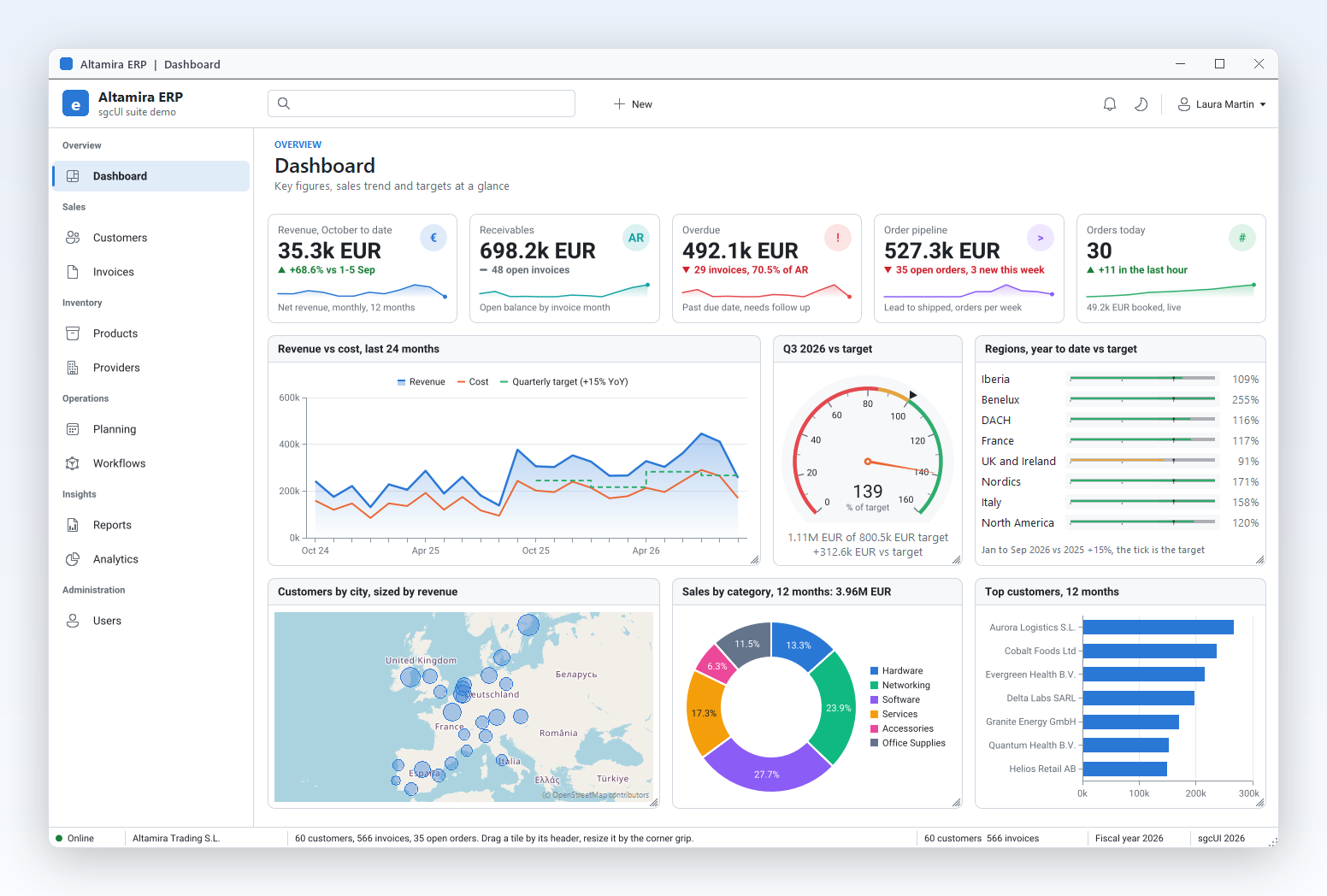
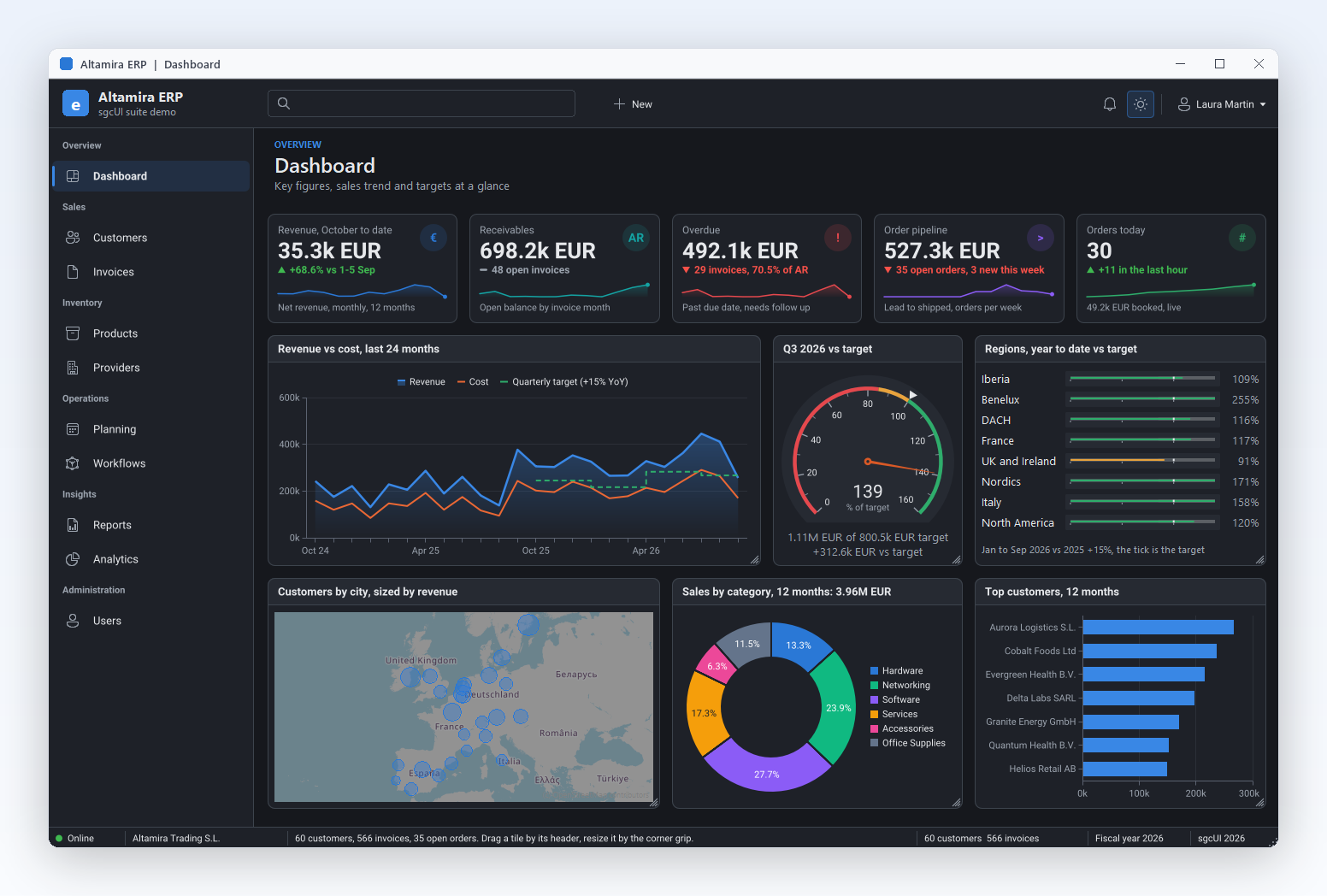
Altamira ERP dashboard in the light theme: KPI cards, charts, a target gauge and a customer map.
sgcDashboard →
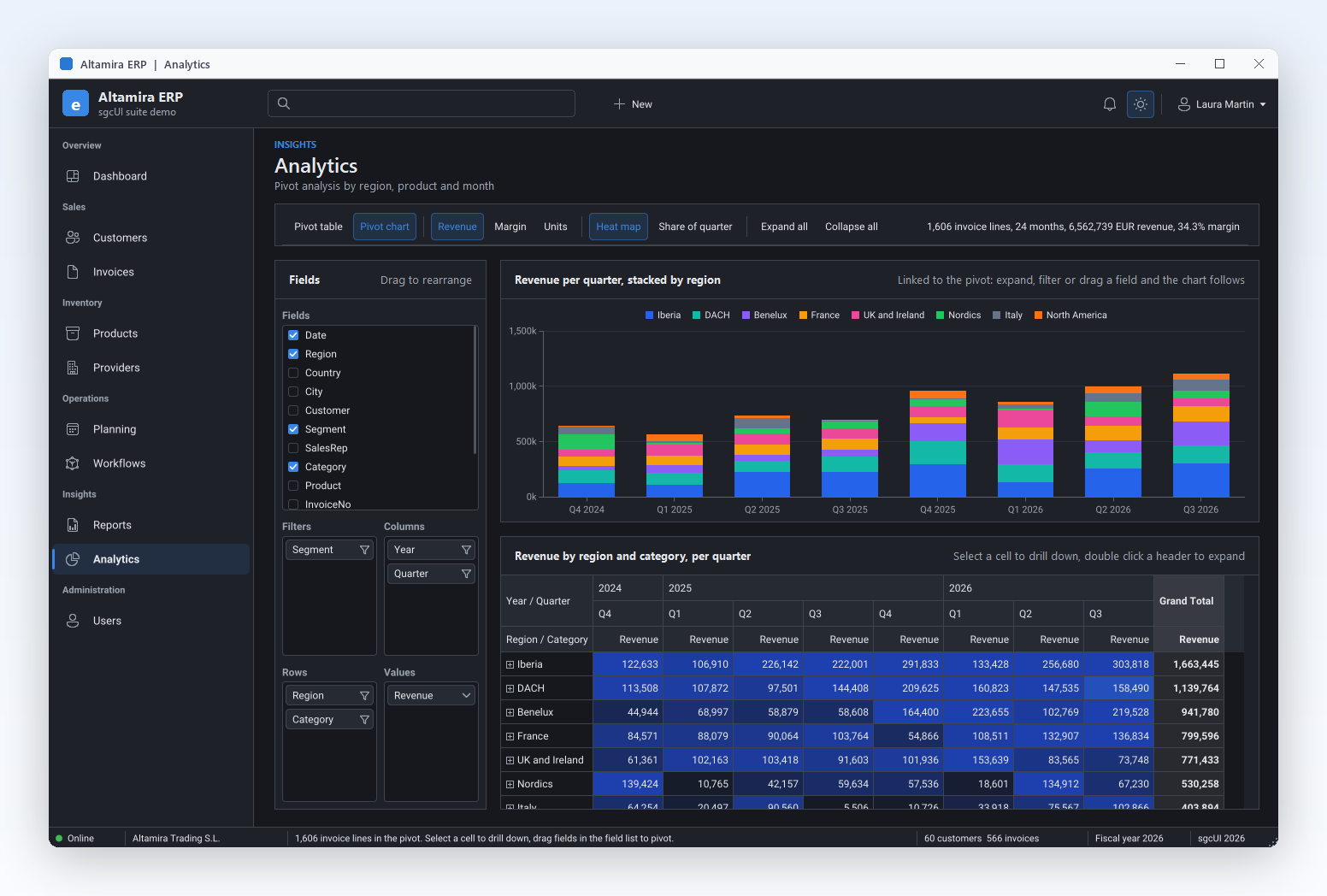
A pivot chart linked to a pivot table with a heat map, by region and quarter.
sgcPivotGrid →
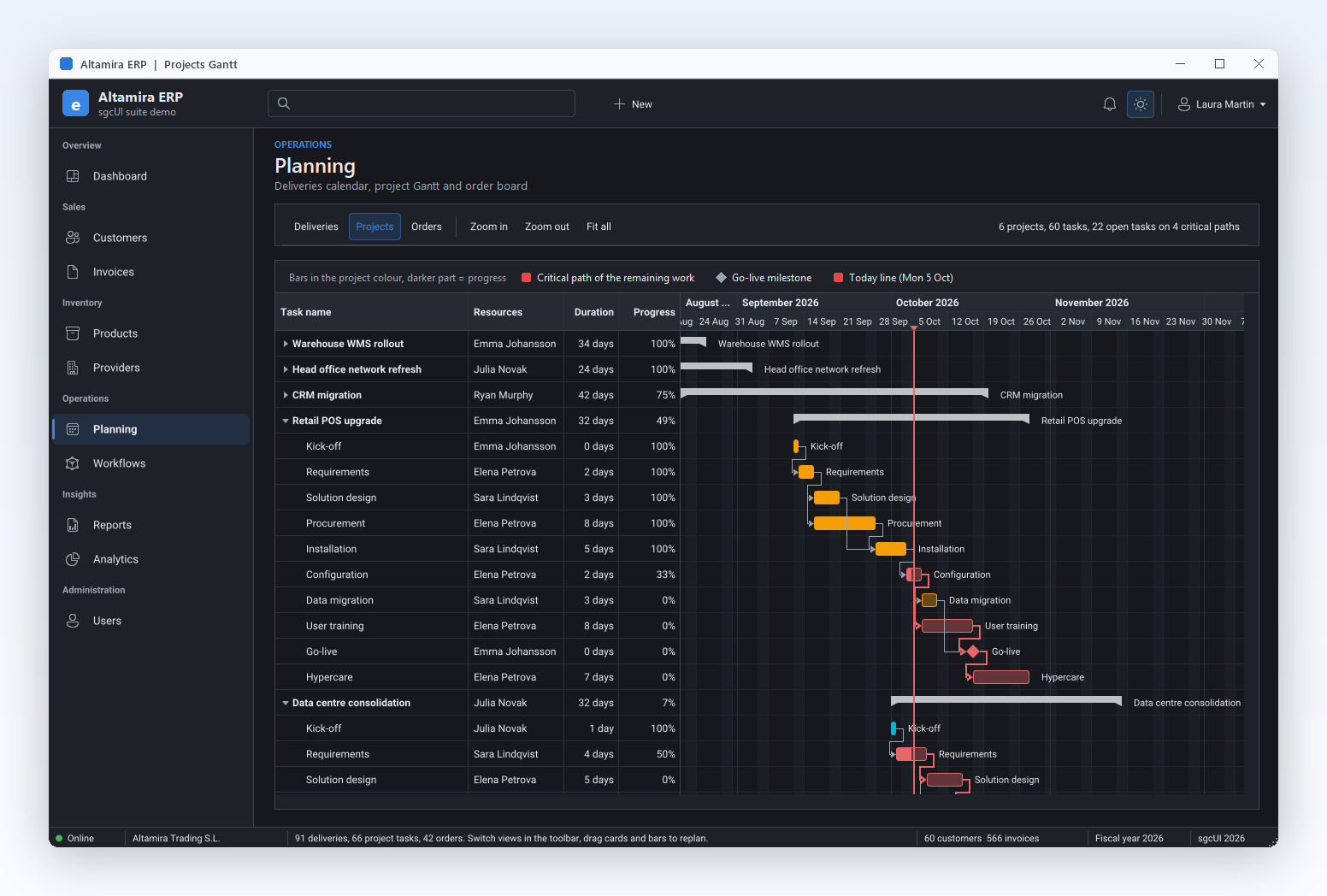
Projects Gantt with task dependencies, milestones and the critical path.
sgcPlanner →
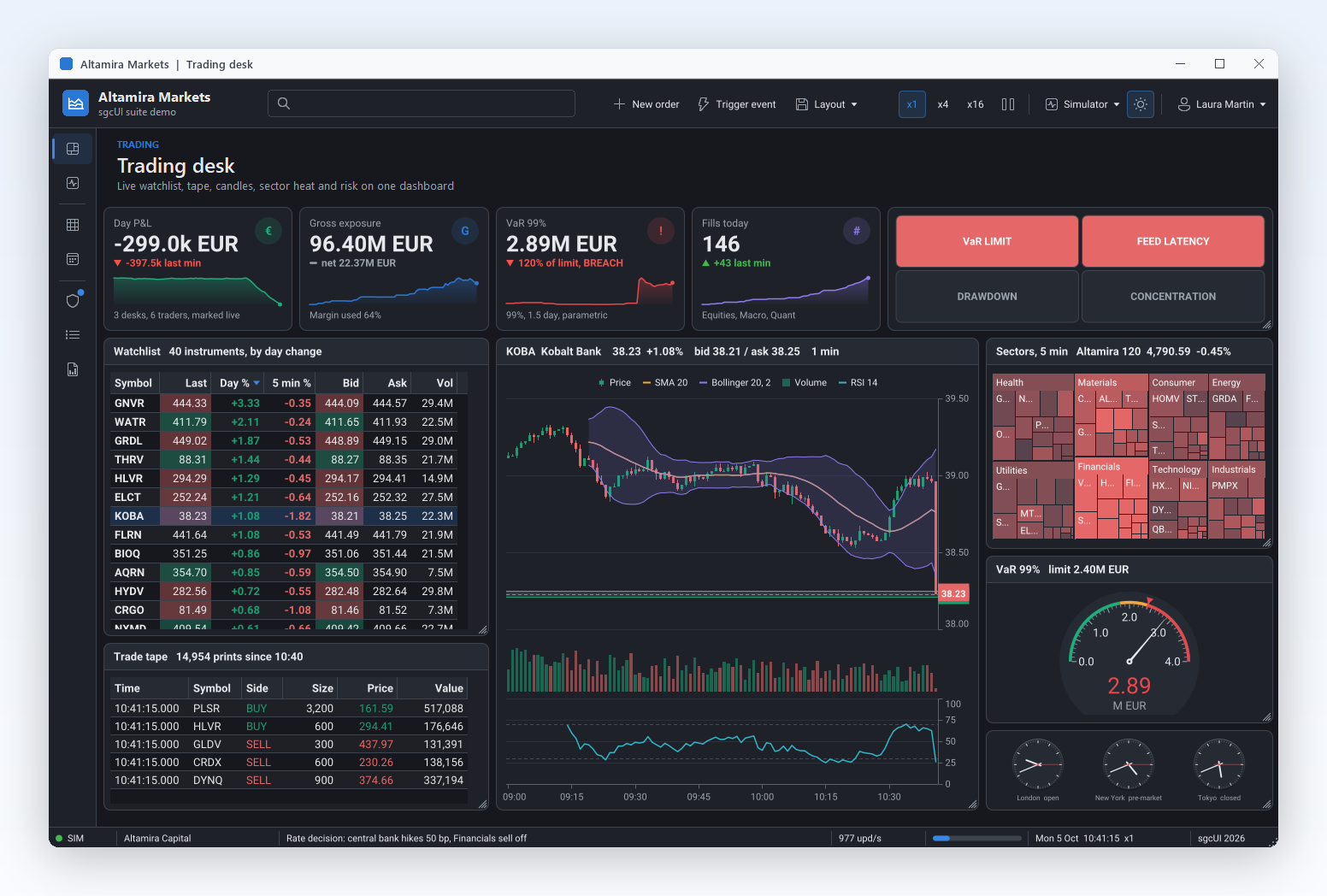
Trading desk: a live watchlist, candles with indicators, a sector treemap and a risk gauge.
sgcCharts →
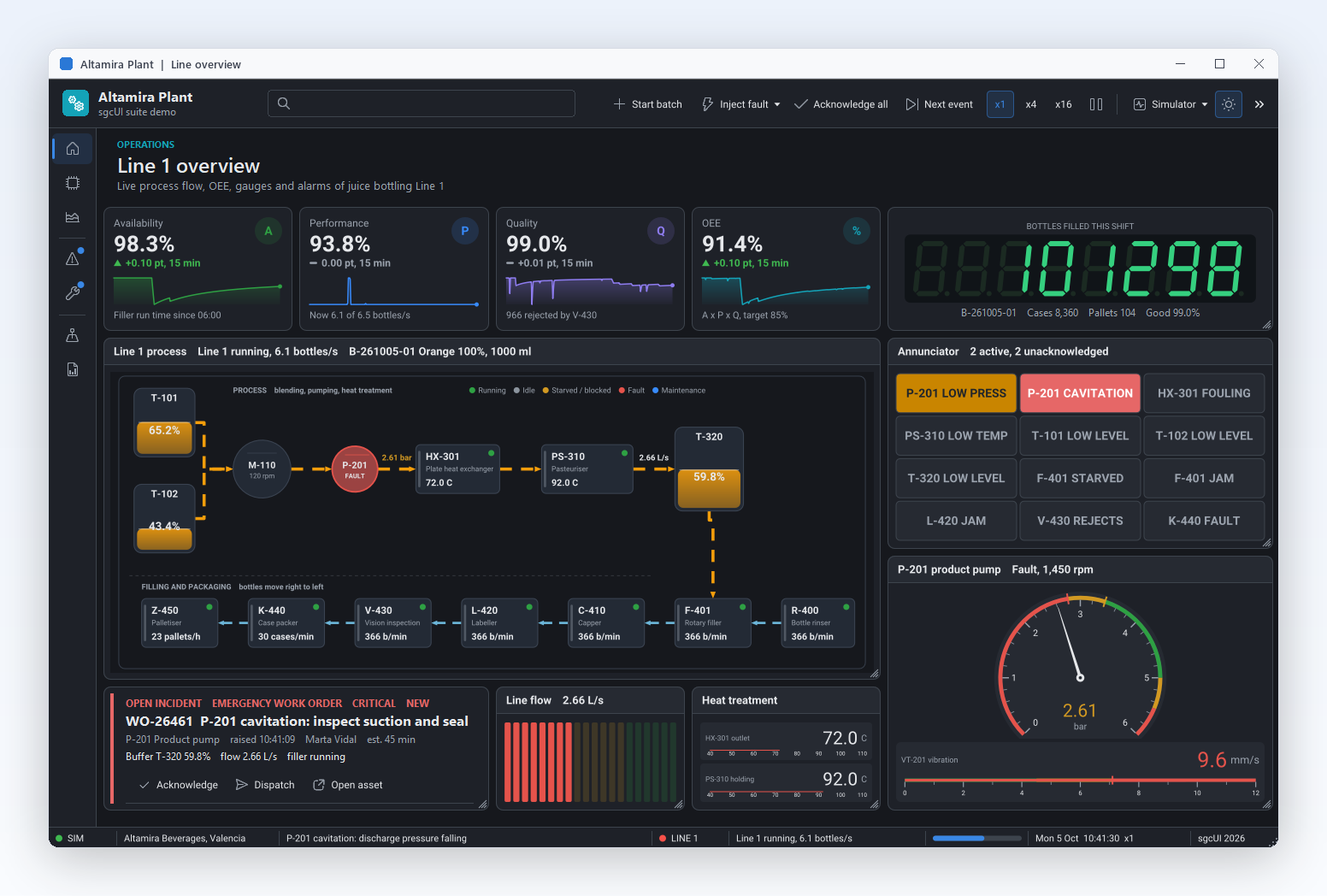
Line overview: process flow, OEE cards, an LED counter, an annunciator and a pump gauge.
sgcGauges →
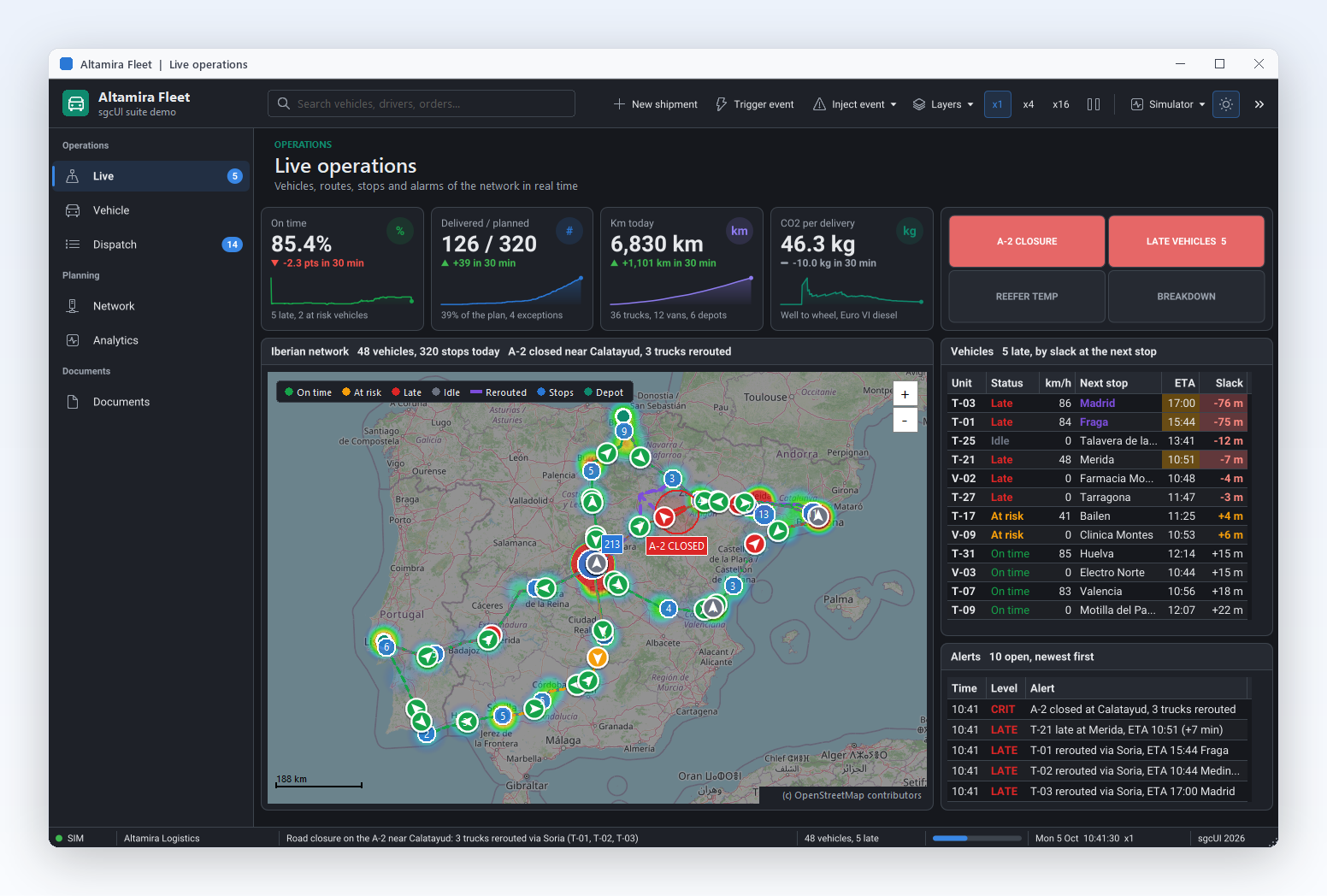
Live operations: 48 vehicles, routes and a road closure on one map.
sgcMaps →
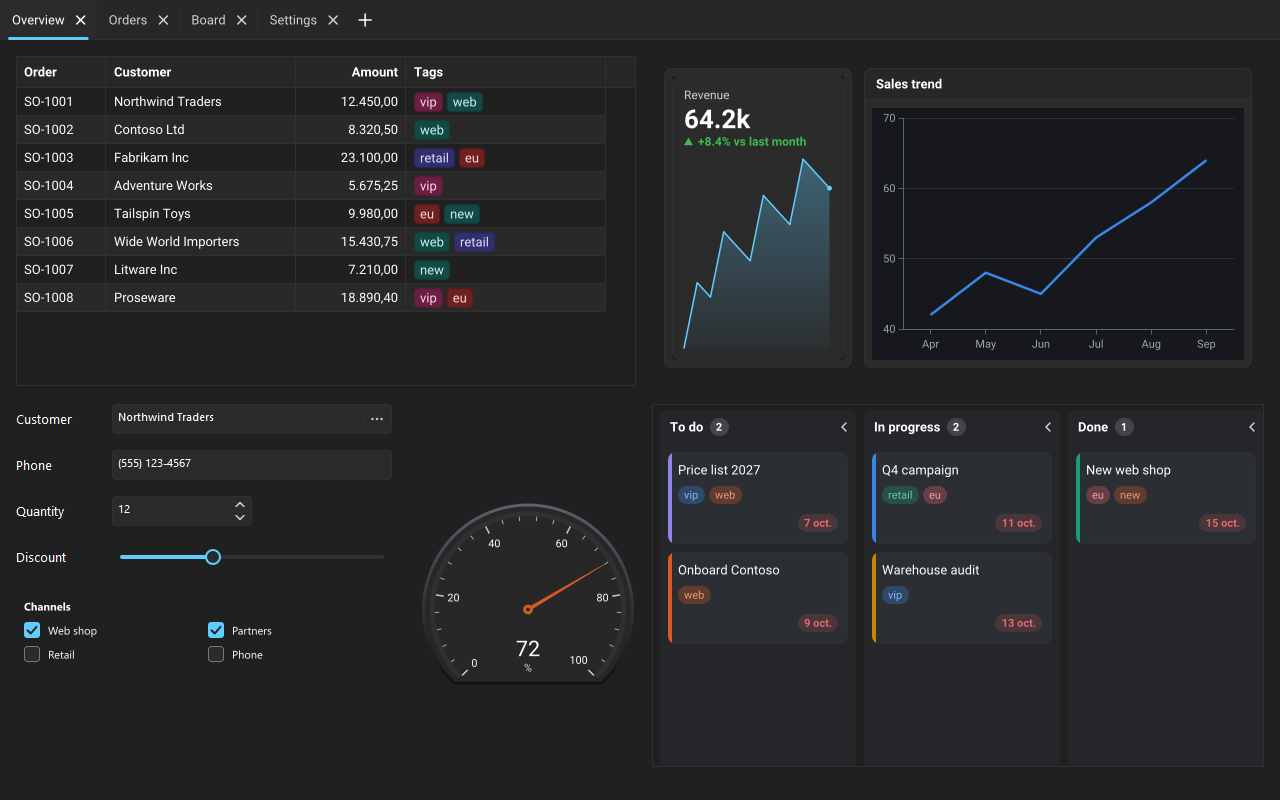
Theme Gallery demo with the Fluent preset in dark.
sgcUI suite →
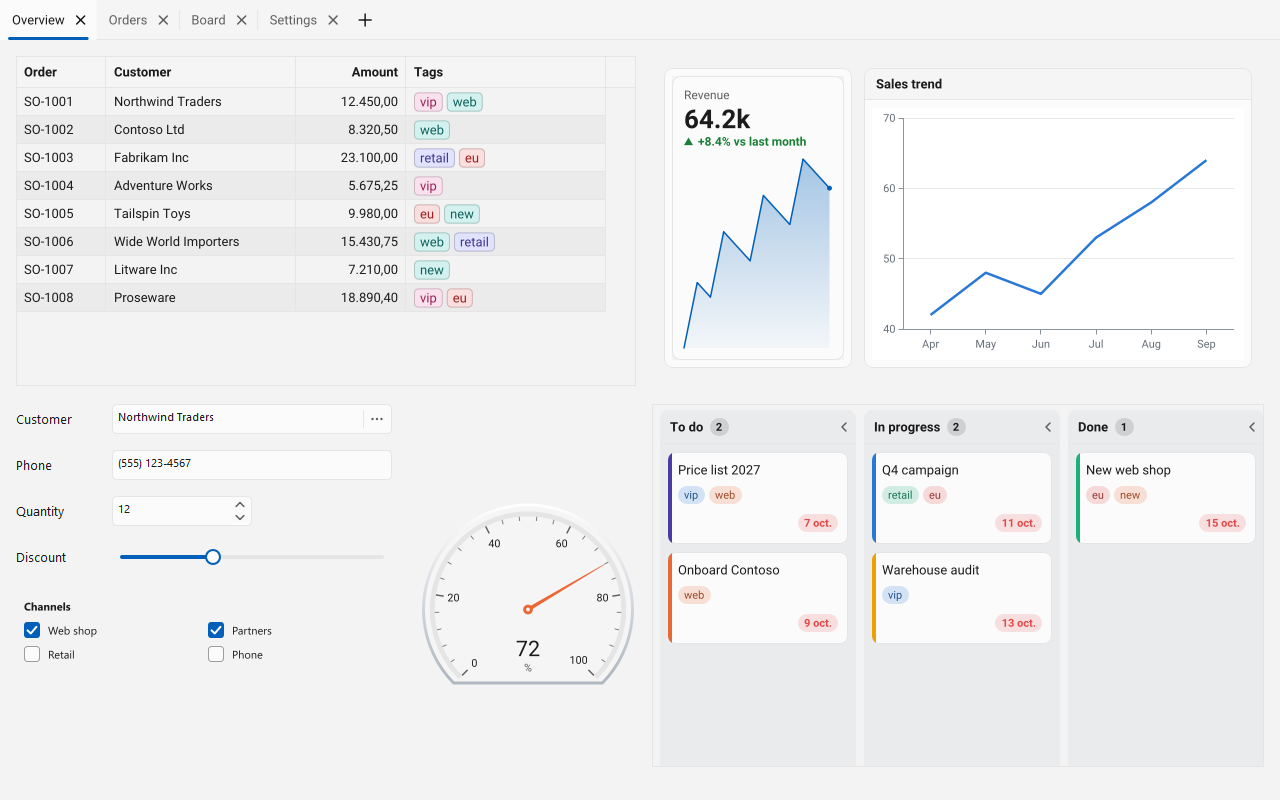
The same screen with the Fluent preset in light.
sgcUI suite →
The same screen following the Amethyst Kamri VCL style.
VCL Styles →The sgcUI VCL controls are regular Delphi components: drop them from the Tool Palette, set their properties in the Object Inspector and write their events in Pascal or C++. No browser control and no external runtime.
Every control paints itself and shares one theme with the rest of the suite, so the grid, the charts and the dashboard look like parts of one application.
A VCL control renders at the DPI of the monitor that shows it. In Delphi 10.3 and later each control follows its own monitor, so mixed scale desktops stay sharp.
Light, dark and high contrast themes, Classic and Fluent presets, and on Delphi XE2 and later the colours of the active VCL style.
VCL applications for Win32 from Delphi 7, and Win64 from Delphi XE2, with the same code in every version.
Grids and charts take updates from any thread and coalesce them into timed repaints, so a fast feed still renders smoothly.
UI Automation in every supported Delphi and C++Builder version, from Delphi 7 to Delphi 13, with right to left layouts. See accessibility.
VCL controls carry the TsgcVCL prefix. Each product has its own Tool Palette page, and each one is sold alone or inside an sgcUI edition.
| Product | What it gives a VCL form | Main VCL components |
|---|---|---|
| sgcGrid | Live data grid with grouping, summaries, tree and detail rows, Excel export and virtual mode. Bind a TDataSet, or replace TDBGrid in Delphi one screen at a time. | TsgcVCLGrid, TsgcVCLFilterBuilder |
| sgcPivotGrid | Pivot table grid with date grouping, aggregations, a drag and drop field list and drill down. | TsgcVCLPivotGrid, TsgcVCLPivotFieldList |
| sgcCharts | 21 series types, financial indicators, live feeds, zoom and drawing tools. | TsgcVCLChart, TsgcVCLSparkline |
| sgcDashboard | Tile grid and KPI cards with drag, resize and saved layouts. | TsgcVCLDashboard, TsgcVCLDashboardTile, TsgcVCLKPICard |
| sgcGauges | Radial, linear, LED, VU meter, clock and compass gauges with ranges and alarms. | TsgcVCLRadialGauge, TsgcVCLSymbolGauge |
| sgcPlanner | Scheduler, Gantt chart and Kanban board on one shared data object. | TsgcVCLScheduler, TsgcVCLGantt, TsgcVCLKanban |
| sgcDiagram | Flowcharts, org charts and node graphs your users draw. | TsgcVCLDiagramView, TsgcVCLDiagramPalette |
| sgcMaps | Native map control with markers, routes, heatmaps and offline tiles. | TsgcVCLMap |
| sgcEditors | Fifteen form input controls, from date pickers and a range slider to token, masked and lookup edits. | TsgcVCLDatePicker, TsgcVCLSpinEdit, TsgcVCLDataForm |
| sgcNavigation | Sidebar, accordion and tabs, plus toasts and a Delphi notification component with an inbox. | TsgcVCLNavigationBar, TsgcVCLNavigationTabs, TsgcVCLToastManager |
| sgcToolbar | Toolbar, status bar and ribbon with thread safe updates. | TsgcVCLToolbar, TsgcVCLStatusBar, TsgcVCLRibbon |
| sgcWizard | Multi page wizards and a standalone stepper with validation before each step. | TsgcVCLWizard, TsgcVCLStepper |
| sgcRichEdit | Rich text document editor with JSON, HTML, Markdown and RTF in and out, DOCX and PDF export. | TsgcVCLRichEdit, TsgcVCLDBRichEdit, TsgcVCLCodeEdit |
| sgcSpreadsheet | Excel style spreadsheet with worksheet functions, charts from cell ranges and XLSX load and save. | TsgcVCLSpreadsheet |
| sgcChat | AI assistant and team chat controls with streaming Markdown. | TsgcVCLChatView, TsgcVCLChatPanel, TsgcVCLMarkdownViewer |
| sgcReports | Report engine with bands, groups, master detail and expressions, and a desktop preview. | TsgcReportPreviewVCL, TsgcVCLReportDesigner |
| sgcPDF | Pure Object Pascal PDF library: create, edit, view, render, sign and validate PDF files with no DLLs. | See the product page |
| sgcLocalization | Translate your own Delphi and C++Builder applications, with a runtime language switch. Included with every sgcUI edition. | See the product page |
sgcDocs, the headless Office file API, completes the suite for documents with no window. See the sgcUI suite, the feature matrix and all Delphi components by eSeGeCe.
Create a VCL application, drop a TsgcVCLGrid from the SGC Grid palette page on the form and fill it in FormCreate.
uses
SysUtils, Classes, Controls, Forms,
sgcGrid_Columns, sgcGrid_Data, sgcGrid_VCL;
procedure TForm1.FormCreate(Sender: TObject);
begin
// the columns: field name, caption and data type
sgcVCLGrid1.Columns.Add('Symbol', 'Symbol');
sgcVCLGrid1.Columns.Add('Price', 'Price', gdtFloat).DisplayFormat := '0.00';
sgcVCLGrid1.Columns.Add('Volume', 'Volume', gdtInteger);
// one row per key, the values in column order
sgcVCLGrid1.Data.AppendRow('MSFT', ['MSFT', 412.5, 1200]);
sgcVCLGrid1.Data.AppendRow('AAPL', ['AAPL', 228.1, 3400]);
// later, from any thread: update a row by key and field name
sgcVCLGrid1.Data.UpdateRow('MSFT', ['Price', 'Volume'], [413.1, 1350]);
end;
The same component works in C++Builder through the headers and libraries the C++Builder installer builds. The sgcUI quick start shows the C++Builder and C# versions of this form.
One call themes every sgcUI control of the application.
sgcUISetApplicationThemeFollow(utfHost) makes the sgcUI controls turn light or dark with the active VCL style and take its colours. The unit sgcUICore_Theme_VCL registers the VCL style provider.uses
Vcl.Themes, Vcl.Styles,
sgcUICore_Theme, sgcUICore_Theme_VCL;
procedure FollowVCLStyle;
begin
// colours, light or dark and the accent from the active VCL style;
// corners, line widths and the font from the preset
sgcUISetApplicationThemePreset(CS_UI_THEME_FLUENT);
sgcUISetApplicationThemeFollow(utfHost, True);
end;
Help: Application Theme, Theme Presets and High DPI.
sgcUI ships VCL controls with the TsgcVCL prefix and FireMonkey controls with the TsgcFMX prefix, so a team can keep its Windows forms on the VCL and build mobile or macOS screens with FireMonkey.
Delphi 7 to 13 for Win32, and Win64 from Delphi XE2. The choice for Windows desktop applications and for existing VCL projects.
Delphi XE6 to 13 for Windows, macOS, iOS and Android, as each Delphi version supports them, and Linux64 desktop applications through FMXLinux. See the Delphi FireMonkey components.
The same components as a C# port for WinForms, WPF and Avalonia, with the same class names.
Each product page lists its exact frameworks. See the sgcUI overview for the full platform table.
The framework neutral units render grids, charts, gauges and dashboards to PNG and SVG with no window, for reports, e-mails and web endpoints. They compile for Linux64 from Delphi 10.2, so the screen your VCL users see can also be produced by a service.
| IDE | Framework | Targets |
|---|---|---|
| Delphi 7 to 13 | VCL | Win32, and Win64 from XE2 |
| C++Builder 2007 to 13 | VCL | The same components through the headers and libraries of the C++Builder installer |
| Delphi XE6 to 13 | FireMonkey | Windows, macOS, iOS and Android |
| Delphi 10.2 to 13 | Framework neutral units | Linux64 for models, formatting, import and export, and headless rendering |
One Delphi trial and one C++Builder trial install all 19 products into the IDEs you pick, from Delphi 7 and C++Builder 2007 up to RAD Studio 13. See download and pricing.
The VCL (Visual Component Library) is the native Windows UI framework of Embarcadero Delphi and C++Builder. Forms, buttons, edits and grids are VCL components that you drop on a form at design time and program in Pascal or C++. sgcUI adds grids, charts, dashboards, planners, maps and the other controls a business application needs, as VCL components with the TsgcVCL prefix.
Yes. On Delphi XE2 and later, sgcUISetApplicationThemeFollow(utfHost) makes the controls follow the active VCL style, light or dark, with its colours. The controls paint at the DPI of the monitor that shows them; in Delphi and C++Builder 10.3 and later set DPI Awareness to Per Monitor v2 in the project options so each control follows its own monitor.
Yes, from C++Builder 2007 to 13. The C++Builder trial installs the same suite with the headers and libraries for C++Builder, and the source editions include the full source code for Delphi and C++Builder.
Choose the VCL for Windows desktop applications and for existing VCL projects: it runs from Delphi 7 and follows VCL styles. Choose FireMonkey when the same screens must also run on macOS, iOS or Android; the sgcUI FireMonkey controls are available from Delphi XE6 to 13. sgcUI ships both, so you can use each one where it fits.
The VCL controls support Delphi 7 to Delphi 13 for Win32, and Win64 from Delphi XE2, and C++Builder 2007 to 13. The installer compiles the packages for each IDE you pick and registers the design-time packages.
Yes. The free Delphi Community edition includes sgcGrid, for VCL and FireMonkey, as compiled packages without source code. To try every product, download the trial, which installs all 19 sgcUI products.
Related: sgcGrid, a DBGrid replacement for Delphi, notifications for Delphi, the sgcUI suite and every Delphi component by eSeGeCe.