sgcGrid, the Native Avalonia DataGrid
One Avalonia DataGrid, one code base, three desktops.
This cross platform C# data grid binds your view model with compiled bindings, takes its colours from FluentTheme, and groups, totals, filters and exports rows that change while users watch. TsgcAvaloniaGrid is an Avalonia control in the esegece.sgcGrid.Avalonia package. It targets net8.0, net9.0 and net10.0 on Avalonia 12 (12.0 or later, tested with 12.1.4), so the window you build on Windows runs unchanged on Linux and macOS.
The grid paints with the .NET port of sgcUICore: the same canvas, fonts and light and dark themes on Windows, Linux and macOS, and in the headless PNG and SVG output. It draws its own scroll bars, with thumb drag and track paging.
A touch contact pans the grid and the content follows the finger. A tap selects a cell, or acts on a chevron, an expander or a detail band. On macOS the grid takes Cmd for Ctrl, and the header menu opens on ContextRequested, where your own ContextMenu or ContextFlyout wins.
The display options, such as ShowGroupPanel, ShowFooter, FrozenColumns, ShowFilterRow and ShowFindPanel, are styled properties, so they take bindings and styles. SelectedItem is a direct property that binds TwoWay by default.
Theme at utDefault, the grid follows Application.ActualThemeVariant: Dark, or a variant that inherits from Dark, gives the dark gridFluentTheme in Application.Styles, the grid also takes the colours of the framework theme: backgrounds, surfaces, borders, dividers and textTheme to utLight or utDark to pin one grid, whatever the application doesusing Avalonia;
using Avalonia.Styling;
using Avalonia.Themes.Fluent;
using esegece.sgcUICore;
namespace OrdersApp
{
public class App : Application
{
public override void Initialize()
{
Styles.Add(new FluentTheme());
// Default follows the operating system between light and dark
RequestedThemeVariant = ThemeVariant.Default;
// Fluent colours and corners for every sgcUI control
sgcUIApplication.ThemePreset = sgcUICore_Theme.CS_UI_THEME_FLUENT;
}
}
}Features marked Registered are not in the free Community package. Every other feature is in every edition.
| Feature | On the Avalonia DataGrid | Edition |
|---|---|---|
| Live rows | The keyed, thread safe row store TsgcGridData: AppendRow, UpdateRow, DeleteRow, BeginUpdate and EndUpdate from any thread, repaints paced by MaxFPS | every edition |
| Flash and format rules | FlashChanges tints changed cells green or red and fades them out; FormatRules colour cells or, with ApplyToRow, whole rows | every edition |
| Grouping and summaries | GroupBy, the group panel, Sum, Count, Average, Min and Max on group rows and in the footer, frozen columns | every edition |
| Filters and find | Header filter buttons, a filter row, a find panel and the filter builder, whose Avalonia dialog TsgcAvaloniaFilterBuilderDialog.ShowAsync returns a Task<bool> | every edition |
| Virtual mode | Virtual, VirtualRowCount and OnGetValue serve the values on demand, for millions of rows | every edition |
| Ask your grid | TsgcGridAI and the TsgcAvaloniaAIQueryBar turn a question in plain language into filters, sorts and highlights, through any AI provider or the built in rule parser with no network | every edition |
| Printing, JSON, CSV, PNG, SVG | Printing with a preview, JSON and CSV export, and headless PNG and SVG images of the grid | every edition |
| Layouts | Layouts saved as JSON, the same JSON as the WPF, WinForms, VCL and FireMonkey grids | every edition |
| In-place editing | The sgcEditors Avalonia controls as cell editors, paste, undo and redo, insert and delete, and edits written back to the items with ItemsWriteBack | Registered |
| Tree and master detail | Rows as a tree from a key and a parent field, and detail bands with child rows from a second source | Registered |
| Excel export and Excel mode | SaveToXLSX writes an .xlsx workbook with no Excel installation and no external library; Excel mode adds cell formats, sheets and column formulas | Registered |
| Server mode | Pages a database: TsgcGridServerProvider_Queryable reads any IQueryable, an Entity Framework Core set for example, and TsgcGridServerProvider_AdoNet any ADO.NET connection | Registered |
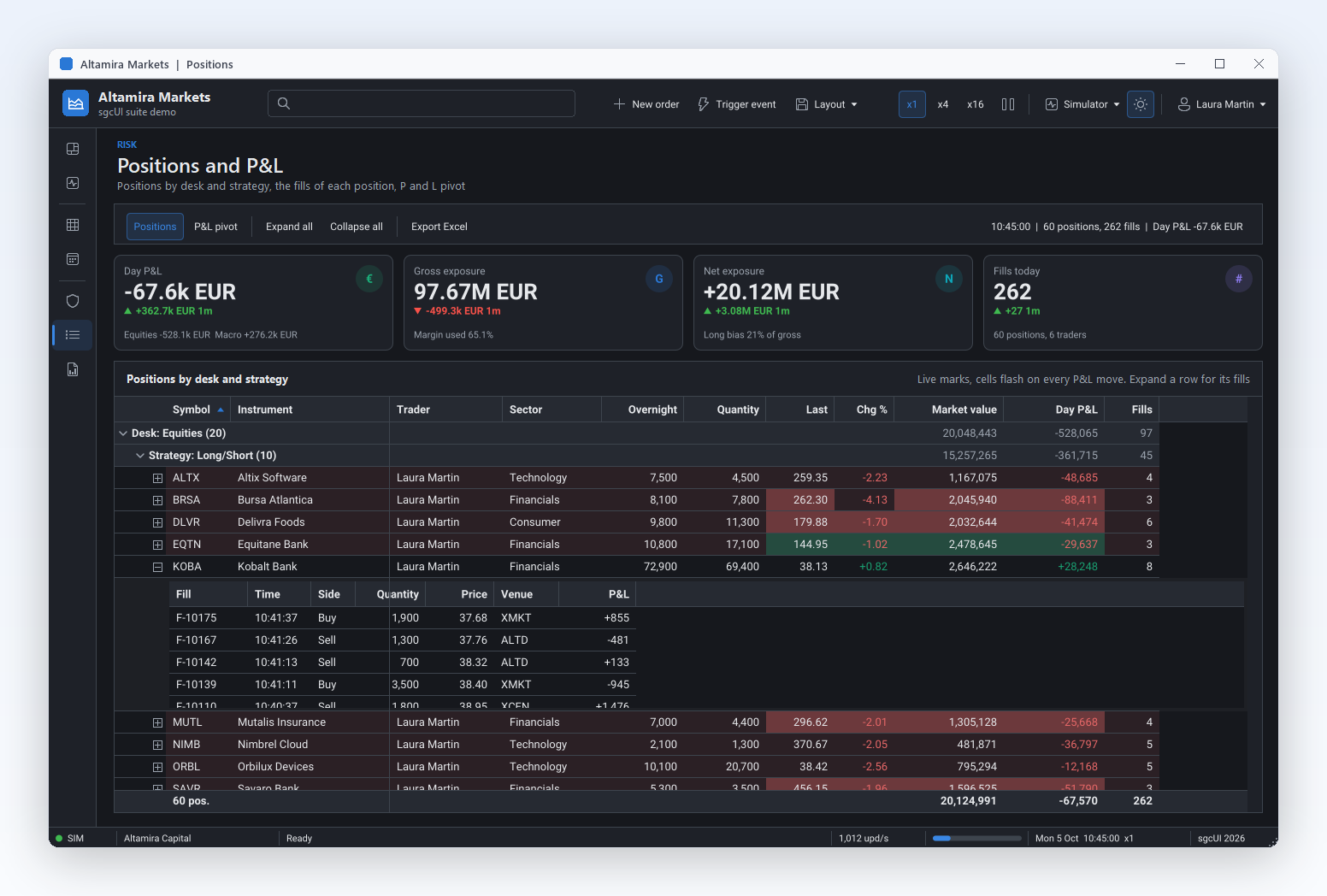
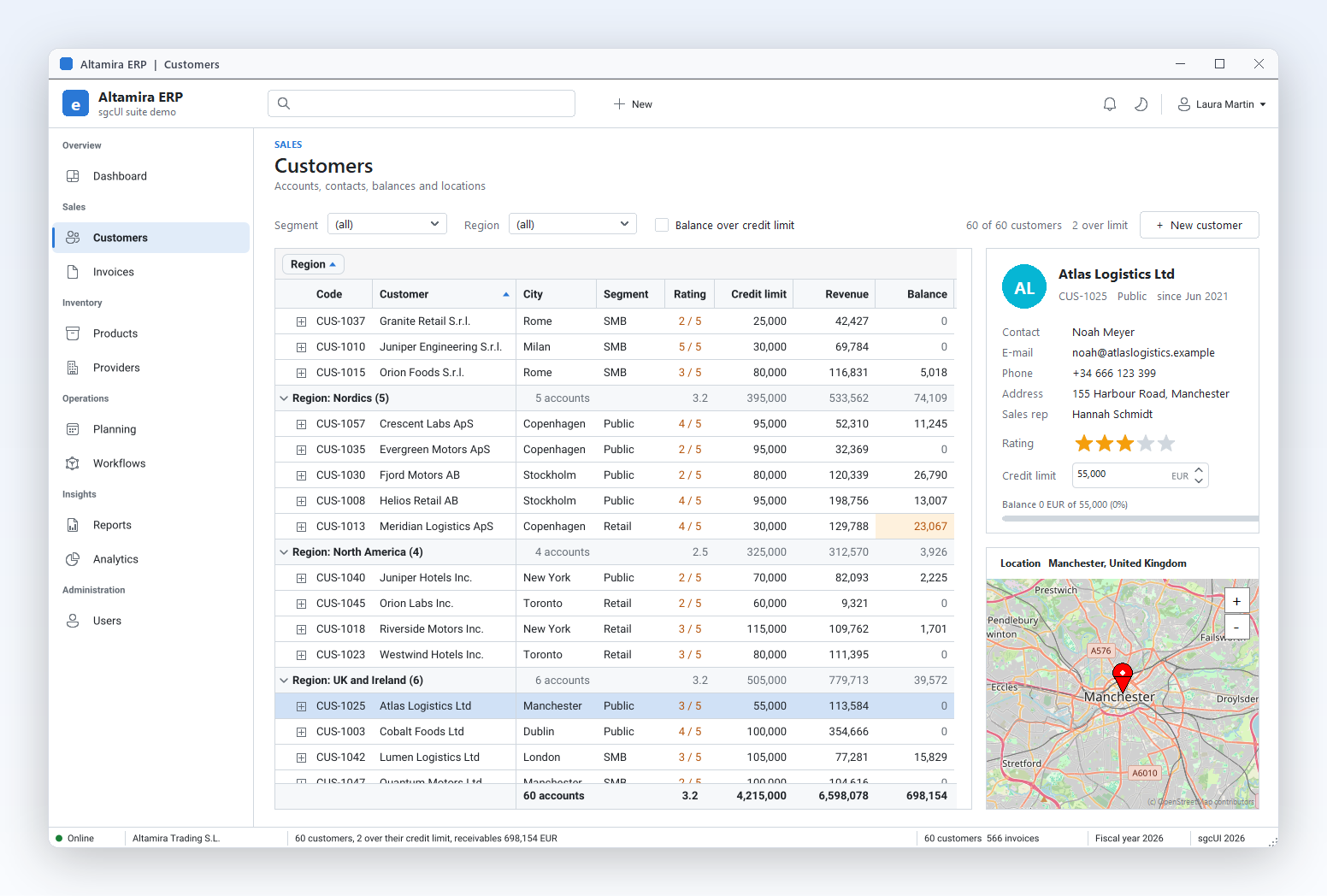
Grouped positions with a detail band and live P&L cells.
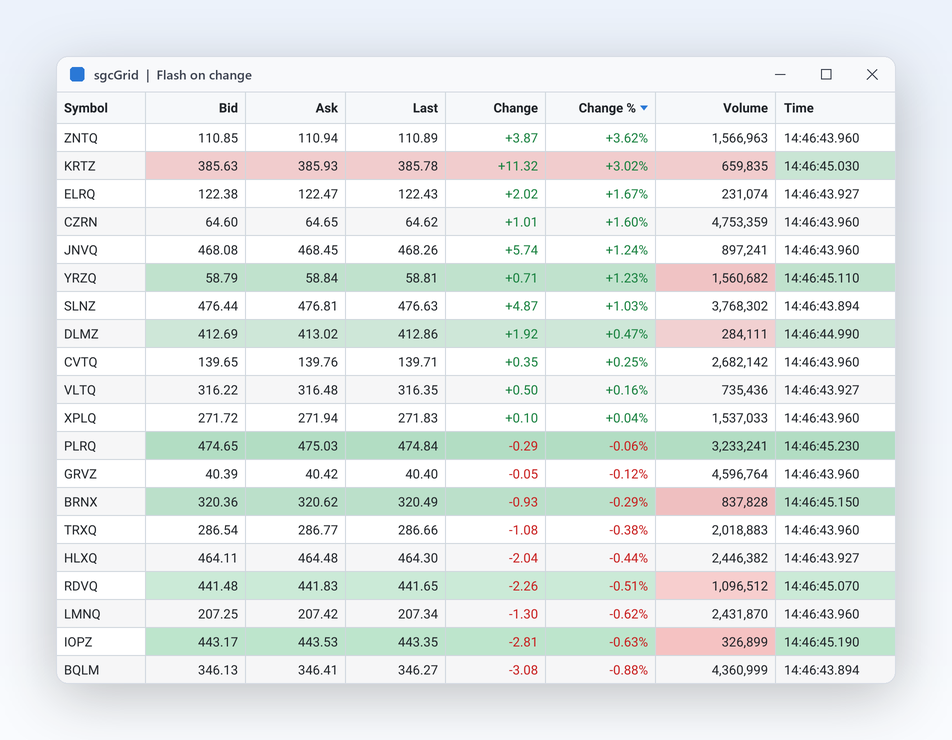
Changed cells flash green or red, then fade.
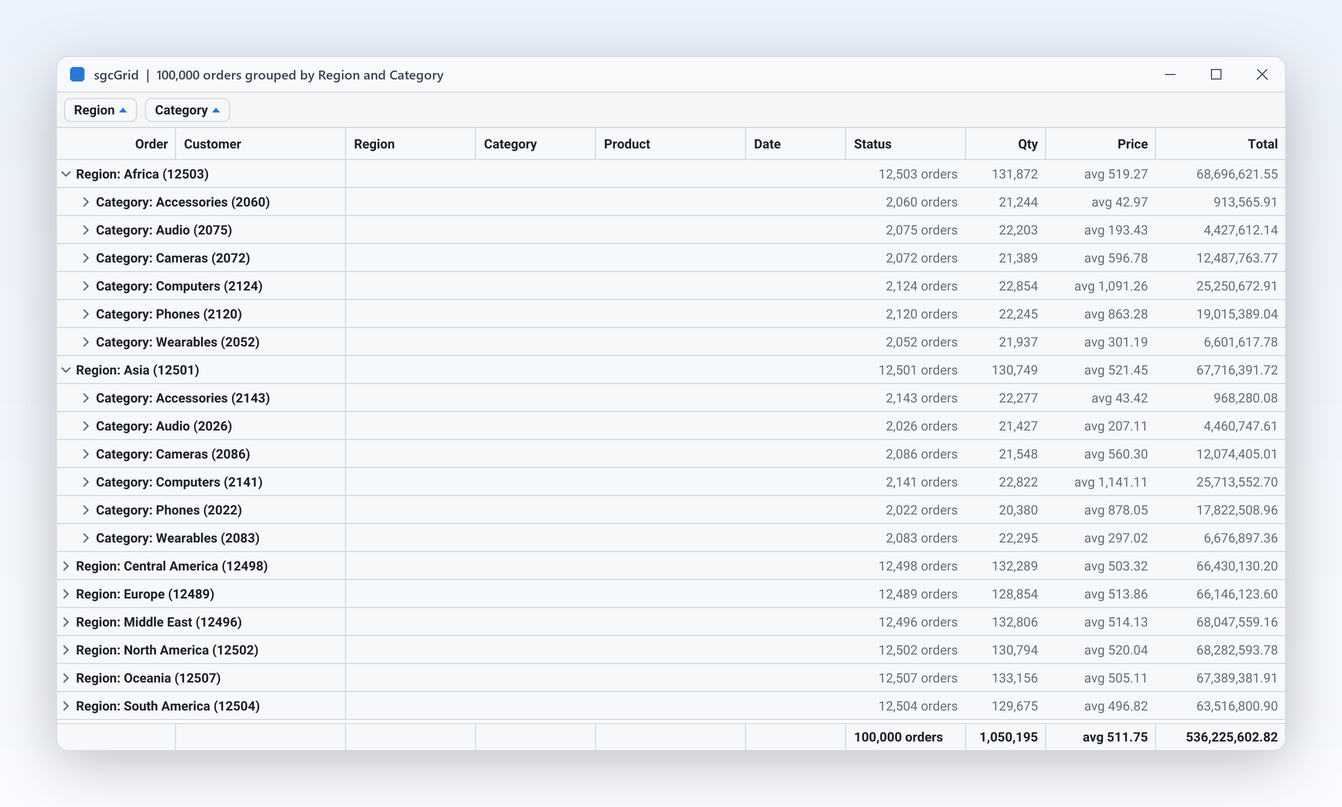
100,000 orders grouped by Region and Category with summaries.
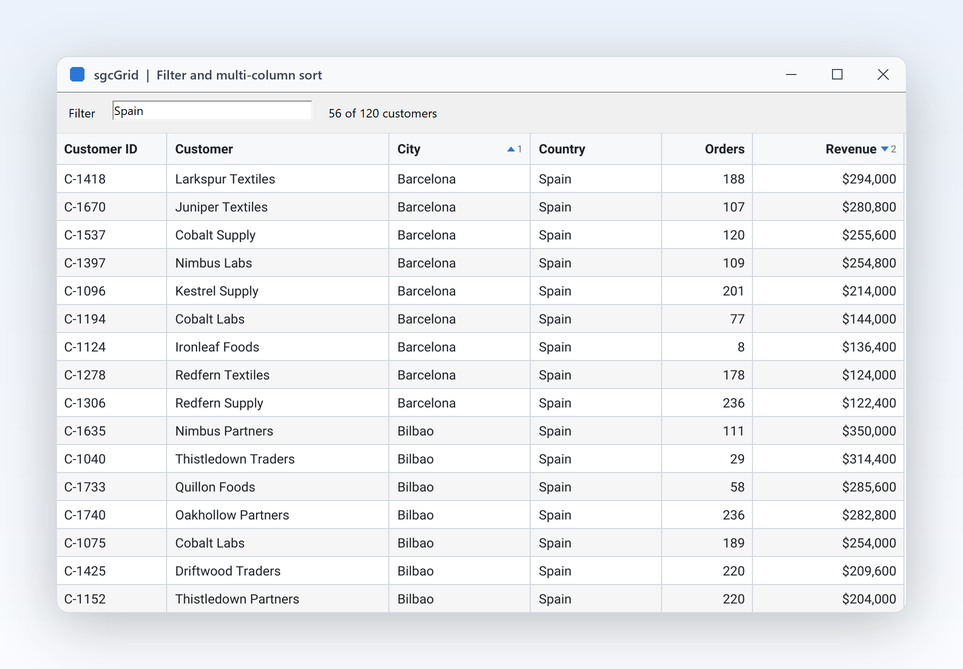
A text filter and a sort on two columns.
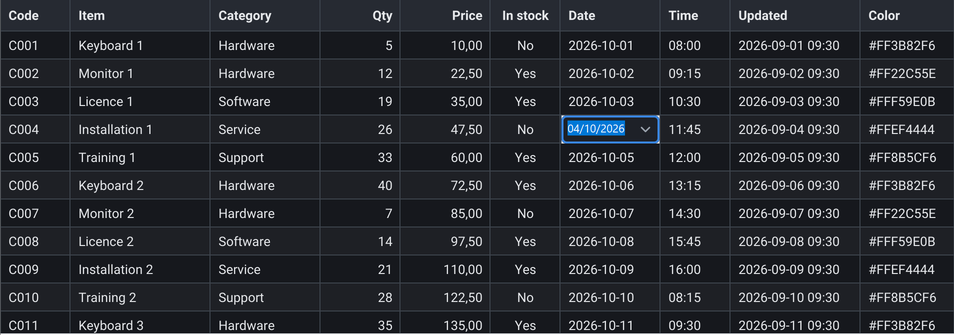
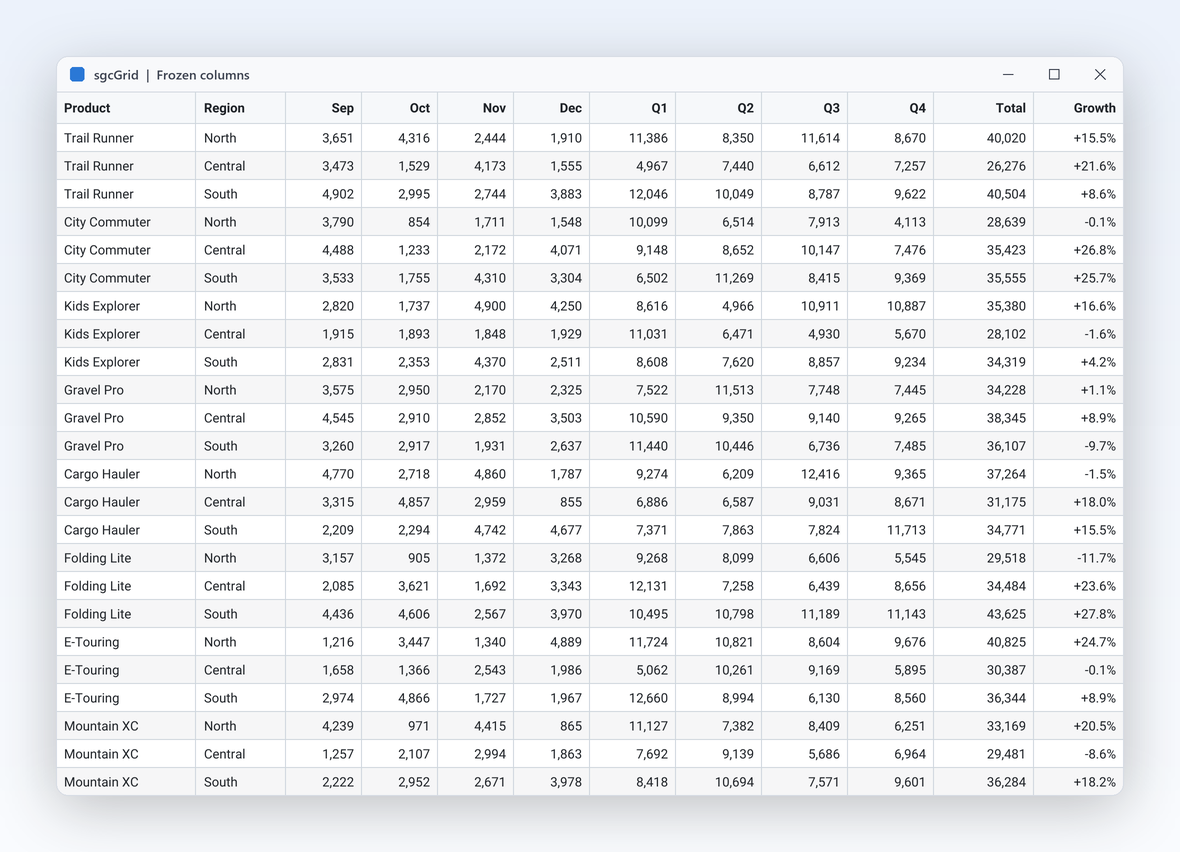
Frozen key columns while the figures scroll.
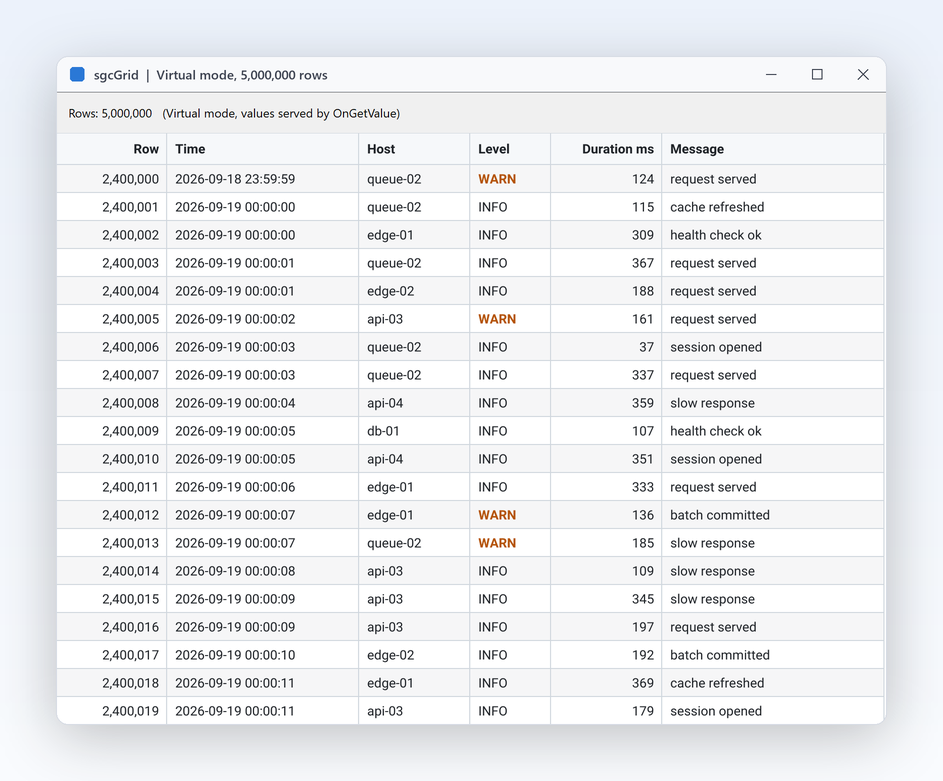
Virtual mode with 5,000,000 rows.
The screenshots come from the sgcGrid and sgcUI demos, drawn by the same sgcUICore renderer the Avalonia grid uses.
A window with compiled bindings, six declared columns, grouping, a footer and a filter row, and a view model that changes its items from a worker thread.
Start from a net8.0, net9.0 or net10.0 Avalonia desktop project with the Avalonia.Desktop and Avalonia.Themes.Fluent packages of Avalonia 12, then add the free Community package from nuget.org:
dotnet add package esegece.sgcGrid.Avalonia.CommunityThe Registered package, esegece.sgcGrid.Avalonia, comes from your account instead of nuget.org. Reference one of the two, never both: they hold the same types in the same namespace.
The one sgcUI namespace, xmlns:sgc="https://www.esegece.com/sgcui", resolves the grid and its TsgcAvaloniaGridColumn elements. Enum values take the value name, such as gdtCurrency or gsuSum.
<Window xmlns="https://github.com/avaloniaui"
xmlns:x="http://schemas.microsoft.com/winfx/2006/xaml"
xmlns:local="using:OrdersApp"
xmlns:sgc="https://www.esegece.com/sgcui"
x:Class="OrdersApp.OrdersWindow"
x:DataType="local:OrdersViewModel"
Title="Orders" Width="900" Height="500">
<Window.DataContext>
<local:OrdersViewModel />
</Window.DataContext>
<sgc:TsgcAvaloniaGrid ItemsSource="{Binding Orders}" SelectedItem="{Binding Selected}" KeyMember="Id"
RowHeight="26" ShowGroupPanel="True" ShowFooter="True" ShowFilterRow="True">
<sgc:TsgcAvaloniaGridColumn FieldName="Id" Caption="Order" DataType="gdtInteger" Width="70" />
<sgc:TsgcAvaloniaGridColumn FieldName="Region" Width="120" />
<sgc:TsgcAvaloniaGridColumn FieldName="Customer.Name" Caption="Customer" Width="180" />
<sgc:TsgcAvaloniaGridColumn FieldName="Customer.Country" Caption="Country" Width="110" />
<sgc:TsgcAvaloniaGridColumn FieldName="Total" DataType="gdtCurrency" DisplayFormat="#,##0.00"
SummaryType="gsuSum" />
<sgc:TsgcAvaloniaGridColumn FieldName="Shipped" DataType="gdtBoolean" Width="70" Alignment="gaCenter" />
</sgc:TsgcAvaloniaGrid>
</Window>A dotted FieldName such as Customer.Name reads a nested object, and a null object on the path shows an empty cell. The code behind of the window only calls InitializeComponent.
Each item of the ObservableCollection is a row. When an item raises PropertyChanged, only its row is updated, and a change raised on a worker thread is applied on the UI thread, so the feed below needs no dispatcher call.
using System;
using System.Collections.ObjectModel;
using System.ComponentModel;
using System.Threading.Tasks;
namespace OrdersApp
{
public class Customer
{
public string Name { get; set; }
public string Country { get; set; }
}
public class Order : INotifyPropertyChanged
{
private decimal FTotal;
public event PropertyChangedEventHandler PropertyChanged;
public int Id { get; set; }
public string Region { get; set; }
public Customer Customer { get; set; }
public bool Shipped { get; set; }
public decimal Total
{
get { return FTotal; }
set
{
FTotal = value;
if (PropertyChanged != null)
PropertyChanged(this, new PropertyChangedEventArgs(nameof(Total)));
}
}
}
public class OrdersViewModel
{
public ObservableCollection<Order> Orders { get; } = new ObservableCollection<Order>();
public Order Selected { get; set; }
public OrdersViewModel()
{
Customer oAna = new Customer { Name = "Ana", Country = "Spain" };
Customer oBen = new Customer { Name = "Ben", Country = "France" };
Orders.Add(new Order { Id = 1001, Region = "South", Customer = oAna, Total = 250m, Shipped = true });
Orders.Add(new Order { Id = 1002, Region = "North", Customer = oBen, Total = 99.9m });
Orders.Add(new Order { Id = 1003, Region = "South", Customer = oAna, Total = 1200m });
// a feed on a worker thread: the grid applies each change on the UI thread
Task.Run(async () =>
{
Random oRandom = new Random();
while (true)
{
await Task.Delay(500);
Order oOrder = Orders[oRandom.Next(Orders.Count)];
oOrder.Total += oRandom.Next(-50, 51);
}
});
}
}
}For a high rate feed, write keyed rows straight into TsgcGridData with AppendRow and UpdateRow and set FlashChanges, as the Avalonia quick start does. The binding rules are in ItemsSource and MVVM binding, and the .NET demos LiveTickerAvalonia, GroupingAvalonia, SpreadsheetAvalonia and ServerModeAndCardsAvalonia show the rest.
The same split as on WPF and WinForms. Prices from the sgcGrid pricing page.
esegece.sgcGrid.Avalonia.Community for individuals and organizations under EUR 1M annual gross revenue with no more than 5 developers. It keeps live rows, flashing, format rules, themes, grouping, summaries, filters, virtual mode, ItemsSource binding, printing and the headless output.
€199 / developer, full C# source code and 1 year of updates, for Avalonia, WPF and WinForms. It adds editing, tree rows, master detail, Excel export and Excel mode, server mode, the card view and the PDF export.
Buy sgcGrid .NET → Team and Site →sgcGrid together with sgcNavigation, sgcToolbar and sgcEditors, from €380 per developer, with free binary redistribution.
Compare the sgcUI .NET editions →| Target | Control | Platforms |
|---|---|---|
| Avalonia 12, net8.0, net9.0, net10.0 | TsgcAvaloniaGrid | Windows, Linux and macOS |
| .NET Framework 4.7.2, .NET 8, 9 and 10 | TsgcWpfGrid, TsgcWinFormsGrid | WPF and WinForms on Windows |
| .NET Standard 2.0 | TsgcGridRenderer | Headless PNG and SVG, Linux servers included |
| Delphi and C++Builder | TsgcVCLGrid, TsgcFMXGrid | VCL and FireMonkey, under a Delphi license |
Windows only? Read the WPF DataGrid page. Need a pivot table next to the grid? See the Avalonia pivot grid. Moving an existing desktop app? Read WinForms and WPF to Avalonia. The full feature tour is on the sgcGrid product page.
Yes. TsgcAvaloniaGrid groups by one or more columns, from code with GroupBy or by dragging a header to the group panel. Every group row and the footer show the Sum, Count, Average, Min or Max set by SummaryType on each column. Grouping and summaries are in every edition, the free Community package included.
Yes. The esegece.sgcGrid.Avalonia package targets net8.0, net9.0 and net10.0 on Avalonia 12, and the grid runs on Windows, Linux and macOS. On macOS it takes Cmd for Ctrl, and on a touch screen a contact pans the grid. For a Linux server without a window, the headless renderer writes PNG and SVG images of the same grid.
Bind ItemsSource to any IEnumerable, an ObservableCollection for example, and declare TsgcAvaloniaGridColumn elements inside the grid with FieldName, Caption, DataType and DisplayFormat. Without declared columns, AutoGenerateColumns creates one per public property. KeyMember names the key of each row, and SelectedItem binds TwoWay. Compiled bindings with x:DataType work as usual.
Yes, two ways. With ItemsSource, a PropertyChanged raised on a worker thread is applied on the UI thread. Without a collection, the thread safe row store TsgcGridData takes AppendRow, UpdateRow and DeleteRow calls from any thread, and the grid repaints at most MaxFPS times per second.
Yes. With Theme at utDefault the grid follows ActualThemeVariant and the platform accent, and switches while the app runs. Select the Fluent preset with sgcUIApplication.ThemePreset = sgcUICore_Theme.CS_UI_THEME_FLUENT, keep FluentTheme in Application.Styles, and the grid takes the colours of the framework theme. On the grid, Theme is the sgc theme; through a reference typed as Control it is the Avalonia control theme.
Yes, with the Registered edition. SaveToXLSX writes the rows the user sees, after sorting and filtering, to an .xlsx workbook with the column widths and the frozen columns, and it needs no Excel installation and no external library, which matters on Linux and macOS. Every edition exports JSON and CSV.
Yes. The sgcGrid .NET license covers TsgcWpfGrid and TsgcWinFormsGrid as well, on .NET Framework 4.7.2 and .NET 8, 9 and 10. The C# classes keep the same names on every host and a saved layout is the same JSON, so a team can ship a Windows app and an Avalonia app from shared grid code. For Delphi and C++Builder there are the VCL and FireMonkey grids.