Delphi, C++Builder & .NET Part of sgcUI

A Delphi Notification Component with Toasts, an Inbox and Badges

sgcNavigation, part of sgcUI, brings a Delphi notification component set to VCL and FireMonkey applications, all driven by one notification model.

Toast notifications
Inbox grouped by day
Unread badge
Live push over WebSocket, MQTT or SSE
VCLFireMonkeyC++BuilderWinForms, WPF, Avalonia

See the code →

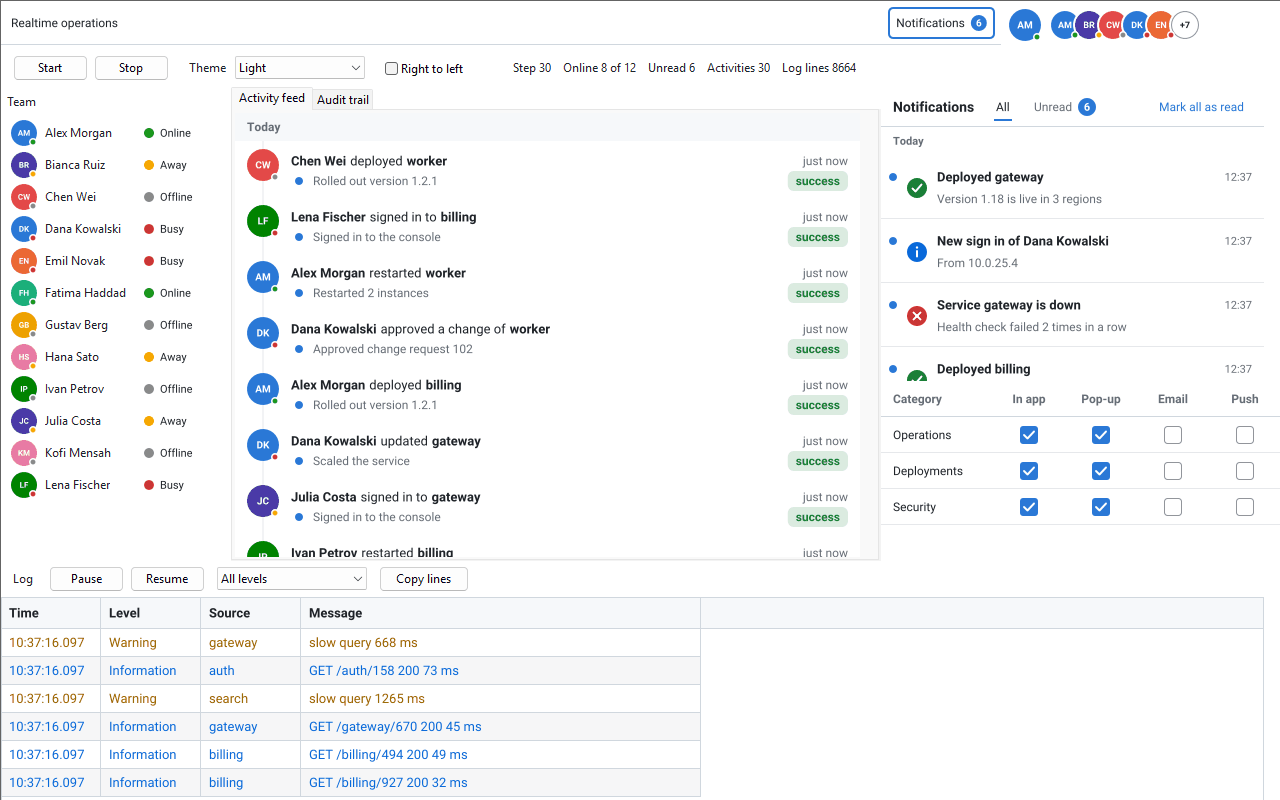
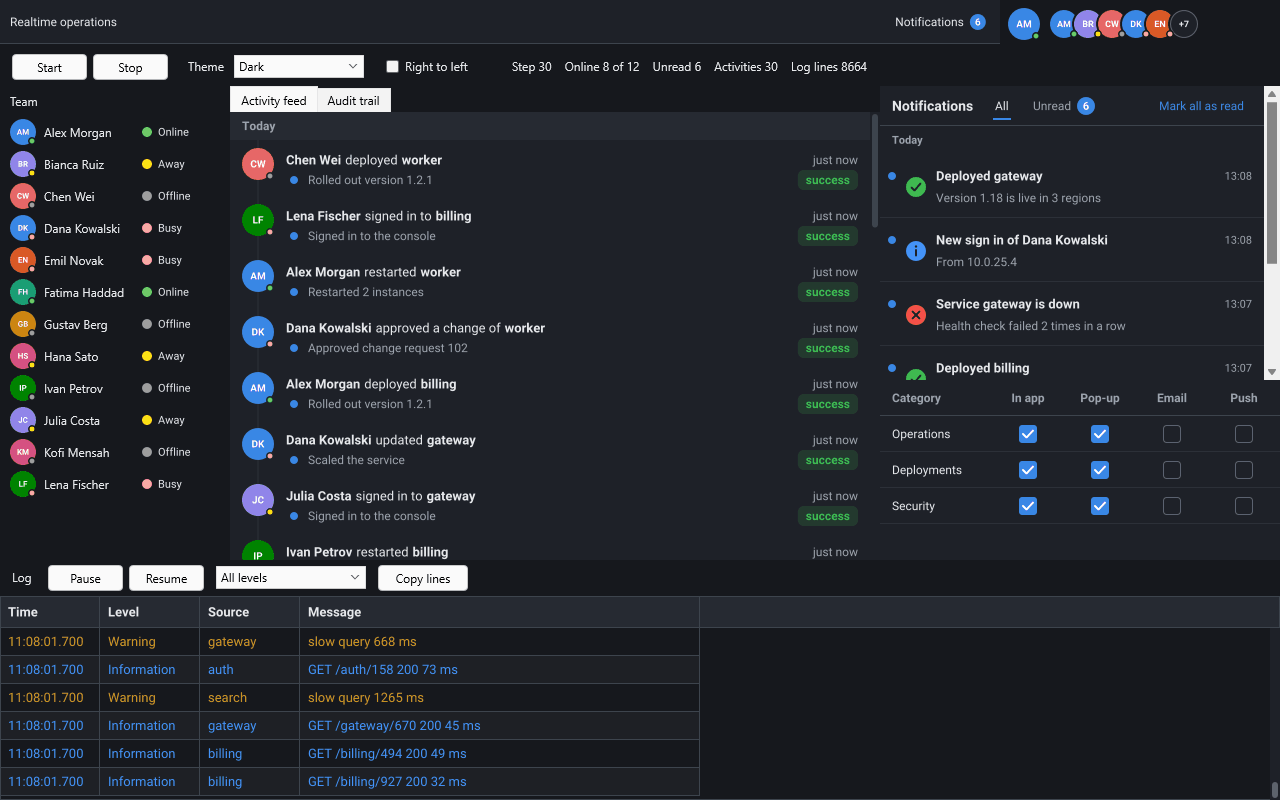
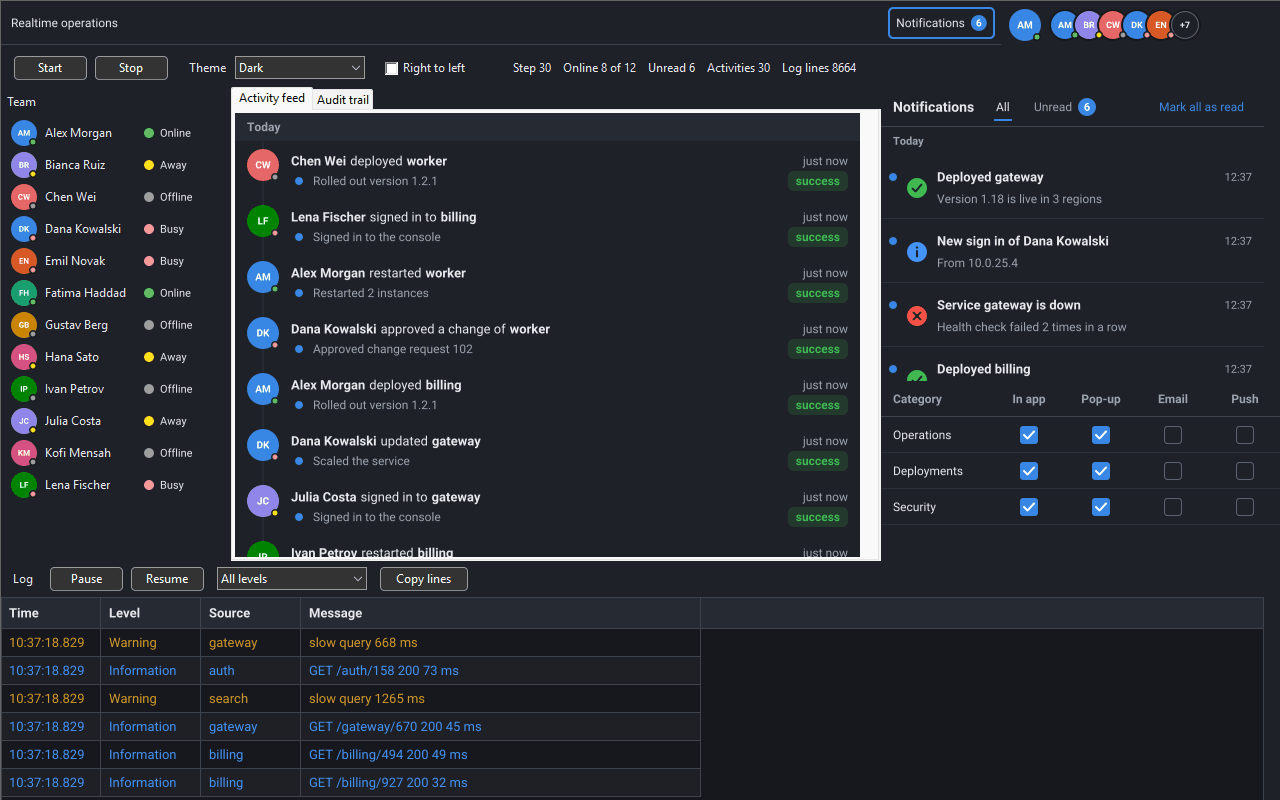
Delphi notification component in a VCL application, dark theme: the notification inbox with 6 unread, preferences per category for in app, pop-up, email and push, an activity feed and a team roster

The Notification Components

The model draws nothing and is framework neutral, so one model feeds the VCL and the FireMonkey views of the same application.

One notification model drives toast notifications, a notification inbox grouped by day, an unread badge and preferences per category, and a server can push new notifications live over WebSocket, MQTT or server-sent events.

ComponentUnitRole
TsgcNotificationModelsgcNavigation_NotificationNon-visual. Keeps the notifications, counts the unread ones, marks them read, dismisses them and saves them as JSON.
TsgcVCLToastManager, TsgcFMXToastManagersgcNavigation_Toast_VCL, sgcNavigation_Toast_FMXNon-visual. Shows a toast for every new unread notification of the model, and standalone toasts from code.
TsgcVCLNotificationInbox, TsgcFMXNotificationInboxsgcNavigation_Inbox_VCL, sgcNavigation_Inbox_FMXA control that lists the notifications by day, with All and Unread tabs and a Mark all as read button.
TsgcNotificationPreferencessgcNavigation_NotifyPrefsNon-visual. The channels (in app, pop-up, email, push) the user wants for each category.
TsgcVCLNotificationPrefsEditor, TsgcFMXNotificationPrefsEditorsgcNavigation_NotifyPrefs_VCL, sgcNavigation_NotifyPrefs_FMXA control that shows the preferences as a table of check boxes, one row per category.
TsgcToolbarBadgeLinksgcToolbar_BadgeLinkNon-visual, in sgcToolbar. Shows the unread count of the model as the badge of a toolbar or ribbon item, 99+ above 99.
TsgcUILiveSource_WebSocket, TsgcUILiveSource_MQTT, TsgcUILiveSource_SSEsgcUICoreWS bridgeHand the JSON messages a server sends over an sgcWebSockets connection to the model (Registered edition).

Show Toast Notifications in a Delphi App

A toast is a short card that pops up at a corner of the form or the screen, counts down and closes by itself.

A toast has a severity glyph or an image, a title, a body of up to three lines, a close button and up to two action buttons. The toast manager is a non-visual component on the form: it stacks the toasts, counts them down, pauses them under the pointer, fades them in and out and queues the ones that do not fit.

  • Position picks the corner or edge, tpsBottomRight by default, and Anchor of the VCL manager stacks the toasts in the form or in the work area of the screen.
  • Duration is 5000 ms by default, and StickySeverities keeps errors on screen until the user closes them.
  • MaxVisible (3) limits the toasts on screen; the next ones wait in a queue.
  • A toast never activates a window and never takes the focus, so the user keeps typing. A screen reader reads each new toast.
Delphi VCL, a toast manager and a standalone toast
uses
  Classes, SysUtils, Forms,
  sgcNavigation_Notification, sgcNavigation_Toast, sgcNavigation_Toast_VCL;

procedure TMainForm.FormCreate(Sender: TObject);
begin
  FToasts := TsgcVCLToastManager.Create(Self);
  // the bottom right corner of the form, two toasts at a time
  FToasts.Anchor := tanForm;
  FToasts.Position := tpsBottomRight;
  FToasts.MaxVisible := 2;
  // warnings and errors stay until the user closes them
  FToasts.StickySeverities := [nsvWarning, nsvError];
end;

procedure TMainForm.ExportFinished(aRows: Integer);
begin
  FToasts.Show('Export finished', IntToStr(aRows) + ' rows written.',
    nsvSuccess);
end;

In FireMonkey, TsgcFMXToastManager has the same properties without Anchor. The toasts live in an overlay inside the form, which works on Windows, macOS, Linux, iOS and Android.

Read the Toasts help topic

A Notification Inbox with an Unread Badge

The model keeps the notifications of one user; the toasts, the inbox and the badge follow it with no other code.

A notification has an Id, a title, a plain text body, a severity (info, success, warning or error), a UTC time, a read state, a category, the source that raised it and action buttons. Add adds a new unread notification. Post is an upsert by Id, so the key of an order, a build or a ticket keeps one notification up to date instead of adding a second one. MarkRead, MarkAllRead and Dismiss change the state, and SaveToFile and LoadFromFile keep the notifications between sessions as JSON.

  • Inbox: the notifications grouped by day, all or unread only, with Mark all as read.
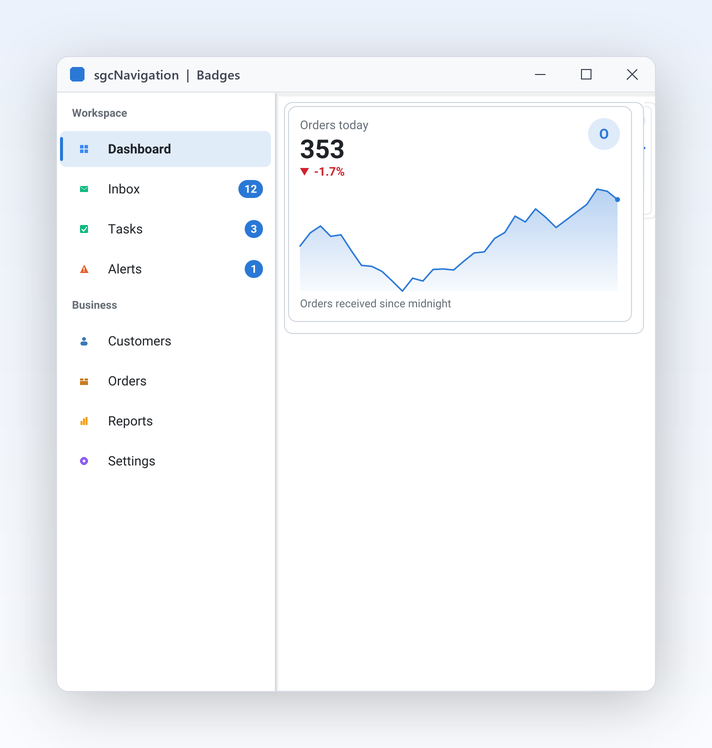
  • Unread badge: TsgcToolbarBadgeLink shows the unread count on a toolbar button, or on a ribbon button in the Registered edition.
  • Preferences: one row per category and one column per channel. Switching the pop-up channel of a category off stops its toasts, and the inbox still lists them.
  • Actions: a click on an action button, in a toast or in the inbox, raises OnAction of the model with the id of the action.
Delphi VCL, the whole notification center
uses
  Classes, SysUtils, Controls, Forms,
  sgcNavigation_Notification, sgcNavigation_NotifyPrefs,
  sgcNavigation_Toast_VCL, sgcNavigation_Inbox_VCL,
  sgcToolbar_VCL, sgcToolbar_BadgeLink;

procedure TMainForm.SetupNotifications(aToolbar: TsgcVCLToolbar);
var
  vFile: string;
begin
  // the notifications of the user, kept between sessions
  FModel := TsgcNotificationModel.Create(Self);
  vFile := ExtractFilePath(Application.ExeName) + 'notifications.json';
  if FileExists(vFile) then
    FModel.LoadFromFile(vFile);
  FModel.OnAction := ModelAction;

  // orders pop up, news only go to the inbox
  FPrefs := TsgcNotificationPreferences.Create(Self);
  FPrefs.Categories.Add('orders', 'Orders');
  FPrefs.Categories.Add('news', 'News').Defaults := [nchInApp];

  // a toast for every new unread notification its category allows
  FToasts := TsgcVCLToastManager.Create(Self);
  FToasts.Preferences := FPrefs;
  FToasts.Model := FModel;

  // every notification, newest first, under a header per day
  FInbox := TsgcVCLNotificationInbox.Create(Self);
  FInbox.Parent := Self;
  FInbox.Align := alRight;
  FInbox.Width := 360;
  FInbox.Model := FModel;

  // the unread count as the badge of the first toolbar button
  FBadge := TsgcToolbarBadgeLink.Create(Self);
  FBadge.Source := FModel;
  FBadge.Target := aToolbar;
  FBadge.ItemIndex := 0;
end;

procedure TMainForm.OrderShipped(const aOrderId: string);
var
  oItem: TsgcNotificationItem;
begin
  FModel.BeginUpdate;
  try
    // an upsert: the same id updates the notification
    oItem := FModel.Post('order-' + aOrderId, 'Order ' + aOrderId +
      ' shipped', 'The parcel left the warehouse.', nsvSuccess, 'orders');
    if oItem.Actions.IndexOf('track') < 0 then
      oItem.Actions.Add('track', 'Track');
  finally
    FModel.EndUpdate;
  end;
end;

Changes made between BeginUpdate and EndUpdate reach the views once, so the toast shows the finished notification with its buttons. The model is used from the main thread.

Read the Notifications help topic

Push Notifications from a Server over WebSocket, MQTT or SSE

A server keeps the notifications of a user up to date with live messages, one JSON object per message.

ApplyMessage applies a message to the model: add, update, remove, read, unread or snapshot. The toasts, the inbox and the badge follow the model, so a message from the server shows on screen with no other code. ApplyMessage never raises; it returns False and leaves the model unchanged when a message is not for it.

messages.json
{"type":"notification","op":"add","notification":{"id":"n2","title":"Build 812 passed","severity":"success","group":"ci"}}
{"type":"notification","op":"update","notification":{"id":"n2","body":"All 1,204 tests passed"}}
{"type":"notification","op":"read","ids":["n1","n2"]}
{"type":"notification","op":"remove","id":"n1"}

The live sources of the sgcUICoreWS bridge take the messages of a sgcWebSockets client and hand them to the model: TsgcUILiveSource_WebSocket for a TsgcWebSocketClient, TsgcUILiveSource_MQTT for a TsgcWSPClient_MQTT and TsgcUILiveSource_SSE for the server-sent events of a TsgcHTTP1Client. Messages that arrive in a socket thread are queued and applied in the main thread.

Delphi, notifications from a WebSocket channel
uses
  Classes, SysUtils,
  sgcWebSocket, sgcUICoreWS_Live, sgcUICoreWS_Live_WebSocket,
  sgcNavigation_Notification;

function BindNotifications(aOwner: TComponent; aClient: TsgcWebSocketClient;
  aModel: TsgcNotificationModel): TsgcUILiveSource_WebSocket;
var
  oBinding: TsgcUILiveBinding;
begin
  Result := TsgcUILiveSource_WebSocket.Create(aOwner);
  Result.Client := aClient;
  oBinding := Result.Bindings.Add;
  oBinding.Target := aModel;
  // only the frames of the alerts channel, the live message is in "data":
  // {"channel":"alerts","data":{"type":"notification","op":"add",...}}
  oBinding.FilterPath := 'channel';
  oBinding.FilterValue := 'alerts';
  oBinding.MessagePath := 'data';
end;
  • The source never connects, subscribes or sends. The URL, the credentials, TLS and the reconnection belong to the client.
  • The bridge is inbound only. When the user reads or dismisses a notification, handle OnNotification and OnAction of the model and send your own frame through the same client.

Live messages and the live sources are part of the Registered edition, and the live sources need sgcWebSockets. Without a server, the application calls Add and Post of the model.

Read the Notification Live Messages help topic
VCL, FireMonkey, C++Builder and .NET

Delphi 7 to Delphi 13 with VCL, FireMonkey from Delphi XE6, C++Builder, and .NET WinForms, WPF and Avalonia.

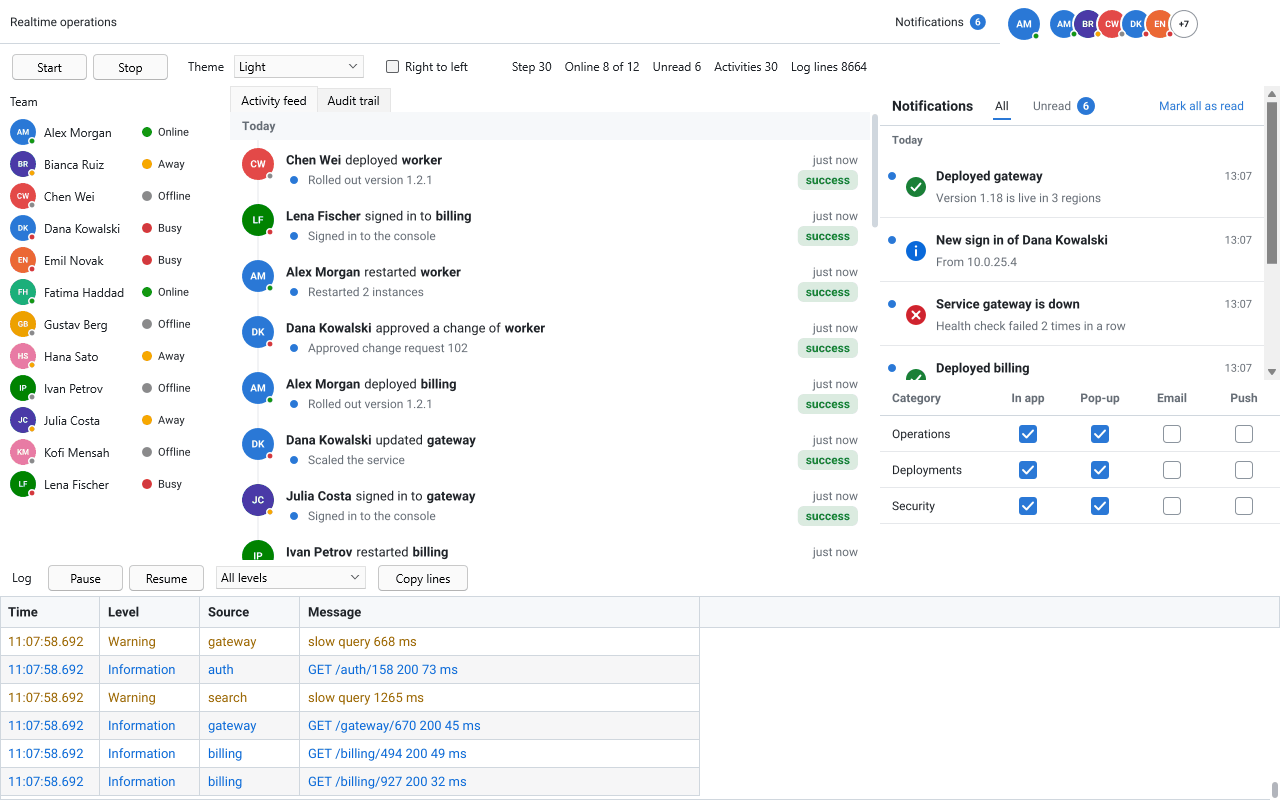
The Realtime demo for Delphi FireMonkey in the dark theme, with the notification inbox and the unread badge

One model, every front end

  • VCL: TsgcVCLToastManager, TsgcVCLNotificationInbox and TsgcVCLNotificationPrefsEditor
  • FireMonkey: TsgcFMXToastManager, TsgcFMXNotificationInbox and TsgcFMXNotificationPrefsEditor
  • C++Builder: the same components, with C++ examples in the help
  • .NET: TsgcWinFormsToastManager, TsgcWpfToastManager and TsgcAvaloniaToastManager, with the inbox and the preferences editor

The Realtime demo of the sgcUI suite builds an operations console with a bell whose badge is the unread count, and the notification inbox above the preferences, in VCL, FireMonkey, C++Builder and .NET. See the Realtime UI pack.

Community and Registered

The notification components follow the edition of their product, sgcNavigation, and the badge link follows sgcToolbar.

PieceProduct.NET CommunityRegistered
Notification model, toasts, inbox and preferencessgcNavigationYesYes
Badge link with a toolbarsgcToolbarYesYes
Badge link with a ribbonsgcToolbarNoYes
Live notification messagessgcNavigationNoYes
Live sources over WebSocket, MQTT and SSE (needs sgcWebSockets)sgcUICoreNoYes

In Delphi and C++Builder the notification components come with sgcUI Standard, Professional, Enterprise, All-Access and the Trial, and with sgcNavigation and sgcToolbar sold alone. The free .NET Community packages include them too. The Delphi Community edition ships sgcGrid only. See the sgcUI pricing.

Frequently Asked Questions

Put a TsgcVCLToastManager on the form, or a TsgcFMXToastManager in FireMonkey, and call Show with a title, a body and a severity. The toast pops up at the corner you choose, counts down for five seconds by default, pauses while the pointer is over it and never takes the focus. With its Model set, the manager also shows a toast for every new unread notification.

Create a TsgcNotificationModel and set it as the Model of a TsgcVCLNotificationInbox, which lists the notifications by day with All and Unread tabs and a Mark all as read button. Then set the model as the Source of a TsgcToolbarBadgeLink with a toolbar as its Target: the unread count shows on the button, as 99+ above 99.

Yes, in the Registered edition. The server sends one JSON message per change, and ApplyMessage applies it to the model. The live sources of the sgcUICoreWS bridge read those messages from a WebSocket, MQTT or server-sent events client of sgcWebSockets and apply them in the main thread, so the toasts, the inbox and the badge update with no other code.

Yes. TsgcFMXToastManager, TsgcFMXNotificationInbox and TsgcFMXNotificationPrefsEditor work from Delphi XE6. The FireMonkey toasts live in an overlay inside the form, on Windows, macOS, Linux, iOS and Android. The model is framework neutral, so the same TsgcNotificationModel feeds VCL and FireMonkey views.

Yes. TsgcNotificationPreferences holds the channels the user wants for each category: in app, pop-up, email and push. The preferences editor shows them as a table of check boxes. A toast manager with Preferences set shows no toast for a category whose pop-up channel is off, and the inbox still lists those notifications.

Yes, when you save them. SaveToFile and LoadFromFile of the model keep the notifications between sessions as a JSON file, and MaxCount (500 by default) bounds the model, dropping the oldest read notifications first.

The free .NET Community packages include the model, the toasts, the inbox and the preferences. The Delphi Community edition ships sgcGrid only, so in Delphi and C++Builder the notification components come with sgcNavigation, sold alone or in sgcUI Standard and above. The All-Access trial includes every sgcUI product for evaluation.

Best value: All-AccessEvery eSeGeCe product, Premium Support included, from €1,059/year.
See All-Access pricing

Add Notifications to Your Delphi Application

Download the sgcUI trial and try the toasts, the inbox and the badge in your own IDE.