Delphi 7 to 13 & C++ Builder No DLLs

Delphi PDF Viewer Component for VCL and FireMonkey

A native Delphi PDF viewer in pure Object Pascal: open a file and your users scroll, zoom, search, annotate and print it, in VCL and FireMonkey apps with no DLL to deploy.

Thumbnails, bookmarks and comments Search, text selection and printing Form filling and annotation tools VCL, FireMonkey, WinForms, WPF, Avalonia
See pricing →

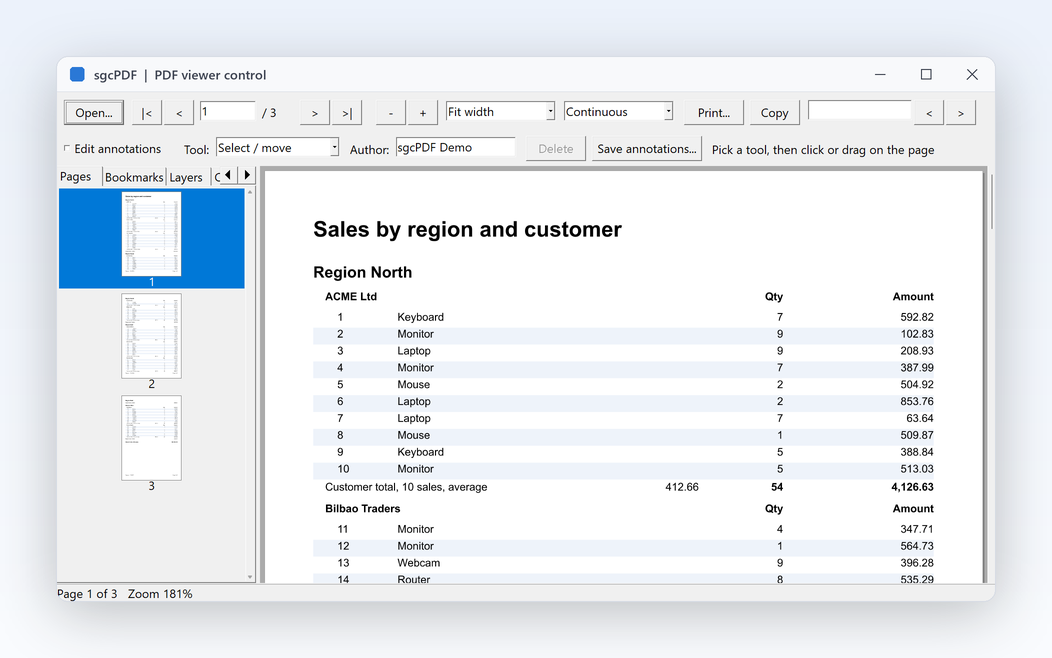
sgcPDF viewer control in a Delphi VCL form: toolbar with page navigation, zoom, fit width, continuous layout, print, copy and search, a page thumbnails panel, annotation tools and a three page sales report

How to Show a PDF in a Delphi Form

The sgcPDF viewer is a regular control on the sgcPDF palette page. Drop it on a form, or create it at run time, and load a file. The VCL viewer renders pages in the background into a bounded page cache, so large documents open quickly and scroll smoothly.

1. Drop the viewer on a form

Place TsgcPDFViewerControl on a VCL form, or TsgcPDFViewerFMX on a FireMonkey form, and align it to the client area.

2. Load the PDF file

Set FileName in the Object Inspector, which also loads the file at design time, or call LoadFromFile or LoadFromStream at run time. A TsgcPDFDocument you created in code can be shown through the Document property.

3. Add the side panels

Link TsgcPDFThumbnailView and TsgcPDFOutlineView to the viewer with their Viewer property for page thumbnails and a bookmarks tree. TsgcPDFCommentsView lists the annotations of the document.

Everything Users Expect from a PDF Viewer

The features of the VCL viewer TsgcPDFViewerControl. The FireMonkey viewer shares most of them, see the FireMonkey section.

Continuous, single page or two page layout. Fit width, fit page, fit height, actual size or a custom zoom, plus a zoom tool that fits a dragged rectangle. Keyboard, mouse wheel and hand tool navigation, and a view rotation in 90 degree steps.

Thumbnails, bookmarks and comments

The thumbnail view follows the current page and goes to a page on click, with thumbnails rendered on demand and cached. The outline view shows the bookmarks, and the comments view lists every annotation by page with author, date, contents and threaded replies.

Search and text selection

FindText highlights every match in the document and scrolls to the first one, with case and whole word options. Users select text with the mouse, Ctrl+A selects all and Ctrl+C copies, and your code reads SelectedText.

Form filling

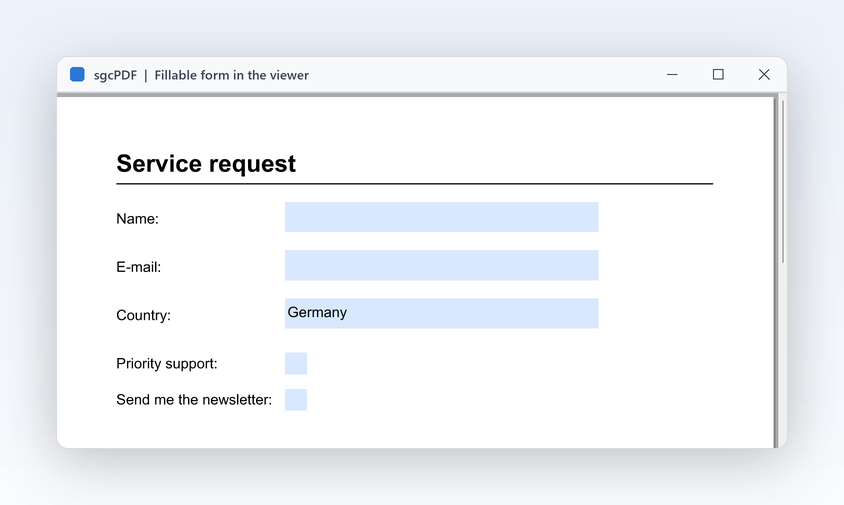
With FormFilling, on by default, users fill text fields, check boxes, radio buttons, list boxes and combo boxes, and Tab moves between the fields. OnFieldChange reports each change to your code.

Annotations

Users add sticky notes, free text, highlight, underline and strike-out, lines, arrows, rectangles, ellipses, freehand ink and stamps such as Approved, Draft or Confidential. They select, move, resize and delete them, and reply in a popup.

Printing

Print sends a page range to the current printer, and PrintDialog shows the print dialog with printer, page range, copies and collate. Every page prints with its own rotation, fitted to the paper, with the annotations in print mode.

Links to pages are followed, and OpenLinksInBrowser opens http, https and mailto links. OnPageChange, OnZoomChange, OnLinkClick and OnPaintPage let you build your own toolbar and draw on top of the pages.

High DPI, themes and prepress tools

High DPI aware on Delphi 10.3 and newer. With sgcUI, UseUITheme takes the viewer colours from the application theme. Page box display, a measure tool and overprint preview help print shops check their files.

sgcPDF on Screen

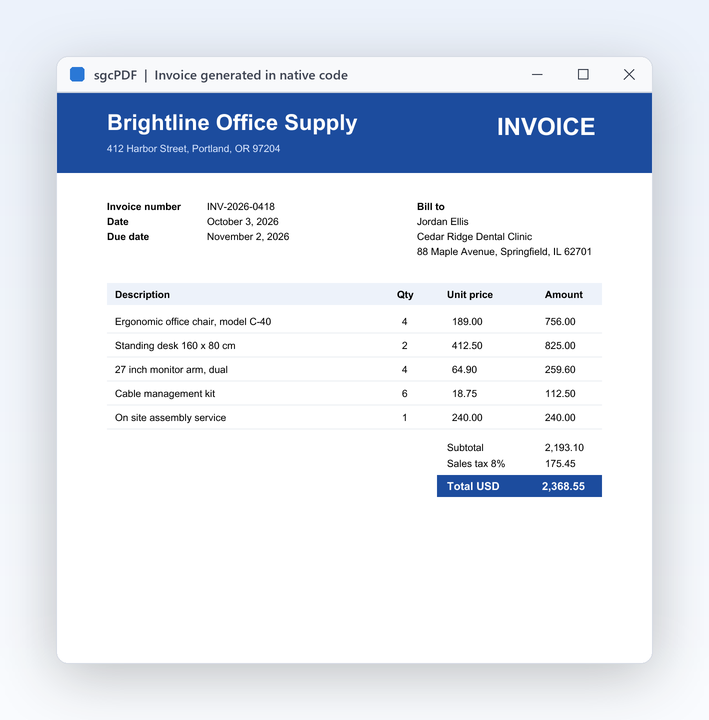
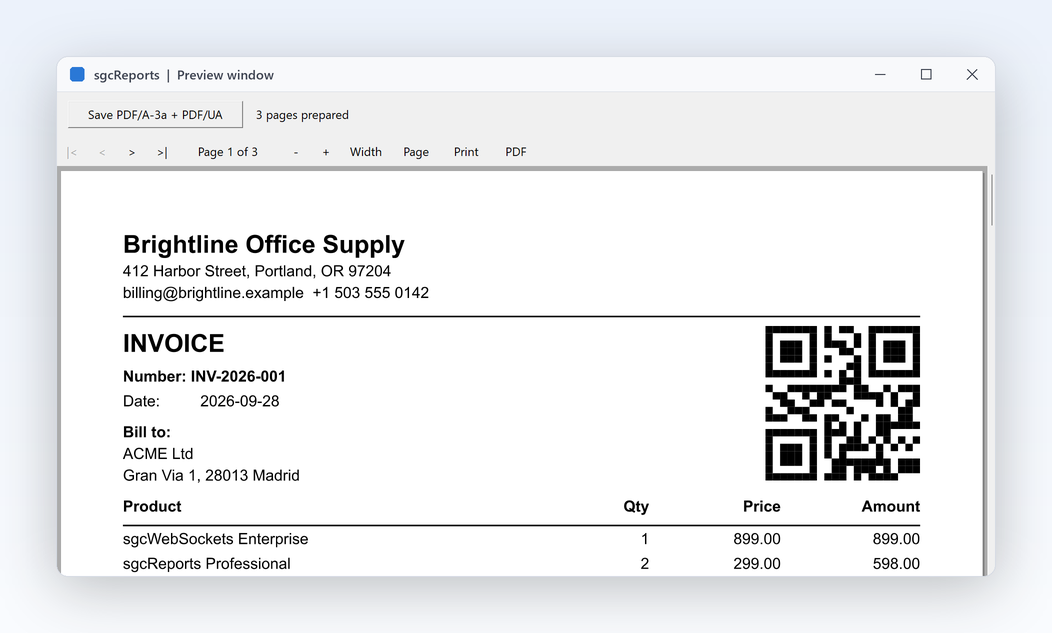
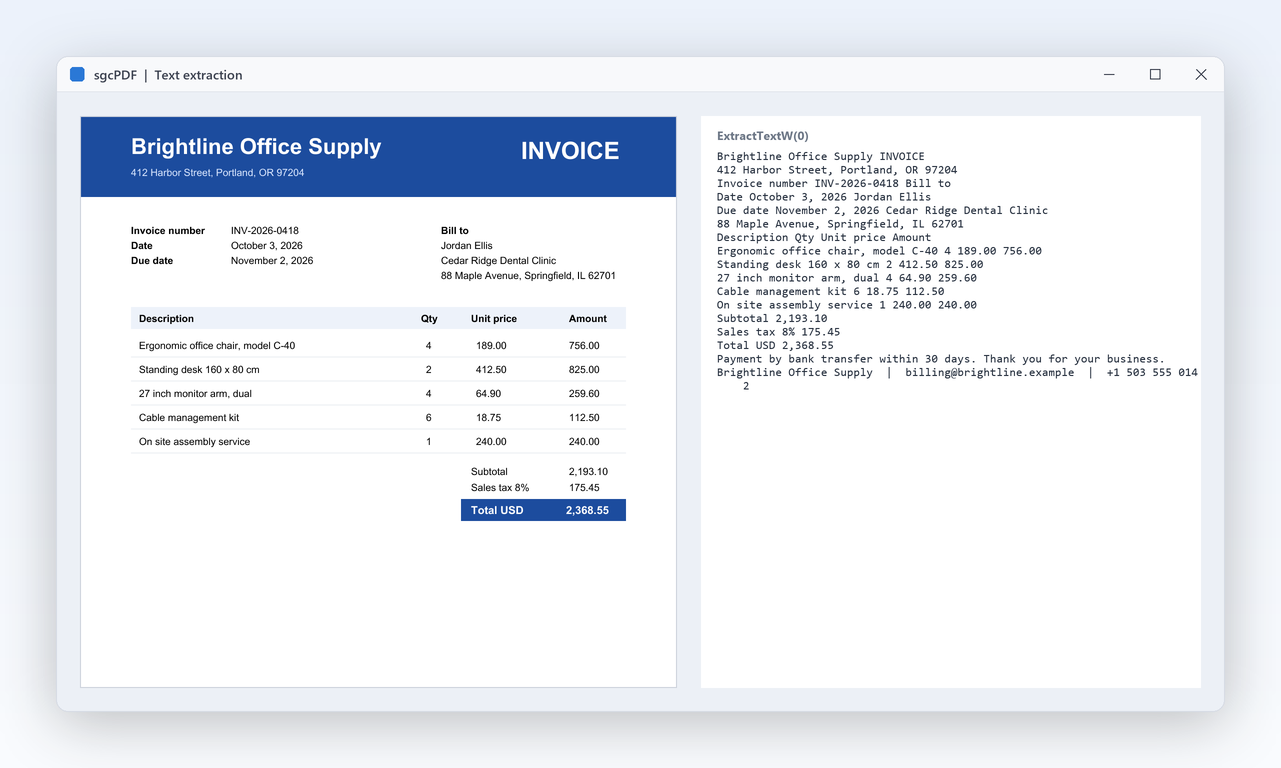
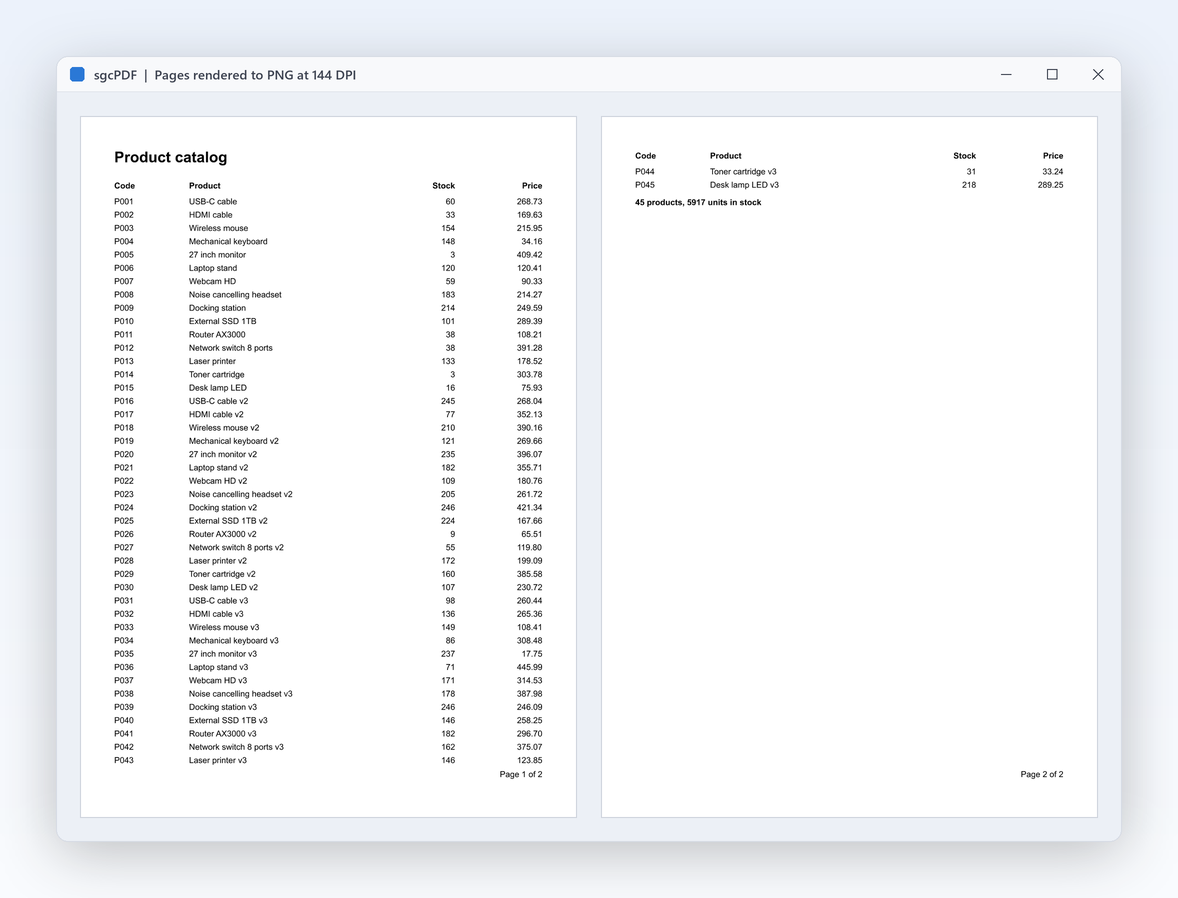
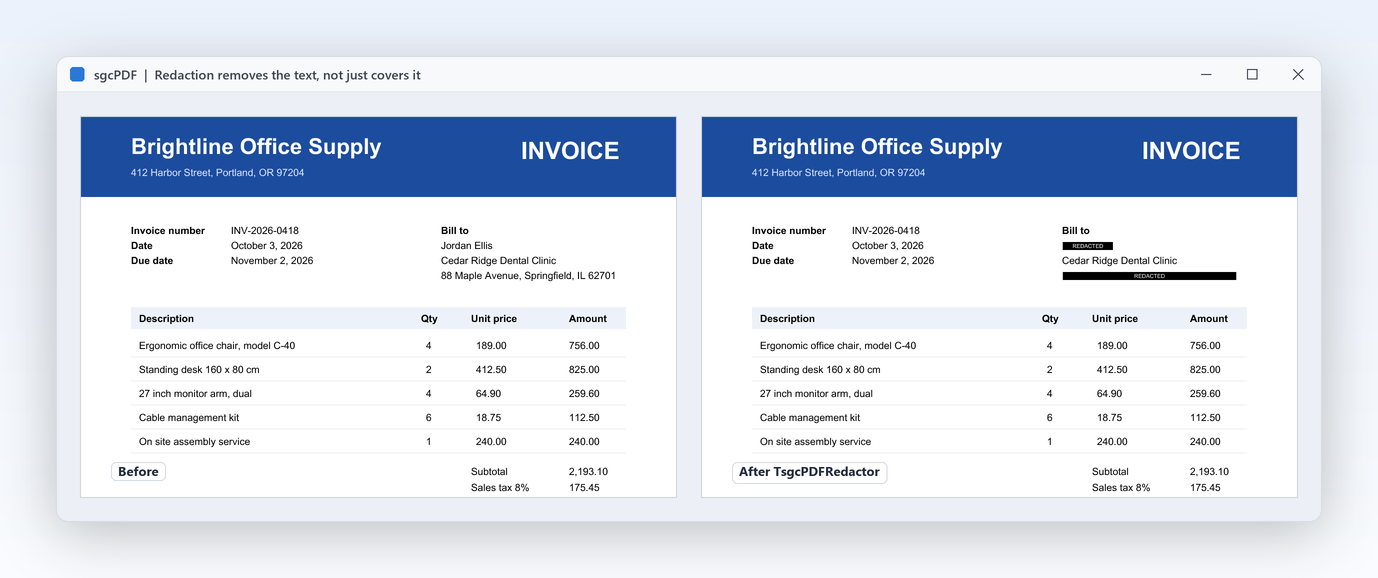
The viewer shows what the rest of sgcPDF creates and edits: forms, generated invoices, extracted text, rendered pages and redacted documents.

Load a PDF File into the Viewer

A VCL form with page thumbnails on the left and the viewer filling the rest, plus a search box and a print button.

uses
  Classes, Controls, Forms,
  sgcPDF_ViewerVCL;

procedure TMainForm.FormCreate(Sender: TObject);
begin
  // page thumbnails on the left
  FThumbnails := TsgcPDFThumbnailView.Create(Self);
  FThumbnails.Parent := Self;
  FThumbnails.Align := alLeft;
  FThumbnails.Width := 160;

  // the viewer fills the rest of the form
  FViewer := TsgcPDFViewerControl.Create(Self);
  FViewer.Parent := Self;
  FViewer.Align := alClient;

  // link the thumbnails to the viewer and open the file
  FThumbnails.Viewer := FViewer;
  FViewer.LoadFromFile('invoice.pdf');
end;

procedure TMainForm.btnSearchClick(Sender: TObject);
begin
  // highlights every match and scrolls to the first one
  FViewer.FindText(edtSearch.Text);
end;

procedure TMainForm.btnPrintClick(Sender: TObject);
begin
  // printer, page range, copies and collate
  FViewer.PrintDialog('Invoice');
end;

The FireMonkey viewer loads a file the same way:

uses
  FMX.Types,
  sgcPDF_ViewerFMX;

procedure TMainForm.FormCreate(Sender: TObject);
begin
  FViewer := TsgcPDFViewerFMX.Create(Self);
  FViewer.Parent := Self;
  FViewer.Align := TAlignLayout.Client;
  FViewer.LoadFromFile('invoice.pdf');
end;

A PDF Viewer for FireMonkey on Desktop and Mobile

TsgcPDFViewerFMX shows PDF documents on Windows, macOS, iOS and Android, and on Linux with FMXLinux. It needs Delphi XE5 or newer and draws the pages with the pure Pascal raster renderer of sgcPDF.

Touch friendly

Pinch to zoom, drag to pan, and a long press then a drag to zoom into an area. Continuous, single page and two page layouts, with fit width, fit page and fit height zoom modes.

Search and annotations

FindText, FindNext and FindPrevious highlight and walk through the matches. Users add and edit the same annotation types as in the VCL viewer, and TsgcPDFCommentsViewFMX lists them with their replies.

Printing

Print and PrintDialog print on Windows and macOS with the FireMonkey print dialog. A drag on a page pans it. Text selection and copy are in the VCL viewer and the .NET viewers.

Platforms, Delphi Versions and .NET Viewers

One PDF engine in Object Pascal behind every viewer, with the same member names in Delphi, C++ Builder and the .NET Windows Forms control.

VCL

TsgcPDFViewerControl for Delphi 7 to Delphi 13 and C++ Builder 2007 to 13, on Windows 32-bit and 64-bit.

VCL viewer component →

FireMonkey

TsgcPDFViewerFMX for Delphi XE5 and newer, on Windows, macOS, iOS, Android and Linux with FMXLinux.

FireMonkey viewer component →

WinForms

TsgcPDFViewerControl in the esegece.sgcPDF.WinForms package, with thumbnail and outline views, for .NET Framework 4.7.2 and .NET 8 on Windows.

C# PDF library →

WPF and Avalonia

TsgcWpfPDFViewer for WPF on Windows, and TsgcAvaloniaPDFViewer for Avalonia on Windows, Linux and macOS, each with thumbnail and outline views, form filling and annotation editing.

sgcPDF for .NET →

Delphi PDF Viewer Questions

Drop a TsgcPDFViewerControl from the sgcPDF palette page on the form, set Align to alClient and set FileName, or call LoadFromFile at run time as in the code sample. Add a TsgcPDFThumbnailView and a TsgcPDFOutlineView for thumbnails and bookmarks.

Yes. TsgcPDFViewerFMX is a FireMonkey control for Windows, macOS, iOS and Android, and for Linux with FMXLinux. It has zoom modes, pinch to zoom, search with highlights, annotations and printing on Windows and macOS. It needs Delphi XE5 or newer.

No. sgcPDF is written entirely in Object Pascal, and the parser, fonts, image decoders and renderers are compiled into your application. There is no DLL and no external PDF engine to deploy, and full source code is included.

Users fill text fields, check boxes, radio buttons, list boxes and combo boxes in the VCL viewer, and in the WinForms, WPF and Avalonia viewers, and your code saves the filled form. For signatures, TsgcPDFSignaturePad records a handwritten signature and ApplyToSignature puts it into the visible field of a digital signature, and the help shows how users drag signature stamps onto a page of the viewer before the document is signed.

Yes. Print prints a page range on the current printer, and PrintDialog shows the print dialog with printer, page range, copies and collate. Pages are fitted to the paper and the annotations print with them. The FireMonkey viewer prints on Windows and macOS.

Yes. Download the fully functional trial for Delphi and C++ Builder, with compiled demos you can run without the IDE. For .NET, every sgcPDF NuGet package also ships as a free Community edition for individuals and organizations under EUR 1M annual gross revenue with no more than 5 developers. See sgcPDF pricing for the licenses.

The VCL viewer supports Delphi 7 to Delphi 13 and C++ Builder 2007 to 13 on Windows 32-bit and 64-bit, and is High DPI aware on Delphi 10.3 and newer. The FireMonkey viewer needs Delphi XE5 or newer.

Best value: All-AccessEvery eSeGeCe product, Premium Support included, from €1,059/year.
See All-Access pricing

Try the Delphi PDF Viewer

The trial includes the VCL and FireMonkey viewers and the whole sgcPDF library, with every feature unlocked.