sgcAI Your Delphi app, now an AI app. No Python bridge.

Fifteen palette components that put large language models, the Model Context Protocol, embeddings, vector search and speech straight into your Delphi or C++ Builder application. One chat component reaches OpenAI, Anthropic, Google Gemini, xAI Grok, DeepSeek, Mistral and Ollama through a single property. No external runtime, nothing extra to install on the target machine.

Ask a model your first question in ten lines →
  • Delphi
  • C++ Builder
  • 7 LLM providers
  • MCP client and server
  • Windows Win32 & Win64
  • Full source code
  • 15Palette components on one palette page
  • 7LLM providers behind one property
  • 3Speech engines: System, Google, Amazon Polly
  • 2Vector stores: local file and Pinecone
  • 1Unified API, the same calls for every vendor
Watch it work

See sgcAI in two minutes.

Narrated and captioned walkthroughs of the components doing real work. Pick one from the list. Nothing downloads until you press play.

Providers

Seven vendors, one Provider property.

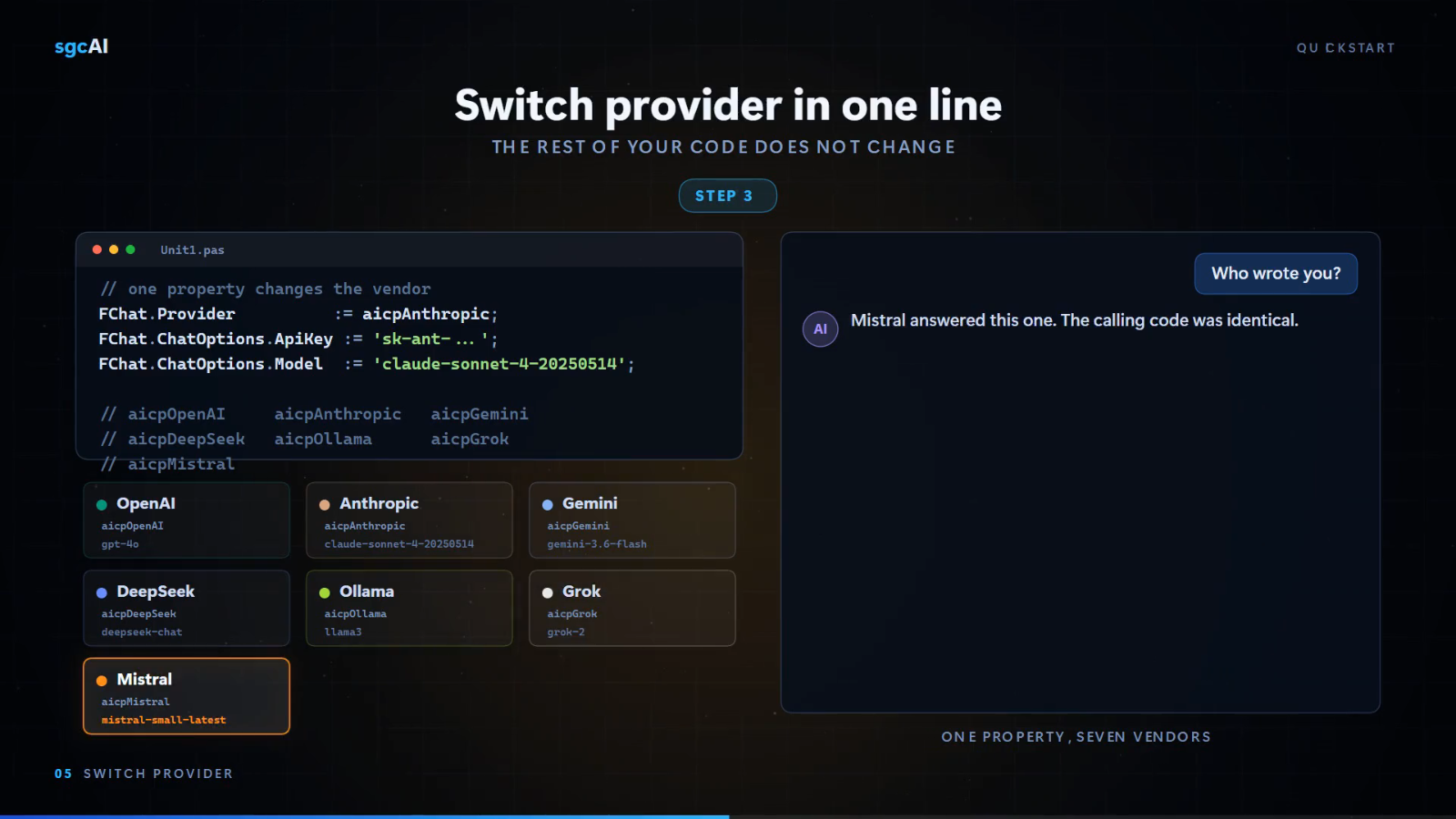
These are not seven components. They are the seven values of TsgcAIChatProvider, so changing vendor changes one assignment and nothing else. The same Chat, ChatStream and ChatAsync calls, the same history handling and the same events apply to all of them.

  • OpenAIaicpOpenAI

    GPT models through the Chat Completions API.

  • AnthropicaicpAnthropic

    Claude models through the Messages API, with the same streaming and history handling as the rest.

  • Google GeminiaicpGemini

    Gemini models through the Google Generative Language API.

  • DeepSeekaicpDeepSeek

    deepseek-chat and deepseek-reasoner.

  • OllamaaicpOllama

    Local models. Point ChatOptions.BaseUrl at your Ollama host and no data leaves the machine.

  • xAI GrokaicpGrok

    Grok models through the xAI API.

  • MistralaicpMistral

    Mistral models through the Mistral API.

  • OpenAI-compatible endpoints

    Azure OpenAI, Groq, Together, LM Studio, vLLM and llama.cpp server. Change the endpoint and the API key, keep the code.

Vector storage is covered too, with embeddings written to a local file store or to Pinecone. See embeddings, the file vector database and Pinecone.

Quick start

Ten lines of Delphi, tokens on screen.

Pick a provider, set the key and the model, call Chat. Switching to a different vendor later is one assignment.

uses
  sgcAI, sgcAI_Chat;
var
  oChat: TsgcAIChat;
  vAnswer: string;
begin
  oChat := TsgcAIChat.Create(nil);
  oChat.Provider := aicpAnthropic;
  oChat.ChatOptions.ApiKey := 'sk-ant-...';
  oChat.ChatOptions.Model := 'claude-sonnet-4-5';
  oChat.SystemMessage := 'You are a Delphi expert. Answer in one paragraph.';
  vAnswer := oChat.Chat('How do I keep a WebSocket connection alive?');

  // Same code, different vendor: one property and one key.
  oChat.Provider := aicpOpenAI;
  oChat.ChatOptions.ApiKey := 'sk-...';
  oChat.ChatOptions.Model := 'gpt-4o';
  vAnswer := oChat.Chat('Same question, different model.');
end;
// includes: sgcAI.hpp, sgcAI_Chat.hpp
TsgcAIChat *oChat = new TsgcAIChat(NULL);
oChat->Provider = aicpAnthropic;
oChat->ChatOptions->ApiKey = "sk-ant-...";
oChat->ChatOptions->Model = "claude-sonnet-4-5";
oChat->SystemMessage = "You are a Delphi expert. Answer in one paragraph.";
String vAnswer = oChat->Chat("How do I keep a WebSocket connection alive?");

// Same code, different vendor: one property and one key.
oChat->Provider = aicpOpenAI;
oChat->ChatOptions->ApiKey = "sk-...";
oChat->ChatOptions->Model = "gpt-4o";
vAnswer = oChat->Chat("Same question, different model.");
  // Token by token, delivered on OnChatStream.
  oChat.OnChatStream := OnChatStreamHandler;
  oChat.ChatStream('Now explain it to a beginner.');
end;

procedure TForm1.OnChatStreamHandler(Sender: TObject;
  const aChunk: string; var Cancel: Boolean);
begin
  Memo1.Text := Memo1.Text + aChunk;
  Cancel := StopRequested;   // abort a long generation
end;
uses
  sgcHTTP_API_Anthropic;

procedure TForm1.Ask;
begin
  FClaude := TsgcHTTP_API_Anthropic.Create(nil);
  FClaude.AnthropicOptions.ApiKey := 'sk-ant-...';
  FClaude.AnthropicOptions.AnthropicVersion := '2023-06-01';
  FClaude.OnHTTPAPISSE := OnDelta;

  FClaude._CreateMessageStream('claude-3-5-sonnet-latest',
    'Summarise order 10248 for the customer.', 1024);
end;

procedure TForm1.OnDelta(Sender: TObject; const aEvent, aData: string;
  var Cancel: Boolean);
begin
  Memo1.Text := Memo1.Text + aData;
end;
// sgcWebSockets .NET
using esegece.sgcWebSockets;

var claude = new TsgcHTTPAPI_Anthropic();
claude.AnthropicOptions.ApiKey = "sk-ant-...";
claude.AnthropicOptions.AnthropicVersion = "2023-06-01";

// .NET has no per-delta event: the streaming call returns the full text
Console.Write(claude._CreateMessageStream("claude-3-5-sonnet-latest",
    "Summarise order 10248 for the customer.", 1024));
uses
  sgcAI, sgcAI_MCP_Classes, sgcAI_MCP_Types;
var
  oMCP: TsgcWSAPIClient_MCP;
begin
  oMCP := TsgcWSAPIClient_MCP.Create(nil);
  // Remote server over streamable HTTP.
  oMCP.MCPOptions.Transport := aimcptrHttpStreamable;
  oMCP.MCPOptions.HttpOptions.URL := 'https://mcp.example.com/mcp';
  oMCP.MCPOptions.ClientInfo.Name := 'sgc-mcp-client';
  oMCP.MCPOptions.ClientInfo.Version := '1.0.0';
  oMCP.OnMCPListTools := MCPListTools;
  oMCP.OnMCPResponseTool := MCPToolResponse;
  oMCP.Initialize;
  oMCP.ListTools;
  oMCP.RequestTool('GetTemperature', vArguments); // vArguments: IsgcJSON
end;

// Or spawn a local MCP server as a subprocess instead:
oMCP.MCPOptions.Transport := aimcptrStdio;
oMCP.MCPOptions.StdioOptions.Command := 'C:\tools\my-mcp-server.exe';
oMCP.MCPOptions.StdioOptions.Arguments := '--stdio';
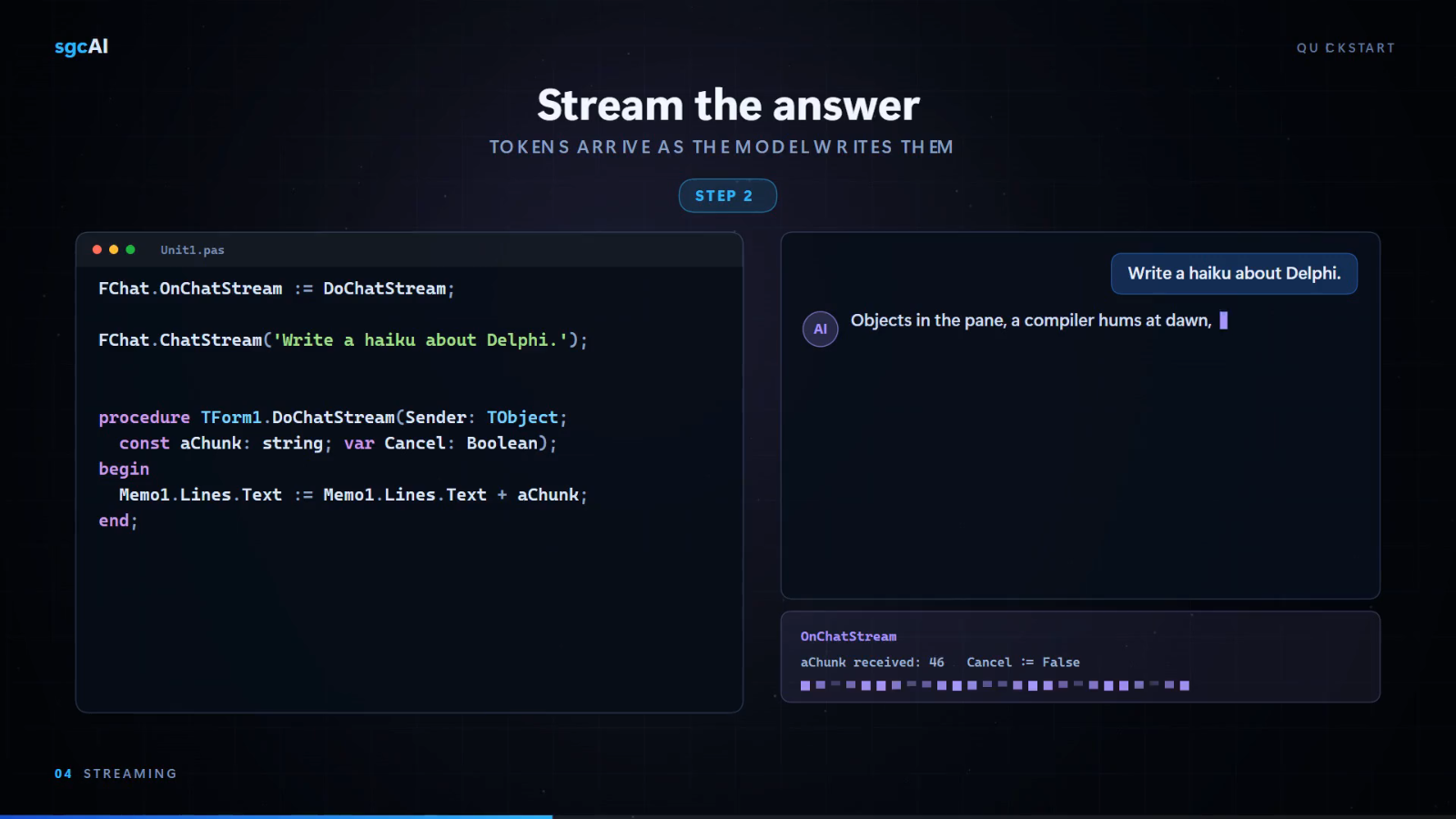
  1. Streaming with a stop switchTokens arrive on OnChatStream with a Cancel flag, so a long generation can be stopped mid-flight.
  2. Async without blocking the UIChatAsync returns a future on Delphi 2010 and later, so the main thread stays responsive during a model call.
  3. Conversation state you controlSystemMessage sets the persona once and MaxHistoryMessages caps how much of the transcript is replayed each turn, which keeps token cost predictable.
  4. Your key never leaves your processRequests go straight from your application to the vendor endpoint over the sgc HTTP client. There is no eSeGeCe relay in the path.
sgcAI quickstart: one Provider assignment moves the same Delphi code from Anthropic to Mistral, and the calling code stays identical.
One property, seven vendors: the calling code stays identical when the provider changes.

Read the Quick Start guide

What is in the box

Fifteen components, four jobs.

Every component is compiled Object Pascal with design-time properties and events. You set an API key in the Object Inspector and handle a response event. There is no Python bridge, no scripting host and no external process.

Chat & LLM

View →
  • TsgcAIChat
  • TsgcAIOpenAIChatBot
  • TsgcAIOpenAITranslator
  • TsgcAIOpenAIAssistant

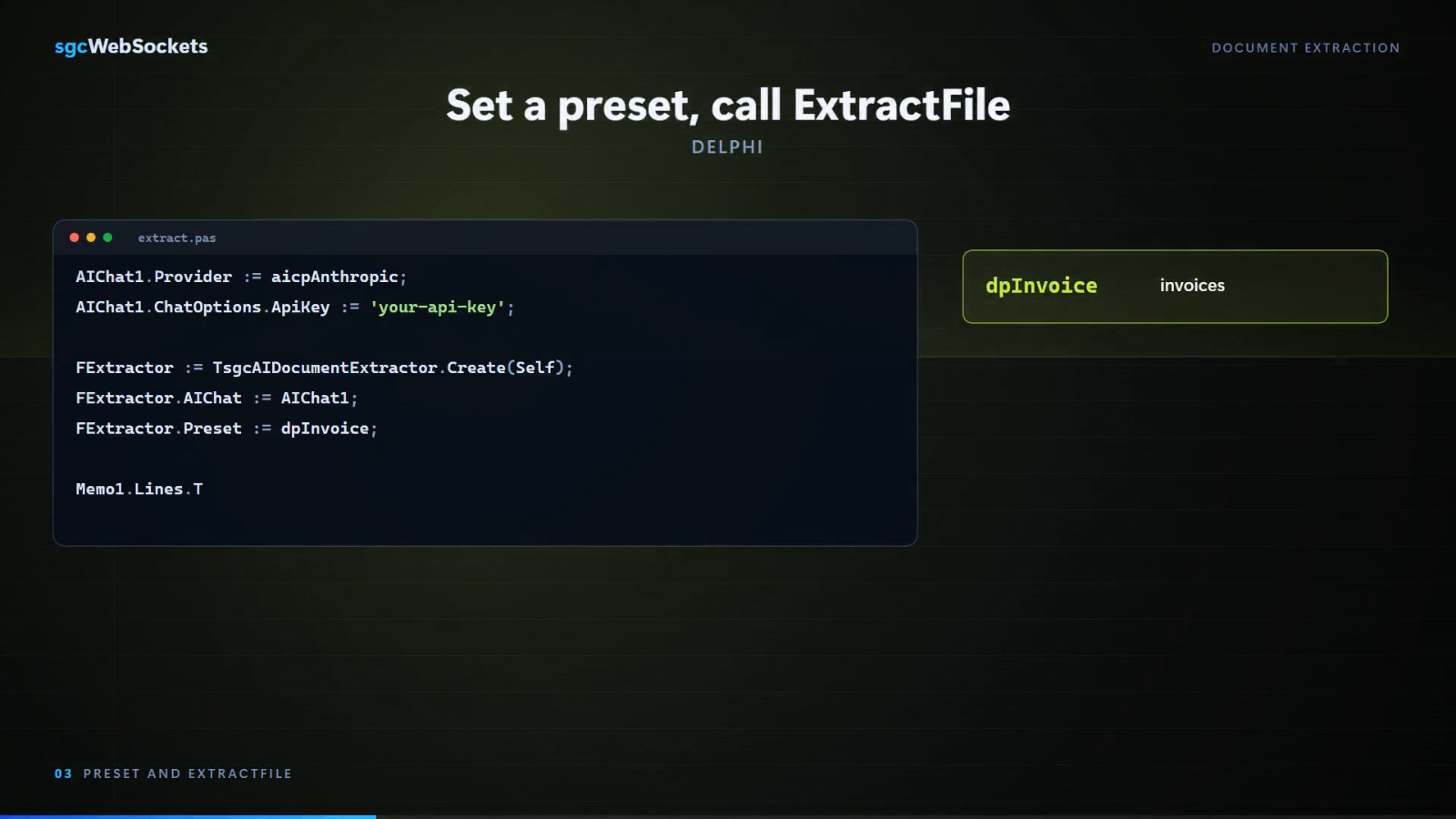
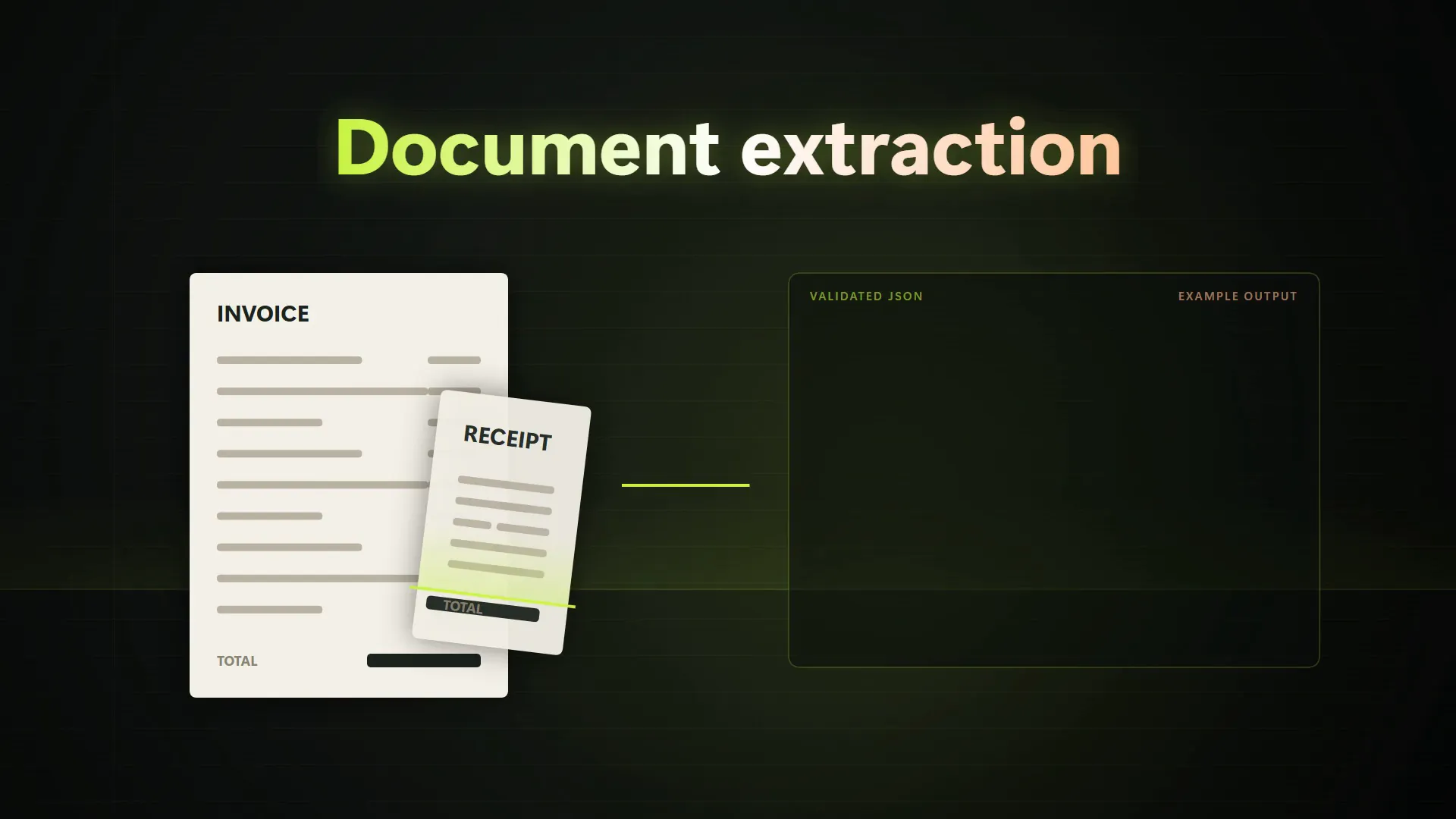
Set Provider, ChatOptions.ApiKey and ChatOptions.Model, call Chat. Streaming on OnChatStream, tool calling and conversation history. TsgcAIDocumentExtractor turns a PDF or an image into validated JSON, and TsgcAIVoiceAgent is a realtime voice agent over OpenAI Realtime or Gemini Live that listens, talks back, lets the user interrupt and calls your tools.

Model Context Protocol

View →
  • TsgcWSAPIServer_MCP
  • TsgcWSAPIClient_MCP
  • HTTP
  • HTTP Streamable
  • stdio

Publish your own tools, prompts and resources to any MCP-aware client, including sessions, notifications and server-initiated requests. Consume someone else's server, authenticating with an API key, a custom header or OAuth2. The only cross-platform pair.

View →
  • TsgcAIOpenAIEmbeddings
  • TsgcAIDatabaseVectorFile
  • TsgcAIDatabaseVectorPinecone

Turn text or a whole file into vectors, with progress events across the batch, and write them to a local file that needs no server, no account and no network round trip, or to a managed Pinecone index. Then query the nearest neighbour for retrieval over your own corpus.

Speech & audio

View →
  • TsgcTextToSpeechSystem
  • TsgcTextToSpeechGoogle
  • TsgcTextToSpeechAmazon
  • TsgcAudioRecorderMCI
  • TsgcAudioRecorderWave
  • TsgcAudioPlayerMCI

Capture the microphone through the Windows MCI or Wave API, transcribe with Whisper, send the text to a model, then speak the answer back. Three interchangeable speech engines share one interface, one of them needs no API key and no network.

See every component and property

Model Context Protocol

Your business logic, callable by an agent.

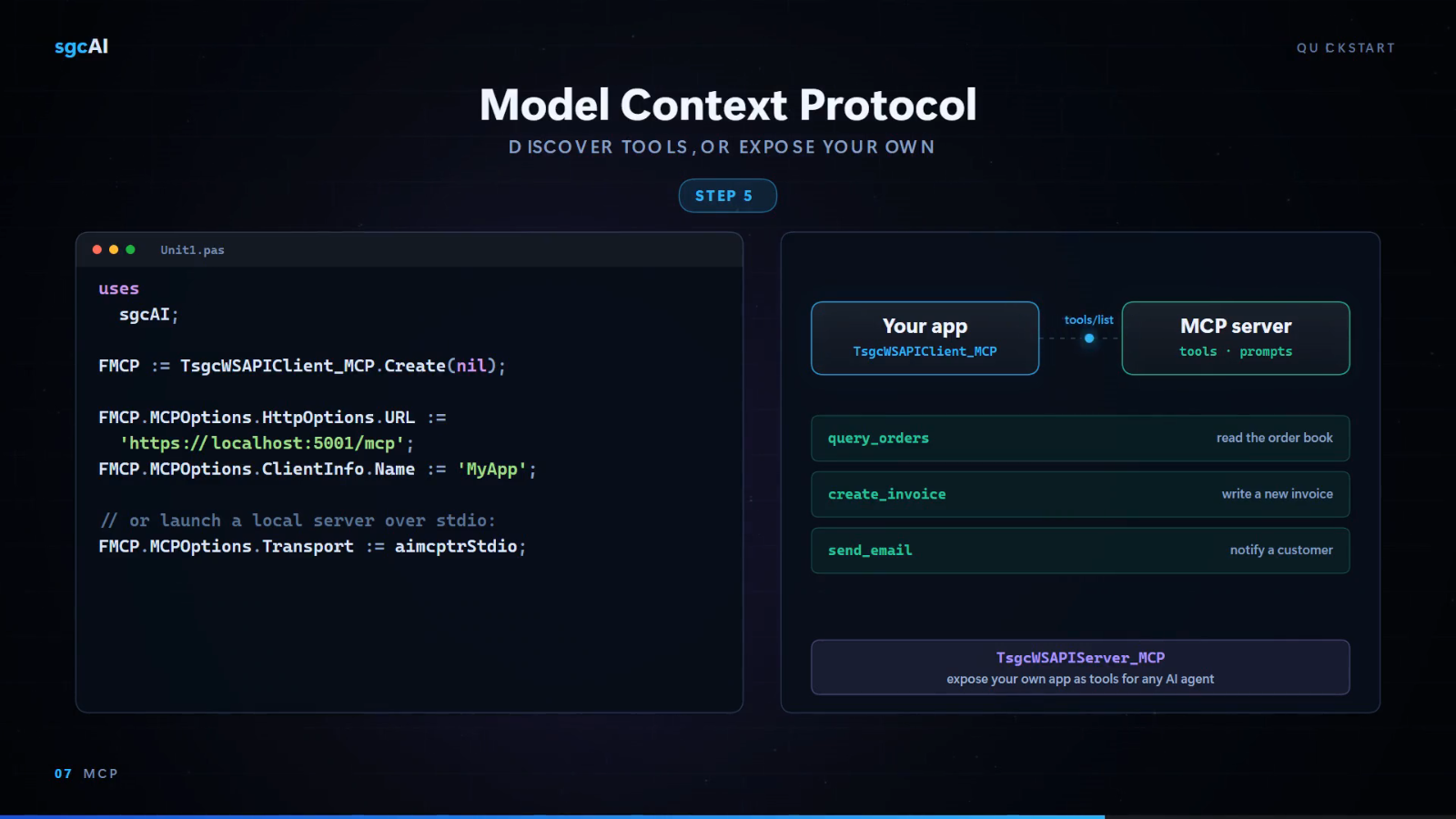
MCP is the open protocol that lets an AI host discover and call tools. Expose a Pascal method as a tool, and Claude Desktop or your own agent can invoke it, with your code deciding the answer.

  1. Expose a toolCall Tools.AddTool('GetOrder', 'Return an order by id') and declare its arguments with InputSchema.Properties.AddProperty.
  2. Register the serverAttach TsgcWSAPIServer_MCP to an HTTP server, set the endpoint to /mcp, go active.
  3. The agent calls itThe AI host lists your tools, picks GetOrder, and sends the arguments it inferred from the conversation.
  4. Your code answersOnMCPRequestTool fires with a typed request, you fill the response, and the model reads your data as context.

Both sides of the protocol are included. TsgcWSAPIServer_MCP turns your application into a tool provider, and TsgcWSAPIClient_MCP lets your application consume any MCP-compatible server, calling its tools, prompts and resources over HTTP, HTTP Streamable or stdio. These two carry no platform restriction and also build for macOS, Linux, iOS and Android.

Architecture

Why native beats a Python sidecar.

Bolting a Python service onto a Delphi application means two runtimes, two deployment stories and two sets of bugs. These components compile into your executable.

One binary to deploy

The AI client is a non-visual component linked into your application. There is no sidecar process to start, supervise or restart, and no localhost port to protect.

No interpreter to ship

Nothing to pip install on the customer's machine, no virtual environment, no version pinning. Compiled native code, exactly like the rest of your application.

The same TLS stack

AI calls travel over the sgc HTTP client, so they reuse the OpenSSL and SChannel configuration, the TLS options and the timeouts you already set for everything else.

Self-contained

The sgcWebSockets Core runtime, the HTTP client stack, the JSON layer and the HTTP server behind the MCP server API are bundled inside sgcAI. One SKU, one installer.

sgcAI is a Windows product: 13 of the 15 components are registered for Win32 and Win64. The two MCP components are the exception and run wherever the sgc HTTP stack runs. See the full platform table.

Pricing

A standalone product.

sgcAI is licensed on its own. Every license includes the 15 AI, LLM and MCP components, the sgcWebSockets Core runtime, full source code, free binary redistribution and 1 year of updates.

Single

1 developer license. Use on one machine at a time.

€149

Team

2 developer licenses. Use on two machines at a time.

€249

Site

Unlimited developers. All company machines.

€399

Renewal is offered at a 50% to 70% discount, where sgcAI, sgcMQ and sgcSocial each count as a pack. The same AI and MCP components also ship inside sgcWebSockets, with the MCP pair in the Enterprise edition, and every product is covered by the All-Access bundle.

View pricing and order
Testimonials

What Developers Say

Trusted by Delphi, C++ Builder, Lazarus and .NET developers building real-time and AI-powered applications around the world.

Your sgcWebSockets library is very useful and easy to setup. Keep up the good work!
Simone Moretti Delphi Developer
sgcWebSockets is amazing and your support is the best!
Christian Meyer Founder & CTO
Thanks so much for your help and support. I love your components.
Mark Steinfeld CTO

Make your application AI-native this week.

Drop in the component, set your API key, stream your first answer. Full source, royalty-free deployment, and no relay service in the path.

More From eSeGeCe

Other Products by eSeGeCe

The AI components are one part of the stack. Everything below is built by the same team, in the same style, with full source.

sgcWebSockets

WebSocket, HTTP/2, MQTT, WebRTC, AI and MCP, plus 30+ API integrations, for Delphi, C++ Builder and .NET. The library sgcAI is built on.

sgcHTML

Build the web UI for your agent in Delphi or .NET. Server-side HTML components, real-time WebSocket updates, htmx interactivity.

sgcQUIC

Raw QUIC transport and an HTTP/3 client and server, with WebTransport. An add-on to sgcWebSockets Enterprise.

sgcMQ

MQTT, AMQP 0.9.1 and 1.0, Apache Kafka and STOMP client components for Delphi and C++ Builder. Standalone, with the sgcWebSockets Core runtime bundled in.

sgcAuth

OAuth2 client, JWT client and WebAuthn support for Delphi and C++ Builder. Standalone, with the sgcWebSockets Core runtime bundled in.

sgcHTTP

HTTP server, HTTP/2 client, gRPC client and Google Cloud Pub/Sub, Calendar and FCM clients for Delphi and C++ Builder.

sgcREST

REST server, OpenAPI server and OpenAPI client components. Publish REST APIs from an OpenAPI 3.x contract, or consume any OpenAPI-described API.

sgcOpenAPI

OpenAPI 3.x parser, Pascal SDK generator and server, plus 1,195+ pre-built SDKs. Turn any REST API into a tool your agent can call.

sgcSign

Document signatures (XAdES, PAdES, CAdES, ASiC) and code signing (Authenticode, ClickOnce, NuGet, VSIX), by library or by sgcSign Server.

sgcPDF

Create, edit, view, sign, redact and validate PDF files in pure Object Pascal, with no DLL to deploy.

sgcBiometrics

Windows Hello, fingerprint sensors and facial recognition for Delphi and C++ Builder, on the Windows Biometric Framework.

sgcCrypto

General-purpose cryptography library for Delphi and C++ Builder: symmetric and asymmetric ciphers, hashing and post-quantum algorithms. Ships free from sgcWebSockets Standard up.

sgcSocial

WhatsApp Business Cloud API and Telegram TDLib clients. Standalone, the sgcWebSockets Core runtime is included.

sgcIndy

Enhanced Indy TCP/IP component suite with extended protocol support and performance work for enterprise applications.

Latest from the blog

View all posts →

You are seeing the sgcAI view of eSeGeCe.

Show me another angle →
30-Day Money-Back GuaranteeNot satisfied? Request a full refund within 30 days of purchase. See refund policy