sgcUI sgcReports is available right now

sgcReports. Design it once. Every format.

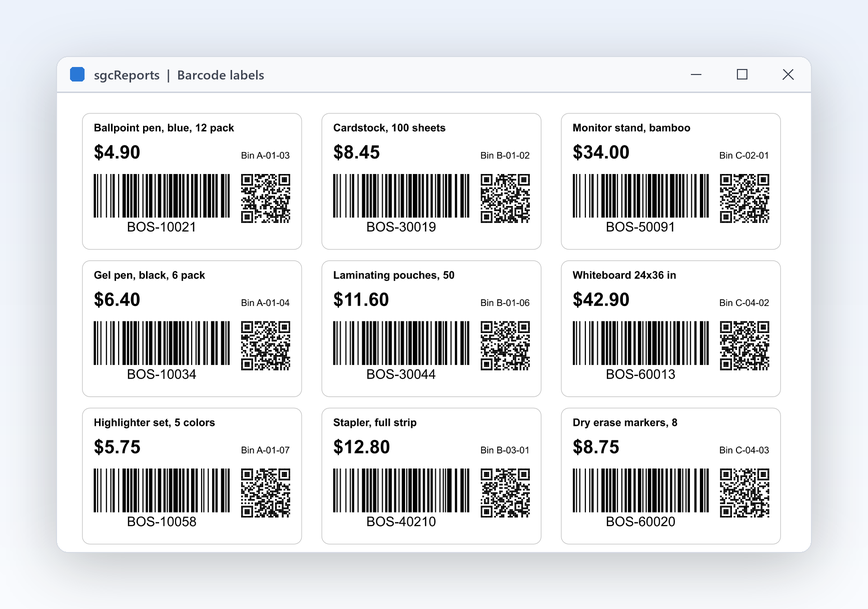
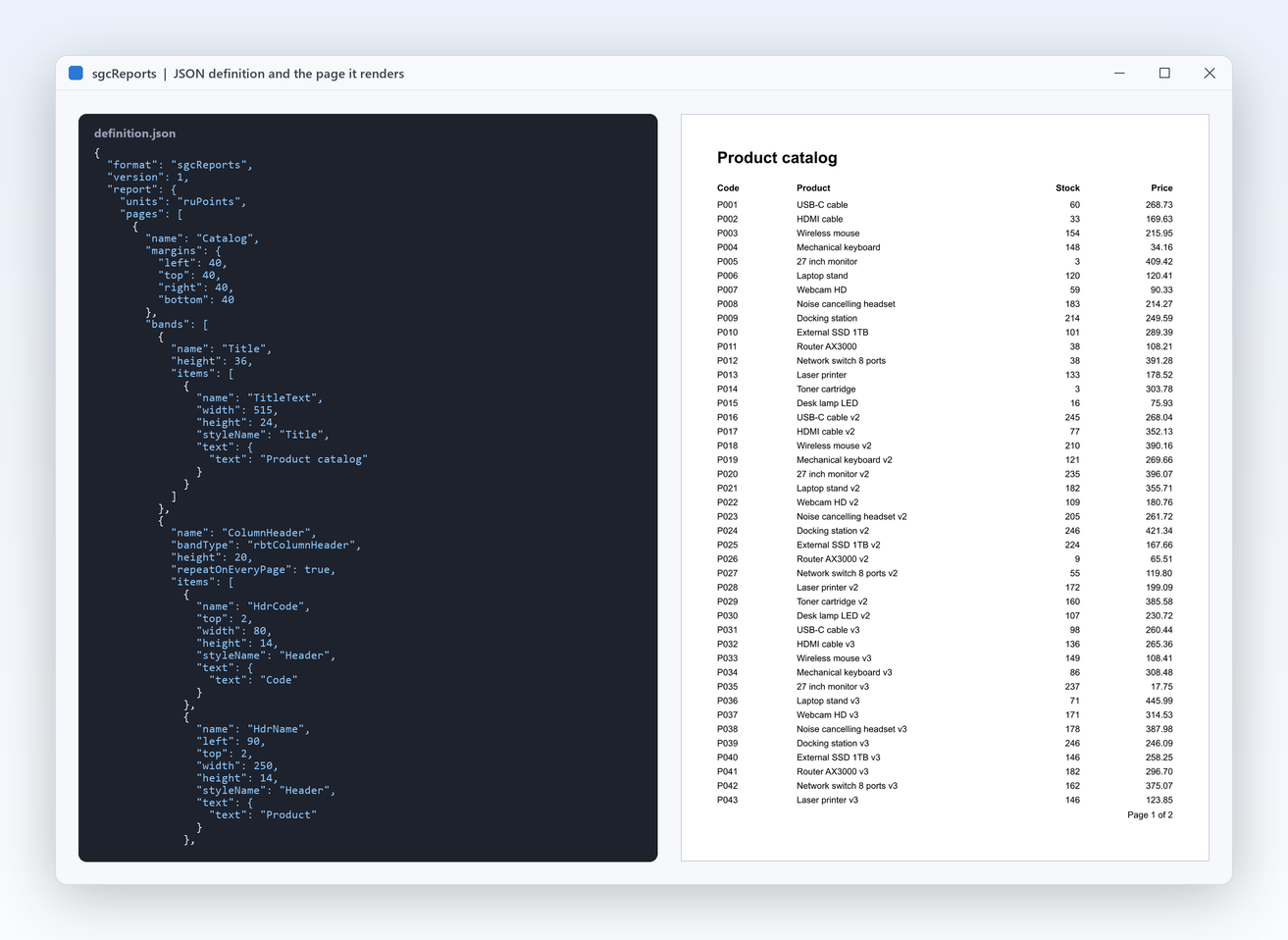
Build a report in code with a fluent chain or load a JSON definition at run time, with groups, subtotals, master detail and barcodes. Deliver it as tagged PDF, Excel, CSV or PNG from a desktop preview, a Windows service or a Linux64 daemon. A report engine for Delphi, C++ Builder and .NET, with source code included.

  • VCL
  • FireMonkey
  • WinForms
  • Linux64 headless
  • Delphi 7 to 13
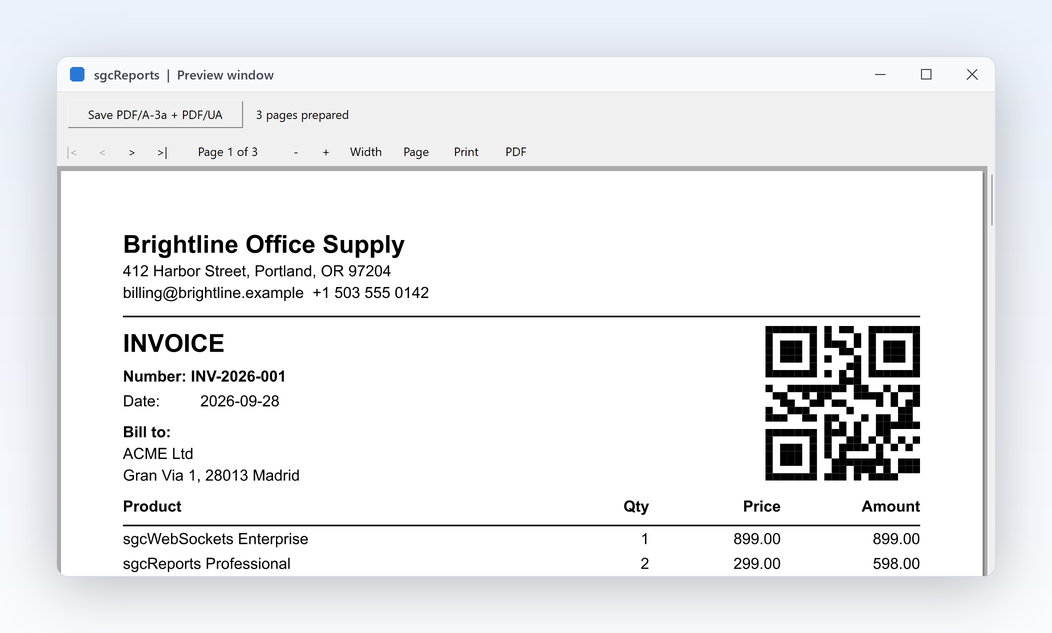
sgcReports preview window with an invoice page and a QR code
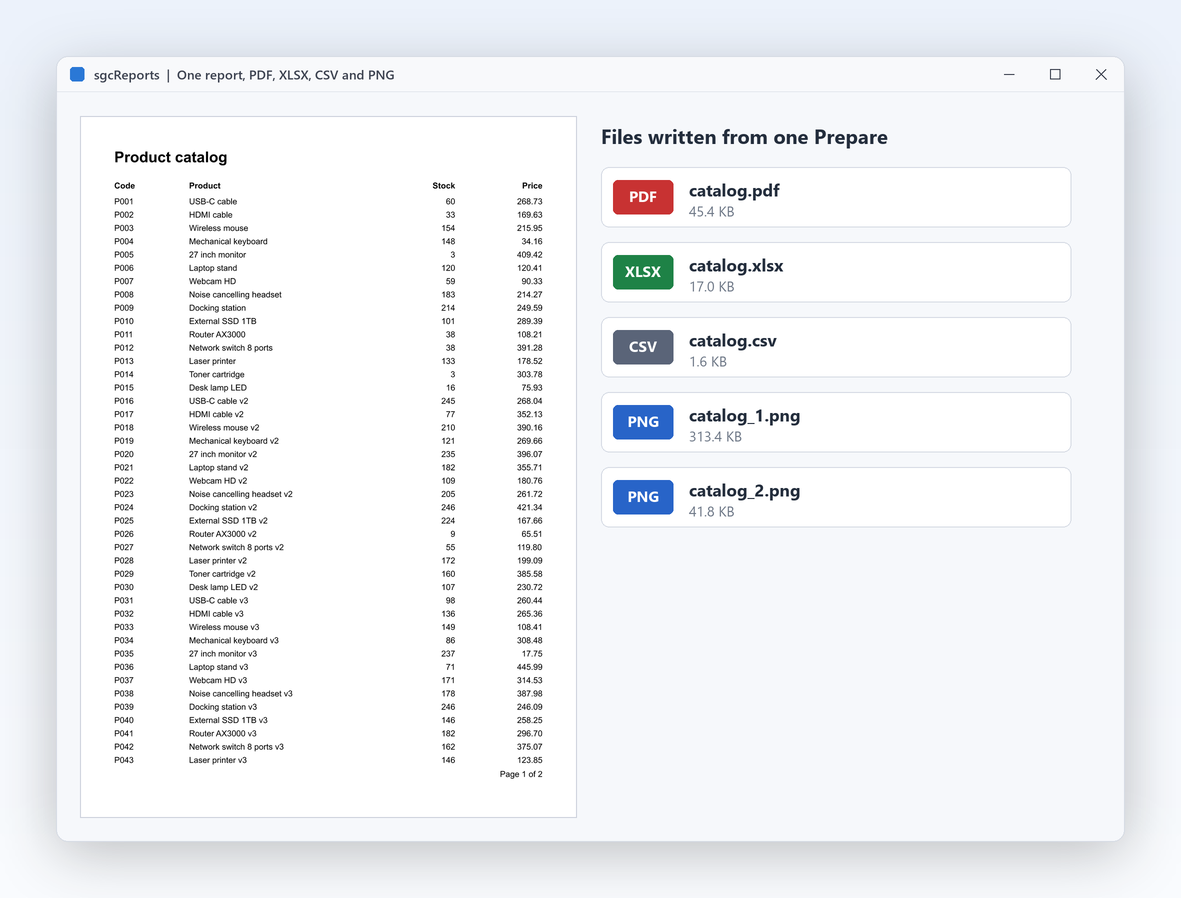
  • 4export formats from one prepared report: PDF, XLSX, CSV and PNG
  • PDF/UA-1tagged, accessible PDF by default, PDF/A-3 on request
  • 3kinds of data source: any TDataSet, JSON arrays and your own events
  • 0external DLLs or printer drivers, so it runs in services and Linux64 daemons

Everything a report engine needs.

Layouts that live in version control, data from wherever it lives, files for every reader and an engine that needs no window. sgcReports covers all of it in one product.

  • Reports as code

    A fluent builder or a JSON definition, both versioned with your project.

  • Any data

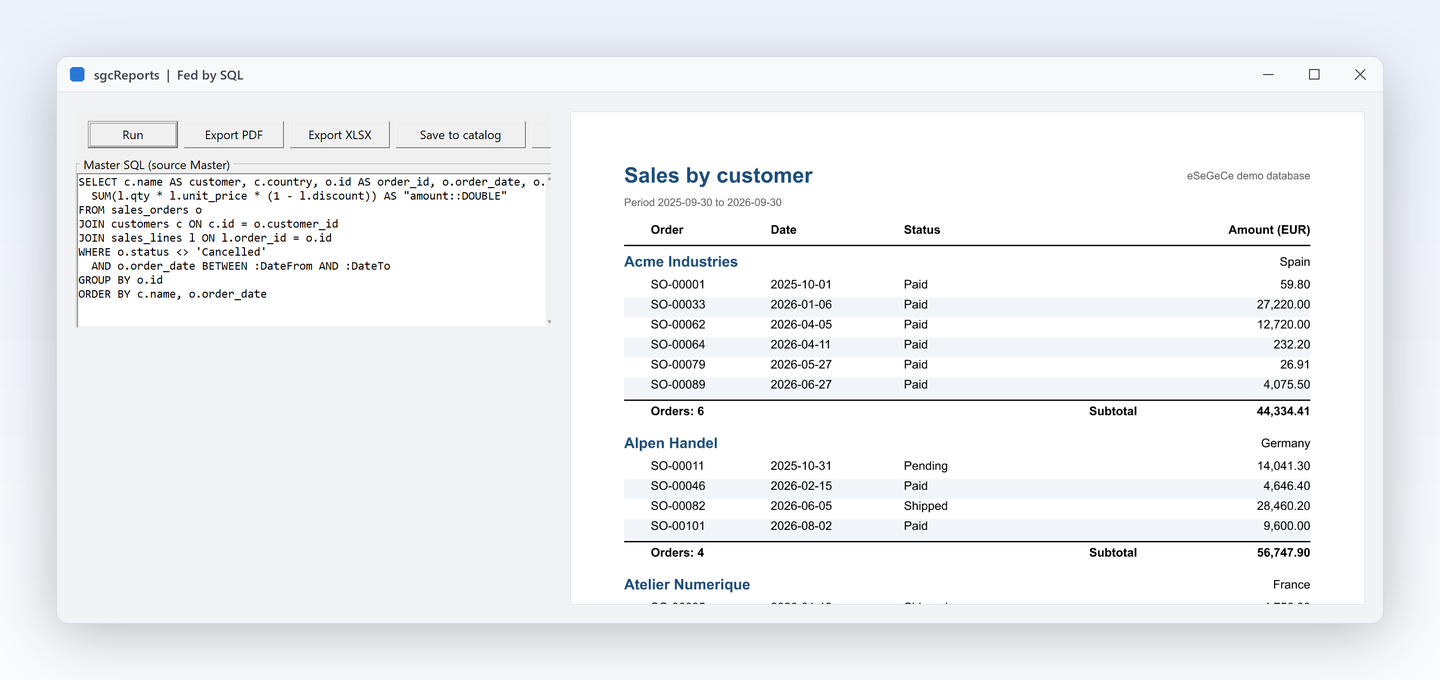
    Datasets with master detail, JSON arrays or rows from your own events.

  • Every format

    Tagged PDF, PDF/A-3, XLSX, CSV and PNG from one prepared report.

  • Runs anywhere

    Desktop preview, Windows services, Linux64 daemons and HTTP endpoints.

See it run.

Captured from the sgcReports demos that ship with the trial.

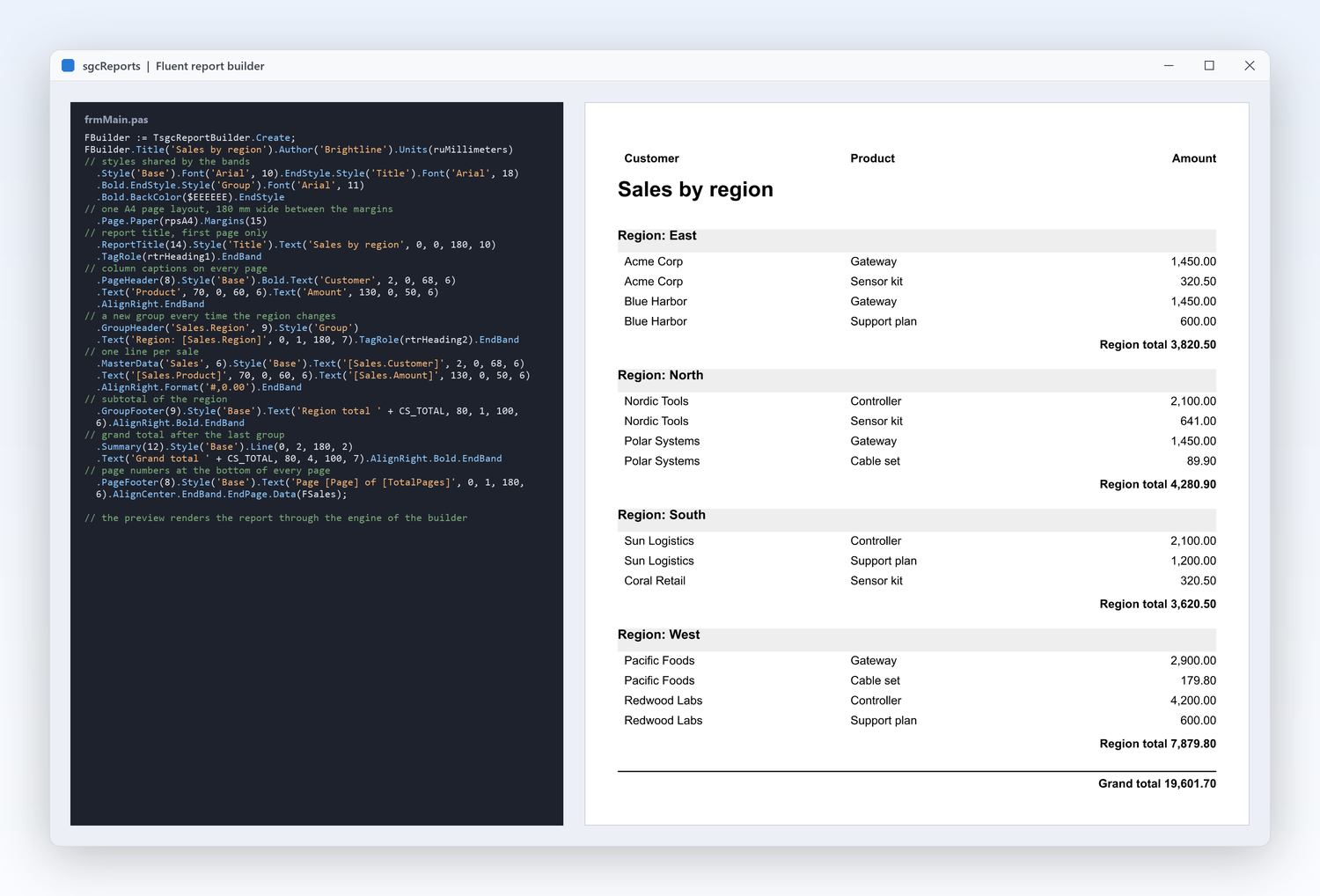
The ReportFluent demo: a complete report written with the fluent builder, then exported to every format
Reports as code

Write a complete report in a few readable lines.

  • TsgcReportBuilder describes styles, pages, bands and items as one fluent chain that compiles, diffs and refactors with your project.
  • Style, Page, GroupHeader, MasterData, GroupFooter and PageFooter read like the layout.
  • SaveToPDF, SaveToXLSX, SaveToCSV and SaveToPNG straight from the builder.
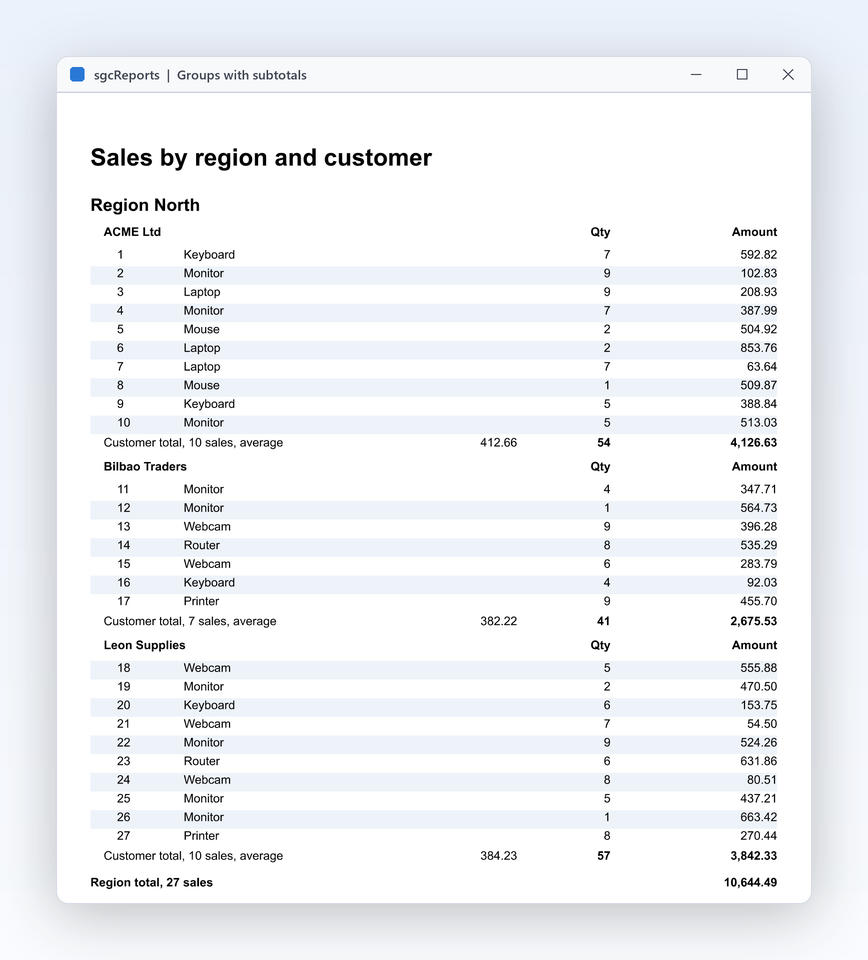
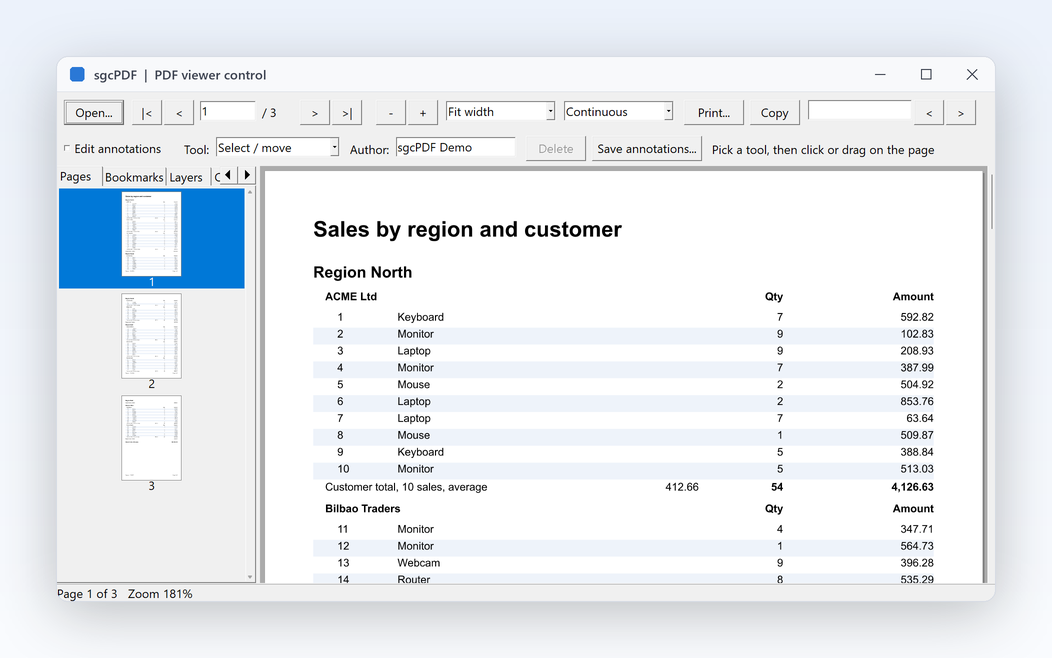
Sales grouped by region with group headers, subtotals per region and a grand total
Bands and groups

Groups, subtotals and page numbers that just work.

  • A real banded layout, from rbtReportTitle to rbtReportSummary, with group headers and footers and column headers.
  • GroupExpression breaks a group when its value changes; nested groups give two or more levels.
  • StartNewPage, RepeatOnEveryPage and KeepTogether control the page flow, and TotalPages prints "Page 2 of 7".
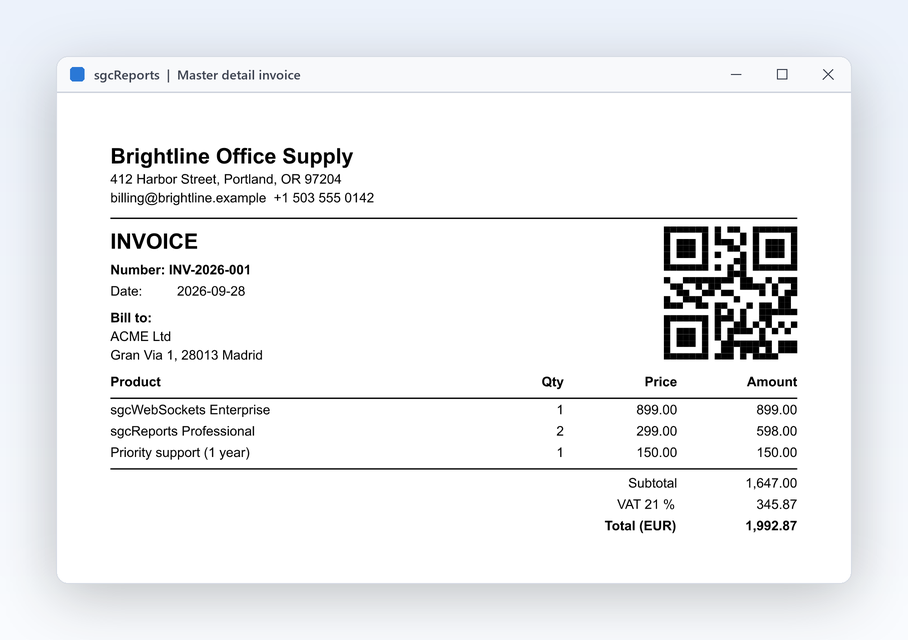
The ReportInvoice demo: a master detail invoice with header, lines, totals and a QR code
Any data

Invoices straight from your database.

  • TsgcReportDataSetSource binds any TDataSet, FireDAC included, and links detail lines to their master with MasterFields and DetailFields.
  • TsgcReportJSONSource reads a JSON string or file, RecordsPath picks the array.
  • TsgcReportEventSource pulls rows from your code through OnFirst, OnNext and OnGetValue.
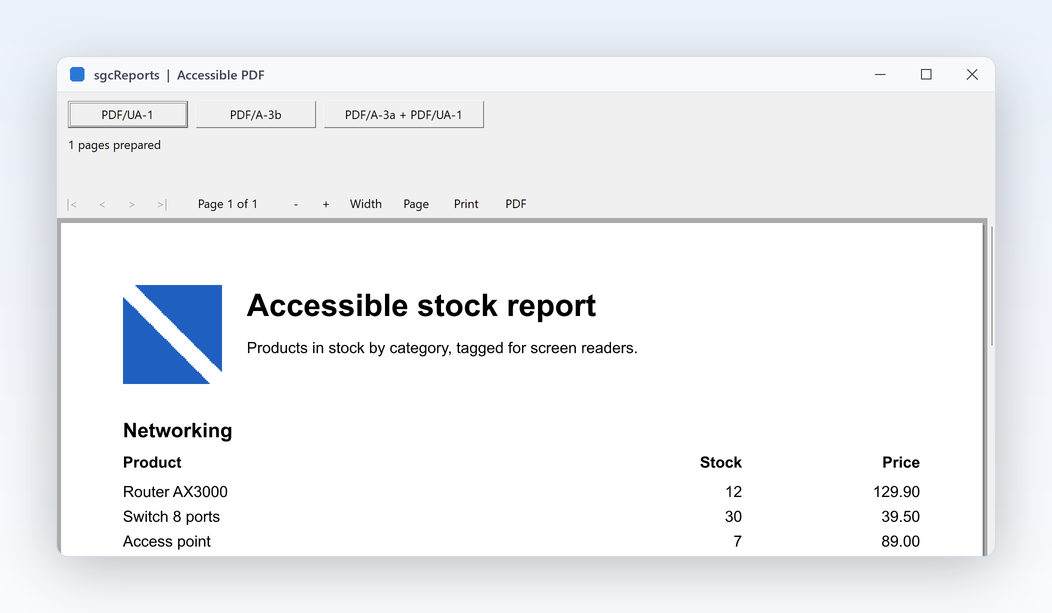
The ReportPDFUA demo: tagged PDF/UA-1 output with alternative text and heading roles
Deliver it anywhere

Accessible PDF by default, PDF/A on request.

  • PDFUA is True by default on TsgcReportPDFExport: tagged PDF/UA-1 with a logical reading order.
  • AltText and TagRole on items describe images and headings.
  • Set PDFA to rpaA3b or rpaA3a when the document goes to a long term archive.

A grouped sales report in a few lines.

A header per region, a line per sale and a subtotal per region, saved as PDF, XLSX and CSV. The same API in Delphi, C++ Builder and C#.

dotnet add package esegece.sgcReports

C++ Builder and C# versions

uses
  Classes, SysUtils,
  sgcReports_Types, sgcReports_Model, sgcReports_Data, sgcReports_Fluent;

const
  CS_SALES = '[' +
    '{"Region":"East","Customer":"Acme Corp","Amount":1450.00},' +
    '{"Region":"East","Customer":"Blue Harbor","Amount":600.00},' +
    '{"Region":"North","Customer":"Nordic Labs","Amount":2100.75},' +
    '{"Region":"North","Customer":"Fjord Ltd","Amount":880.20}]';
  CS_TOTAL = '[FormatFloat(''#,0.00'', Sum(Sales.Amount))]';

procedure ExportSalesReport(const aFolder: string);
var
  oSales: TsgcReportJSONSource;
  oBuilder: TsgcReportBuilder;
begin
  oSales := TsgcReportJSONSource.Create(nil);
  oBuilder := TsgcReportBuilder.Create;
  try
    oSales.SourceName := 'Sales';
    oSales.JSON := CS_SALES;
    oBuilder.Title('Sales by region').Author('eSeGeCe').Units(ruMillimeters)
      .Style('Base').Font('Arial', 10).EndStyle
      .Style('Group').Font('Arial', 11).Bold.BackColor($EEEEEE).EndStyle
      .Page.Paper(rpsA4).Margins(15)
      // one header per region, one line per sale, a subtotal per region
      .GroupHeader('Sales.Region', 9).Style('Group')
      .Text('Region: [Sales.Region]', 0, 1, 180, 7).TagRole(rtrHeading2).EndBand
      .MasterData('Sales', 6).Style('Base')
      .Text('[Sales.Customer]', 2, 0, 120, 6)
      .Text('[Sales.Amount]', 130, 0, 50, 6).AlignRight.Format('#,0.00').EndBand
      .GroupFooter(9).Style('Base')
      .Text('Region total ' + CS_TOTAL, 80, 1, 100, 6).AlignRight.Bold.EndBand
      .PageFooter(8).Style('Base')
      .Text('Page [Page] of [TotalPages]', 0, 1, 180, 6).AlignCenter.EndBand
      .EndPage.Data(oSales);
    // accessible PDF (PDF/UA is on by default), plus the same data as Excel
    oBuilder.SaveToPDF(IncludeTrailingPathDelimiter(aFolder) + 'sales.pdf');
    oBuilder.SaveToXLSX(IncludeTrailingPathDelimiter(aFolder) + 'sales.xlsx');
    oBuilder.SaveToCSV(IncludeTrailingPathDelimiter(aFolder) + 'sales.csv');
  finally
    oBuilder.Free;
    oSales.Free;
  end;
end;
Part of sgcUI.

Buy sgcReports on its own, or get it in sgcUI Enterprise next to every other sgcUI product, sharing one theme and runtime. Each comes with source code.

On its own

sgcReports

The report engine on its own, full source code and 1 year of updates.

€199 / developer
sgcReports pricing

Standard

sgcGrid, sgcNavigation, sgcToolbar and sgcEditors.

€380 / developer
See Standard

Professional

Standard plus sgcCharts, sgcDashboard and sgcGauges.

€529 / developer
See Professional
Includes sgcReports

Enterprise

All 14 sgcUI products.

€699 / developer
See Enterprise

sgcReports draws its PDF output and barcodes with the sgcPDF engine, so sgcPDF is required in every configuration. For .NET, esegece.sgcReports.Community on NuGet is free. sgcReports is also in the All-Access bundle.

Explore sgcUI

Put sgcReports in your own application today.

Download the trial and run the ReportInvoice, ReportGroups and ReportExports demos, or browse every feature first.

Latest from the blog

View all posts →

You are seeing the sgcReports view of eSeGeCe.

Show me another angle →
30-Day Money-Back GuaranteeNot satisfied? Request a full refund within 30 days of purchase. See refund policy