sgcUI sgcWizard is available right now

sgcWizard. Step by step. Checked as you go.

Guide your users through setup, onboarding and checkout. Every page you add becomes a step in the stepper, Back, Next, Finish and Cancel are built in, and a single event stops the move until the page is valid. A native wizard and stepper for Delphi, C++ Builder and .NET, with source code included.

  • VCL
  • FireMonkey
  • WinForms
  • WPF
  • Avalonia
  • Delphi 7 to 13
  • 1event validates every move: Next, Back, Finish, a step click or code
  • 5step states: pending, active, completed, error and skipped
  • 3stepper layouts: on top, on the left or hidden
  • 5UI frameworks: VCL, FireMonkey, WinForms, WPF, Avalonia

Everything a wizard needs.

Long forms overwhelm users, while the same fields split into a few clear steps get finished. sgcWizard turns them into a guided flow, with the rules and the look of your application.

  • Pages become steps

    Every page you add appears in the stepper, with Back, Next, Finish and Cancel built in.

  • Validation with a veto

    OnBeforePageChange stops the move until the page is valid, whatever the user pressed.

  • Clear step states

    Pending, active, completed, error and skipped, each one obvious at a glance.

  • Fits your application

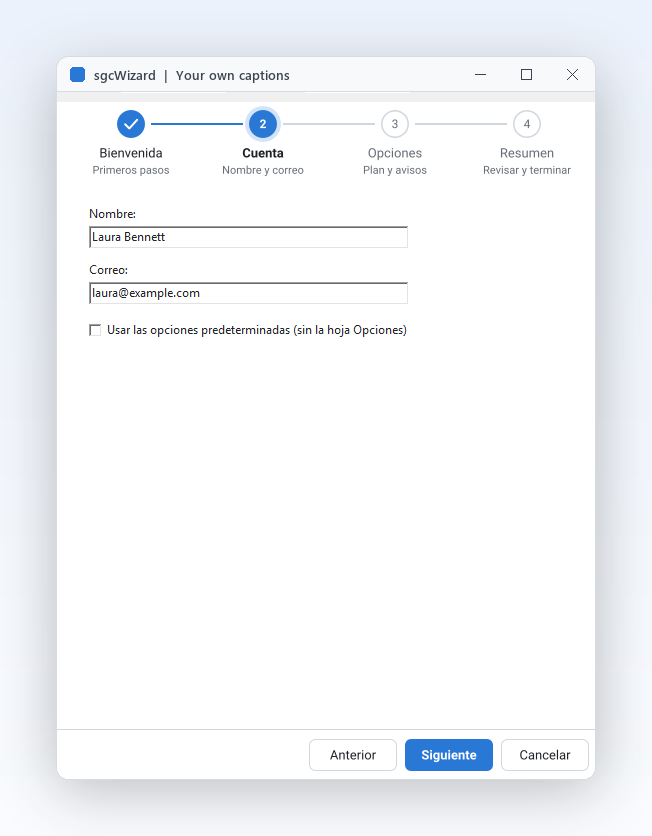
    Your button captions, light and dark themes, an accent colour, and pages designed in the IDE.

See it run.

Captured from the Onboarding demo that ships with the trial.

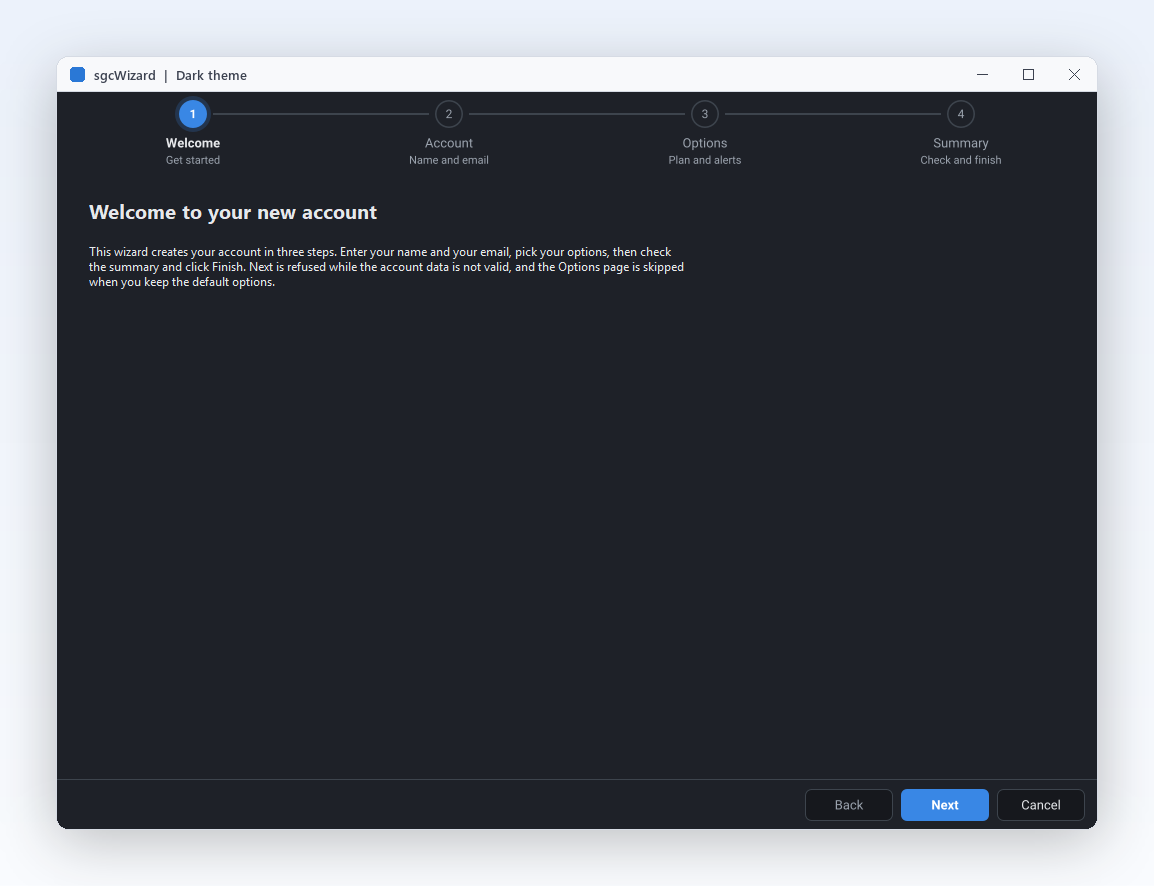
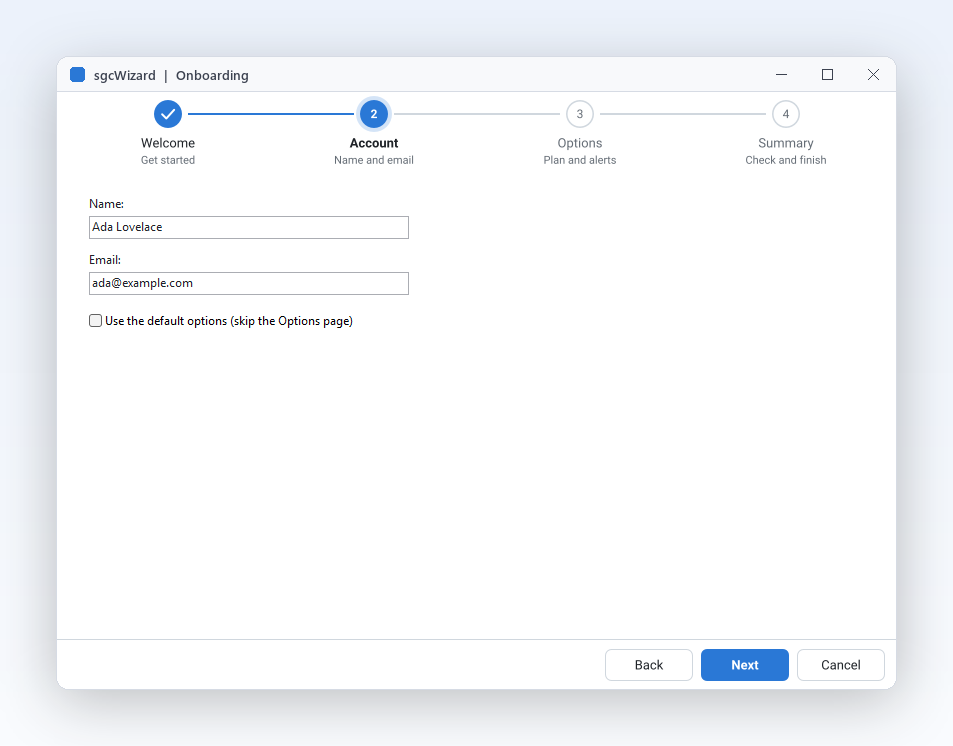
The Onboarding demo: a four step wizard with Welcome, Account, Options and Summary pages and the Back, Next and Cancel bar
Pages and steps

Multi step forms with a built in stepper.

  • AddPage creates a page and its step in the stepper band at the same time.
  • Caption, Description and StepGlyph label each step, so users see where they are and what is left.
  • Next, Back and GoToPage move exactly like the buttons do.
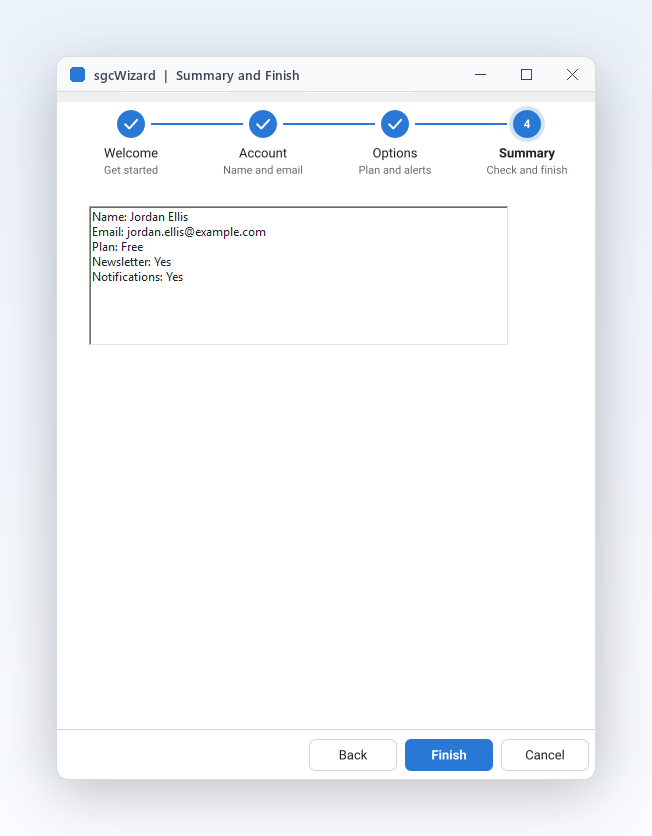
The Summary page of the Onboarding demo, filled by OnPageChanged, with the Finish button
Skip and finish

Skip steps that do not apply, finish where you decide.

  • Set Skip on a page and Next and Back jump over it, while the stepper still shows it with a dashed outline.
  • OnFinish runs after validation allows the finish, so the saving code lives in one place.
  • OnCancel handles the Cancel button, the Escape key and a call to Cancel. The wizard never closes anything by itself.
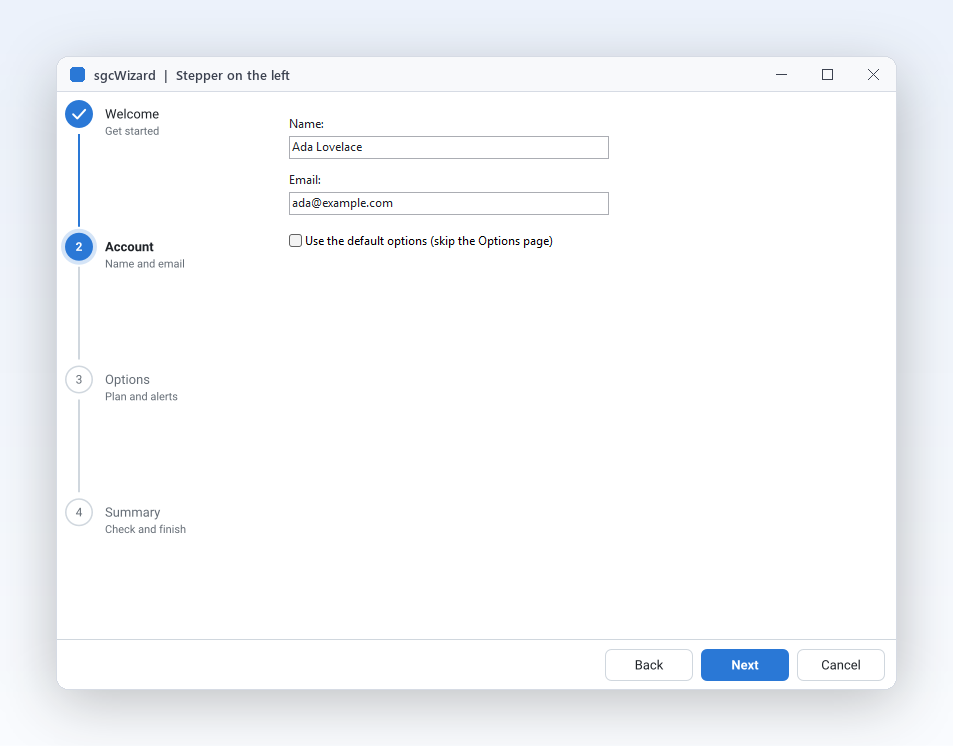
The wizard with StepperPosition set to wspLeft: a vertical step column with descriptions, like an installer
Stepper layout

Stepper on top, on the left or hidden.

  • StepperPosition takes wspTop, wspLeft or wspNone without touching your pages.
  • CircleSize, ConnectorThickness and ShowDescriptions size and label the step markers.
  • Right to left for Arabic and Hebrew mirrors the stepper, the step order and the Back and Next buttons.
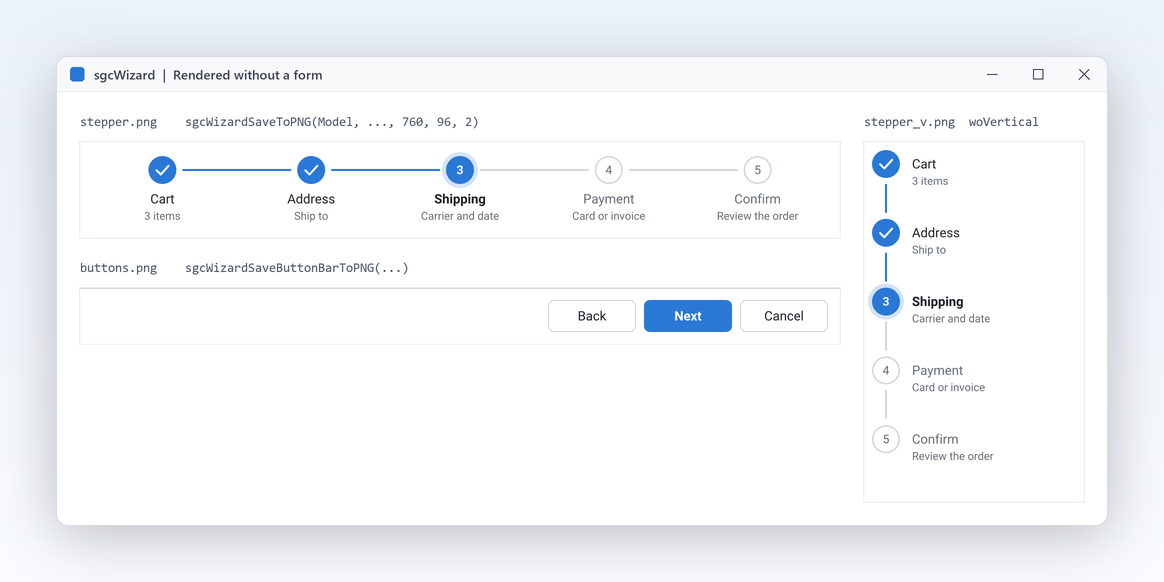
A stepper and its button bar rendered to an image with no window
Headless output

Stepper images for docs and tests.

  • sgcWizardSaveToPNG and sgcWizardSaveToSVG paint a stepper with no window and no VCL or FireMonkey.
  • A console program, a service, a unit test or a web server gets the same stepper as an image, on Linux64 too.
  • In .NET the esegece.sgcWizard.Rendering package writes PNG on Windows, Linux and macOS.

A wizard in a few lines.

Add the pages, mark one as optional, and validate before the user leaves the Account page. The same API in Delphi, C++ Builder and C#.

dotnet add package esegece.sgcWizard.WinForms

C++ Builder and C# versions

procedure TMainForm.CreateWizard;
var
  oPage: TsgcVCLWizardPage;
begin
  // the wizard fills the form: stepper on the left, buttons at the bottom
  FWizard := TsgcVCLWizard.Create(Self);
  FWizard.Parent := Self;
  FWizard.Align := alClient;
  FWizard.StepperPosition := wspLeft;
  FWizard.Theme := utDark;
  FWizard.NextCaption := 'Continue';
  FWizard.FinishCaption := 'Create account';
  // every page is a step of the stepper
  oPage := FWizard.AddPage('Welcome');
  oPage.Description := 'Start here';
  oPage := FWizard.AddPage('Account');
  oPage.Description := 'Your details';
  FName := TEdit.Create(Self);
  FName.Parent := oPage;
  FName.SetBounds(24, 24, 240, 24);
  // an optional page the user can skip: Next and Back jump over it
  FOptions := FWizard.AddPage('Options');
  FOptions.Description := 'Optional';
  FOptions.Skip := True;
  oPage := FWizard.AddPage('Done');
  oPage.Description := 'Summary';
  FWizard.ActivePageIndex := 0;
  FWizard.OnBeforePageChange := WizardBeforePageChange;
  FWizard.OnFinish := WizardFinish;
end;

procedure TMainForm.WizardBeforePageChange(Sender: TObject;
  aFromIndex, aToIndex: Integer; var aAllow: Boolean);
begin
  // veto: leaving Account forwards needs a name
  if (aFromIndex = 1) and (aToIndex > aFromIndex) then
    aAllow := Trim(FName.Text) <> '';
end;

procedure TMainForm.WizardFinish(Sender: TObject);
begin
  ShowMessage('Welcome, ' + FName.Text);
end;

Part of sgcUI.

Buy sgcWizard on its own, or get it in sgcUI Enterprise, next to all the products that share its theme and runtime. Each comes with source code.

On its own

sgcWizard

The wizard and the stepper on their own, full source code and 1 year of updates.

€149 / developer
sgcWizard pricing

Standard

sgcGrid, sgcNavigation, sgcToolbar and sgcEditors.

€380 / developer
See Standard

Professional

Standard plus sgcCharts, sgcDashboard and sgcGauges.

€529 / developer
See Professional
Includes sgcWizard

Enterprise

All 14 sgcUI products.

€699 / developer
See Enterprise

For .NET, esegece.sgcWizard.Community on NuGet is free. sgcWizard is also in the All-Access bundle.

Explore sgcUI

Put sgcWizard in your own application today.

Download the trial and run the Onboarding, Stepper and OnboardingFMX demos, or browse every feature first.

Latest from the blog

View all posts →

You are seeing the sgcWizard view of eSeGeCe.

Show me another angle →
30-Day Money-Back GuaranteeNot satisfied? Request a full refund within 30 days of purchase. See refund policy