Components that render HTML
Every widget is a class: TsgcHTMLComponent_Chart, TsgcHTMLComponent_Grid, TsgcHTMLComponent_Form and 86 more. Set its properties, then read its HTML property to get clean Bootstrap 5 markup ready to serve.
Build complete, modern web UIs straight from Delphi, C++ Builder and .NET. sgcHTML is a server-side component framework with 110 ready-made widgets: charts, grids, forms, dashboards, chat and more. Many bind straight to a TDataSet, render to Bootstrap 5 markup and stay interactive through htmx. You write Object Pascal or C#, sgcHTML writes the HTML, CSS and JavaScript.
Rather not build it yourself? We build it for you →Every clip is a screen recording of a real application actually running, narrated and captioned. Pick one from the list. Nothing downloads until you press play.
Build a complete web UI from Delphi with server-side components, Bootstrap 5 markup and htmx, with no JavaScript build step.
 sgcHTML in two minutesBuild a complete web UI from Delphi with server-side components, Bootstrap 5 markup and htmx, with no JavaScript build step.
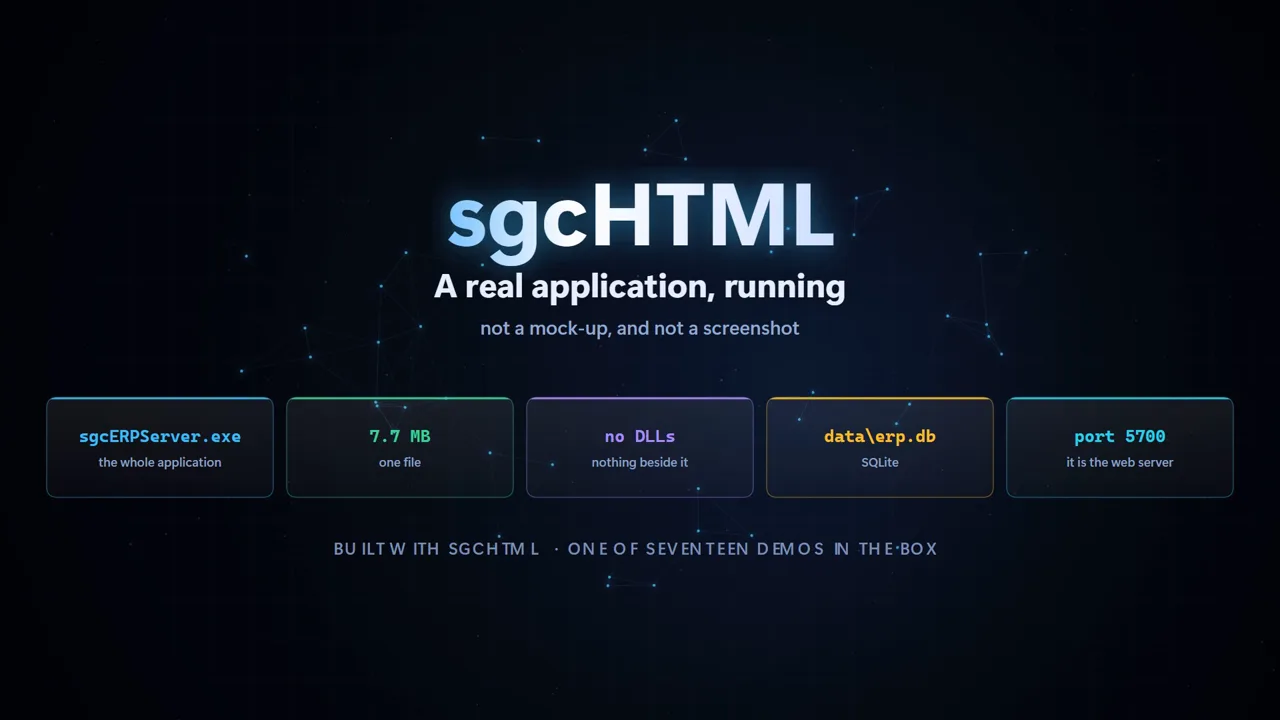 A full ERP from one exeA 7.7 MB Delphi executable, no DLLs beside it, serving a complete web ERP off SQLite.
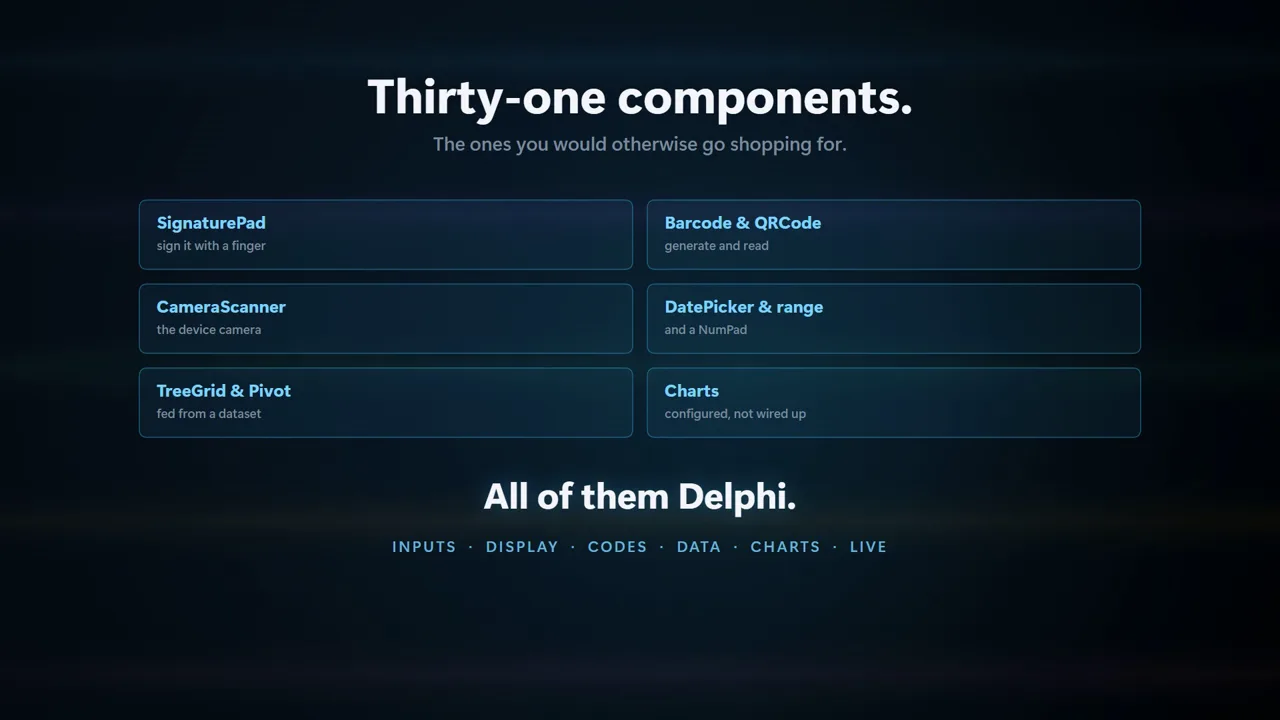 The component catalogueA tour of the 110 components, from grids and charts to Kanban boards and signature pads.
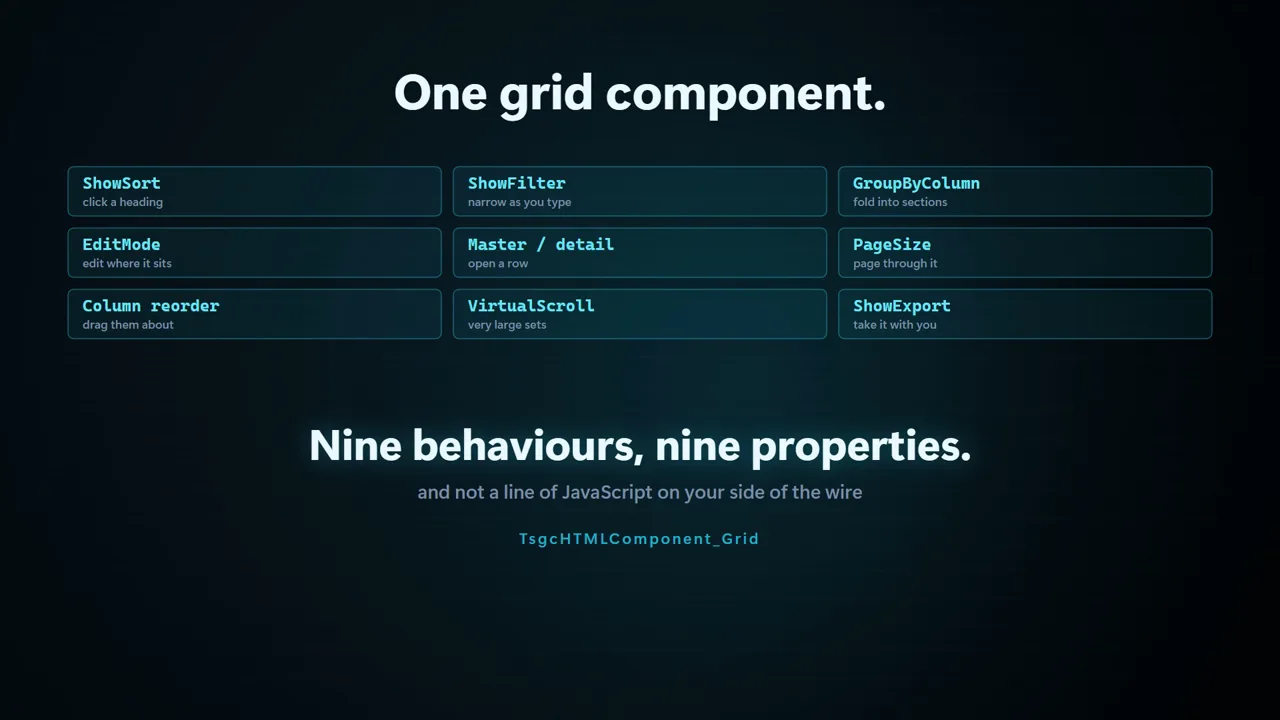 The grid, nine behaviours deepSorting, filtering, paging, inline edit, selection and dataset binding, all driven from Pascal.
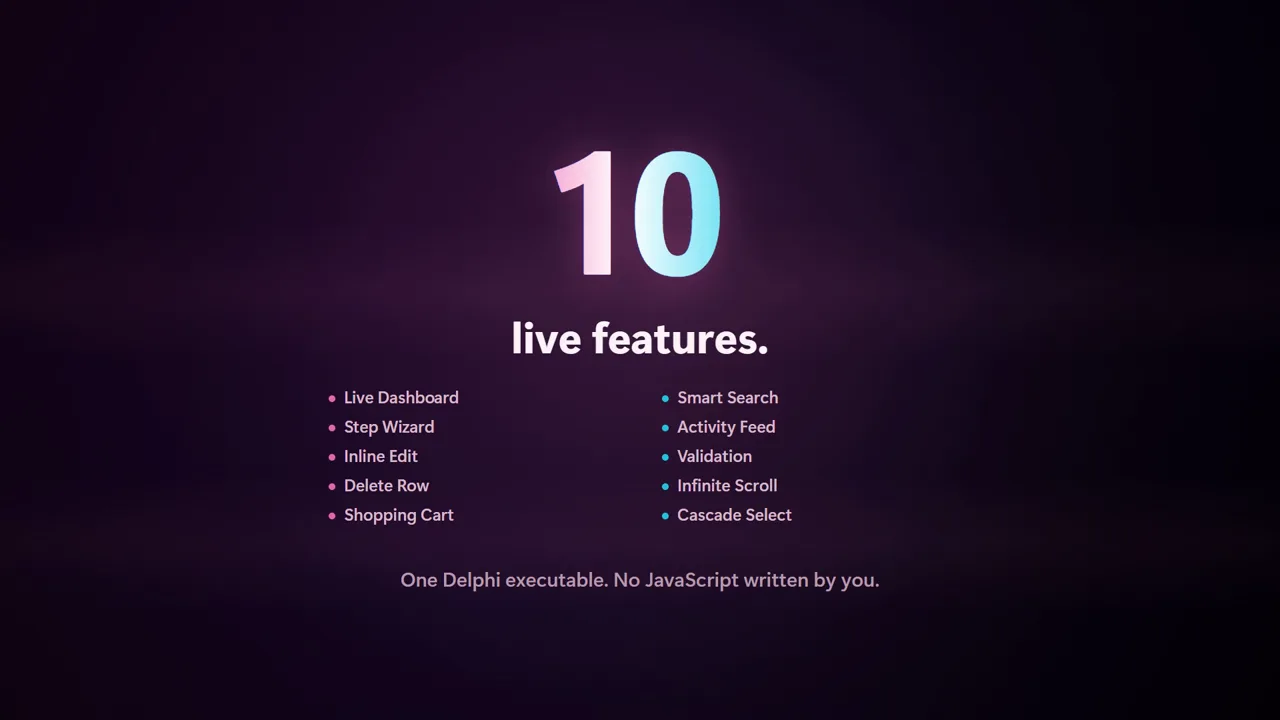 htmx in a hurryHow a fragment swap replaces a page reload, and what that looks like in your Delphi code.
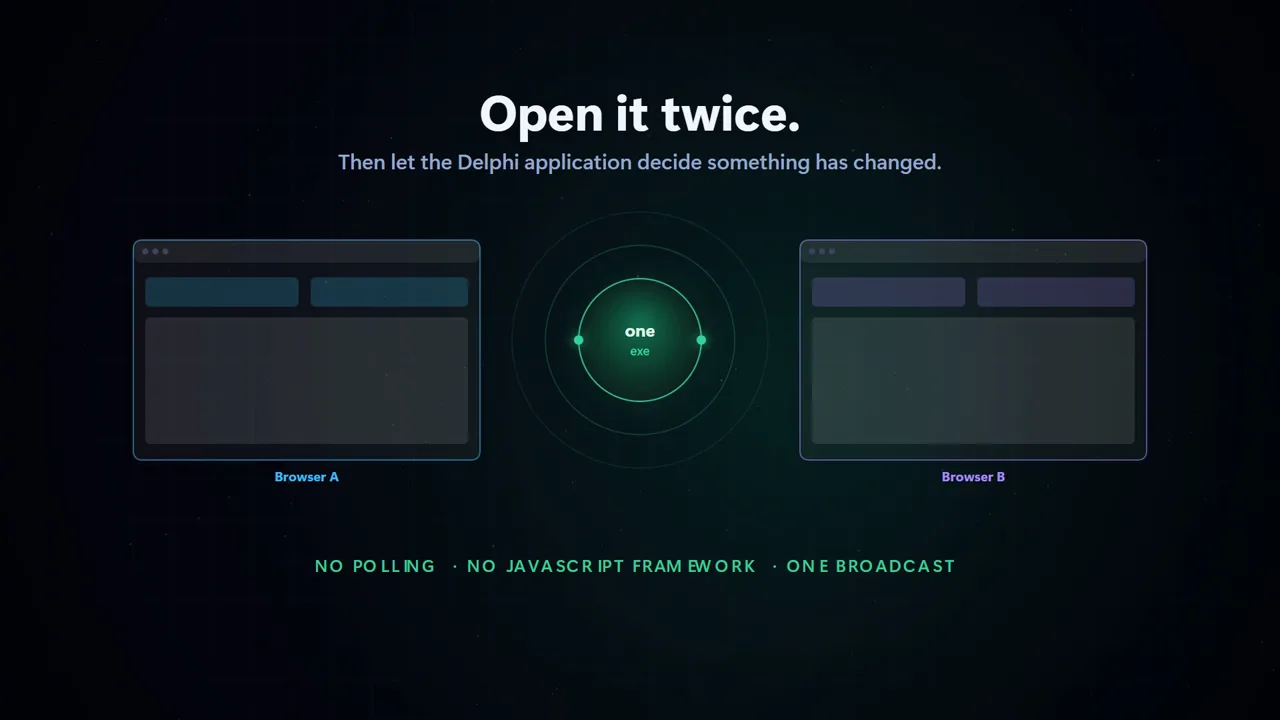 Real time over WebSocketServer metrics pushed into out-of-band fragments, updating cards and charts as they change.
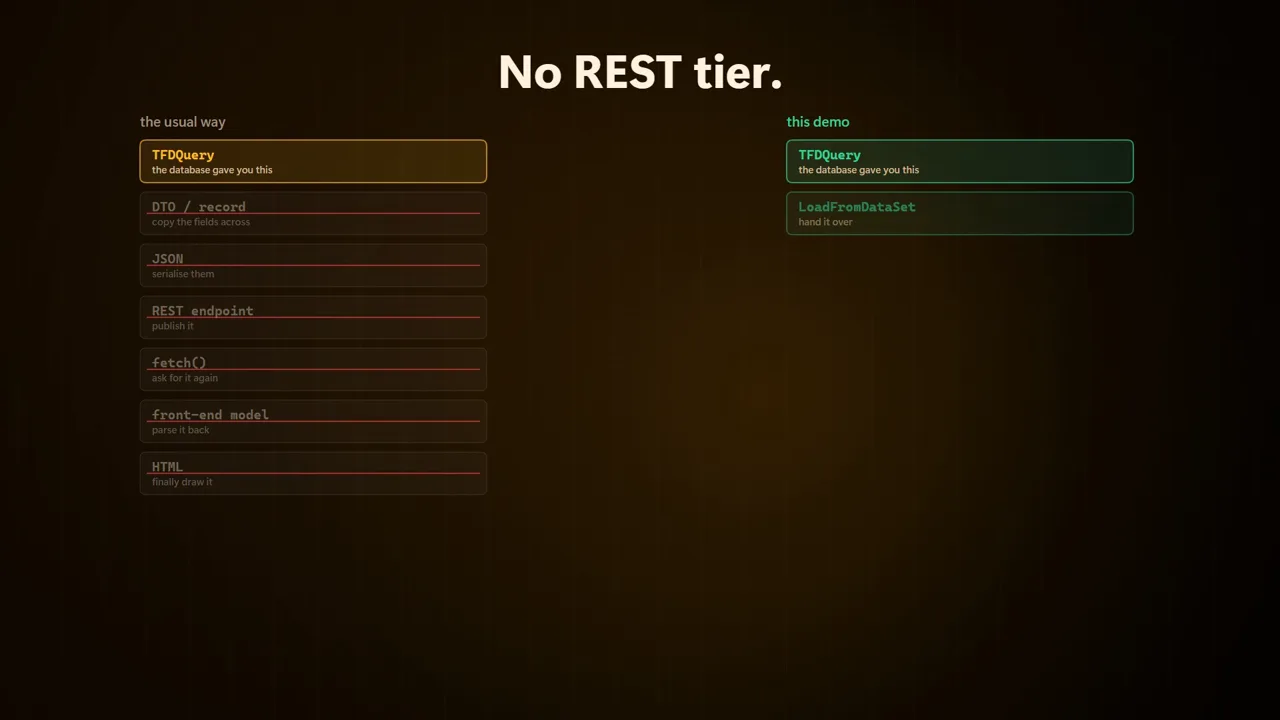 A till with no REST tierThe point-of-sale demo reading the database in-process, with no JSON API in the middle.
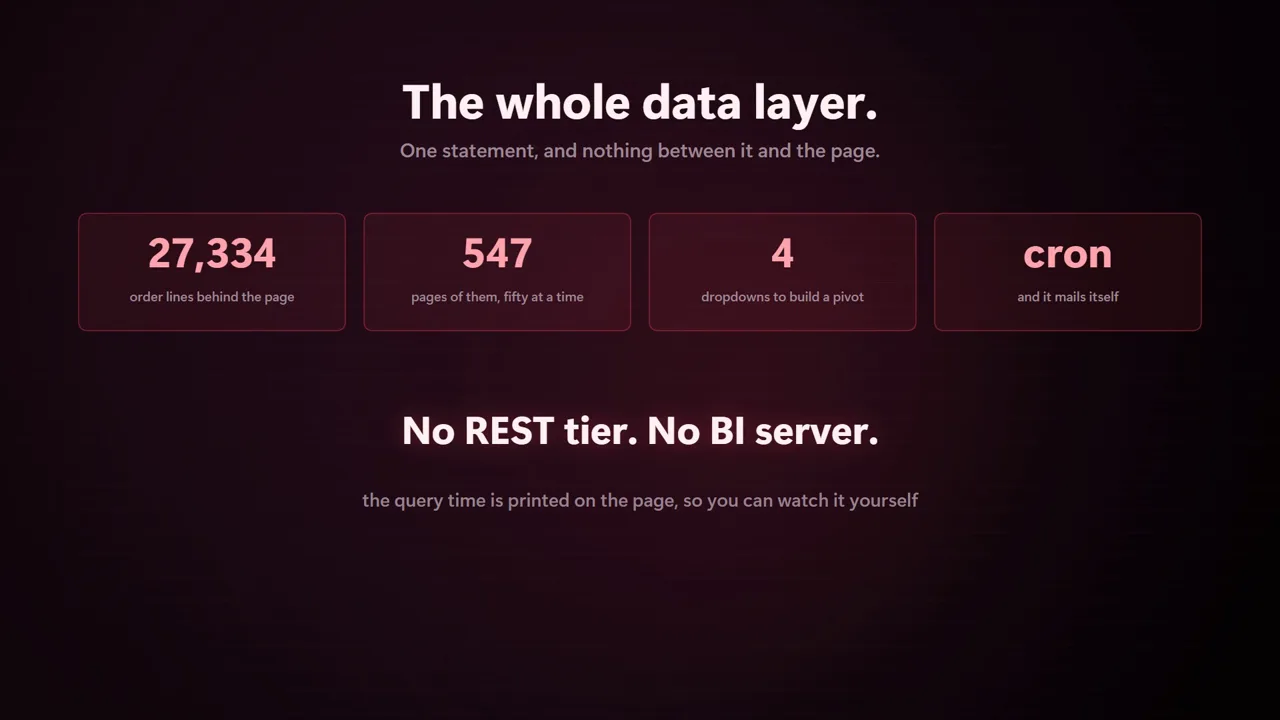 Reporting straight off the dataDashboards, a pivot builder and an explore view over 27,000 order lines.
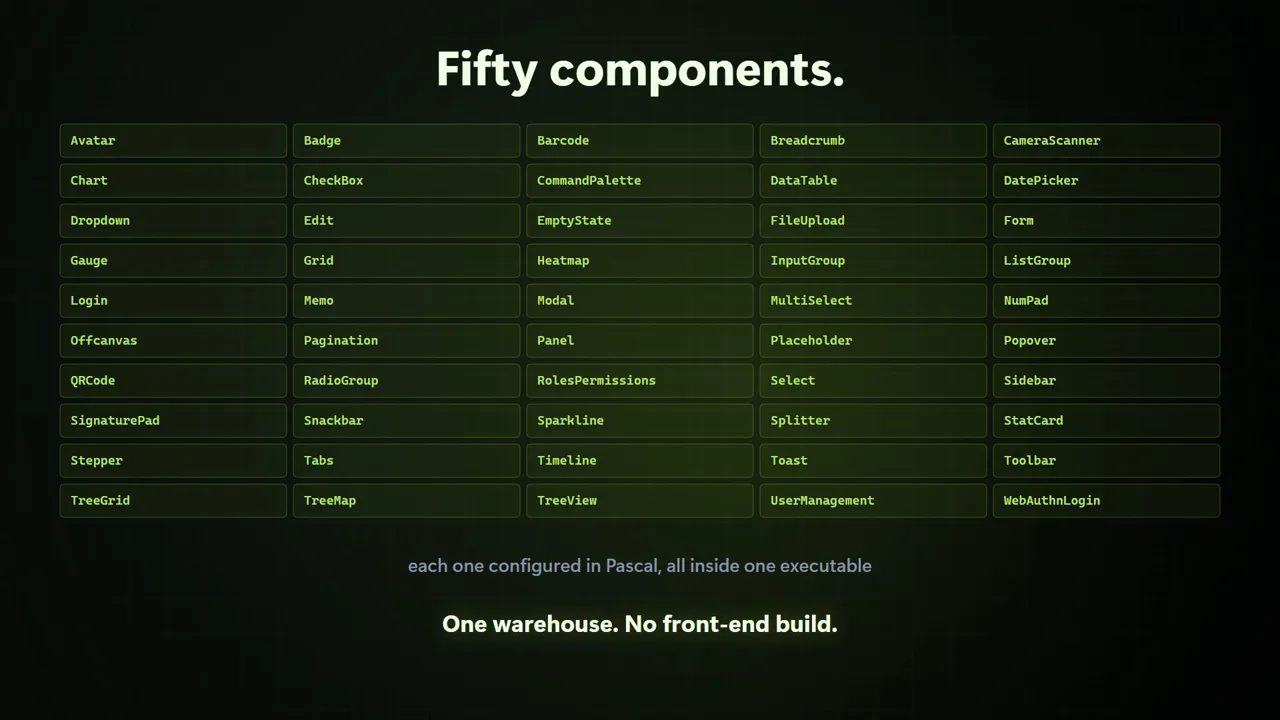 Fifty components in one appThe warehouse demo, counting up the component library it leans on screen by screen.
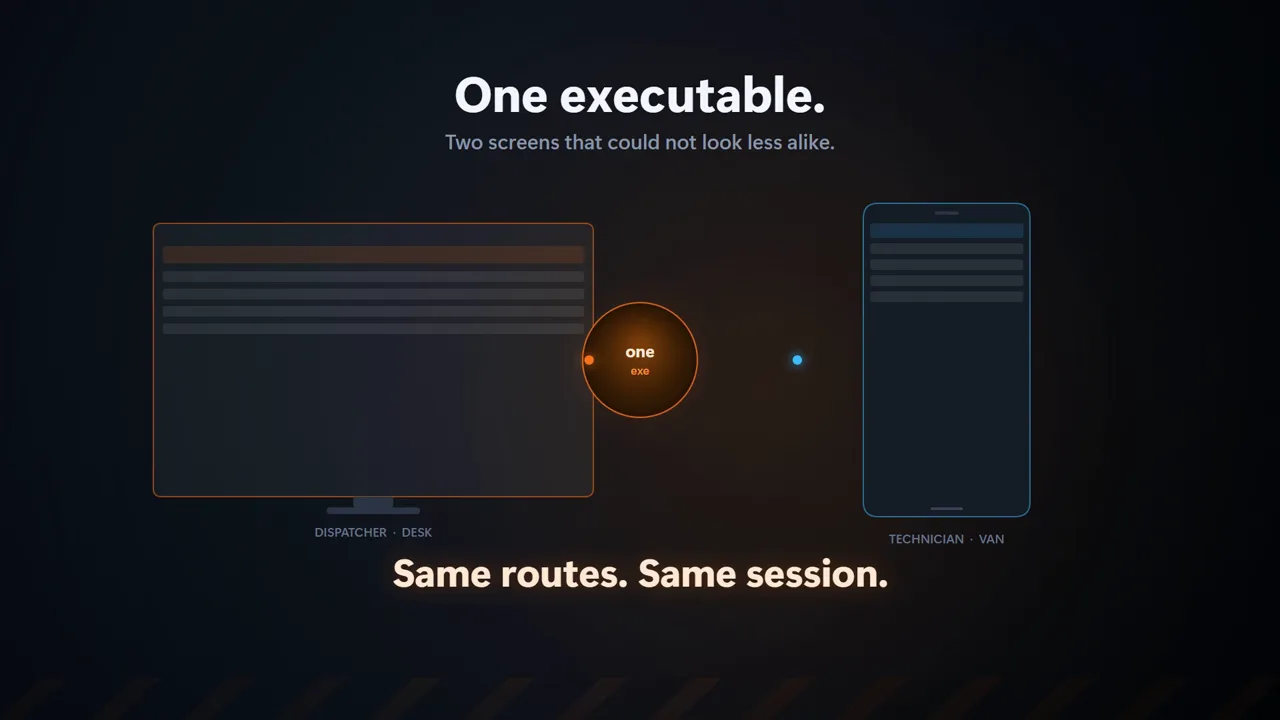 Dispatcher and technician, side by sideThe same application on a desktop board and a phone, staying in sync.
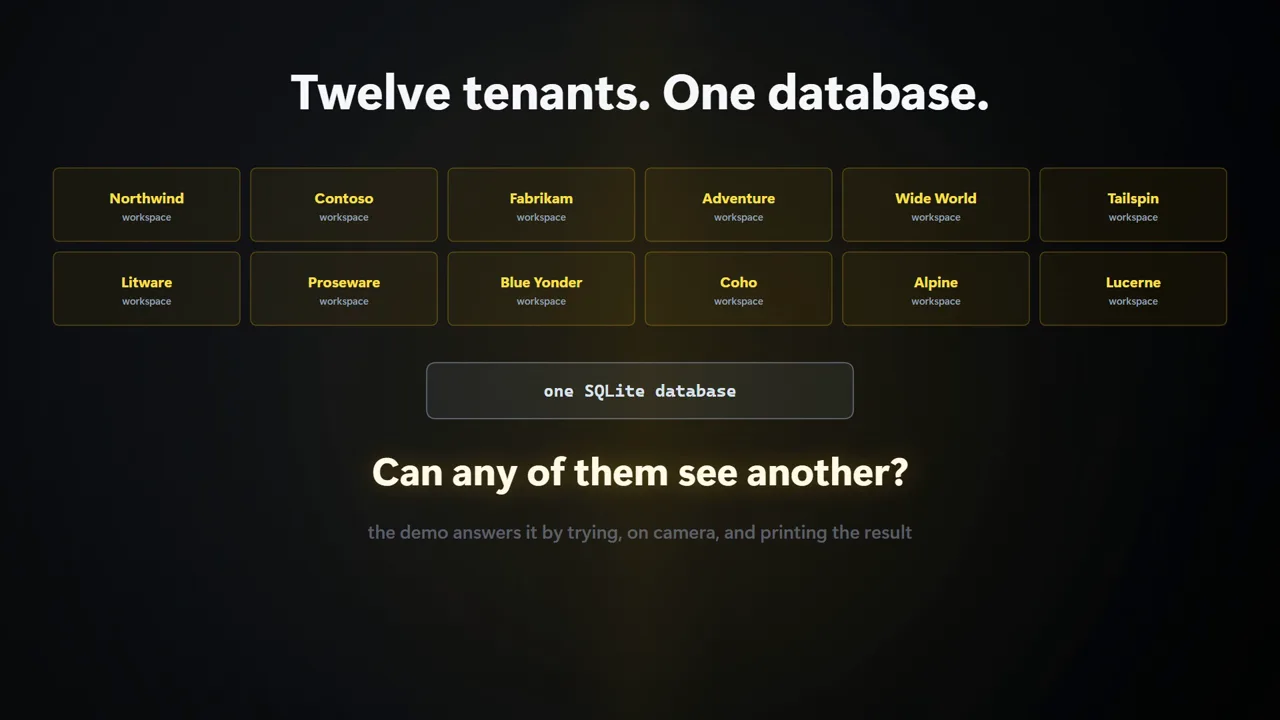 Multi-tenant isolation, provedOne binary, one database, strict per-tenant separation, demonstrated rather than asserted.
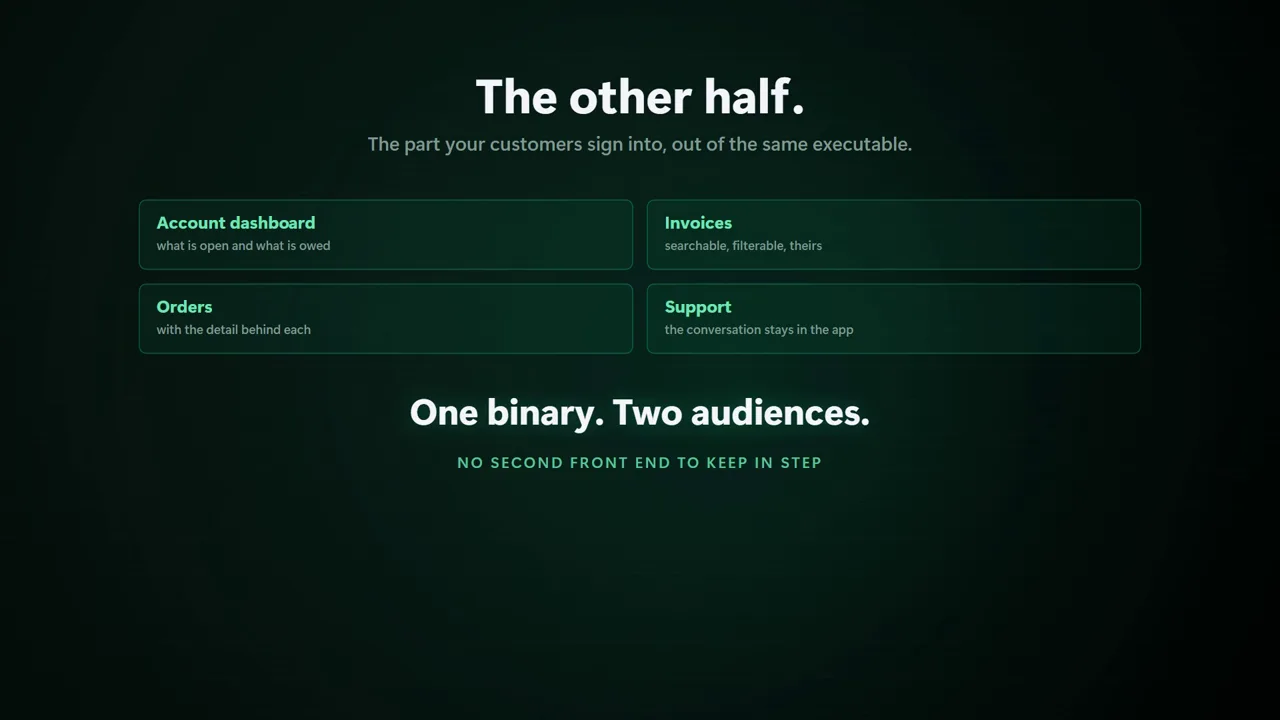 A customer portalSelf-service orders, profile and support tickets behind a login.
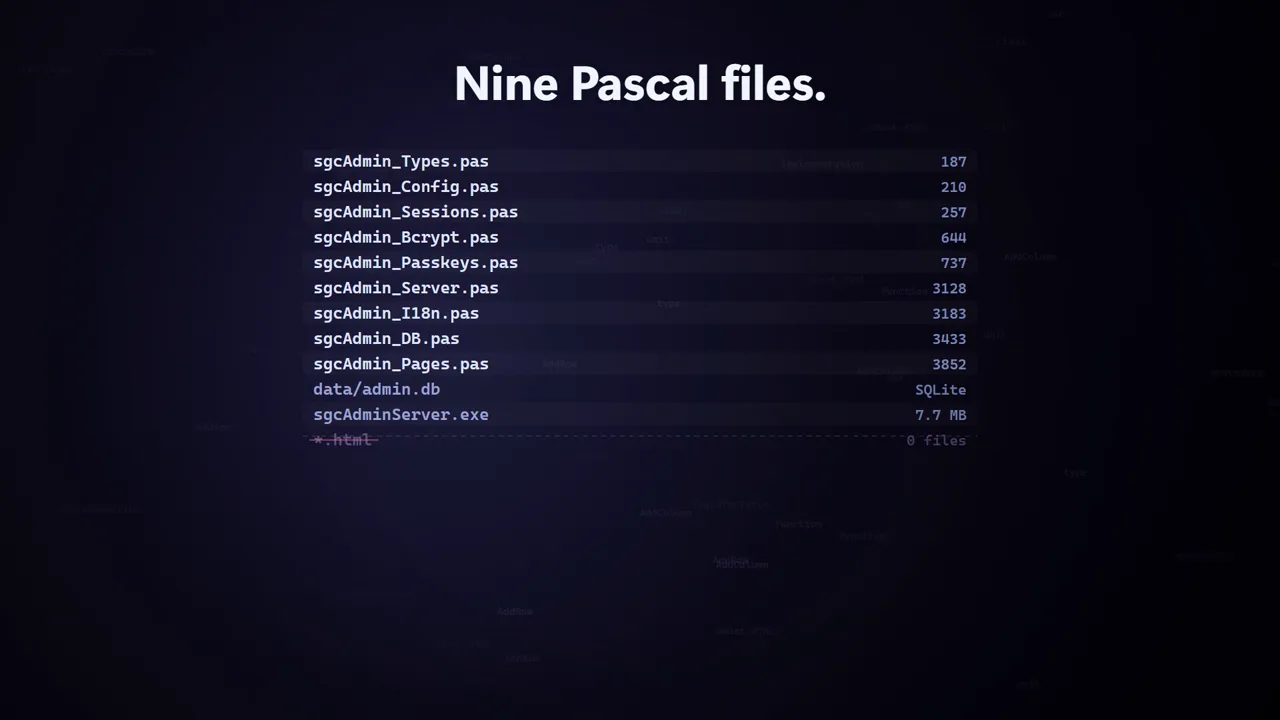 Live CRUD without a reloadSearch-as-you-type, inline add and edit, and delete, swapped in as htmx fragments.
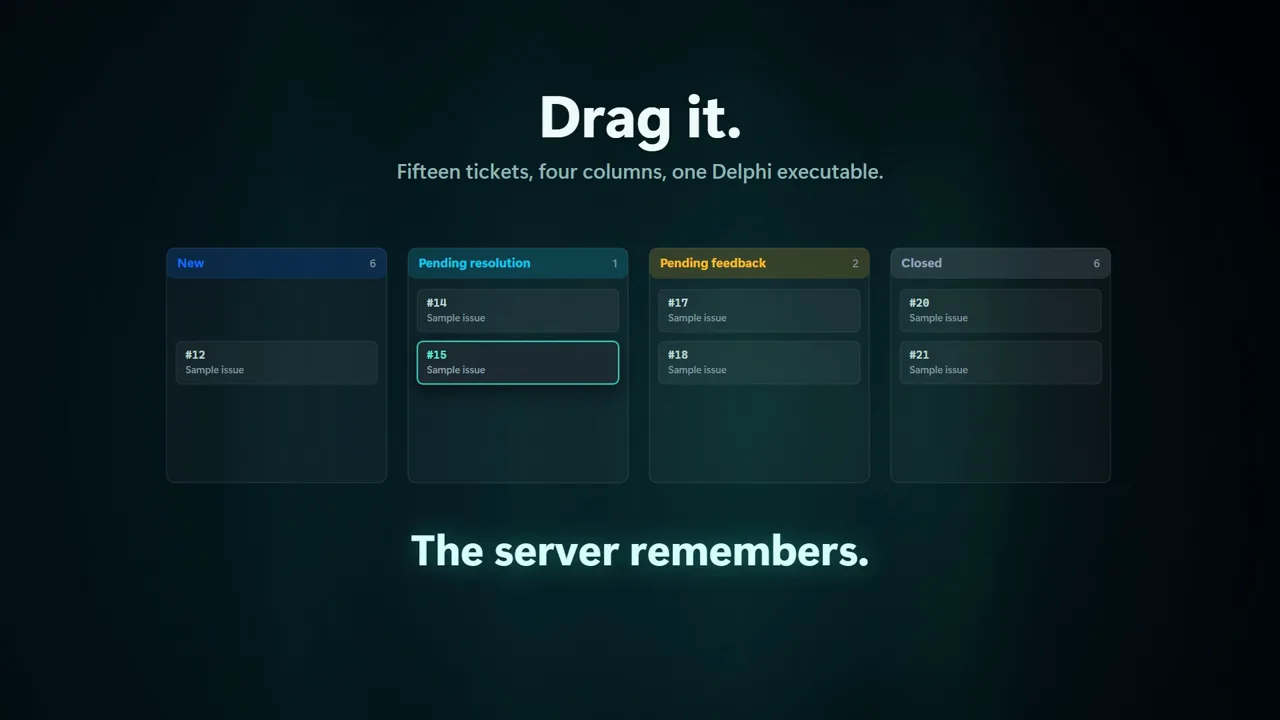 A helpdesk with a ticket flowRegistration, ticket threads and status changes, all server-rendered.
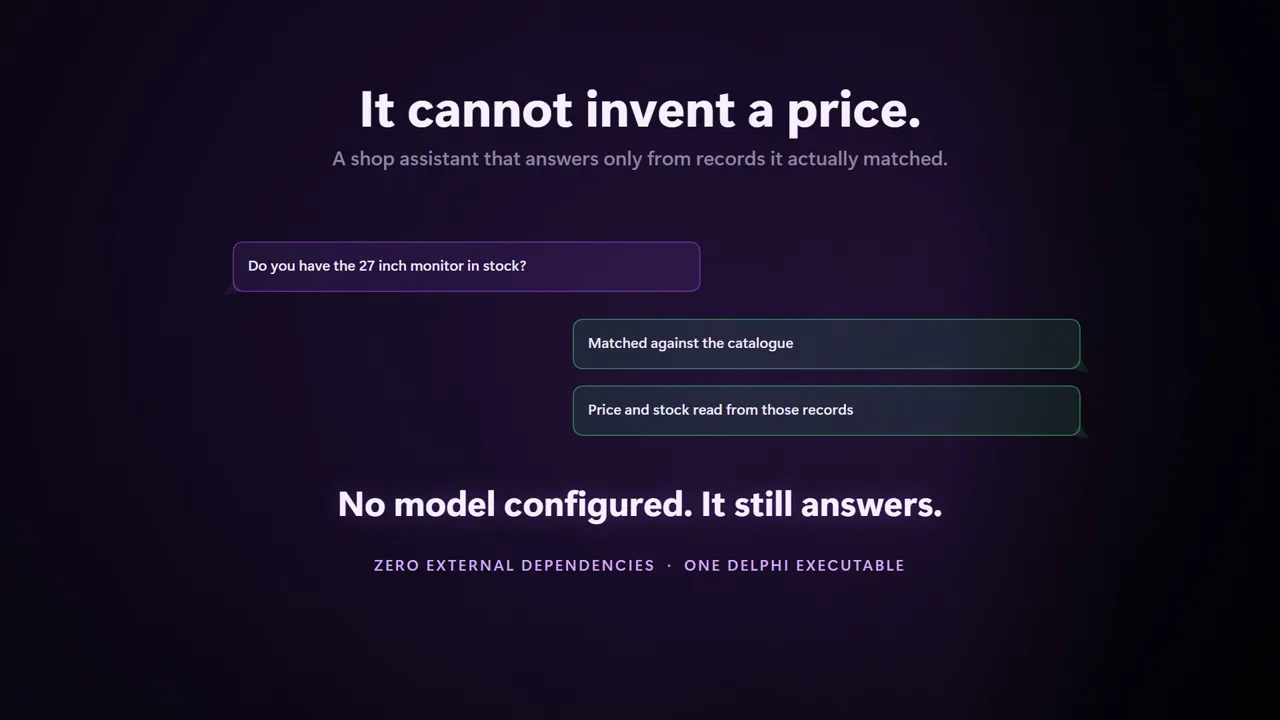 An AI assistant grounded in your dataA shop assistant answering from the product catalogue rather than inventing an answer.
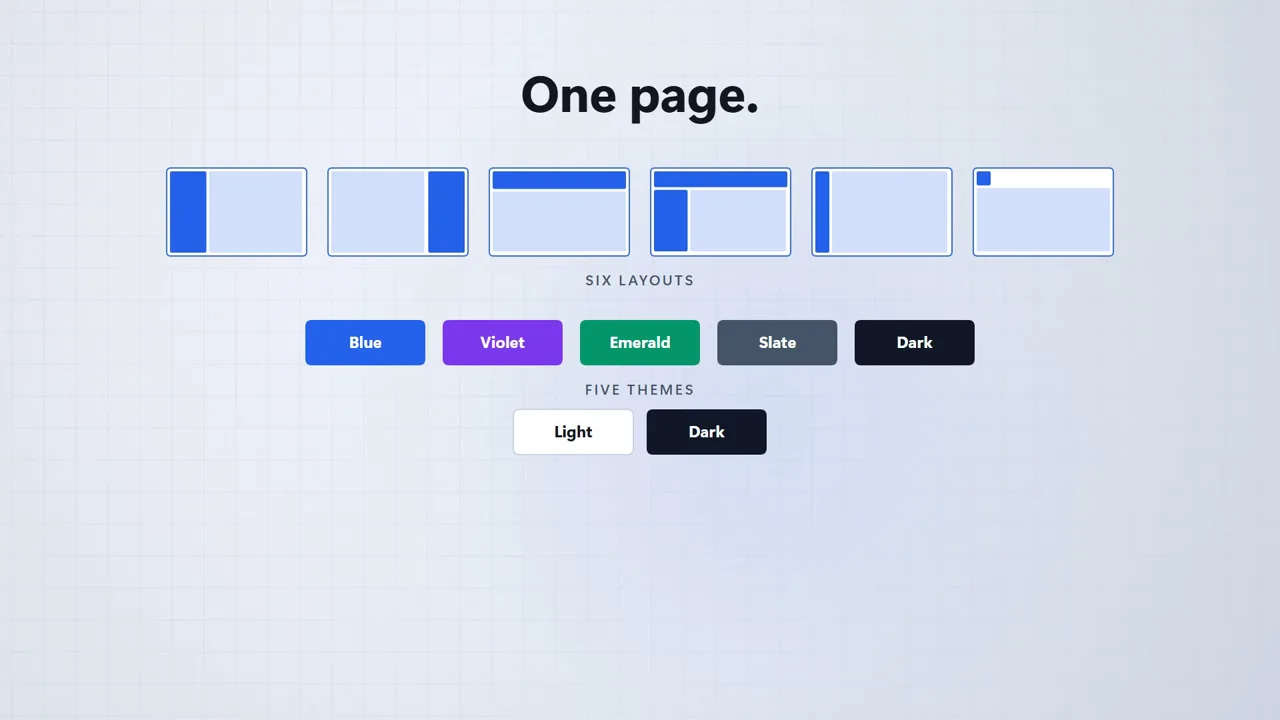 Whole-site layoutsNavigation, sidebars and page composition built from the Site component.
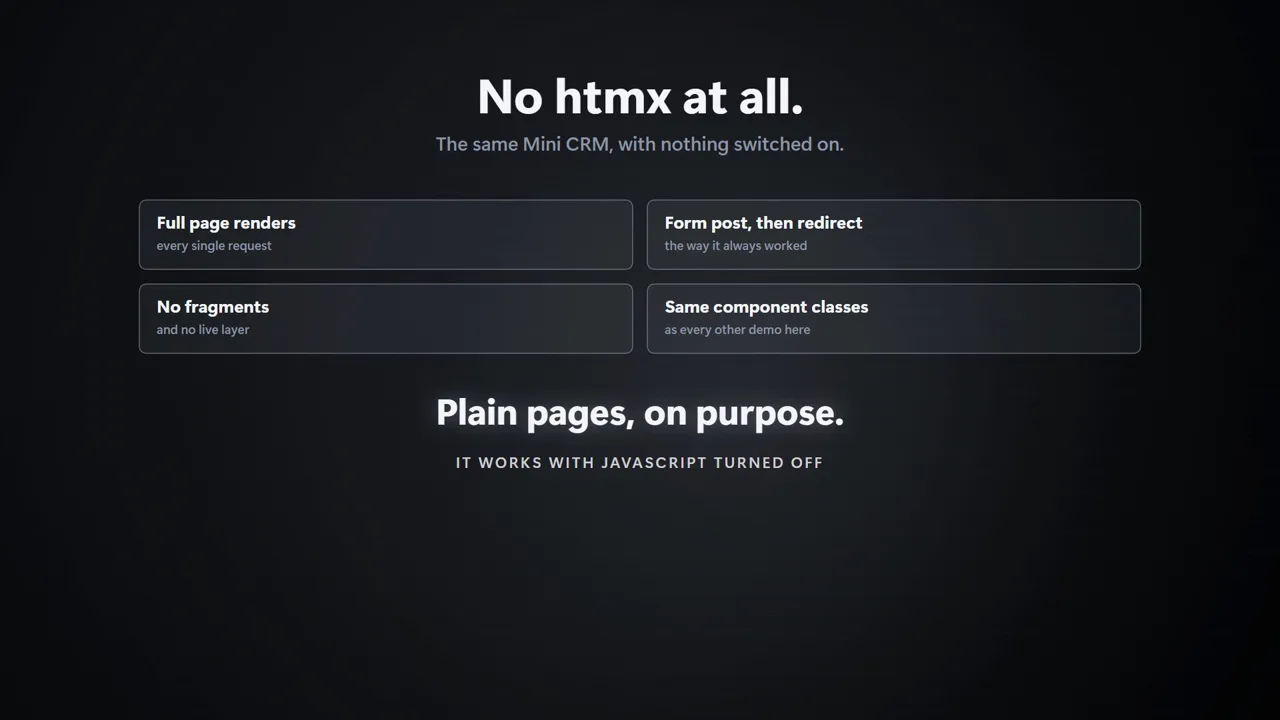 Dropping into WebBrokerAdding sgcHTML output to an existing Delphi WebBroker application.
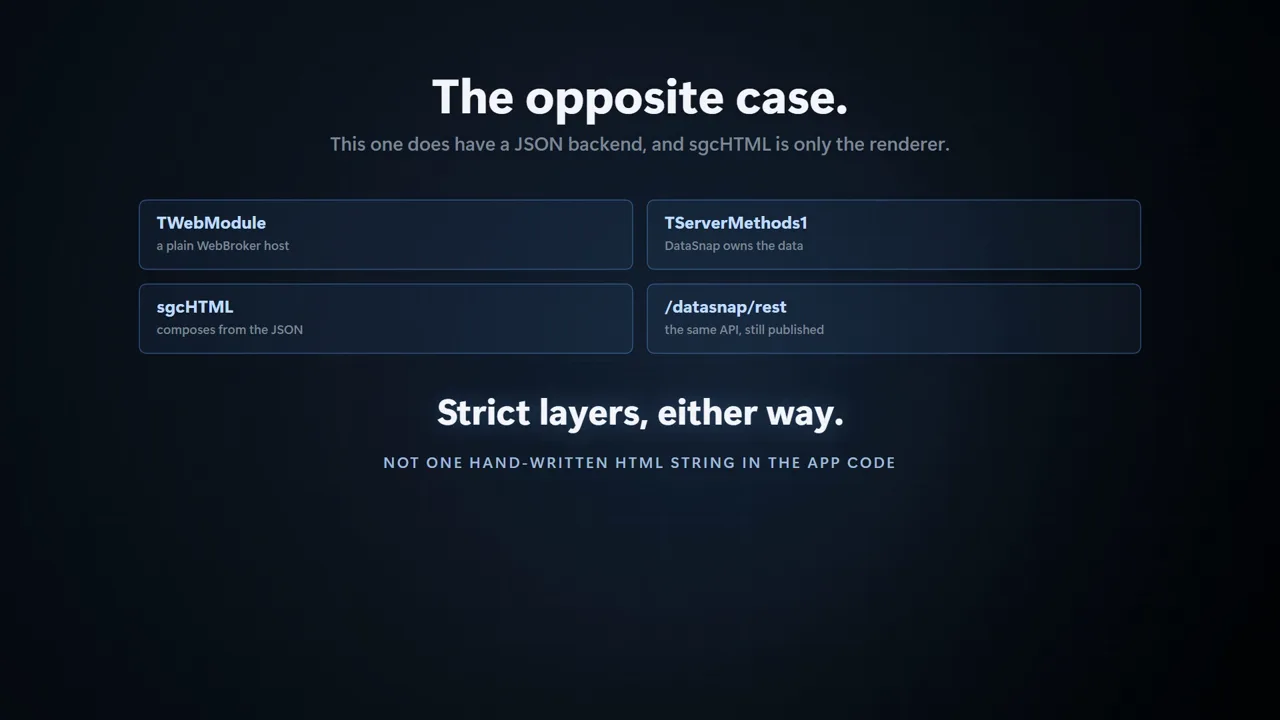 WebBroker and DataSnap togetherServing a modern front end from a service layer you already have.
Every screen below is a Delphi application serving its own HTML through sgcHTML. No JavaScript build step, no separate front-end project. Sign in with the credentials already filled in on each login page.
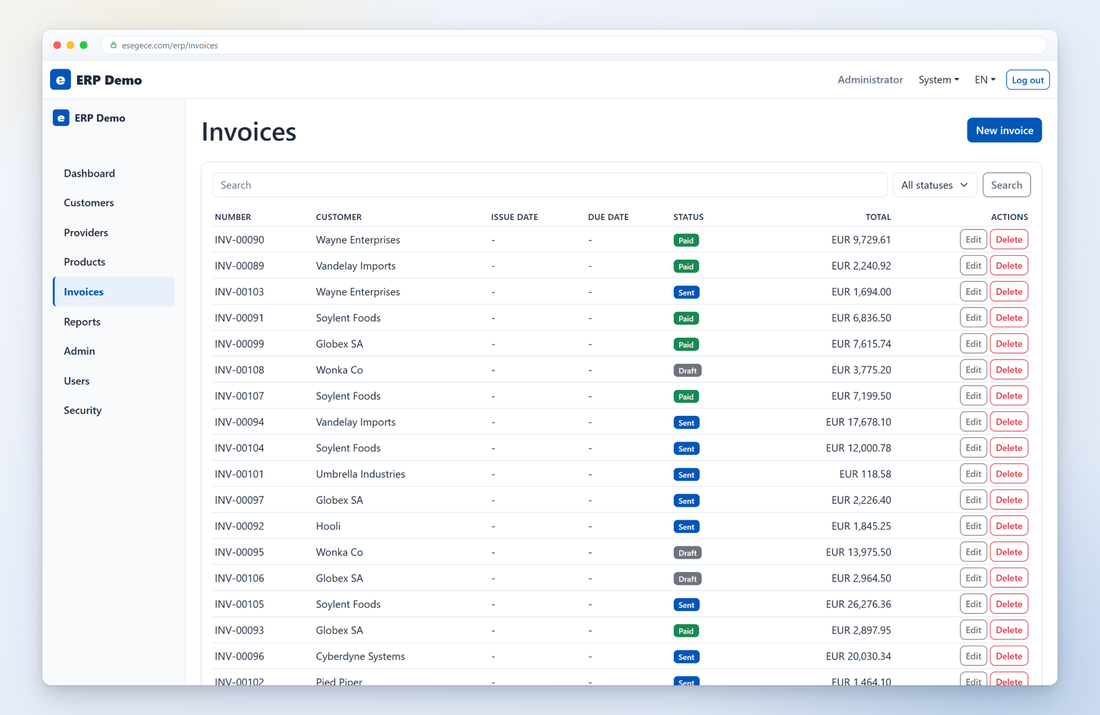
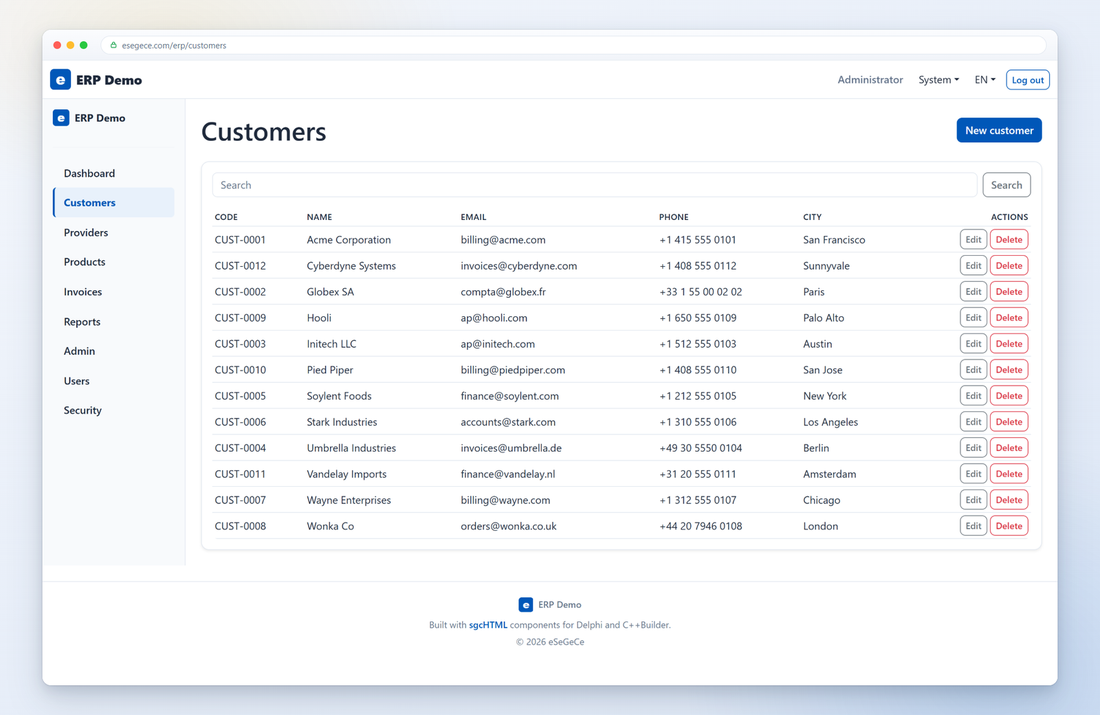
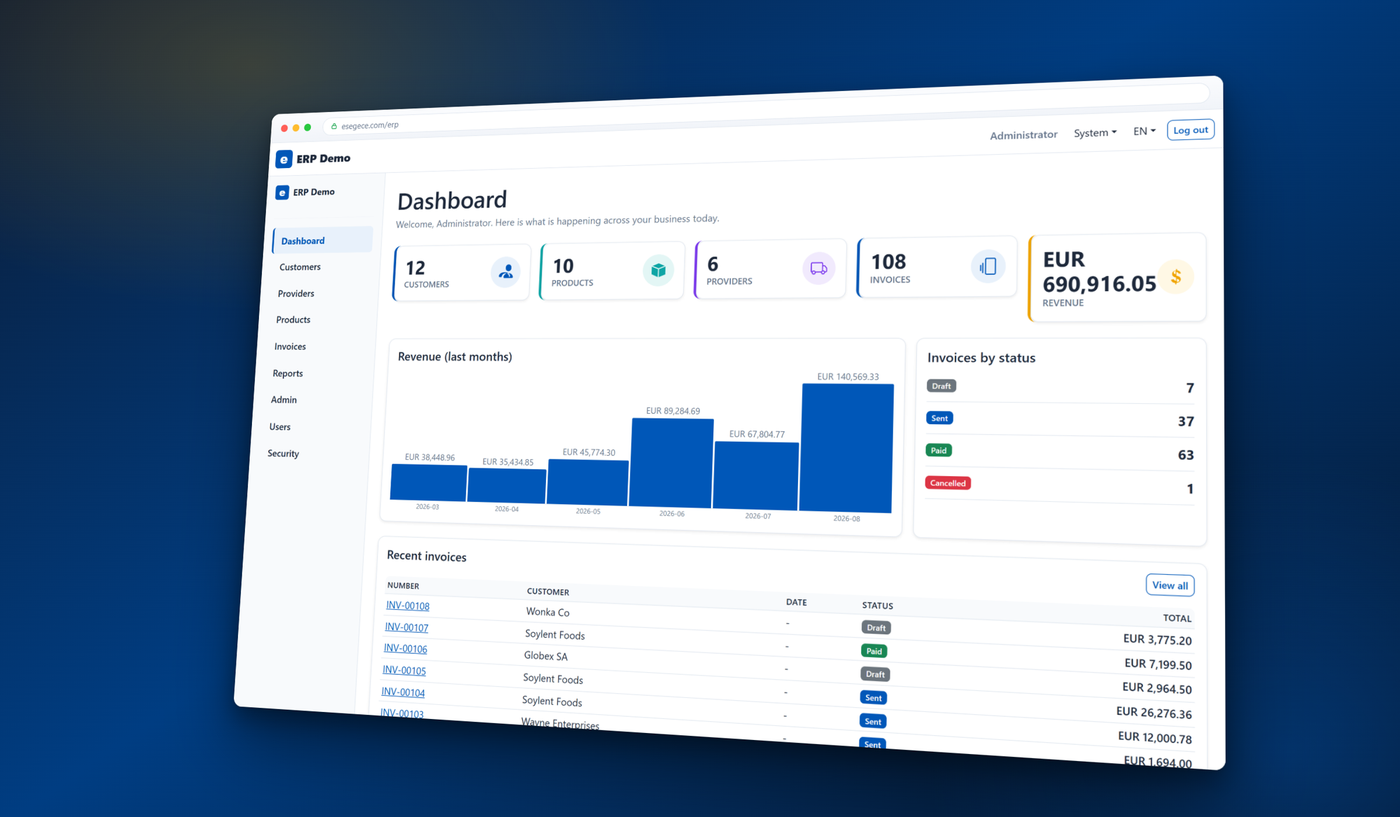
Customers, products, providers and invoicing, with dashboard charts, role-based admin and passkey sign-in.
Open the live demo →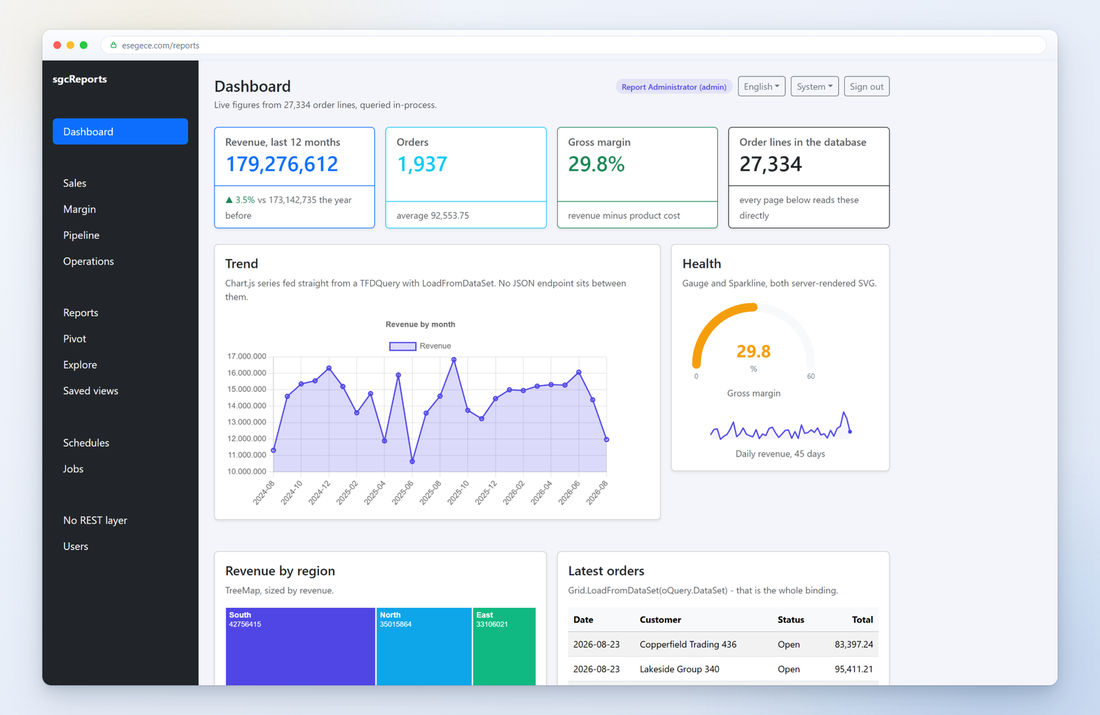
Dashboards, a report catalogue, an ad-hoc pivot builder and an explore view over 27,000 order lines, queried in-process.
Open the live demo →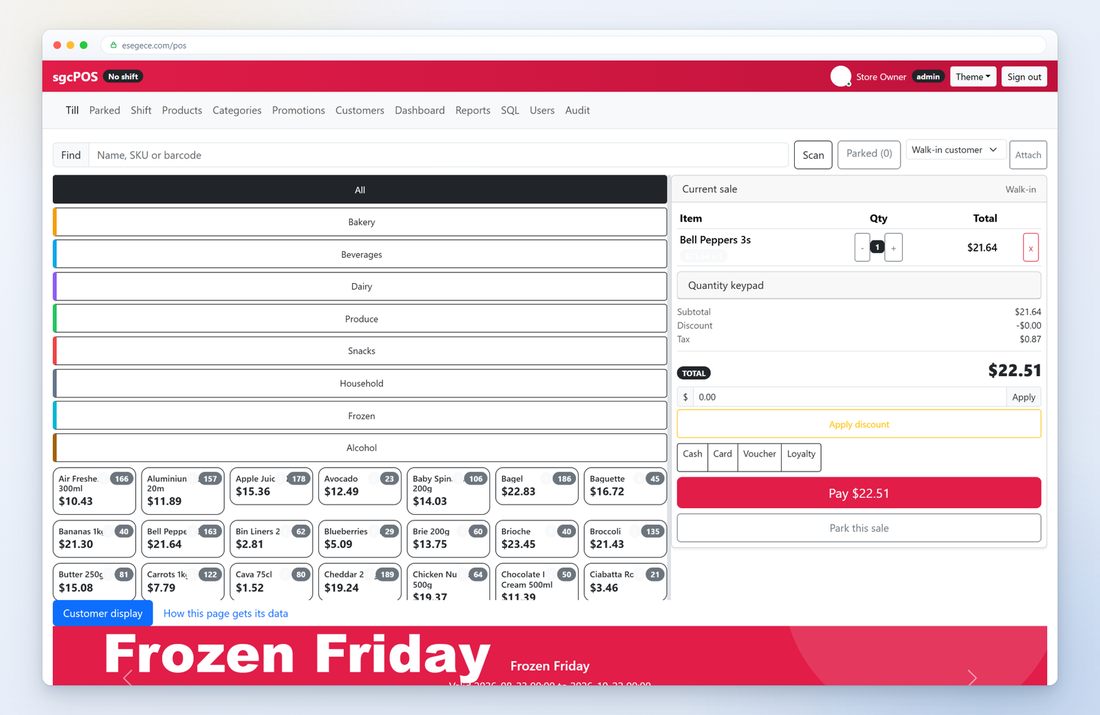
A touch till with categories, promotions, parked sales, shift handling and a live customer display.
Open the live demo →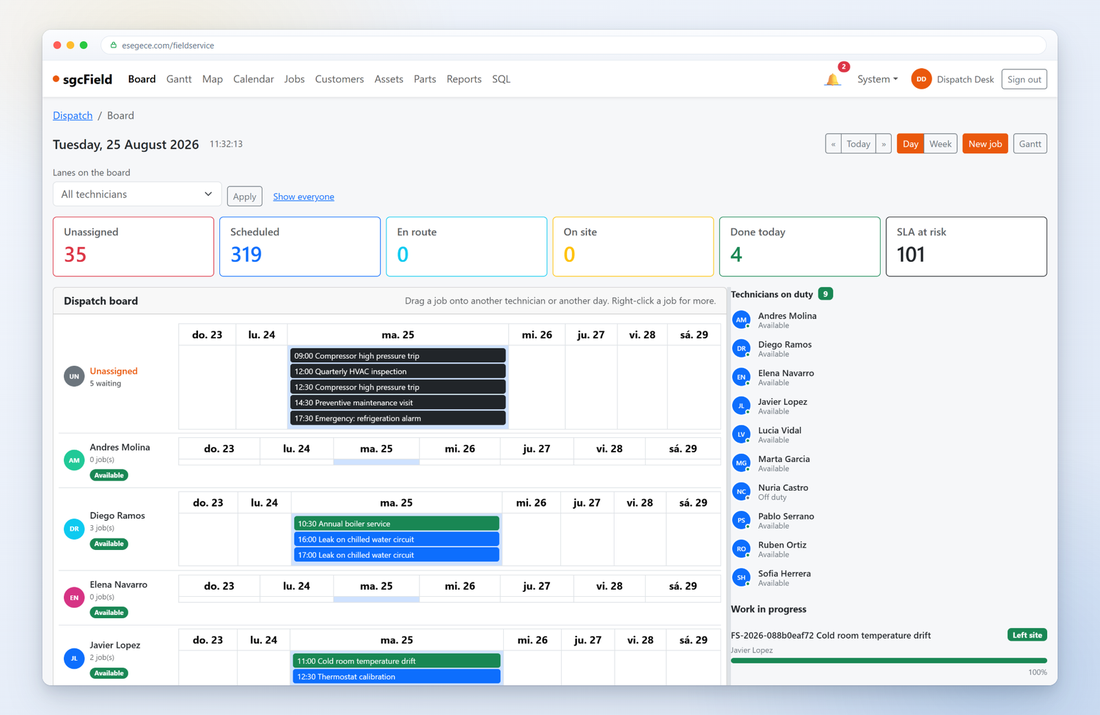
A dispatch board, Gantt planner and live technician map for scheduling engineers and jobs.
Open the live demo →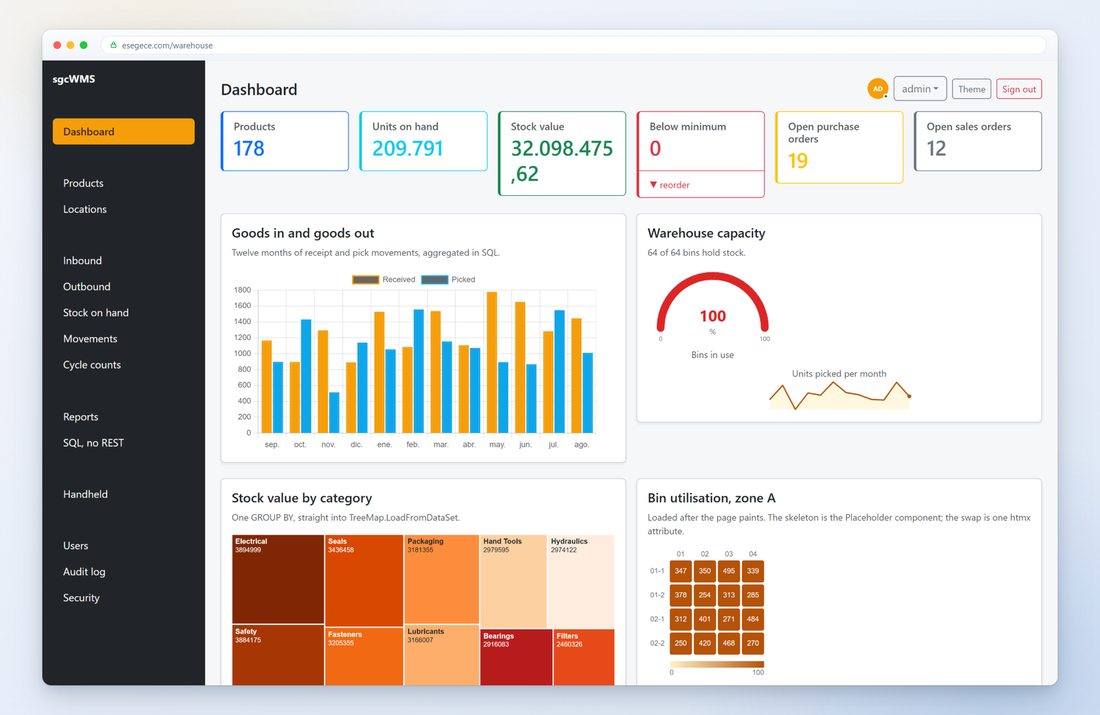
Inbound, outbound, stock on hand, movements and cycle counts, plus a handheld terminal layout for scanners.
Open the live demo →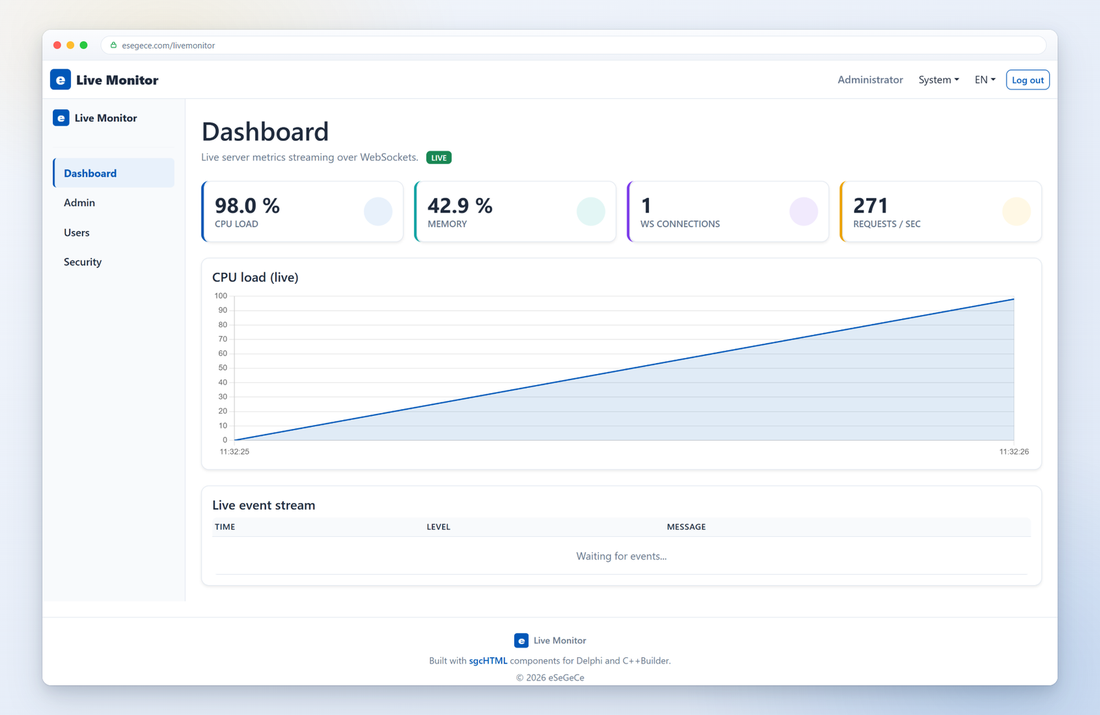
Server metrics pushed over WebSocket into out-of-band htmx fragments, updating KPI cards and charts in real time.
Open the live demo →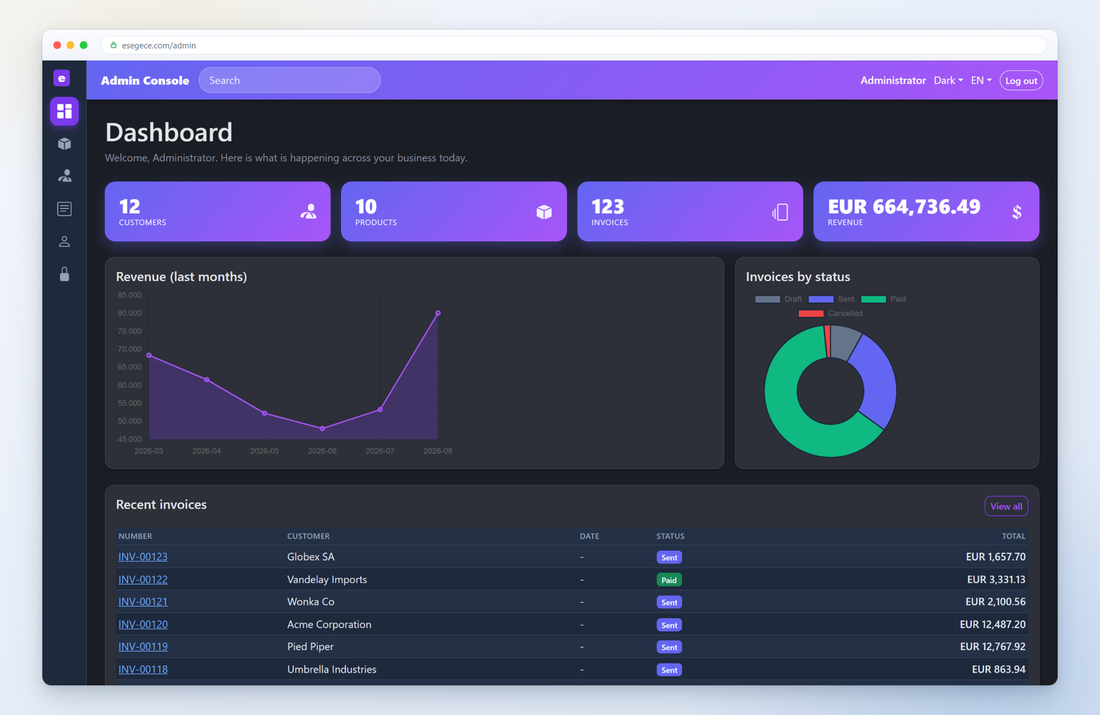
Search-as-you-type, inline add and edit, and delete, all swapped in as htmx fragments with no page reload.
Open the live demo →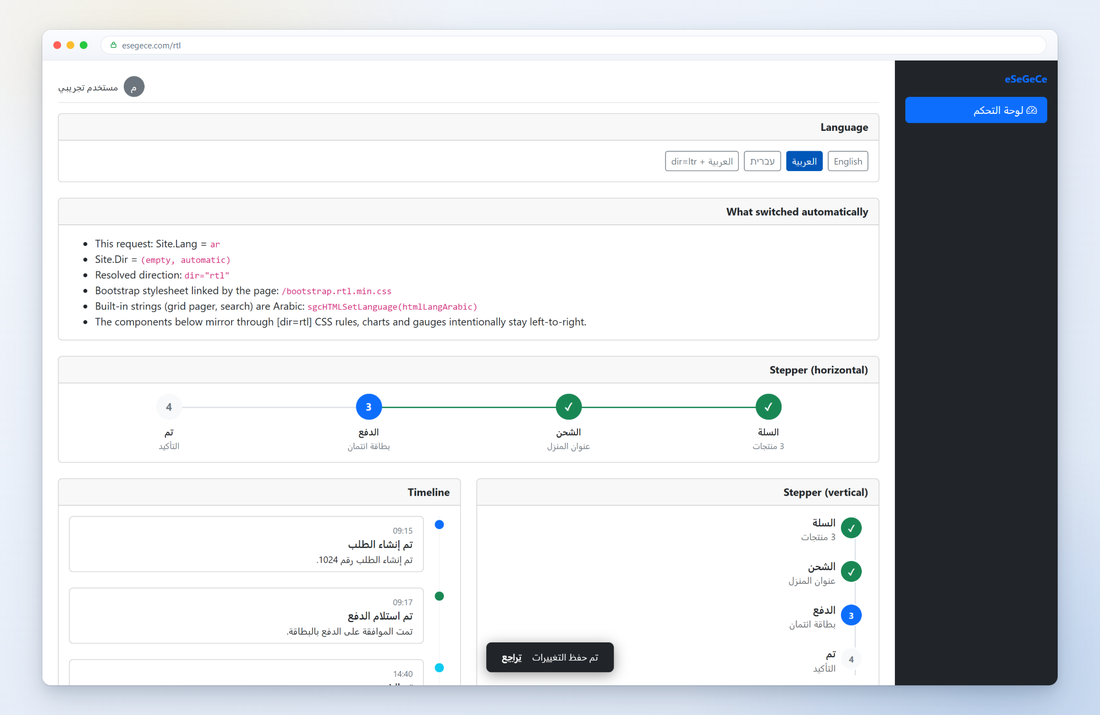
One page in English, Arabic and Hebrew. Pick Arabic or Hebrew and the whole layout turns right-to-left, from the sidebar to the grid. No code changes, only the language.
Open the live demo →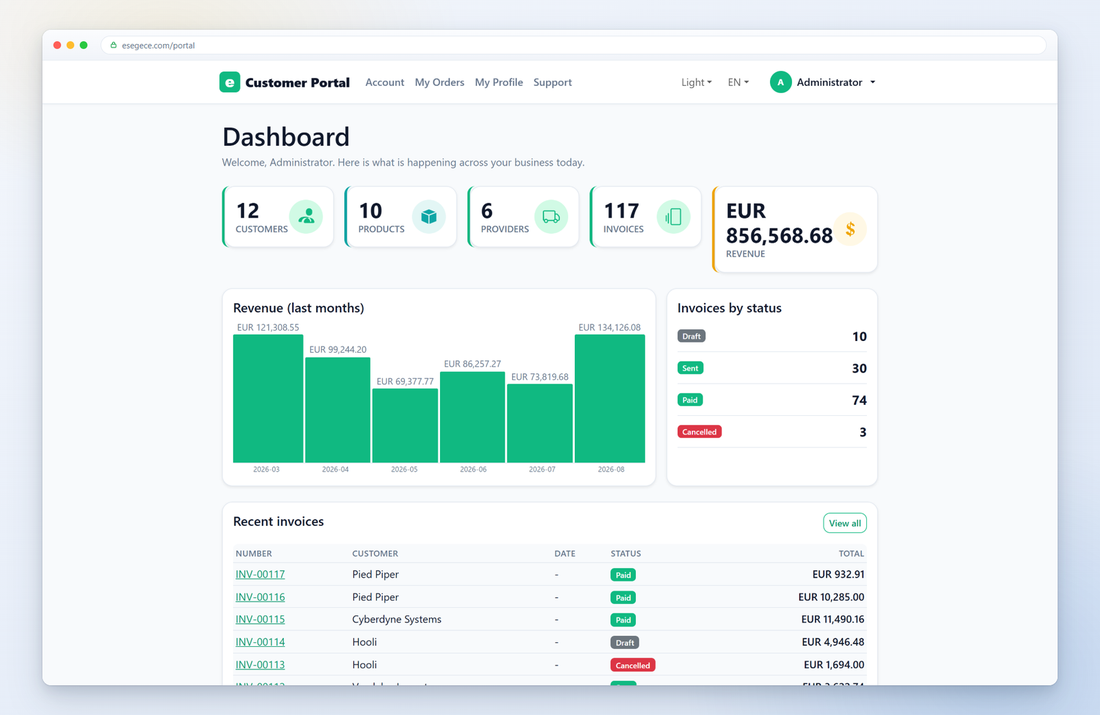
A self-service area where customers see their own orders, profile and support tickets behind a login.
Open the live demo →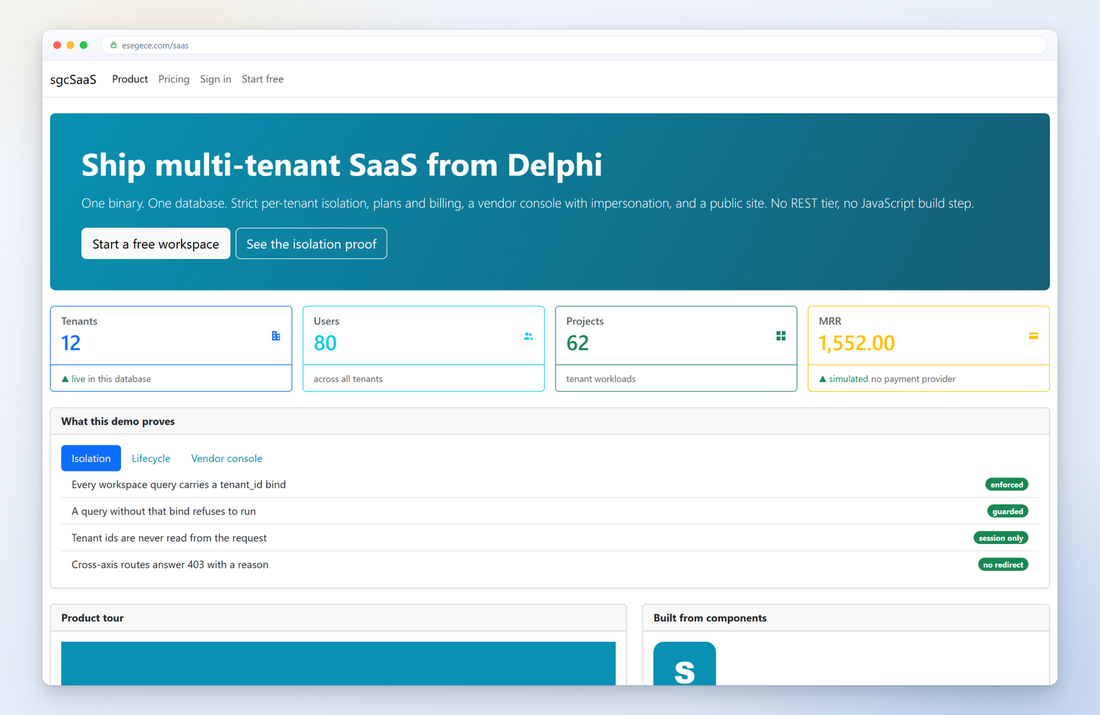
A public marketing site, pricing page and signup flow in front of a per-tenant isolated control plane.
Open the live demo →A data grid, a pivot table and a form driven by plain language: filters, sorts and groupings over 26,000 order lines, an AI column assistant and smart paste. Runs without an API key.
Open the live demo →A storefront built entirely from sgcHTML components, with a floating chat assistant whose answers are grounded in the product catalog. The online version needs no LLM API key.
Open the live demo →A Delphi application rendered inside ChatGPT, Claude or VS Code: MCP tools return sgcHTML pages that the host displays, and their buttons keep working there.
Open the live demo →A control room for a simulated boiler loop: gauges, displays, operator controls, strip charts and an oscilloscope kept live by the server, with no polling.
Open the live demo →A cooling water plant mimic with tanks, valves, pumps and animated flow, plus gauges, a strip chart and alarms, all driven by MQTT. Online it runs a simulated plant.
Open the live demo →Grids, charts, planners, maps and dashboards from the demo applications, each one produced by components you configure in code.
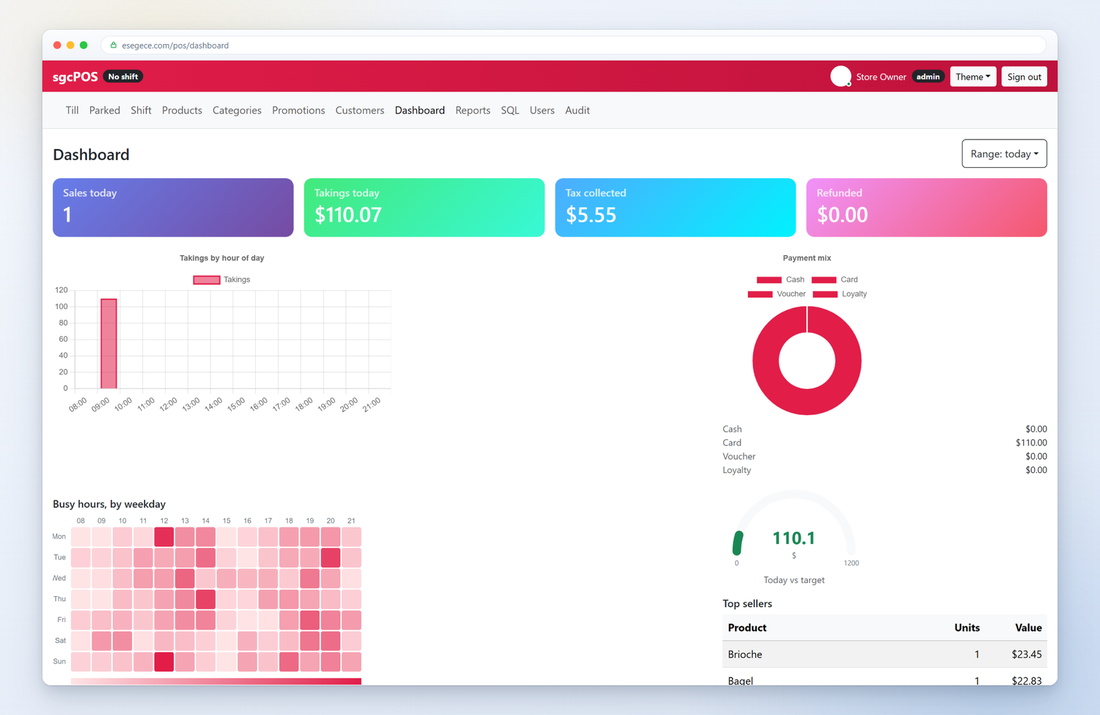
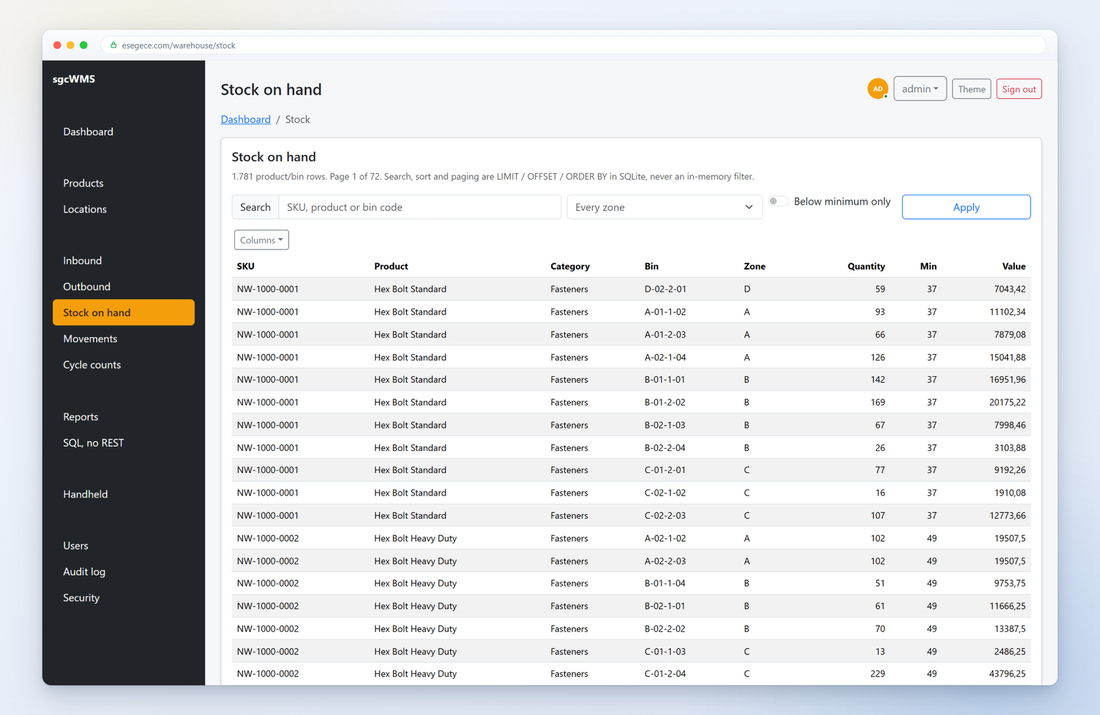
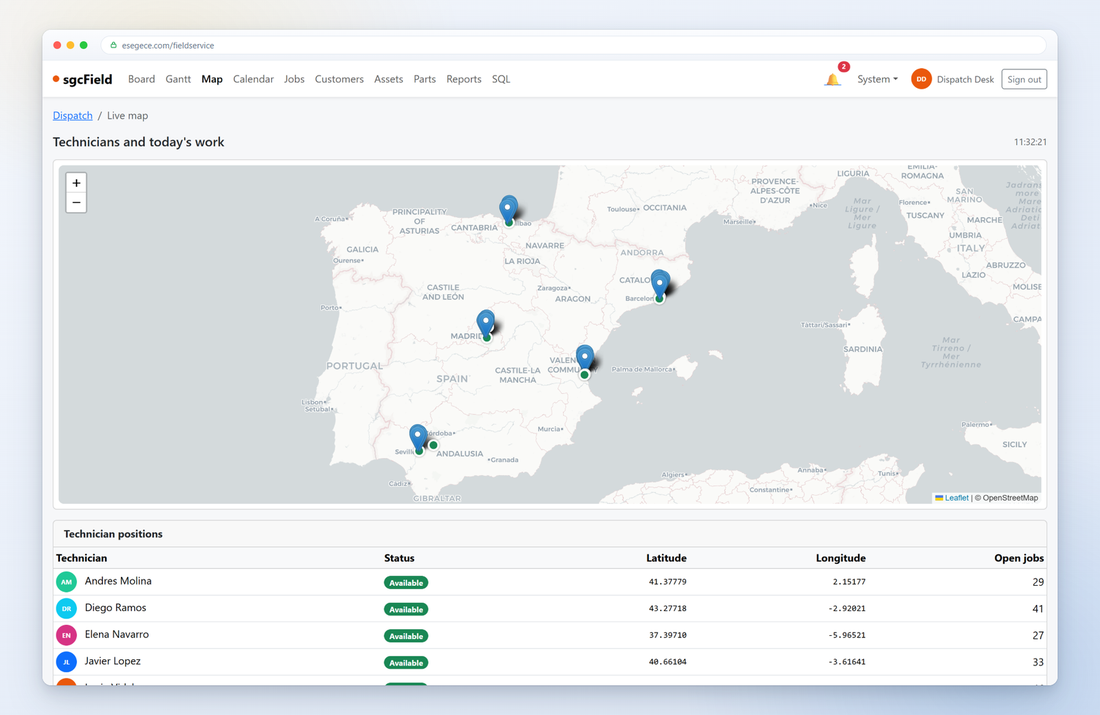
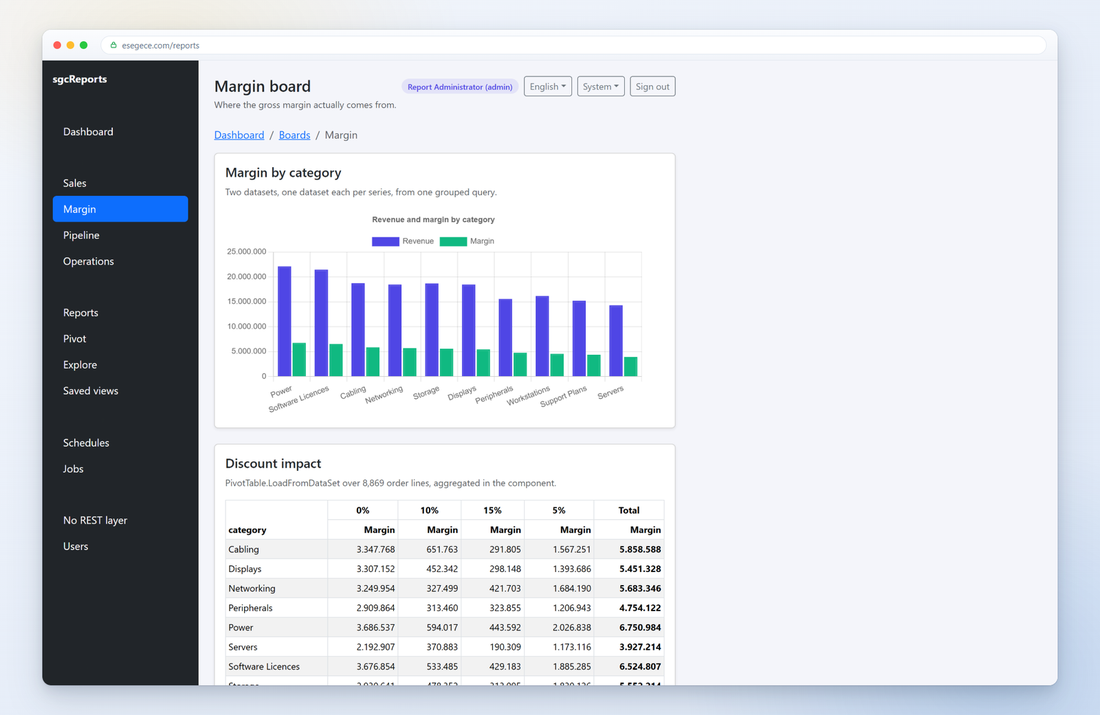
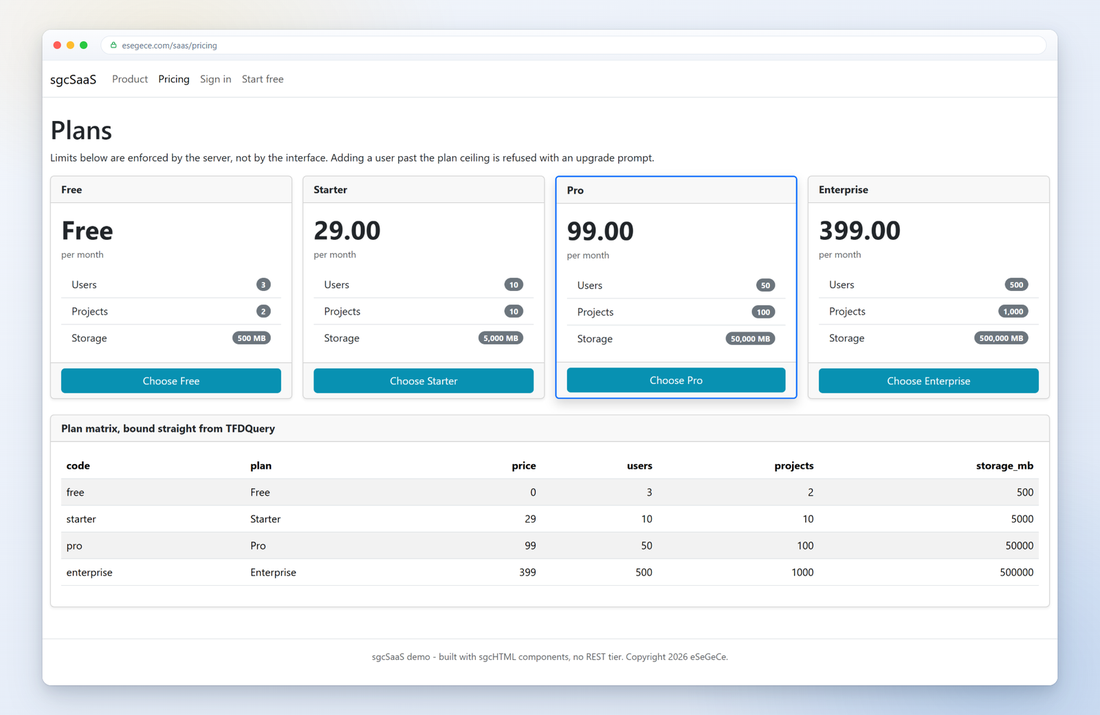
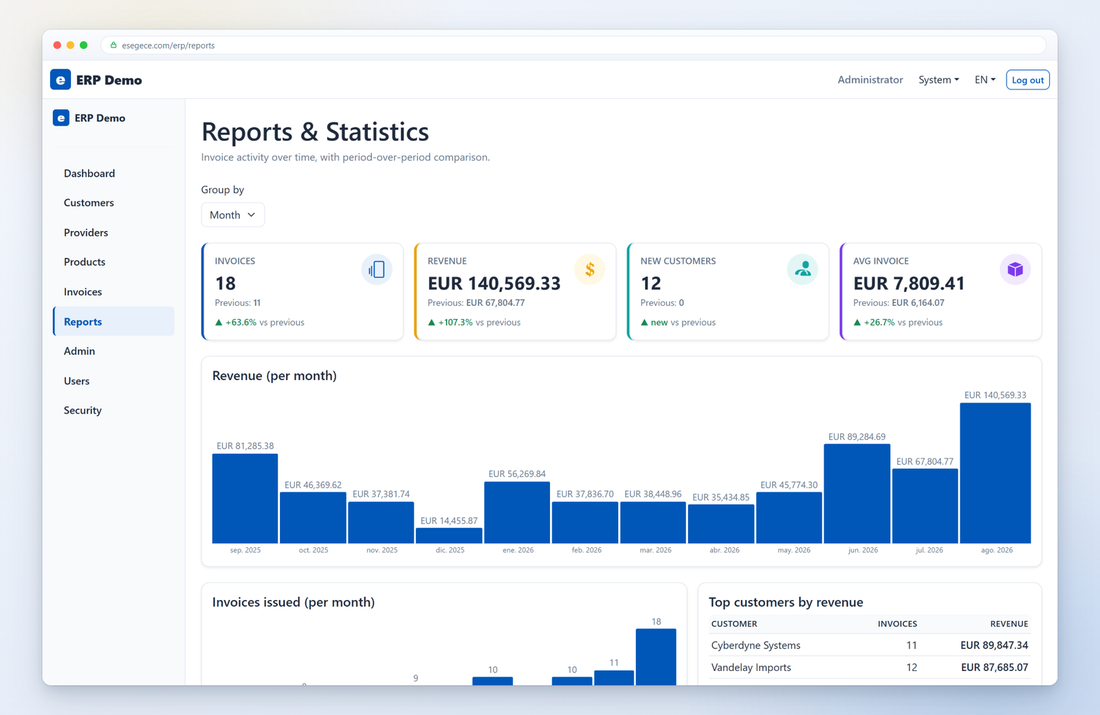
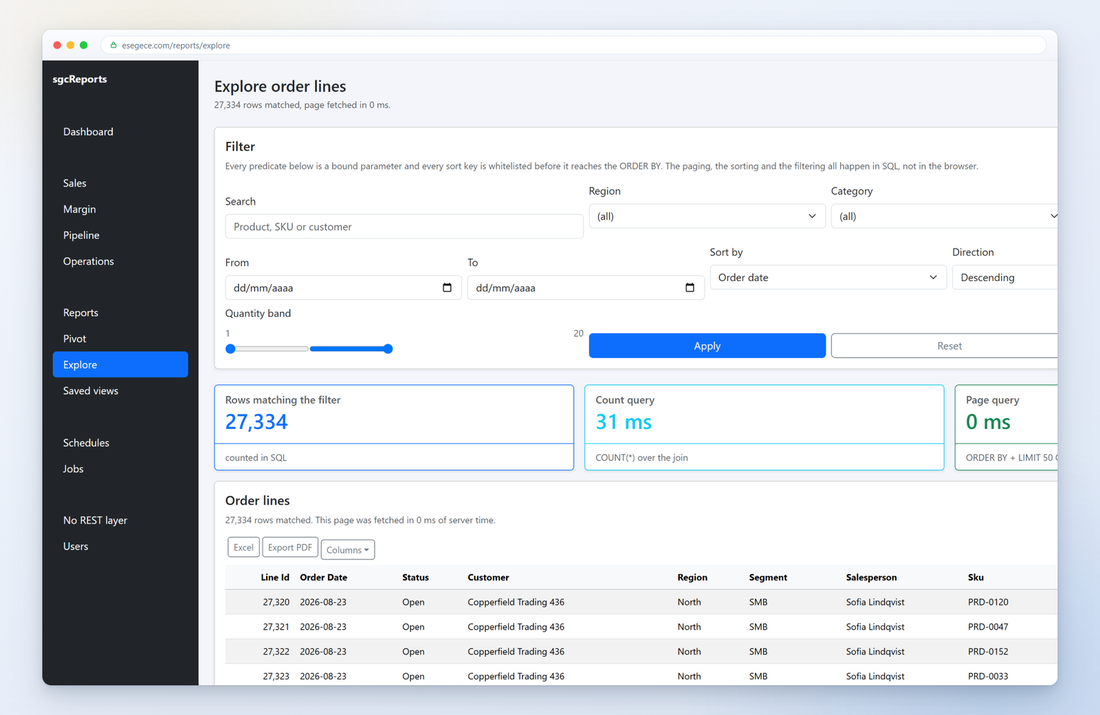
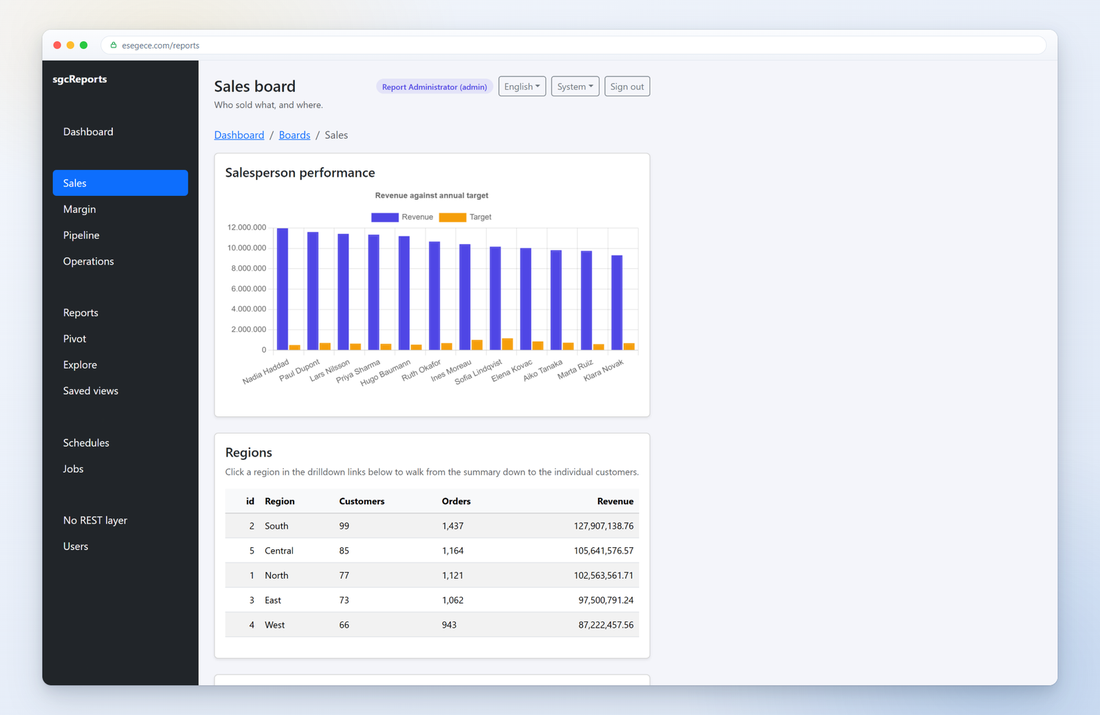
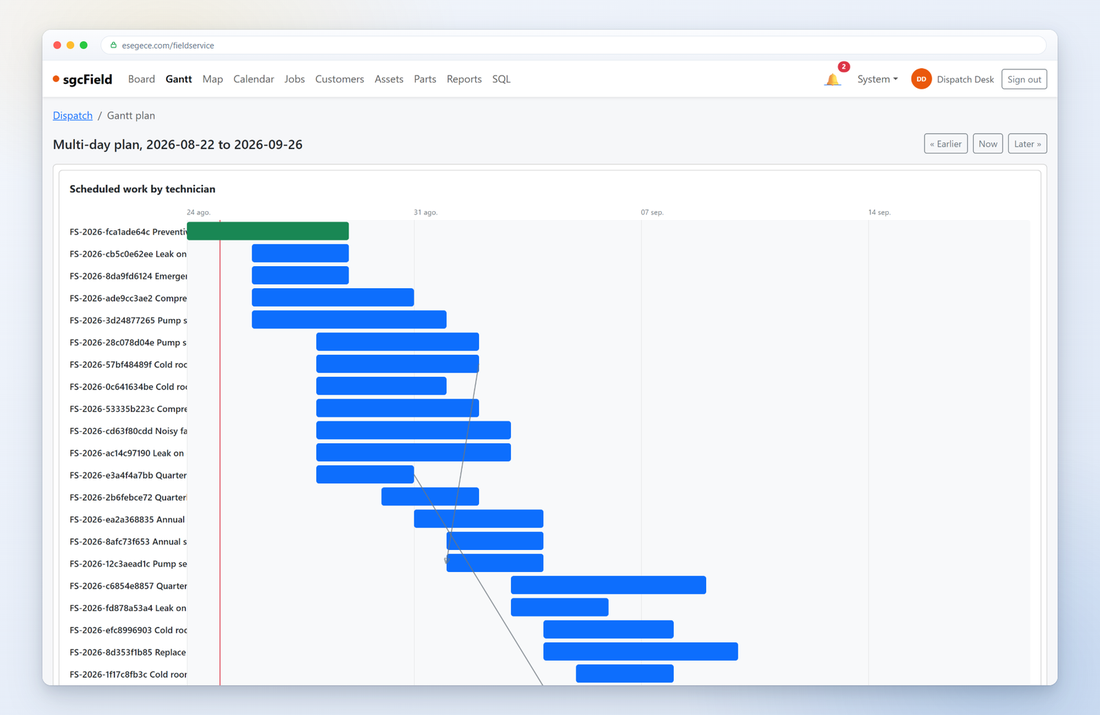
The Gantt planner, Chart.js series, gauges, sparklines, tree maps and heat maps are all produced from your Pascal or C# code. You set the data, sgcHTML emits the markup and the client-side wiring.
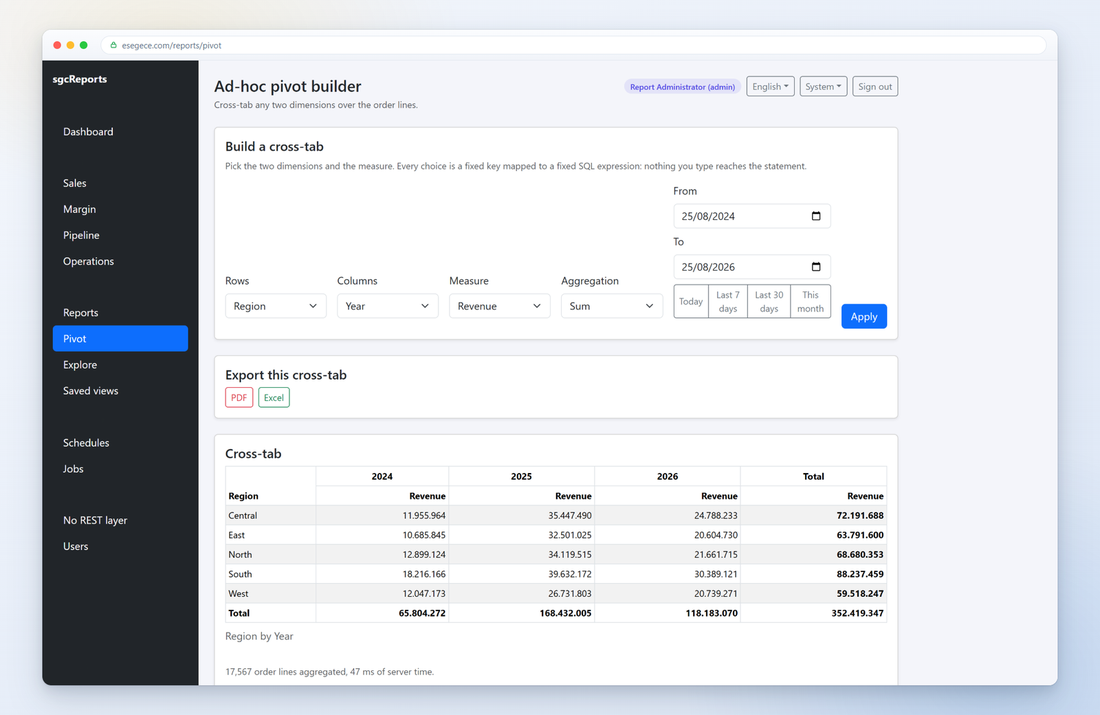
Users pick dimensions, measures and an aggregation, and the cross-tab is rebuilt from a TFDQuery. There is no REST layer in between, the page reads the database directly in-process.
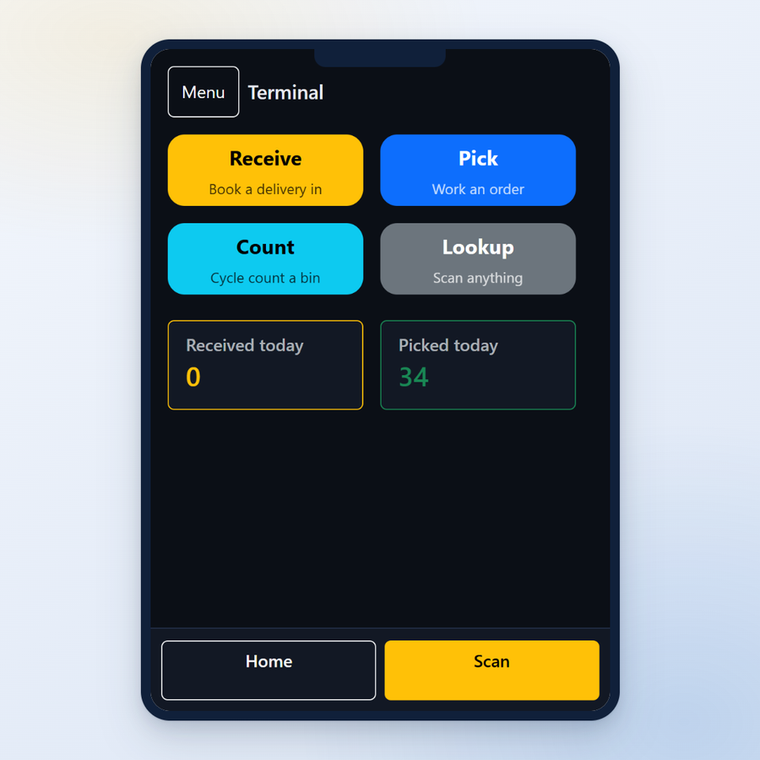
Every component renders responsive Bootstrap 5 markup, so the warehouse terminal layout is the same component library at a phone width, not a separate mobile codebase.
Start an HTTP server, attach the htmx engine, and answer requests with a page built from components. The same API in Delphi, C++ Builder and .NET.
uses
  sgcWebSocket_Server, sgcHTMX_Engine_Server,
  sgcHTML_Template_Bootstrap, sgcHTML_Component_Chart;

// 1. Start a server and attach the htmx engine
FServer := TsgcWSHTTPServer.Create(nil);
FServer.Port := 8080;
FServer.OnCommandGet := HandleGet;

FHTMX := TsgcHTMX_Engine_Server.Create(nil);
FHTMX.Server := FServer;        // realtime htmx over WebSocket

FServer.Active := True;

// 2. Build the page from components
function TForm1.BuildDashboard: string;
var
  oChart: TsgcHTMLComponent_Chart;
  oPage: TsgcHTMLTemplate_Bootstrap;
begin
  oChart := TsgcHTMLComponent_Chart.Create(nil);
  oPage := TsgcHTMLTemplate_Bootstrap.Create(nil);
  try
    oChart.ChartType := ctBar;
    oChart.AddLabel('Q1'); oChart.AddLabel('Q2'); oChart.AddLabel('Q3');
    oChart.AddDataset('Revenue', [1200, 1900, 1500],
      '#7C3AED', 'rgba(124,58,237,.25)', True);

    oPage.Title := 'Dashboard';
    oPage.BodyContent := oChart.HTML;   // component -> HTML
    Result := oPage.GetHTML;            // full Bootstrap document
  finally
    oPage.Free;
    oChart.Free;
  end;
end;
// includes: sgcWebSocket_Server.hpp, sgcHTMX_Engine_Server.hpp,
// sgcHTML_Template_Bootstrap.hpp, sgcHTML_Component_Chart.hpp
// 1. Start a server and attach the htmx engine
FServer = new TsgcWSHTTPServer(this);
FServer->Port = 8080;
FServer->OnCommandGet = HandleGet;
FHTMX = new TsgcHTMX_Engine_Server(this);
FHTMX->Server = FServer; // realtime htmx over WebSocket
FServer->Active = true;
// 2. Build the page from components
String __fastcall TForm1::BuildDashboard()
{
TsgcHTMLComponent_Chart *oChart = new TsgcHTMLComponent_Chart(NULL);
TsgcHTMLTemplate_Bootstrap *oPage = new TsgcHTMLTemplate_Bootstrap(NULL);
try
{
oChart->ChartType = ctBar;
oChart->AddLabel("Q1"); oChart->AddLabel("Q2"); oChart->AddLabel("Q3");
oChart->AddDataset("Revenue", OPENARRAY(double, (1200, 1900, 1500)),
"#7C3AED", "rgba(124,58,237,.25)", true);
oPage->Title = "Dashboard";
oPage->BodyContent = oChart->HTML; // component -> HTML
return oPage->GetHTML(); // full Bootstrap document
}
__finally
{
delete oPage;
delete oChart;
}
}using esegece.sgcWebSockets;
// 1. Start a server and attach the htmx engine
var server = new TsgcWebSocketHTTPServer();
server.Port = 8080;
server.OnCommandGet += HandleGet;
var htmx = new TsgcHTMX_Engine_Server();
htmx.Server = server; // realtime htmx over WebSocket
server.Active = true;
// 2. Build the page from components
string BuildDashboard()
{
var chart = new TsgcHTMLComponent_Chart();
chart.ChartType = TsgcHTMLChartType.ctBar;
chart.AddLabel("Q1"); chart.AddLabel("Q2"); chart.AddLabel("Q3");
chart.AddDataset("Revenue", new double[] { 1200, 1900, 1500 },
"#7C3AED", "rgba(124,58,237,.25)", true);
var page = new TsgcHTMLTemplate_Bootstrap();
page.Title = "Dashboard";
page.BodyContent = chart.HTML; // component -> HTML
return page.GetHTML(); // full Bootstrap document
}
sgcHTML turns your existing Delphi, C++ Builder or .NET back end into a web application server. Every component is a native class that emits Bootstrap 5 HTML, and htmx keeps the page interactive and live without a single line of hand-written JavaScript.
Every widget is a class: TsgcHTMLComponent_Chart, TsgcHTMLComponent_Grid, TsgcHTMLComponent_Form and 86 more. Set its properties, then read its HTML property to get clean Bootstrap 5 markup ready to serve.
Drop a TsgcHTMLEngine_Server (or wire the HTML to an existing TsgcWebSocketHTTPServer). Requests arrive in your OnCommandGet handler, and you answer with a page built from components. No external web stack.
sgcHTML is not tied to the sgcWebSockets server. Serve the same component-built pages from any Embarcadero WebBroker application via TsgcHTMX_Engine_Server_WebBroker, or from a DataSnap server with live WebSocket push on the same port as your REST endpoints.
Add a TsgcHTMX_Engine_Server and clicks, form posts and live updates round-trip to your Pascal or C# event handlers. The server swaps HTML fragments in place. The SPA feel, none of the JavaScript build chain.
Because htmx runs over the sgcWebSockets server, you can push live HTML to every connected browser. Dashboards, monitors and chat windows update the instant your data changes, server-driven, no polling. Where a proxy blocks WebSockets, the same page can receive its updates over server-sent events instead.
TsgcHTMLTemplate_Bootstrap wraps your content in a complete responsive document. TsgcHTMLThemeController and TsgcHTMLThemeBuilder provide light and dark themes and a shared stylesheet. Bootstrap 5.3 and htmx ship embedded, no CDN at runtime.
Grid, DataTable, Chart, Select, TreeView, Scheduler, Timeline and Form bind straight to a TDataSet via LoadFromDataSet / DataSource. Point a component at a query and it renders the rows.
Built-in UI text (buttons, labels, validation messages) in English, Spanish, French, German, Portuguese, Italian, Dutch, Swedish, Norwegian, Polish, Czech, Turkish, Russian, Chinese, Japanese, Korean and Arabic. Pick one with sgcHTMLSetLanguage. Arabic and Hebrew flip the whole page right-to-left automatically: dir="rtl", Bootstrap's RTL stylesheet and mirrored components, with no code changes.
Every component routes its dynamic text, attributes, inline JavaScript and URLs through automatic encoding plus URL sanitization (sgcHTMLEncode, sgcHTMLAttrEncode, sgcJSEncode, sgcHTMLSanitizeURL), so user data cannot break out of its context and inject script.
From navigation chrome to data grids, charts, forms, overlays and AI chat, the full Bootstrap 5 vocabulary as native components. Each links to its own page with Delphi, C++ Builder and .NET examples.
Sortable, filterable, exportable, dataset-bound.
Data-driven visuals from your own datasets.
Cards, media and KPI tiles for dashboards.
Dialogs and status surfaces.
AIChat with provider selector, token streaming and RAG source citations, Presence for live online status.
Ready-made sign-in flows and admin screens.
Control room panels kept live by the server, with MQTT binding.
The non-visual pieces that serve pages and keep them live.
Every addition is off until you use it, so a page that does not use one renders exactly as before. The full list is in the feature matrix.
An MCP tool answers with a page instead of text, built from the same components you use for any web page and rendered by ChatGPT, Claude and VS Code. Needs the Enterprise or All-Access edition, or the sgcAI pack.
See MCPApp →Describe a page or hand the designer a screenshot, and it builds the page out of your own components. It answers from a schema built from your registry, so it cannot name a class you did not offer, and nothing is applied until you accept it. It needs the AI units of the Enterprise or All-Access edition, or the sgcAI pack.
Read the guide →The list, search, paging, form, delete and write path of one table as a single component, over a dataset or over your own SQL. An IDE wizard creates it.
See CRUD →A question in plain language becomes filters, sorts, groupings and highlights, validated against your own columns before anything is applied. It works with no API key through a built-in parser, and with seven providers when the AI units are in your edition.
See AIAssistant →Server-sent events for networks that block WebSockets, Web Push for a browser that is not running, a notification inbox and a preferences table. Web Push needs the Enterprise or All-Access edition.
See WebPush →Cookie sessions, CSRF tokens, login throttling and route protection by role. Path parameters and method filters on routes, single page navigation from the page template, and helpers to test the markup you produce.
See Auth →If you build ASP.NET Core MVC or Razor Pages applications the Telerik or DevExpress way, sgcHTML now speaks the same language. Tag Helpers such as <sgc-grid>, <sgc-form>, <sgc-dialog> and <sgc-chart>, and their fluent twins under Html.Sgc(), render server side Bootstrap 5 HTML and talk to your controllers over htmx. There is no JavaScript framework to learn and no JSON data source to write. The Razor layer ships in the esegece.sgcHTML.AspNetCore NuGet package, the Community edition included, and arrives in the next release.
@* Views/Orders/Index.cshtml, page 1 renders inline from the model *@
@model IQueryable<OrderRow>

<sgc-grid name="orders" key="Id" items="Model"
          asp-action="Read" asp-export-action="Export" export="xlsx,pdf"
          page-size="15" sortable="true" filterable="true"
          searchable="true" push-url="true">
    <sgc-column field="Reference" searchable="true" />
    <sgc-column field="Customer" searchable="true" />
    <sgc-column field="OrderDate" title="Date" format="{0:yyyy-MM-dd}" filter="range" />
    <sgc-column field="Total" format="{0:N2}" align="right" filter="range" />
    <sgc-column field="Paid" />
</sgc-grid>
// Program.cs
builder.Services.AddControllersWithViews();
builder.Services.AddSgcHtml(o => o.ServeRootPage = false); // the MVC app owns "/"
builder.Services.AddSgcHtmlRazor(); // SgcDataRequest binder, grid state, /sgcHTML.css
// ...
app.UseWebSockets(); // before UseSgcHtml, needed by live charts
app.UseSgcHtml();
app.MapDefaultControllerRoute();
// Controllers/OrdersController.cs
public class OrdersController : Controller
{
private readonly ShopDb FDb;
public OrdersController(ShopDb db) { FDb = db; }
// An IQueryable projection: EF Core turns paging, sort and filters into SQL.
private IQueryable<OrderRow> Rows() =>
FDb.Orders.AsNoTracking().Select(o => new OrderRow
{
Id = o.Id, Reference = o.Reference, Customer = o.Customer.Name,
OrderDate = o.OrderDate, Total = o.Total, Paid = o.Paid
});
public IActionResult Index() => View(Rows());
// Every page, sort, filter and search click of the grid lands here.
public IActionResult Read(SgcDataRequest request) => this.SgcGrid(request, Rows());
// The toolbar export links: the filtered and sorted rows as XLSX or PDF.
public IActionResult Export(SgcDataRequest request) =>
this.SgcGridExport(request, Rows(), "orders");
}@* The same grid with the fluent builder, the twin of Html.Kendo().Grid<T>() *@
@(Html.Sgc().Grid<OrderRow>("orders")
.Key(o => o.Id)
.Columns(c =>
{
c.Bound(o => o.Reference).Searchable();
c.Bound(o => o.Customer).Searchable();
c.Bound(o => o.OrderDate).Title("Date").Format("{0:yyyy-MM-dd}").Filter(SgcGridFilterKind.Range);
c.Bound(o => o.Total).Format("{0:N2}").Align("right").Filter(SgcGridFilterKind.Range);
c.Bound(o => o.Paid);
})
.Items(Model)
.Read("Read")
.Export(SgcExportFormat.Xlsx, SgcExportFormat.Pdf)
.ExportAction("Export")
.Pageable(15)
.Sortable().Filterable().Searchable().PushUrl())@* _Layout.cshtml: live="ws" opens the WebSocket that live charts listen to *@
<sgc-scripts live="ws" />
@* The view *@
<sgc-chart name="live-orders" type="line" height="260" live="true">
<sgc-series name="Orders / s" data="new double[] { 0 }" color="#dc3545" />
</sgc-chart>// builder.Services.AddHostedService<LiveSalesFeed>();
public sealed class LiveSalesFeed : BackgroundService
{
private readonly ISgcHtmlHub FHub;
private readonly Queue<string> FLabels = new Queue<string>();
private readonly Queue<double> FValues = new Queue<double>();
public LiveSalesFeed(ISgcHtmlHub hub) { FHub = hub; }
protected override async Task ExecuteAsync(CancellationToken stoppingToken)
{
var oRandom = new Random();
while (!stoppingToken.IsCancellationRequested)
{
await Task.Delay(1000, stoppingToken);
FLabels.Enqueue(DateTime.Now.ToString("HH:mm:ss"));
FValues.Enqueue(oRandom.Next(0, 20));
if (FValues.Count > 20) { FLabels.Dequeue(); FValues.Dequeue(); }
// One WebSocket message redraws the chart in every open browser.
await FHub.BroadcastChartAsync("live-orders", FLabels.ToArray(),
new SgcChartSeries("Orders / s", FValues.ToArray(), "#dc3545"));
}
}
}<sgc-grid> pages, sorts, filters (text and range), searches and exports to XLSX and PDF on the server. The controller answers with this.SgcGrid(request, query), and EF Core turns every click into parameterised SQL. push-url keeps the page, sort and filters in the address bar, so reload and the back button work.
<sgc-textbox>, <sgc-select>, <sgc-datepicker>, <sgc-checkbox> and <sgc-autocomplete> bind to your model with asp-for and show the ModelState errors under each input. <sgc-form hx="true"> posts over htmx, and this.SgcRedirect(url) navigates after a valid save.
Any element with sgc-dialog="name" loads its URL into an <sgc-dialog>. After a valid post, this.SgcCloseDialog("edit-order", refresh: "orders") closes the dialog and reloads the grid, the popup editing pattern with no script of your own.
<sgc-chart> renders static data, polls an action with refresh-every="5s", or goes live="true": a background service calls hub.BroadcastChartAsync(...) and every open browser redraws over the sgcHTML WebSocket. Telerik and DevExpress charts need SignalR plumbing for server push, sgcHTML has it built in.
Coming from Telerik UI for ASP.NET Core or DevExpress? [DataSourceRequest] becomes SgcDataRequest, ToDataSourceResult becomes this.SgcGrid(request, query) (or query.ToSgcDataResult(request) for the data only), and Html.Kendo().TextBoxFor(m => m.X) becomes Html.Sgc().TextBoxFor(m => m.X). The runnable MVC demo, 22.RazorMvc, is the Telerik orders sample written with sgcHTML over EF Core.
Reach for ready-made components when you want a widget in one line, or drop to the node layer when you need full control over the markup.
The 110 TsgcHTMLComponent_* widgets. Configure properties, optionally bind a dataset, read HTML. Many also expose a static Build(...) helper for one-line inline use.
Primitives like TsgcHTMLContainer (with a Void flag for self-closing tags), TsgcHTMLCard, TsgcHTMLForm, TsgcHTMLField, TsgcHTMLButton and TsgcHTMLTable compose into any layout, then render with TsgcHTMLTemplate_Bootstrap. The node set also includes Bootstrap building blocks such as TsgcHTMLModal, TsgcHTMLOffcanvas, TsgcHTMLAccordion, TsgcHTMLCarousel, TsgcHTMLToast, TsgcHTMLProgress, TsgcHTMLSpinner, TsgcHTMLListGroupNode, TsgcHTMLInputGroup, TsgcHTMLButtonGroupNode, TsgcHTMLRadio, TsgcHTMLBreadcrumb, TsgcHTMLNavbarNode and TsgcHTMLImage.
TsgcHTMLPageBuilder with its design-time editor lets you assemble pages in the IDE, while TsgcHTMLThemeController manages light and dark theming across the whole app.
With sgcCustomization HTML you describe the application you need and the eSeGeCe team builds it for you with the sgcHTML + sgcWebSockets components. Three one-time packages from €149, and you receive a complete project you can compile, extend and restyle with your licensed components.
Already have a web application built with IntraWeb, uniGUI, TMS WEB Core, Elevate Web Builder or D2Bridge? Step-by-step guides walk you through moving it to sgcHTML, with a concept mapping for each framework. There is also a migration assistance form if you want our team to help plan or do the move.
Serve the same component-built pages from any Embarcadero WebBroker application, or from a DataSnap server with live WebSocket push on the same port as your REST endpoints.
Trusted by Delphi, C++ Builder, Lazarus and .NET developers building real-time applications around the world.
Your sgcWebSockets library is very useful and easy to setup. Keep up the good work!
sgcWebSockets is amazing and your support is the best!
Thanks so much for your help and support. I love your components.
Add charts, grids, forms, dashboards and real-time pages to your Delphi, C++ Builder or .NET application, with the language you already use.
Pair sgcHTML with our other Delphi, C++ Builder and .NET component libraries.
Enterprise WebSocket, HTTP/2, MQTT, AMQP, WebRTC and AI/LLM components. Add realtime messaging and the full networking stack to your sgcHTML application.
QUIC and HTTP/3 client and server components for Delphi, C++ Builder and .NET. Serve sgcHTML's rendered UI over HTTP/3 for lower-latency page loads on lossy networks.
Full WebRTC media engine for Delphi and C++ Builder: audio/video calls, data channels and screen share. An add-on for sgcWebSockets Enterprise.
Enterprise digital signatures: XAdES, PAdES, CAdES and ASiC with 10 key providers and 21 EU country profiles.
OpenAPI 3.0 parser and SDK generator. Turn any OpenAPI spec into a strongly-typed Delphi client in seconds.
Native Windows Hello, fingerprint and Windows Biometric Framework components for Delphi and C++ Builder.
Updated Indy TCP/IP components with modern TLS, IPv6 and HTTP/2 support for Delphi 7 through 13.
15 AI, LLM and MCP components for Delphi and C++ Builder. One chat component reaches OpenAI, Anthropic, Gemini, DeepSeek, Ollama, Grok and Mistral. Standalone, the sgcWebSockets Core runtime is bundled in.
MQTT 3.1.1 and 5.0, AMQP 0.9.1, AMQP 1.0, Apache Kafka and STOMP client components for Delphi and C++ Builder. Standalone, the sgcWebSockets Core runtime is bundled in.
General-purpose cryptography library for Delphi and C++ Builder: symmetric and asymmetric ciphers, hashing and post-quantum algorithms. Ships free from sgcWebSockets Standard up.
WhatsApp Business Cloud API and Telegram TDLib clients. Standalone, the sgcWebSockets Core runtime is included.