sgcUI sgcPlanner is available right now

sgcPlanner. Three views. One plan.

Show the same plan as a calendar for the team, a Gantt chart for the project manager and a Kanban board for the people doing the work. Drag a card to Done and the Gantt bar and the calendar follow at once. Native for Delphi, C++ Builder and .NET, with source code included.

  • VCL
  • FireMonkey
  • WinForms
  • WPF
  • Avalonia
  • Delphi 7 to 13
  • 11 msto auto schedule 10,000 tasks with 15,000 links, Win64
  • 5 msKanban layout of 5,000 cards in 8 columns and 6 lanes
  • 1 msScheduler week view layout with 2,000 timed items
  • 3views on one data object: Scheduler, Gantt and Kanban

Everything a plan needs.

Meetings for the team, projects for the manager, a board for the people doing the work. sgcPlanner draws all three from one model, on every framework.

  • Three views, one model

    Scheduler, Gantt and Kanban bound to one TsgcPlannerData, always in sync.

  • People and rooms

    Day, work week, week, month, agenda and timeline views, grouped by resource.

  • Projects that schedule

    Links with lag, auto scheduling on the working calendar, critical path and baselines.

  • Your data, your formats

    TDataSet binding, JSON, iCalendar and Microsoft Project XML, in and out.

See it run.

Recorded from the sgcPlanner demos and the sgcUI suite demos.

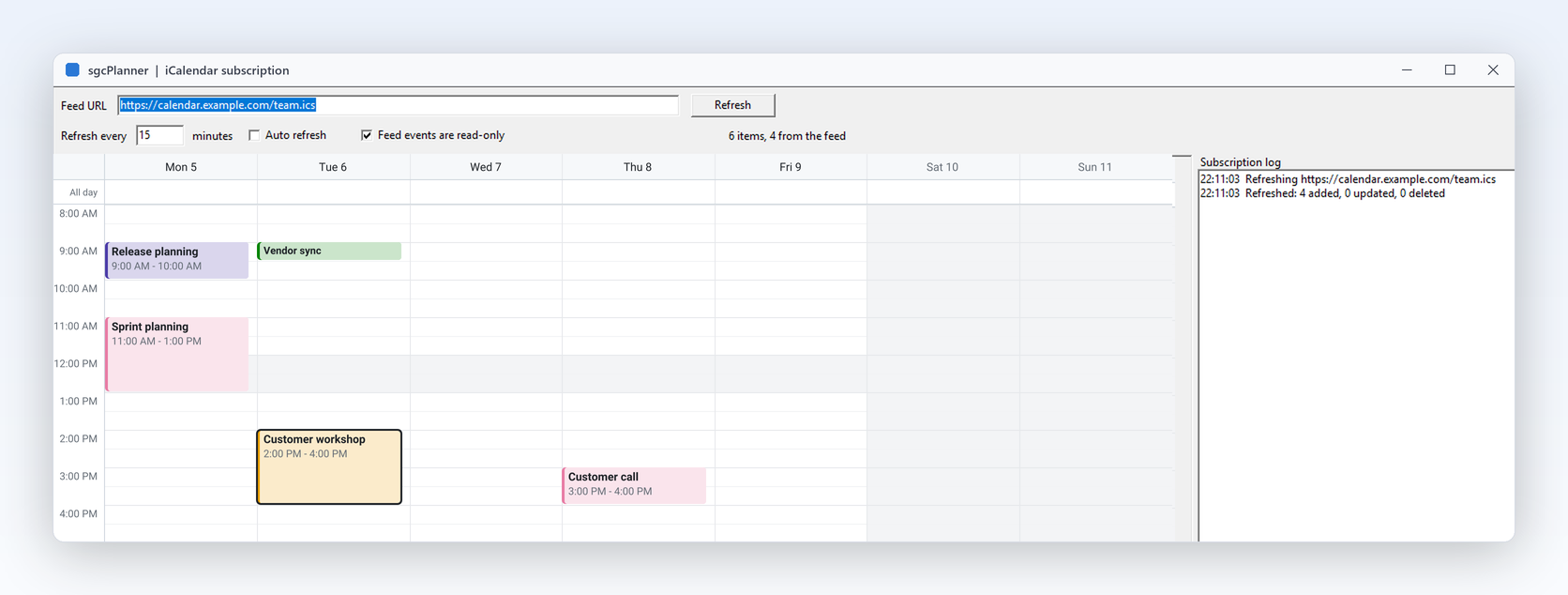
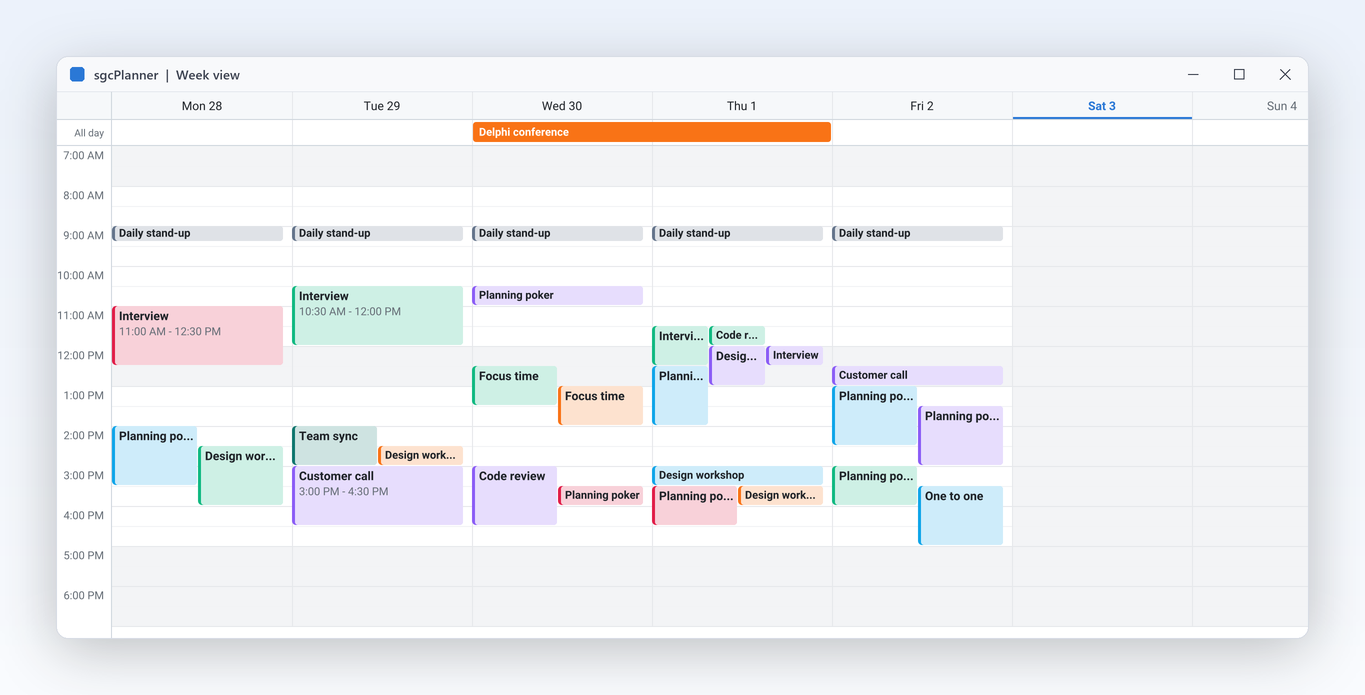
Scheduler

Drag to create, move and resize.

  • Drag across empty slots and OnItemCreate names the new event or refuses the slot.
  • Moves and resizes snap to Options.SlotMinutes, a preview follows the pointer and Escape cancels.
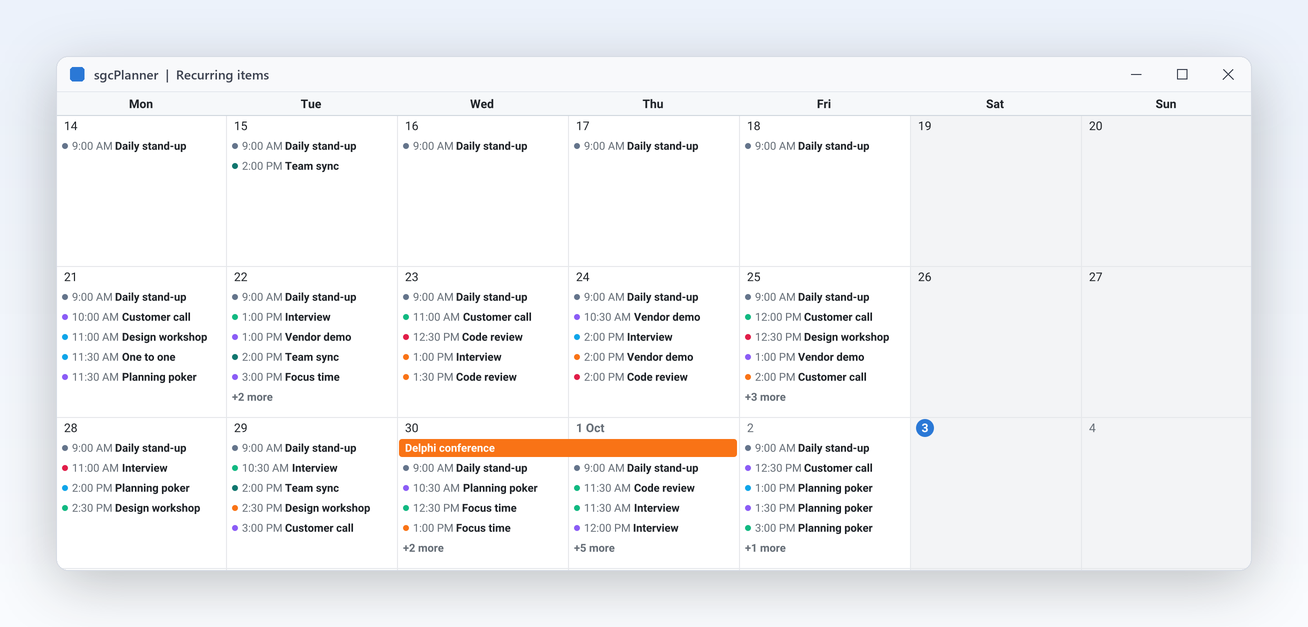
  • Six views: day, work week, week, month, agenda and a resource timeline.
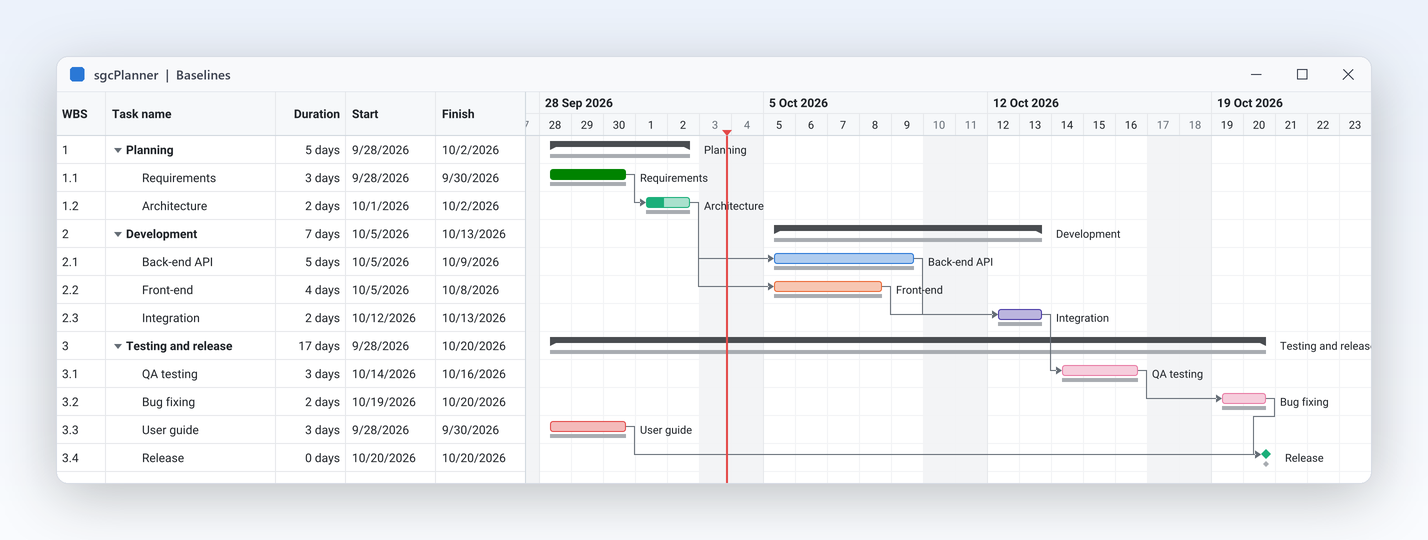
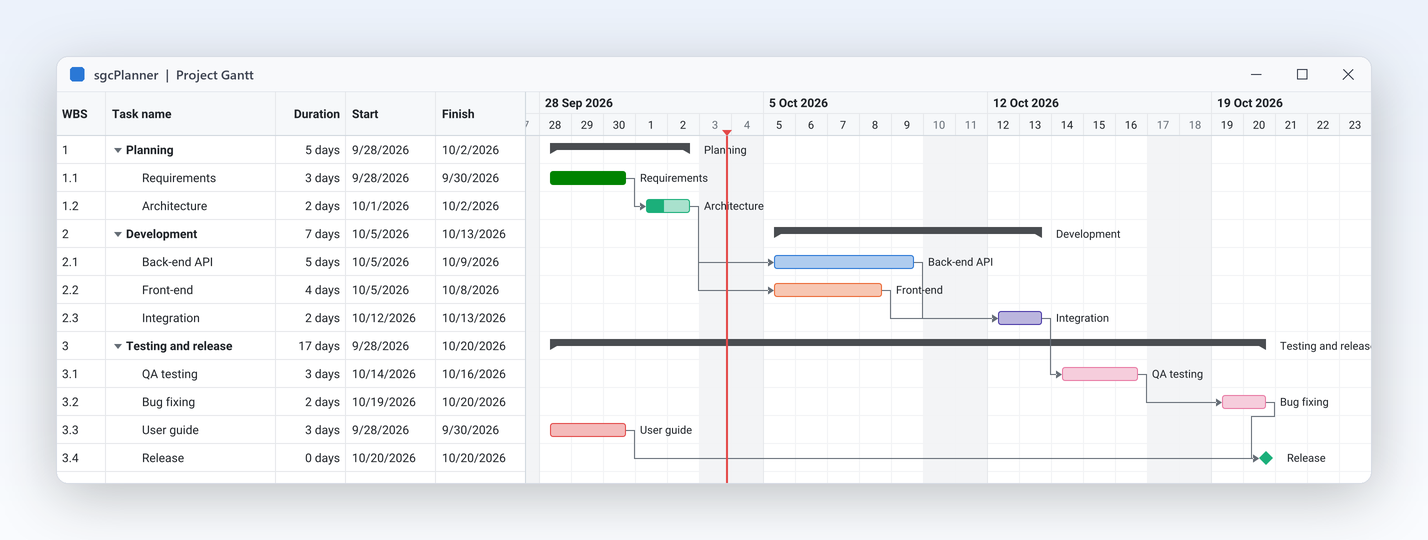
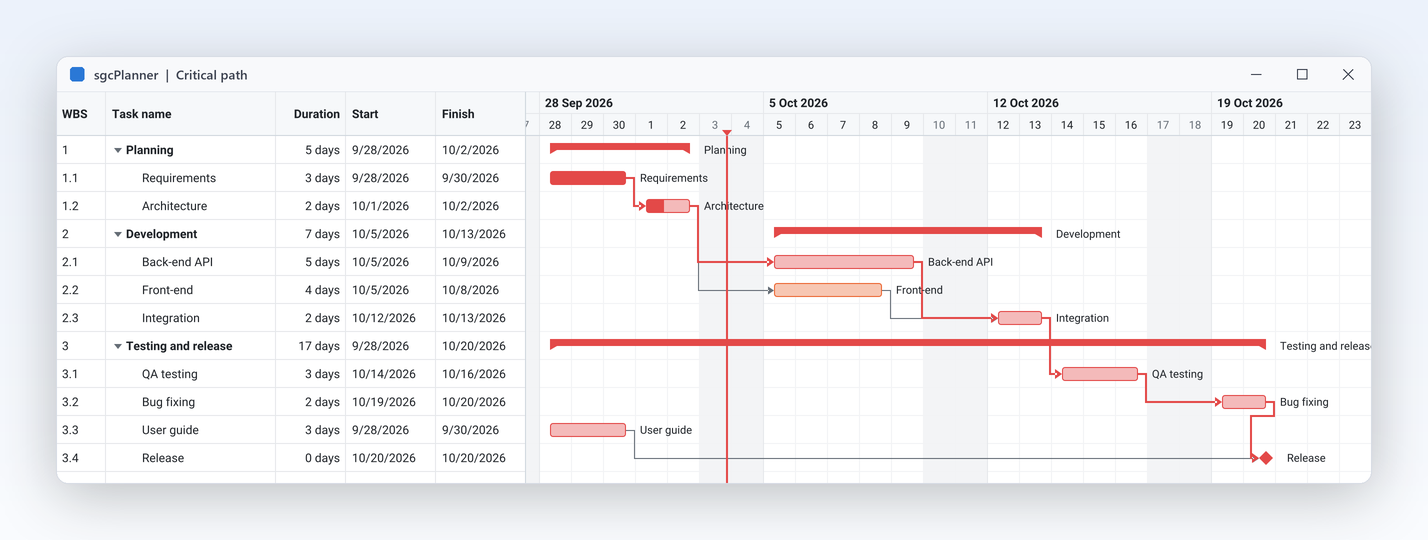
A Gantt chart with the critical path in red and non working days shaded
Gantt

Auto schedule and see the critical path.

  • Schedule places every task after its predecessors on the working calendar, skipping non working days and holidays.
  • ShowCriticalPath highlights the tasks that drive the finish date, TotalSlack gives the minutes a task can slip.
  • Finish to start, start to start, finish to finish or start to finish links, with lag in working time.
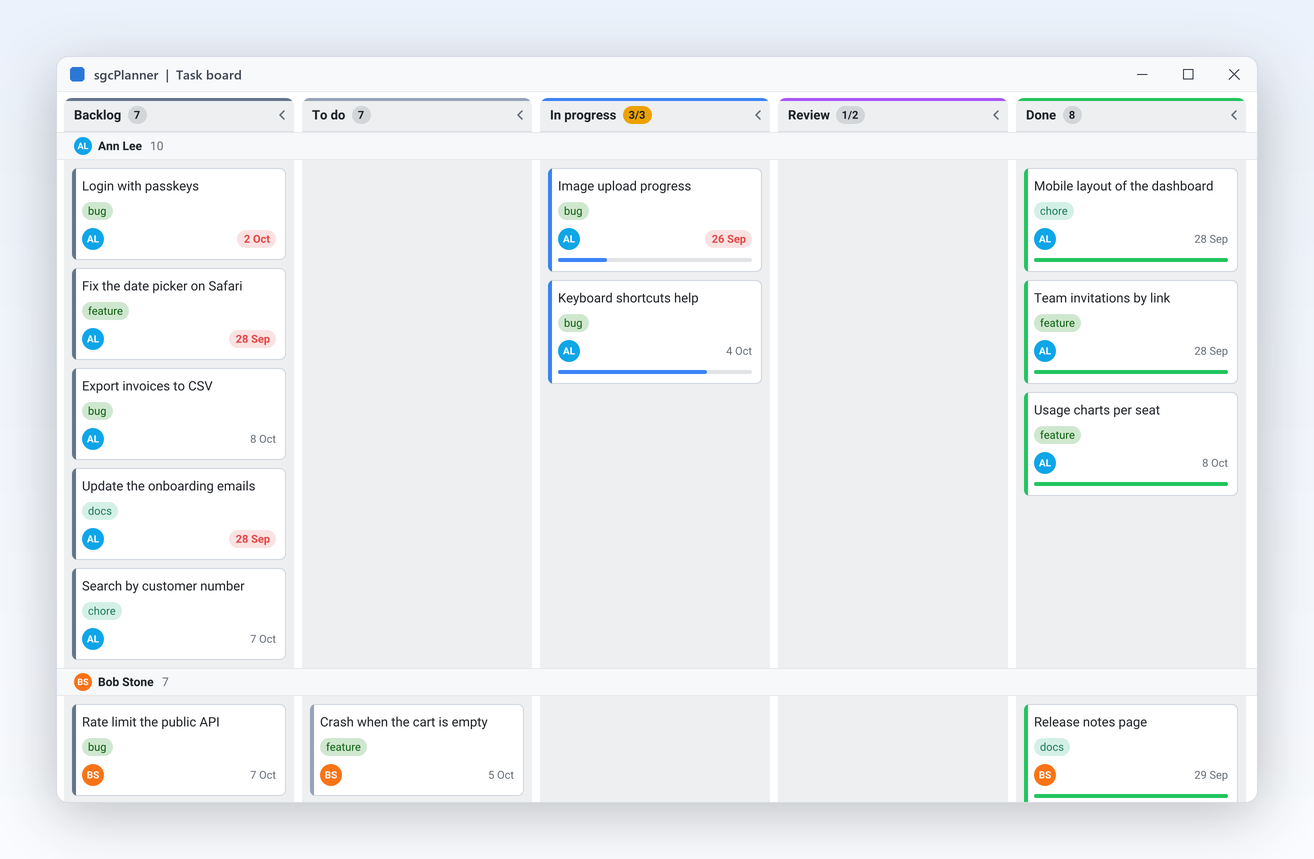
Kanban

Swimlanes and WIP limits keep work flowing.

  • SwimlaneBy splits the board into bands by resource, parent task or tag.
  • WIPLimit caps a column across all lanes: pwmWarn marks it, pwmBlock refuses the drop.
  • A dropped card changes its status in the shared data, so the Gantt and the Scheduler follow at once.
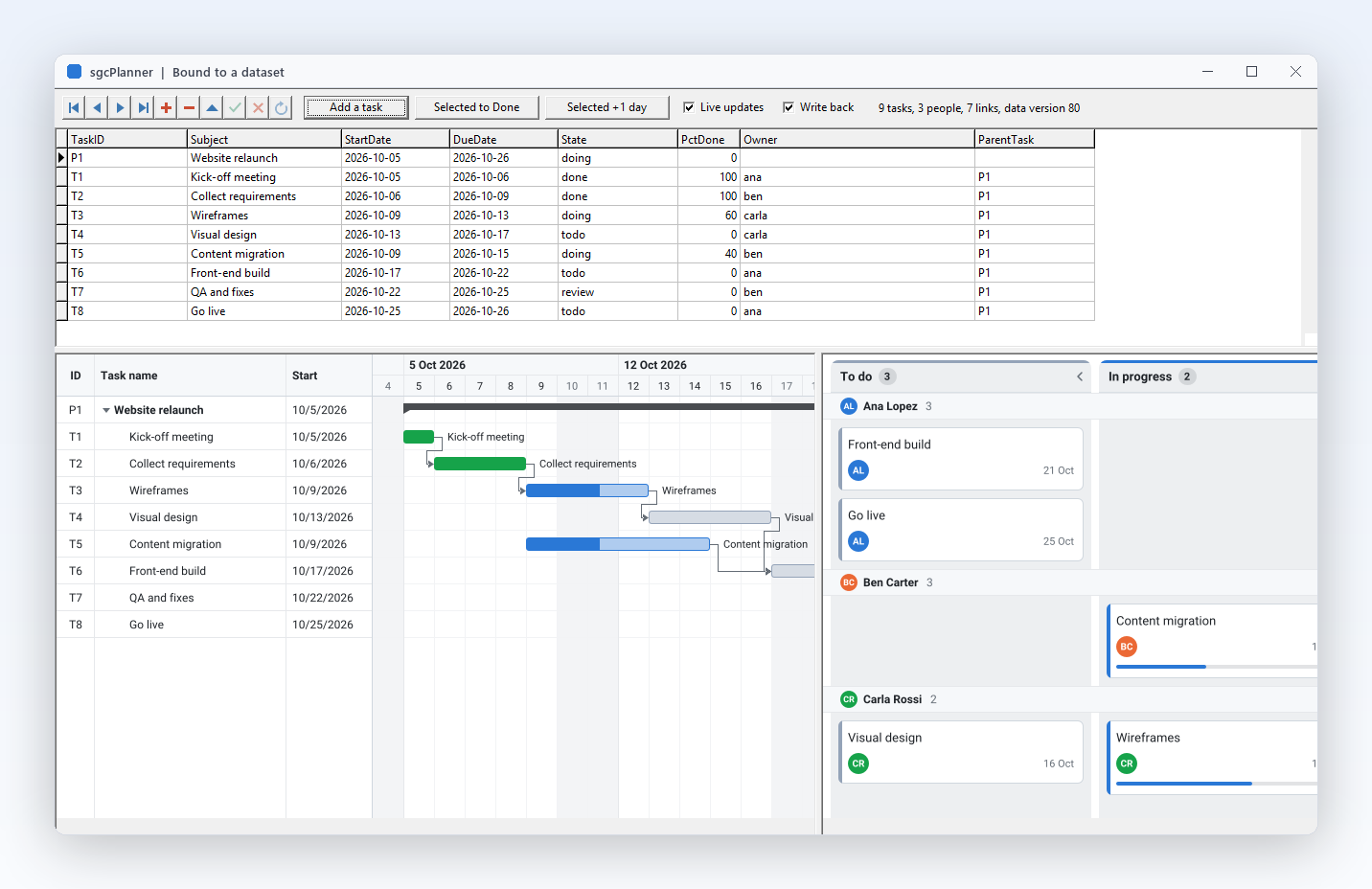
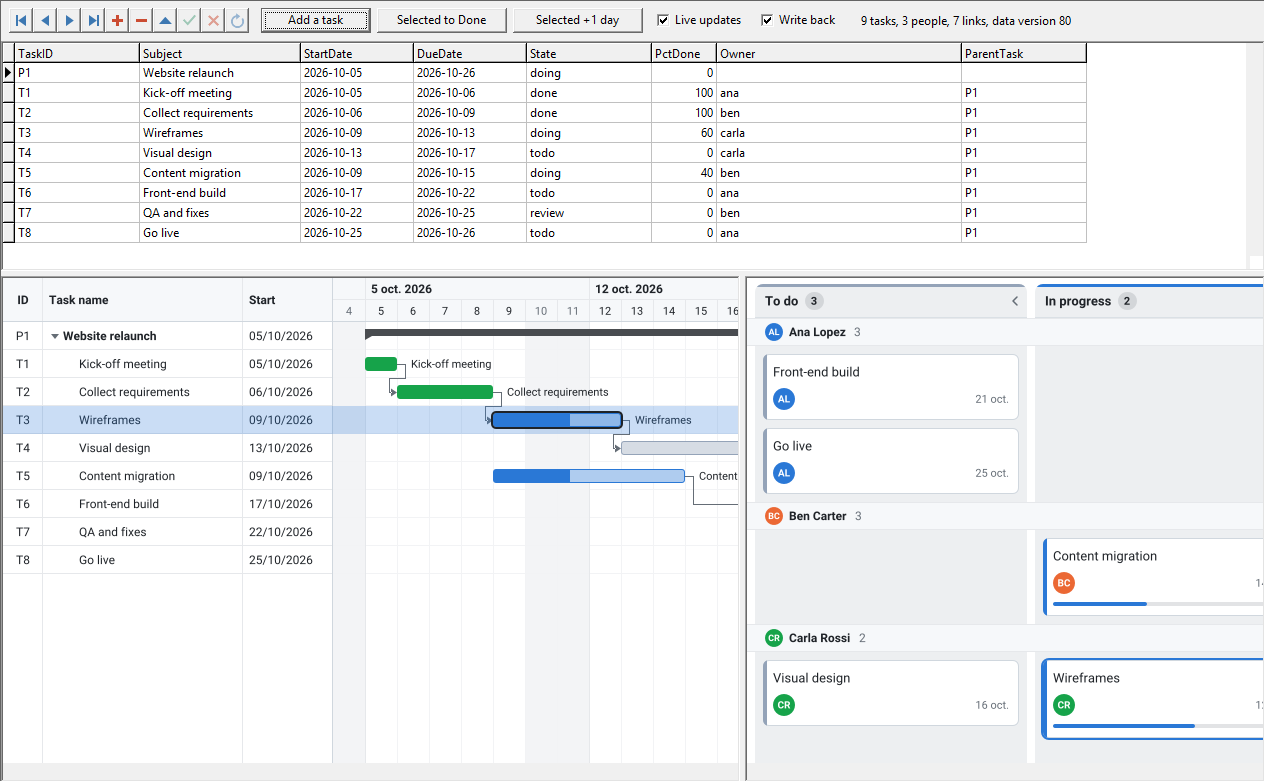
A plan bound to a TDataSet, shown as a Gantt and a Kanban board with edits written back
Your data

Bind a TDataSet, save JSON, render PNG.

  • TsgcPlannerSource_DataSet loads items, resources and dependencies from FireDAC, TClientDataSet or dbExpress and writes the edits back.
  • TsgcPlannerMSProject reads and writes Microsoft Project XML, TsgcPlannerICalendar the .ics files of other calendars.
  • TsgcPlannerRenderer draws any view to PNG or SVG without a window, on Windows or Linux64.

A team scheduler in a few lines.

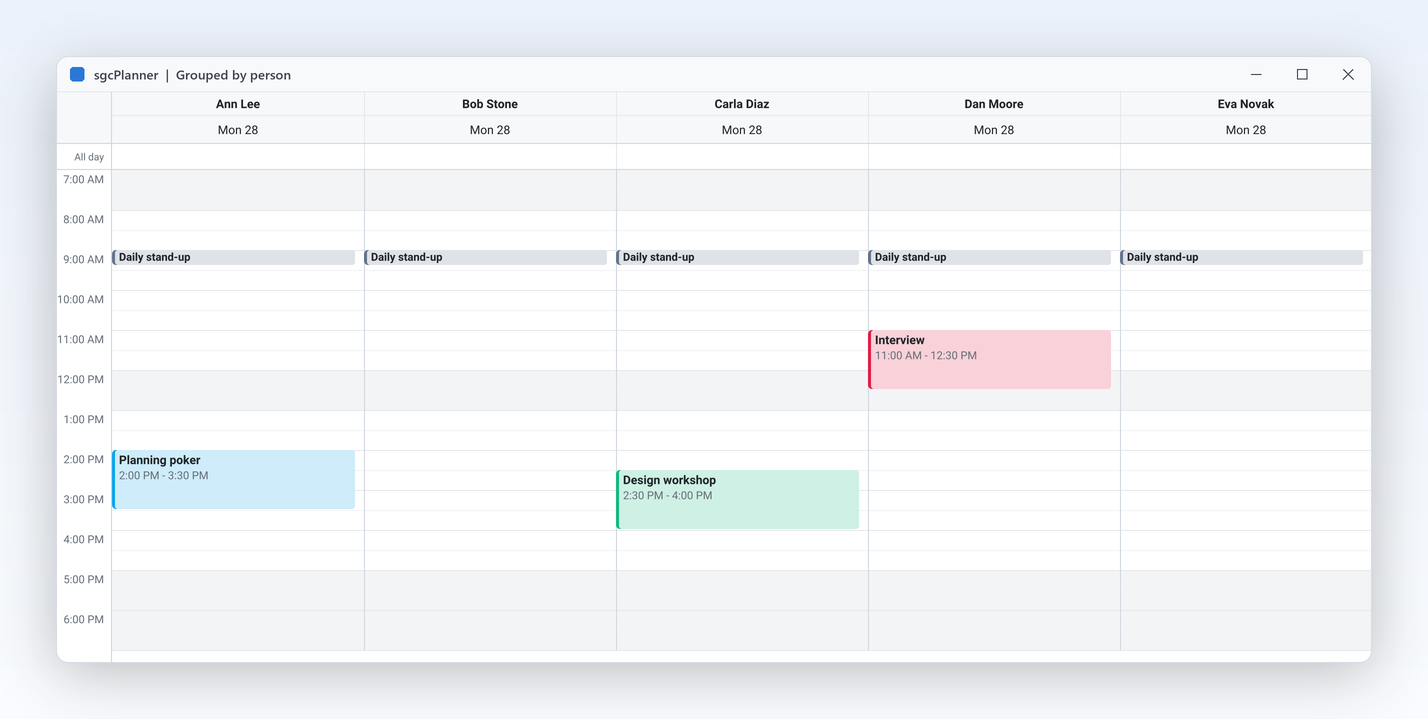
Two people as resources, a daily stand-up from a recurrence rule and a week view grouped by person. The same API in Delphi, C++ Builder and C#.

dotnet add package esegece.sgcPlanner.WinForms

C++ Builder and C# versions

uses
  Classes, Controls, Forms, SysUtils,
  sgcUICore_Theme, sgcPlanner_Data, sgcPlanner_Scheduler,
  sgcPlanner_Scheduler_VCL;

procedure CreateScheduler(aForm: TForm);
var
  oData: TsgcPlannerData;
  oScheduler: TsgcVCLScheduler;
  vItem: TsgcPlannerItem;
  vMonday: TDateTime;
begin
  vMonday := Date - DayOfWeek(Date) + 2;
  oData := TsgcPlannerData.Create(aForm);
  oData.Resources.AddResource('ana', 'Ana').Color := $FF2563EB;
  oData.Resources.AddResource('luis', 'Luis').Color := $FF0F766E;
  // a daily stand-up from an iCalendar recurrence rule
  vItem := oData.AddItem('standup');
  vItem.Title := 'Daily stand-up';
  vItem.Start := vMonday + EncodeTime(9, 0, 0, 0);
  vItem.Finish := vMonday + EncodeTime(9, 15, 0, 0);
  vItem.RecurrenceRule := 'FREQ=DAILY;BYDAY=MO,TU,WE,TH,FR';
  vItem.Resources := 'ana,luis';
  // a week view, one column per person
  oScheduler := TsgcVCLScheduler.Create(aForm);
  oScheduler.Parent := aForm;
  oScheduler.Align := alClient;
  oScheduler.Data := oData;
  oScheduler.Theme := utDark;
  oScheduler.View := psvWeek;
  oScheduler.Options.GroupByResource := True;
end;
Part of sgcUI.

Buy sgcPlanner on its own, or get it in sgcUI Enterprise next to the other products that share its theme and runtime. Each comes with source code.

On its own

sgcPlanner

The planner on its own, full source code and 1 year of updates.

€249 / developer
sgcPlanner pricing

Standard

sgcGrid, sgcNavigation, sgcToolbar and sgcEditors.

€380 / developer
See Standard

Professional

Standard plus sgcCharts, sgcDashboard and sgcGauges.

€529 / developer
See Professional
Includes sgcPlanner

Enterprise

All 14 sgcUI products.

€699 / developer
See Enterprise

For .NET, esegece.sgcPlanner.Community on NuGet is free. sgcPlanner is also in the All-Access bundle.

Explore sgcUI

Works with the rest of sgcUI.

Every sgcUI product draws with the same runtime, sgcUICore, so the planner shares fonts, spacing, accent colour and theme with the controls around it.

Put sgcPlanner in your own application today.

Download the trial with every feature unlocked and run the ProjectPlanner, TeamScheduler and TaskBoard demos, or browse every feature first.

Latest from the blog

View all posts →

You are seeing the sgcPlanner view of eSeGeCe.

Show me another angle →
30-Day Money-Back GuaranteeNot satisfied? Request a full refund within 30 days of purchase. See refund policy