sgcUI sgcDiagram is available right now

sgcDiagram. Draw it. Wire it. Tidy in one call.

Give your users a real diagram editor inside your own application. They drag shapes from a palette, connect them, type text in place and undo anything. You arrange the whole diagram with one call, save it as JSON and export it to PNG or SVG, even on a server with no window.

  • VCL
  • FireMonkey
  • WinForms
  • WPF
  • Avalonia
  • Delphi 7 to 13
  • 14shapes for flowcharts, org charts and sketches
  • 3connector kinds: straight, orthogonal and curved
  • 2automatic layouts: layered and tree
  • 5UI frameworks: VCL, FireMonkey, WinForms, WPF, Avalonia

Everything a diagram editor needs.

Users who draw their own flows, diagrams built from your data, files your application stores and images it sends on. sgcDiagram covers all of it, on every framework.

  • An editor inside your app

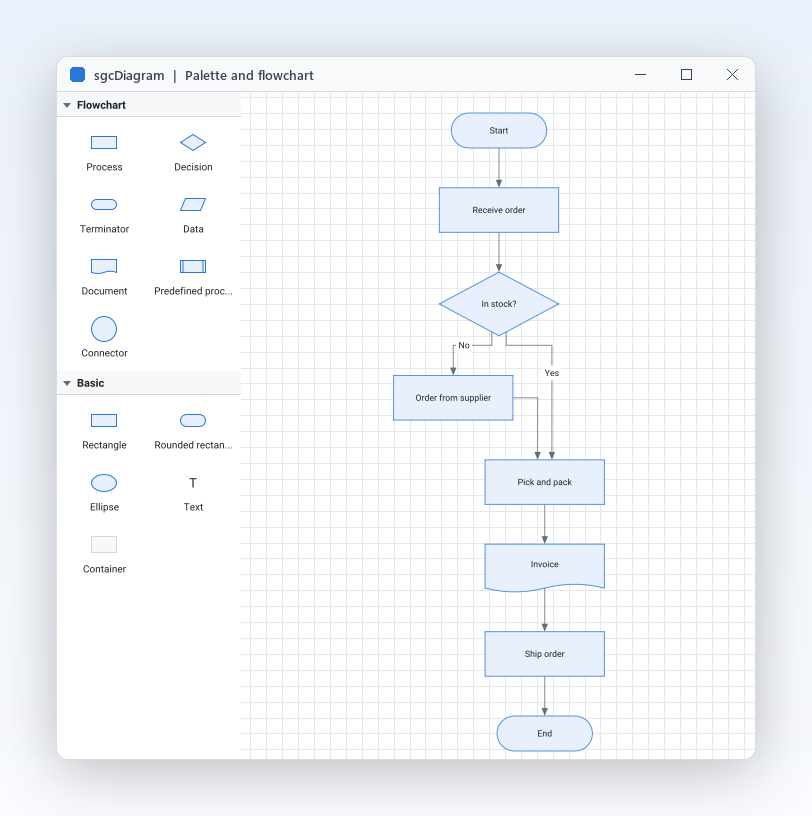
    Palette, shapes, glued connectors, in place text and undo, ready for your users.

  • Diagrams from data

    Layered and tree layouts and dataset binding turn your records into tidy charts.

  • Every UI framework

    VCL, FireMonkey, WinForms, WPF and Avalonia, with the same class names and one JSON format.

  • Headless output

    PNG and SVG from a console program, a service or Linux64, with no window.

See it run.

Recorded from the sgcDiagram demos that ship with the trial.

An editor your users can use

Let users draw their own diagrams.

  • Drop a TsgcVCLDiagramPalette and a TsgcVCLDiagramView on a form and link them with the View property.
  • A double click, F2 or simply typing edits the text of a node in place.
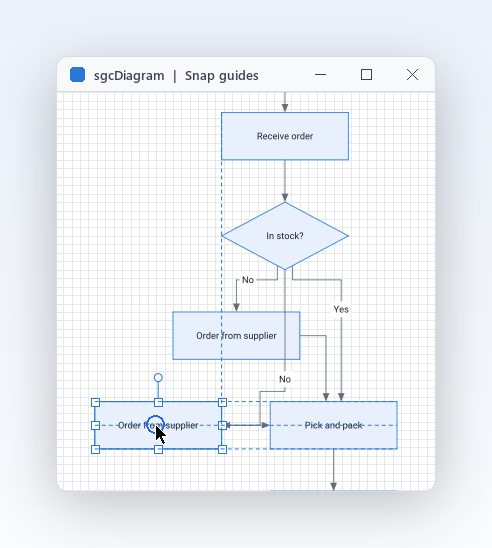
  • Select with Shift, Ctrl or a rubber band, then move, resize, rotate, group, copy and paste.
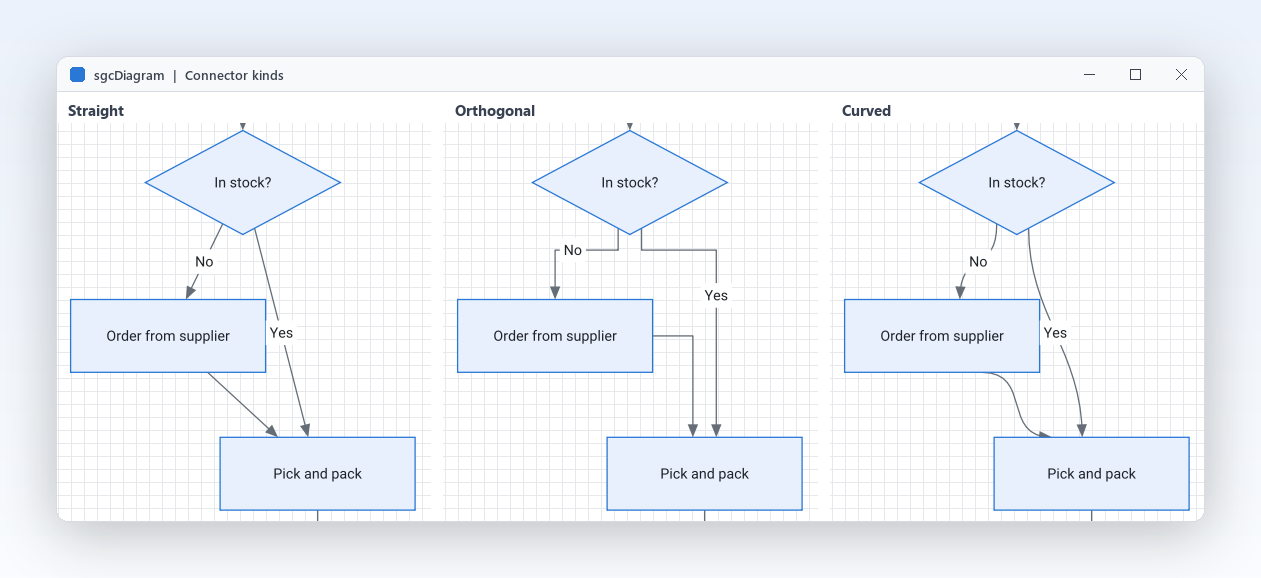
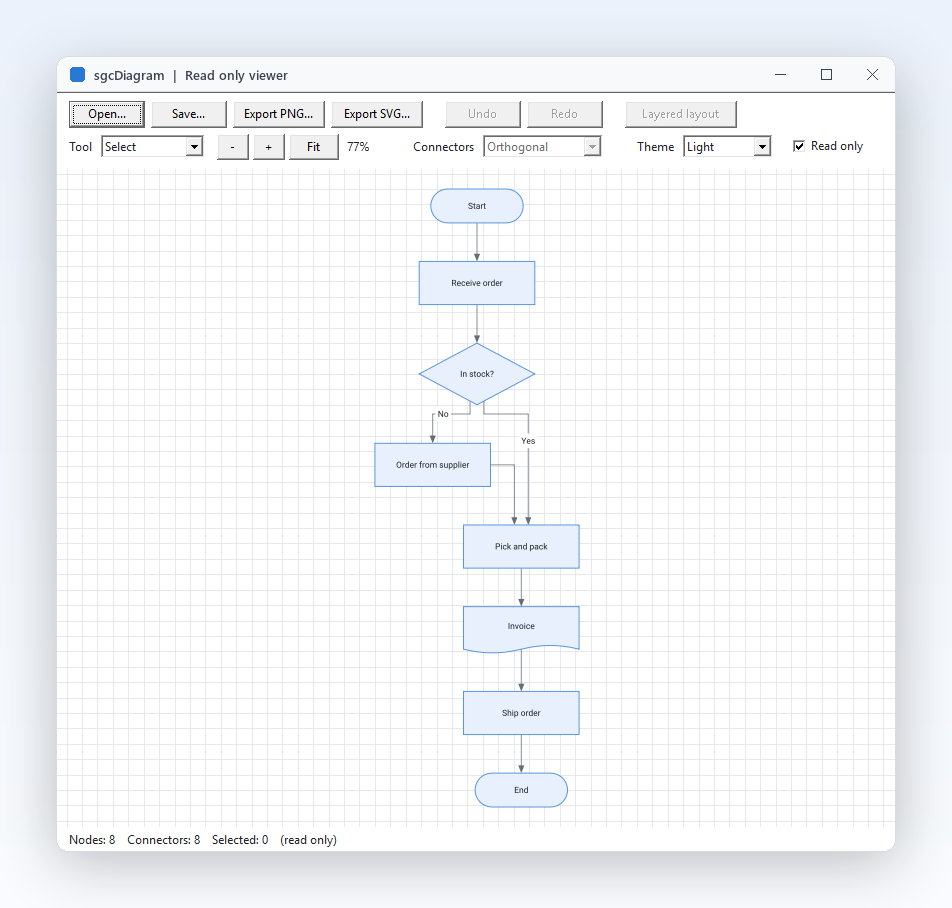
The same branch drawn with straight, orthogonal and curved connectors, with Yes and No labels
Connectors that stay put

Straight, orthogonal and curved, glued to their nodes.

  • Kind is dgcStraight, dgcOrthogonal or dgcCurved, with arrow heads and any number of labels.
  • Every connector end is glued to a named port, to the outline of the node, or left free at a point.
  • Move, resize or rotate a node and its connectors follow and are routed again.
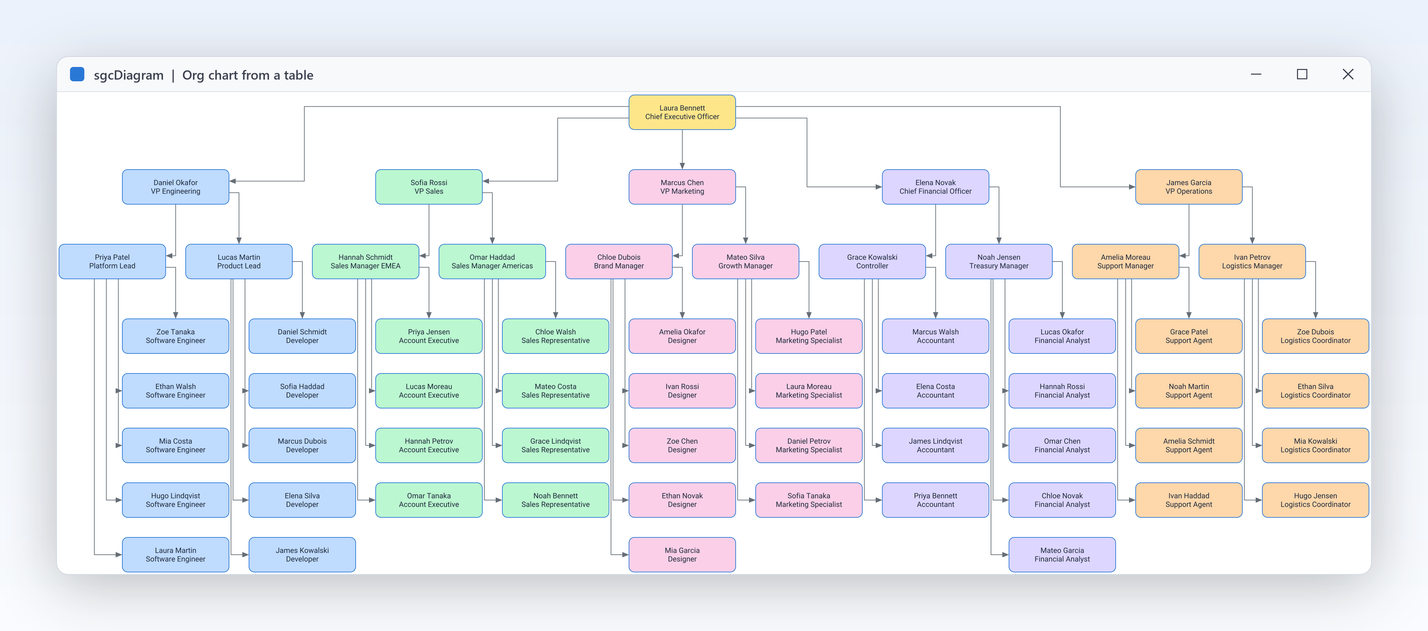
An org chart built from a table of employees and their managers
Diagrams that build themselves

Org charts and flowcharts straight from your data.

  • TsgcDiagramDataBinding turns rows into nodes and every parent key into a connector.
  • TsgcDiagramLayeredLayout arranges a directed graph in layers with few connector crossings.
  • TreeStyle set to dgoCompactLeaves stacks the staff of a manager in one column.
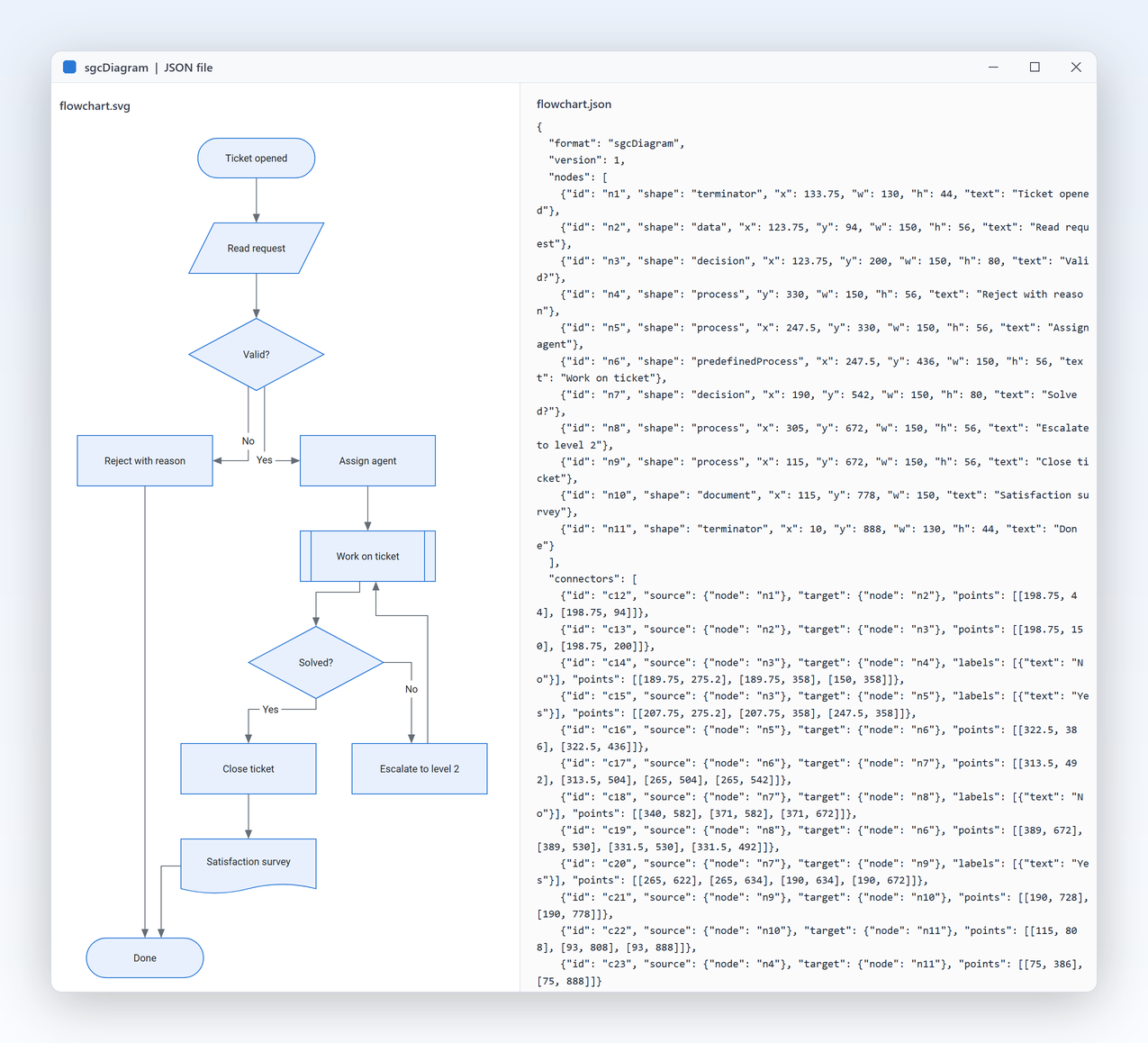
A support ticket flowchart exported as SVG next to the JSON file it was saved to
Files and export

Save as JSON, export PNG and SVG, even on a server.

  • The JSON format is identical on every platform and in every edition, Delphi, C++ Builder and .NET.
  • SaveToPNG and SaveToSVG on the view, with a scale factor for sharp images.
  • TsgcDiagramRenderer writes PNG and SVG with no window, from a console program, a service or Linux64.

An order flow in a few lines.

Create shapes and connectors in one undo step, then arrange them. The same API in Delphi, C++ Builder and C#. The layout call needs the Registered or Trial edition.

dotnet add package esegece.sgcDiagram.WinForms

C++ Builder and C# versions

uses
  Forms, Controls,
  sgcUICore_Theme, sgcDiagram_Types, sgcDiagram_Model,
  sgcDiagram_Layout, sgcDiagram_VCL;

procedure BuildOrderFlow(aForm: TForm);
var
  oView: TsgcVCLDiagramView;
  oDoc: TsgcDiagramDocument;
  oStart, oStock, oPay: TsgcDiagramNode;
  oLayout: TsgcDiagramLayeredLayout;
begin
  oView := TsgcVCLDiagramView.Create(aForm);
  oView.Parent := aForm;
  oView.Align := alClient;
  oView.Theme := utDark;
  oDoc := oView.Diagram;
  oDoc.BeginTransaction('Order flow');
  try
    oStart := oDoc.AddNode(dgsTerminator, 0, 0, 140, 50, 'Order received');
    oStock := oDoc.AddNode(dgsDecision, 0, 0, 160, 90, 'In stock?');
    oPay := oDoc.AddNode(dgsProcess, 0, 0, 140, 60, 'Charge card');
    oDoc.AddConnector(oStart, oStock);
    oDoc.AddConnector(oStock, oPay).Labels.Add.Text := 'Yes';
  finally
    oDoc.EndTransaction;
  end;
  // arrange left to right, one undo step
  oLayout := TsgcDiagramLayeredLayout.Create(oDoc);
  try
    oLayout.Direction := dglLeftToRight;
    oLayout.Execute;
  finally
    oLayout.Free;
  end;
  oView.ZoomToFit;
end;

Part of sgcUI.

Buy sgcDiagram on its own, or get it in sgcUI Enterprise, next to every other sgcUI product that shares its theme and runtime. Each comes with source code.

On its own

sgcDiagram

The editor on its own, full source code and 1 year of updates.

€249 / developer
sgcDiagram pricing

Standard

sgcGrid, sgcNavigation, sgcToolbar and sgcEditors.

€380 / developer
See Standard

Professional

Standard plus sgcCharts, sgcDashboard and sgcGauges.

€529 / developer
See Professional
Includes sgcDiagram

Enterprise

All 14 sgcUI products.

€699 / developer
See Enterprise

For .NET, esegece.sgcDiagram.Community on NuGet is free. sgcDiagram is also in the All-Access bundle.

Explore sgcUI

Put sgcDiagram in your own application today.

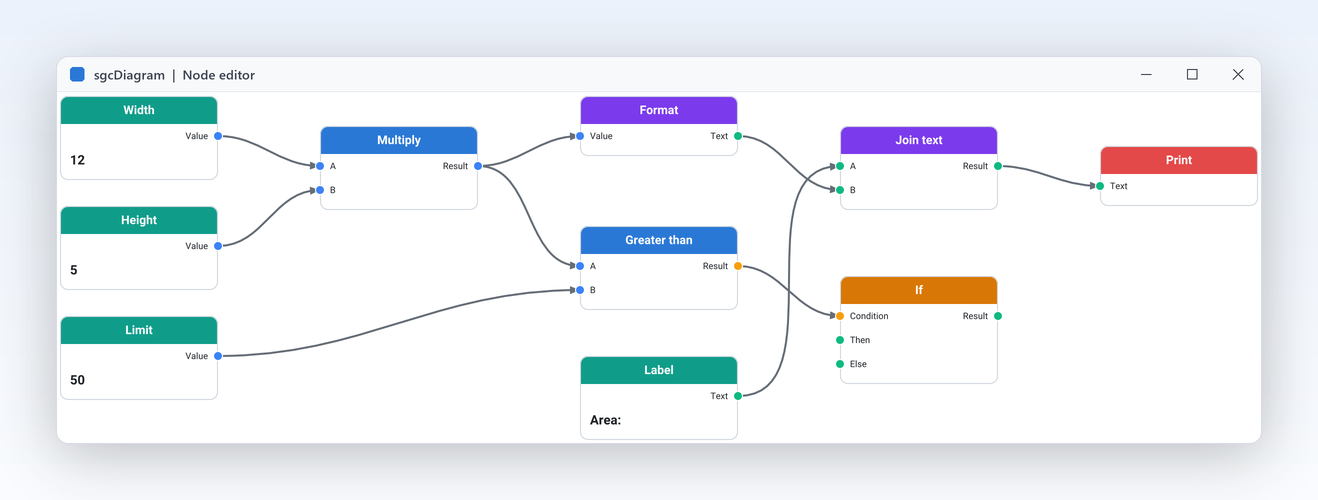
Download the trial and run the FlowchartEditor, OrgChart and NodeEditor demos, or browse every feature first.

Latest from the blog

View all posts →

You are seeing the sgcDiagram view of eSeGeCe.

Show me another angle →
30-Day Money-Back GuaranteeNot satisfied? Request a full refund within 30 days of purchase. See refund policy